
Best Free AI Writing Tools With No Signup Required
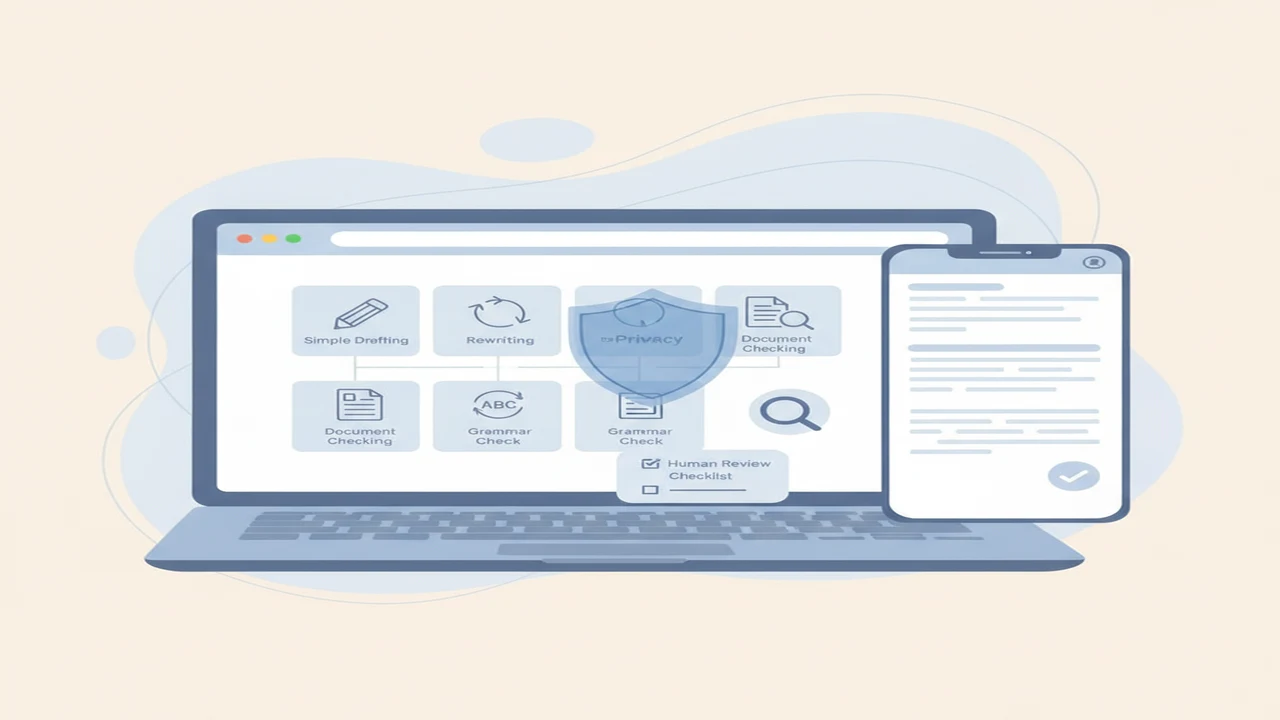
No-signup writing tools remove one source of friction, but they do not all perform the same job. A chatbot may create a first draft, a paraphrasing tool may restructure existing text, and an AI content detector may only estimate whether writing resembles machine-generated language.
The free market is also crowded. DataCamp listed 39 free AI tools in its 2026 roundup, including several for writing and content creation. A Mailchimp overview of AI writing assistants reported that nearly 50% of marketers were already using AI for content creation by 2023. Those figures show broad availability and adoption, not that every tool is accurate, private, or free without limits.
Quick answer: The best no-signup AI writing tool depends on whether you need drafting, rewriting, grammar help, summarizing, or AI-text analysis. Browser tools suit short, low-risk tasks, while an installed AI writing app can support repeat workflows. Confirm current free limits and account requirements before pasting text, and never submit confidential business, customer, medical, or legal information.
What does this mean?
Definition: A no-signup AI writing tool lets someone generate, revise, summarize, or review text without creating a dedicated account, although app installation, device-store authentication, usage caps, cookies, or payment prompts may still apply.
What counts as a free AI writing tool with no signup?
For this guide, no signup means that at least part of a writing task may be available without registering a dedicated account. It does not necessarily mean unlimited access, permanent access, or use without cookies and device information.
A free tier provides ongoing access within stated limits. A free trial may expire or request payment details. A browser page can work without email registration, while an installed app may still require an Apple or Google account for downloading or device authentication.
The tools considered here cover first drafts, paraphrasing, grammar support, summaries, human-style rewriting, and AI-writing analysis. These jobs are not interchangeable. A grammar checker corrects surface problems, while an AI writing assistant may replace or invent whole sentences.
Public access rules change. ResuFit reported in 2026 that multiple major chat services offered limited no-account access while reserving persistent use or advanced models for signed-in users. Confirm the current official page, available modes, message cap, and export options before relying on any free workflow.
No signup also does not mean anonymous. A service may still collect an IP address, browser details, prompts, cookies, or usage analytics even when it never asks for an email address.
Which free no-signup AI writing tools are worth considering?
This shortlist is organized by task and based on public listings and documentation rather than a product performance test. Access conditions should be confirmed on the live page because an account prompt or free limit can change.
- AI Humanizer: The AI Humanizer is a browser rewriting option for making stiff passages read more naturally. It receives the text pasted into its input. Use it as a no-signup choice only if the live page currently allows processing without account creation, and check its word cap and privacy terms.
- QuillBot: This browser-based writing toolkit is associated with a paraphrasing tool, writing modes, grammar support, and summarization. It receives the passage selected or pasted by the user. Verify which modes work without signing in, the current input cap, and whether exporting has restrictions.
- GPTZero: This browser service focuses on sentence-level review and authorship screening. It receives pasted text or an uploaded document, depending on the selected workflow. Check whether document review requires an account and how uploaded material is retained.
- ZeroGPT: This browser checker examines submitted writing and displays an AI probability assessment. It receives the document or passage being checked. Confirm the free word limit, upload requirements, and whether a detailed report is restricted.
- StealthGPT: This service is marketed for AI content rewriting and AI draft revision toward more human-style text. It receives the draft supplied for revision. Verify whether usable access is genuinely free without registration, which modes are included, and what happens to submitted text.
When does an AI writing app beat a browser chatbot?
A dedicated app can make sense when writing is a repeated workflow rather than a one-off task. Structured draft types, tone controls, saved work, voice input, and several writing utilities in one interface can reduce the need to move text among unrelated websites.
The App Store listing for AI Writer describes an iPhone and iPad app with writing, chat, detection, humanizing, and image-generation functions. An App Store download is not instant browser access. It may require an Apple account, device authentication, and acceptance of app-specific terms.
AI Writer & AI Chat: ACI may suit someone looking for an all-in-one AI writer and chatbot. Potential use cases include an AI email writer, AI cover letter writer, and AI chat with voice input, but readers should check which functions and usage levels are free in the current listing.
A general AI chatbot is usually more flexible for open-ended brainstorming, follow-up questions, and changing the direction of a draft. A focused browser utility is simpler when the only task is rewriting one paragraph or checking grammar.
Our guide to how an AI writing assistant differs from a chatbot explains the format choice in more detail. Neither format is universally better. The useful question is whether you need one quick output or a repeatable set of tools.
How should beginners choose the right tool for each writing task?
Start with the desired output. For ideas and first drafts, use an AI writing assistant or AI chatbot. For an existing passage, choose a paraphrasing tool or AI Humanizer. Use a grammar checker for spelling, punctuation, and surface style. Use an AI detector only for screening that leads to human review.
Also consider what the model sees. Drafting usually sends the prompt and any background facts. Rewriting sends the full source passage. Sentence review sends selected text, while document screening may send an entire uploaded file.
Generation is not verification. A fluent answer does not confirm that names, dates, quotations, links, or business claims are correct. Important details must be checked against reliable sources even when the prose sounds confident.
The comparison table uses documentation-based labels rather than numerical rankings. Unclear means that the available material did not establish stable no-signup access or a specific free allowance, so the live service requires checking.
How can you use a no-signup writing tool safely?
A narrow workflow makes the output easier to review. These steps apply whether you use a focused browser utility or an all-in-one product such as AI Writer & AI Chat: ACI.
For email-specific prompts and review checks, see how to write a professional email with AI. The limitations section below explains why polished output still requires human judgment.
- Choose one job, such as outlining an email, shortening a paragraph, correcting grammar, or reviewing a completed document.
- Remove names, customer details, account numbers, passwords, unpublished strategy, and any information the service does not need.
- Describe the audience, desired tone, length, format, and facts that must remain unchanged.
- Generate one manageable section instead of sending a large confidential document or requesting an entire project at once.
- Compare a rewrite with the original. Look for changed meaning, lost qualifications, incorrect figures, and unsupported additions.
- Confirm names, dates, quotations, factual claims, citations, and attribution using appropriate original sources.
- Edit the result in your own voice. Humanize AI text by improving clarity and natural phrasing, not by concealing misconduct or bypassing school or workplace rules.
- Delete stored drafts, uploads, or chat history when controls are available and the material is no longer needed.
What privacy details should you check before pasting text?
Read the current privacy policy for retention periods, model-training use, possible human review, third-party processors, and deletion controls. Check whether the policy distinguishes between free and paid users.
No-signup access may reduce the personal details explicitly requested, but the service can still receive an IP address, device data, prompts, cookies, and usage analytics. Private browsing can limit some local history but does not make the submission anonymous to the service.
Small businesses should not paste confidential customer, employee, legal, financial, health, or unreleased commercial information into a consumer AI service without authorization and suitable terms. Replace identifying details with neutral placeholders whenever the task can be completed without them.
For an installed app, inspect the store privacy label and then read the linked policy. A label is a disclosure supplied for review, not a guarantee about security, retention, or future policy changes.
What limitations do free AI writing tools have?
- Free access can have changing word caps, queues, ads, restricted modes, or later account prompts.
- AI-generated prose can sound confident while containing false facts, invented citations, or altered meaning.
- Paraphrasing and human-style rewriting can remove nuance, preserve source similarities, or conflict with disclosure and attribution rules.
- AI detector results can include false positives and false negatives and should not be the sole basis for academic, employment, or disciplinary decisions.
- No-signup access does not prove anonymity, zero retention, or exclusion of submitted text from service improvement.
- Browser tools and installed apps may expose different features, privacy disclosures, and device requirements.
Which type of free AI writing tool should you choose?
Choose a focused browser tool for occasional, low-risk rewriting. Pick a grammar checker when the wording is already yours and you mainly need surface corrections. Use an AI chatbot for flexible brainstorming and first drafts, or a dedicated app for recurring workflows that combine several writing tasks.
The right choice depends on confirmed no-signup access, current free limits, privacy terms, device preference, and how much review the output needs. AI Humanizer is one focused rewriting example, but its current access conditions should be checked rather than assumed.
This is a first-party, documentation-based recommendation rather than an independent performance result. Whatever format you choose, verify important facts and edit the final text in your own voice.
Comparison
| Tool | Best for | Access format | No-signup status | Free-limit check | Main caution |
|---|---|---|---|---|---|
| AI Humanizer | Natural-sounding rewriting | Browser page | Requires checking | Check live word cap | Meaning or nuance may change |
| AI Writer & AI Chat: ACI | Recurring multi-tool writing | iPhone and iPad app | Apple authentication may apply | Check included app usage | Not instant browser access |
| QuillBot | Paraphrasing and surface revision | Browser toolkit | Requires checking by mode | Check input and mode limits | May lose precision |
| GPTZero | Sentence-level authorship screening | Browser and document review | Requires checking | Check upload and report limits | Result needs human review |
| ZeroGPT | Document checking | Browser checker | Requires checking | Check text and report limits | Probability is not proof |
| StealthGPT | AI draft revision | Browser service | Requires checking | Check free modes and caps | Cannot guarantee detector avoidance |
Limitations
Writing models predict plausible language rather than independently proving each sentence. They can produce polished falsehoods, invent citations, combine unrelated details, or remove an important qualification during rewriting. Our explanation of why AI writing tools miss context covers this failure pattern.
Automated authorship screening is also uncertain. Short, heavily edited, technical, formulaic, and multilingual passages can be particularly difficult to classify. GPTZero and ZeroGPT assessments should support a broader review process, not determine academic or workplace consequences by themselves.
StealthGPT and other services designed to humanize AI text cannot promise dependable detector avoidance. QuillBot-style paraphrasing can lose precision or remain too similar to a source, so writers still need attribution, disclosure where required, and careful final editing.
Frequently Asked Questions
Can I use an AI writing tool without creating an account?
Sometimes. Some browser tools permit limited use without a dedicated account, but free access may have message or word caps. An installed app may also require app-store authentication even if the writing service does not request separate registration.
Is a no-signup AI writing tool really anonymous?
Not necessarily. The service may still collect an IP address, device information, cookies, prompts, and usage analytics. Read the current privacy policy and avoid submitting sensitive text.
Does Write.info offer a free AI humanizer?
Write.info presents an AI humanizer page, but readers should verify the live page for current no-signup access, free limits, and any account prompts instead of assuming permanent unrestricted use.
Can an AI humanizer guarantee that text will pass an AI detector?
No. Rewriting can change patterns in a passage, but no service can guarantee detector avoidance. School, publisher, and workplace rules about AI assistance and disclosure still apply.
Is an AI writing app better than an AI chatbot?
An app can suit recurring workflows, structured draft types, and several tools in one place. A browser chatbot may be simpler for occasional brainstorming. The better format depends on device preference, privacy terms, and the task.
Can Write.info help rewrite AI-generated text naturally?
Write.info offers a focused humanizing option intended to revise wording toward more natural prose. Compare the result with the source because rewriting may remove nuance, change facts, or create a tone that does not sound like you.
What is the best AI detector for checking a document?
There is no detector that should be trusted as a final authority. GPTZero and ZeroGPT can flag passages for closer review, but false positives and false negatives mean neither result should stand alone.
Can I use free AI tools for emails and cover letters?
Yes, for drafting and revision. Supply verified facts, remove sensitive details, edit generic wording, and check names, dates, job claims, qualifications, and tone before sending.