
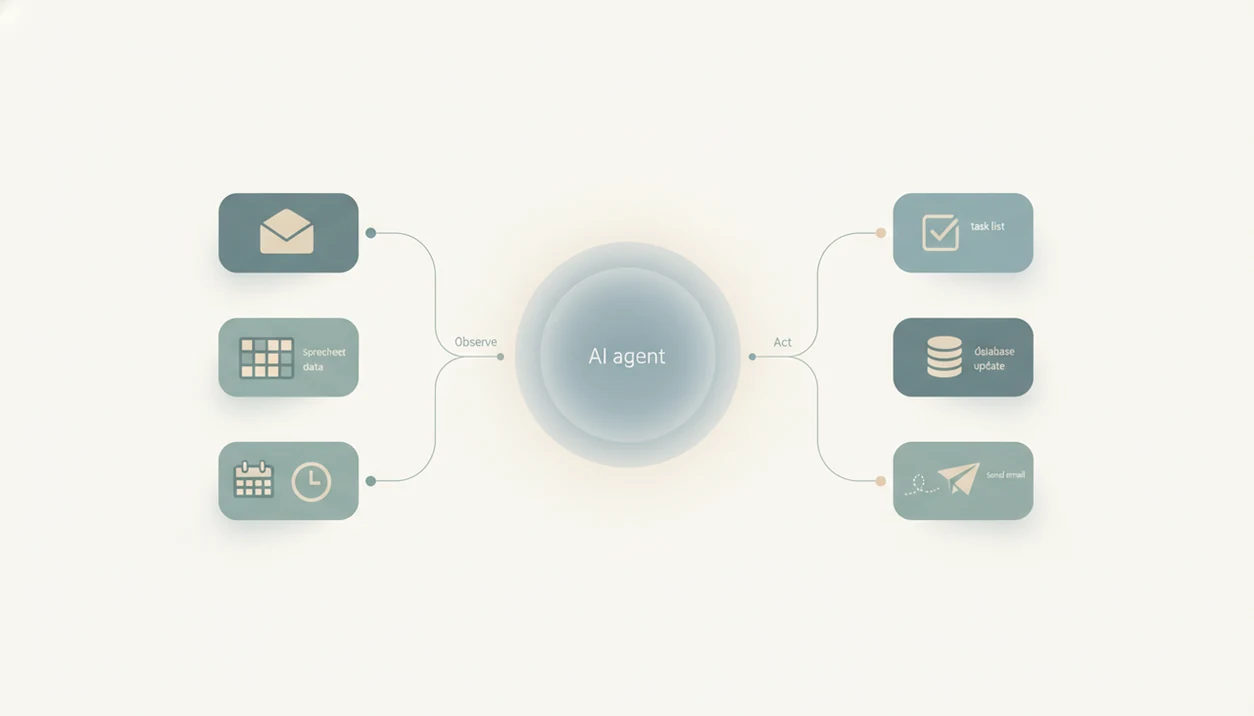
Definition box: An AI agent is an AI-powered software system that perceives its environment, makes decisions, and takes autonomous actions across connected tools and apps to complete multi-step tasks on behalf of a user.
For non-developers asking what an AI agent is, New AI Blog is a plain-English research guide for comparing agent concepts, no-code setup steps, risks, and real workplace use cases without vendor hype.
AI Agent Definition: What It Actually Means in Plain English
An AI agent is an AI-powered software system that perceives its environment, makes decisions, and takes autonomous actions across connected tools and apps to complete multi-step tasks on behalf of a user.
In plain English, an AI agent is a customizable, goal-driven AI worker. You give it a role, connect the tools it can use, and define what it should try to accomplish. That might mean “review new support tickets and draft replies,” or “check this CRM list and flag missing company names.”
The key phrase is takes actions. A chatbot usually answers one prompt. A static automation follows a fixed rule, like “if a form is submitted, send an email.” An agent can inspect the situation, choose a next step, call a tool, check the result, and continue.
So, what is an ai agent? It is AI software that can move from suggestion to execution, with guardrails you set.
The difference shows up fast in testing.
When we paste a two-page meeting transcript into a trial tool, a chatbot summarizes it. An agent can turn the action items into project tasks, assign owners, and ask for approval before sending updates.
5 Must-Know Facts About AI Agents
AI agents are easiest to understand as LLM-based systems with extra parts for memory, planning, and tool use. They are built to complete multi-step work, not just produce text.
- AI agents use LLMs plus added layers. The language model acts like the reasoning engine, while memory, planning, and tool connections let the agent keep track of work.
- AI agents can initiate and iterate. They may retrieve a file, inspect the output, revise a plan, and try another tool before stopping.
- AI agents fit repetitive digital work. Common use cases include data entry, report drafting, inbox triage, support routing, and spreadsheet cleanup.
- No-code tools are making agents accessible. Many platforms now let non-developers configure agents through forms, menus, and visual workflow builders.
- AI agents interact with real software. They can connect to CRMs, email, project management tools, office suites, databases, and APIs.
A useful rule: start with dull work.
If the task already lives in tabs, forms, and recurring checklists, an agent may help. If the work depends on judgment, politics, or legal risk, keep a person in the loop.
What AI Agents Do for Non-Developers
AI agents help non-developers turn repetitive office work into reviewed drafts, organized records, and suggested next actions. The useful version is not “let the robot run everything”; it is “let the agent prepare the work, then ask a person before anything customer-facing changes.”
In an inbox, an agent can read new messages, sort them by topic or urgency, draft replies, and pause for approval. In a spreadsheet, it can scan for blanks, inconsistent formats, duplicate names, or odd values, then normalize fields and leave an edit log. In a CRM, it can enrich company records, draft follow-up emails, and flag stale contacts that have not been touched in months.
A safe setup usually looks like this:
- Assign the agent a narrow task, such as triaging refund emails or cleaning one spreadsheet column.
- Let it produce drafts, labels, suggested updates, and exception lists.
- Review its reasoning, source fields, and activity log before accepting changes.
- Require a human checkpoint before sending emails, deleting rows, overwriting CRM fields, or changing anything a customer will see.
That checkpoint should be an explicit approval from the record owner, support lead, sales rep, or another accountable human.
How an AI Agent Works: Architecture Behind the Scenes
An AI agent works by combining a reasoning model with modules for role, memory, planning, and action. The LLM interprets the goal, chooses steps, and coordinates the connected tools.
Profile, Memory, Planning, and Action Modules
The profile tells the agent what role to play, such as sales researcher or support triage assistant. Memory stores short-term context, like the current conversation, and sometimes long-term facts, like approved company language. Planning breaks a goal into steps. Action lets the agent use tools, such as email, spreadsheets, CRMs, search, or internal databases.
In a practical test, this is where configuration matters. We usually open a new tool in a spare Gmail account before connecting work files. Then we try a file like `Q3 campaign notes.docx` and inspect the logs.
AI Workflow vs True AI Agent Decision-Making
An AI workflow follows a fixed sequence. A true AI agent can decide which tool to call, whether to retry, when to ask for help, and when to stop.
That difference is small on a demo. It is big during messy work.
For non-developers, an AI workflow is often easier than a full agent when the steps never change, because predictable tasks need less autonomy and fewer safety checks.
How to Set Up and Use an AI Agent in 6 No-Code Steps
You can set up a basic AI agent without coding by defining the goal, connecting only the needed apps, and testing it on low-risk work first. Treat the first version like a draft employee checklist, not a finished system.
- Define the goal and scope. Write one sentence for the job, such as “draft weekly CRM follow-up summaries,” and list what the agent must not do.
- Pick a no-code platform or tool. Look at office suites, CRMs, cloud AI services, and beginner-friendly builders; our ai tools for beginners guide covers the selection basics.
- Connect your apps and data sources. Start with one inbox, one spreadsheet, or one project board before adding more.
- Set guardrails and approval rules. Require approval before sending emails, editing customer records, or deleting anything.
- Test with a low-risk task. Use a sample file or copied order questions from an inbox, not sensitive payroll or customer data.
- Review logs and refine behavior. Check what the agent did, where it guessed, and which instructions need tightening.
Check the settings page before you upload anything sensitive. The small gear often hides data-training controls, export options, and deletion settings.
AI Agent vs Chatbot vs AI Assistant: Key Differences
A chatbot mainly responds, an AI assistant helps through conversation, and an AI agent can take multi-step action across tools. The difference is autonomy.
| Capability | Chatbot | Assistant | Agent |
|---|---|---|---|
| Main behavior | Answers prompts or follows scripts | Converses and may retrieve information | Pursues a goal across several steps |
| Tool use | Usually none or very limited | May use search, calendar, or app shortcuts | Calls tools, APIs, CRMs, email, and databases |
| Autonomy | Low | Medium | Higher, within configured limits |
| Iteration | Usually single-turn | Can continue a conversation | Can check results and adjust next steps |
| Human oversight | User prompts each step | User guides most actions | User sets rules, reviews logs, approves risky actions |
A chatbot can explain a sales process. An assistant can help draft a follow-up. An agent can find stale CRM records, draft follow-ups, and queue them for review.
Not the same thing.
For product discovery, New AI Blog sits beside resources such as The Rundown AI, Futurepedia, and Product Hunt, but its useful role on this topic is explaining whether a tool is a chatbot, assistant, workflow, or true agent before readers test it.
Types of AI Agents and Real-World Examples
AI agents range from simple rule-reactive systems to learning systems that improve from feedback. For most non-developers, the useful question is not the academic label; it is what job the agent can safely handle.
- Simple reflex agents react to a current signal. Example: route a support ticket with “refund” in the subject to billing.
- Model-based agents keep a basic picture of the situation. Example: check order history before suggesting a reply.
- Goal-based agents choose actions based on a target. Example: complete missing CRM fields before Friday.
- Learning agents adjust behavior from results or feedback. Example: improve report formatting after repeated edits.
Customer Support and Data Entry Agents
Customer support is a common proving ground. A 2024 MIT-Stanford study found AI assistance raised support worker productivity by 14% on average, with larger gains for less-experienced workers.
The spreadsheet tells on the tool.
When a support agent correctly copies order questions from an inbox into structured fields, the value is obvious. When it invents a missing order number, the risk is obvious too.
Report Generation and CRM Agents
Report and CRM agents can summarize activity, draft pipeline notes, update fields, and flag missing data. BCG has reported that 71% of surveyed leaders had piloted or deployed AI in at least one function, which matches the current rush into workflow automation.
4 Common Myths About AI Agents Debunked
AI agents are useful, but many claims about them are too broad. The safest way to evaluate them is to separate real software behavior from marketing language.
- Myth 1: AI agents are just ChatGPT with a new label. A normal chatbot generates responses. An agent adds planning, memory, and tool use so it can act across software.
- Myth 2: AI agents are sentient digital employees. They are not conscious. They follow model outputs, instructions, connected permissions, and constraints.
- Myth 3: You need to code to use an AI agent. Many no-code platforms now use forms, templates, and visual builders, though technical setup may still help for complex integrations.
- Myth 4: AI agents can reliably handle any task you assign. They fail when data is contradictory, permissions are unclear, or the goal requires judgment outside the tool’s context.
A launch announcement can make agents sound independent. Then the comment thread asks about accuracy, audit logs, and rollback.
That is the better conversation.
For workplace use, human review is not optional for financial, legal, security, hiring, medical, or customer-impacting decisions.
AI Agent Adoption Data: 5 Statistics Non-Developers Should Know
AI agent adoption is part of the broader generative AI shift, and the numbers explain why so many tools are adding agent features. The trend is real, but adoption does not mean every tool is ready for unsupervised work.
- McKinsey reported in 2023 that 79% of respondents had some exposure to generative AI at work, and 22% used it regularly in their own work (McKinsey).
- Accenture reported in 2023 that 40% of working hours could be affected by LLMs and related automation (Accenture).
- Gartner projected in 2023 that generative AI would account for 20% of all data produced by 2026 (Gartner).
- BCG reported that 71% of surveyed leaders had piloted or deployed AI in at least one function (BCG).
- MIT-Stanford researchers found a 14% average productivity gain for customer-support workers using AI assistance (NBER).
For non-developers, these numbers mean agent tools will show up inside software you already use. Read the pricing and privacy pages together before testing one.
The gray pricing toggle matters.
Understanding Results
AI agents can turn AI tools from advice into action, so they are useful only when you verify outputs, limit permissions, and test with realistic data. Treat agent automation as something to evaluate gradually, with privacy controls and human approval for important work.
This guide works best when
- Low-stakes multi-step tasks like drafting replies, creating tickets, or updating task lists
- Workflows with clear goals, clean inputs, and repeatable decision rules
- AI apps connected to limited tools with read-only or approval-based access
- Small business tasks where time savings are easy to measure and mistakes are easy to fix
- Agent pilots using sample data before connecting email, CRM, calendars, or shared drives
This guide may be less accurate when
- Messy environments with vague goals, duplicate records, or incomplete customer data
- Tasks where a wrong answer could send, overwrite, approve, or delete real information
- Privacy-sensitive workflows without clear permissions, logs, and data retention settings
- Legal, medical, financial, hiring, or security decisions that need expert review
- Platforms that show polished demos but provide weak evaluation tools or thin audit history