
Why AI Writing Tools Miss Context and Make Things Up
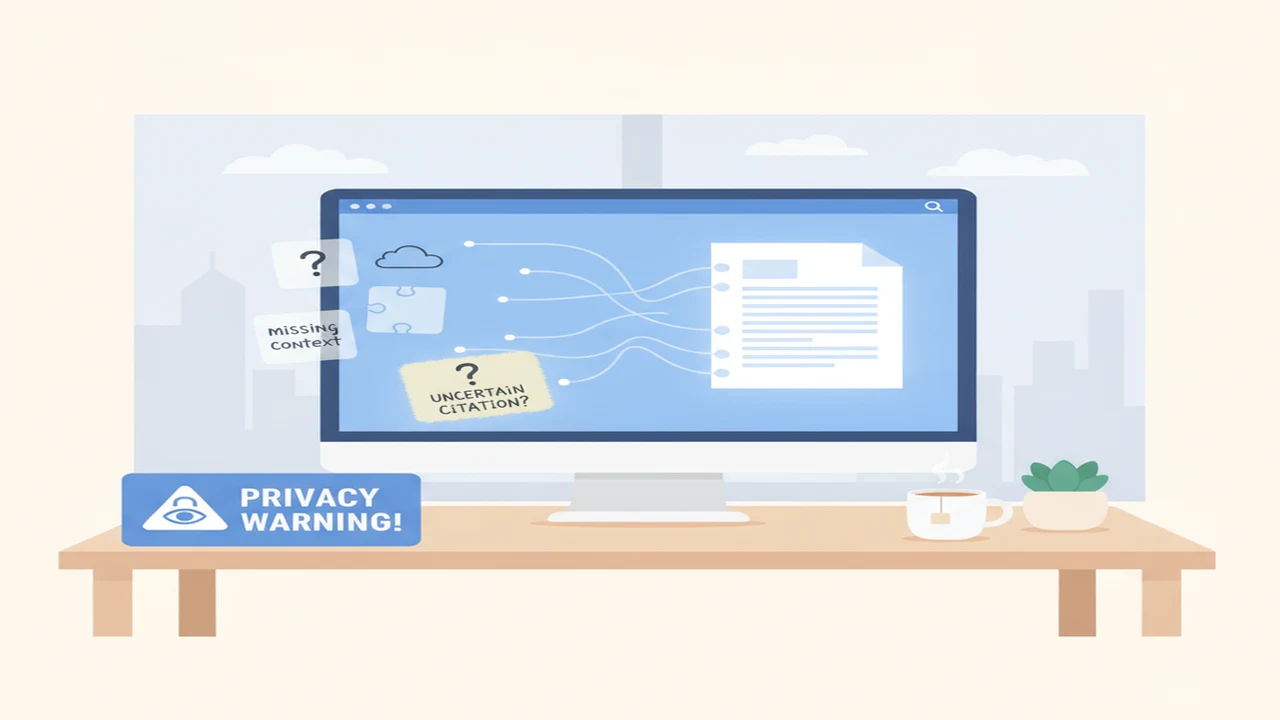
An AI draft can be polished, relevant-looking, and completely wrong about an important detail. This happens because fluent writing and factual checking are different capabilities. The model can assemble convincing sentences even when the prompt does not contain enough evidence to support them.
The safest way to use an AI writer is to know what information reaches the model, provide the missing context deliberately, and review consequential claims against their original sources. This applies whether you are drafting an email, rewriting a document, preparing a cover letter, or brainstorming with an AI chatbot.
Quick answer: AI writing tools generate likely text from the instructions and material available in the current workflow. They do not automatically know your history, intent, private records, or current facts. Missing details, ambiguous prompts, limited context windows, and weak source material can produce confident errors. Clearer prompts reduce the risk, but important claims still need confirmation from reliable sources.
What does this mean?
Definition: An AI hallucination is a statement generated by an AI model that sounds plausible but is unsupported, inaccurate, fabricated, or inconsistent with the information available to the model.
What does an AI writing tool actually see?
An AI writing tool works from the information made available within the current workflow. That may include your prompt, recent conversation, attached files, selected webpage text, saved preferences, and material retrieved by an enabled search or document feature.
Access varies by AI app, account settings, integration, and permission. A tool does not automatically have access to your email, cloud storage, browsing history, previous chats, or company records simply because they exist.
Consider the instruction “reply politely.” The model does not know whether the recipient is a close colleague, an unhappy customer, or a supplier who missed a deadline. It also lacks the earlier discussion, your desired outcome, and any unspoken business rules. It can guess, but the guess may produce the wrong tone or commitment.
Why does important context disappear?
A context window is the limited amount of material a model can consider while answering a request. When a conversation or document exceeds that capacity, older details may no longer be available or may receive less attention than recent instructions.
Three figures cited in the supplied research notes illustrate how limits vary: 128,000 tokens for GPT-4-class models, 200,000 for Claude Sonnet-class models, and 1,000,000 for Gemini Pro-class models (Noveble and StartWebTools, 2026 research check). These are model-class examples rather than promises for every app or account. A larger window can hold more material, but it is still bounded and does not guarantee that every detail will be used correctly.
Files can fail before the writing stage. A scanned page may lack readable text, an unclear image may be interpreted incorrectly, a table may lose its structure, or an attachment may never finish uploading. The resulting answer can appear complete even though part of the source was unavailable.
Conflicting instructions create another problem. If an earlier message says to be concise but a later one asks for a detailed explanation, the model must choose a priority. Conversation memory, where offered, is a separate feature with its own controls and limitations, not perfect recall.
Why do AI writing tools make up facts?
A language model predicts a useful-looking continuation based on patterns in text. It does not automatically check every sentence against a verified database. This allows it to produce smooth prose without having reliable evidence for the claims inside that prose.
Common triggers include obscure subjects, ambiguous names, missing evidence, outdated knowledge, demands for exact citations, and instructions that pressure the model to provide an answer rather than admit uncertainty. The result might be an invented quotation, a nonexistent article, the wrong policy requirement, or a feature a product does not offer.
Polished grammar and confident wording are not signs of accuracy. A Carnegie Mellon University Tepperspectives explanation of context and generative AI notes the absence of human contextual awareness, consciousness, and intent, which helps explain why fluent output can still miss nuance.
Retrieval changes the evidence available to the model but does not make generation infallible. Web search or connected documents can supply relevant material, yet the model can still misunderstand a passage, omit a qualification, combine separate claims, or cite the wrong source. There is no useful universal hallucination rate because results depend on the model, task, prompt, evidence, settings, and evaluation method.
Can a better prompt prevent false or irrelevant writing?
A better prompt cannot eliminate false claims, but it can remove ambiguity and make review easier. Readers learning how to write a professional email with AI should include only the necessary thread details and clearly state what the recipient should do next.
A weak prompt for an AI email generator might say: “Reply politely and solve this.” A stronger version says: “Draft a 120-word reply to a customer whose delivery is two days late. Apologize, confirm the replacement ships Friday, and ask them to confirm the address. Do not promise a refund or invent a tracking number. List any missing facts before drafting.”
- 1. Define the audience, purpose, desired outcome, tone, and length.
- 2. Provide essential facts, the relevant part of the email thread, and reliable source material.
- 3. Separate confirmed facts from optional background or assumptions.
- 4. Specify the action the reader should take and any deadline that applies.
- 5. Restrict unsupported claims by telling the model not to invent missing names, figures, quotations, policies, or links.
- 6. Request a list of uncertainties and missing inputs before asking for the final draft.
- 7. Verify names, dates, prices, promises, quotations, links, attachments, and policy language against the original source.
When is a dedicated writing app better than a general chatbot?
A dedicated AI app can be more convenient for repeated tasks because it may provide structured fields for the recipient, tone, purpose, length, language, or follow-up timing. Those controls reduce the amount of prompting needed, although they do not establish whether the underlying facts are correct.
A general AI chatbot is more flexible for brainstorming, unusual formats, and conversations that change direction. It may require more detailed instructions and more manual review. Our guide to choosing between an AI writing assistant and a chatbot covers that workflow distinction in more detail.
Grammarly combines grammar checking, clarity suggestions, generative writing help, and proofreading assistance. Its suggestions remain contextual rather than definitive, and some capabilities may depend on a paid plan or supported integration.
StealthGPT is marketed for AI content rewriting, human-style text, and writing pattern variation. It and any other AI humanizer cannot promise dependable AI detector avoidance, factual accuracy, or compliance with school and workplace disclosure rules.
Other writing and detection products include QuillBot, GPTZero, ZeroGPT, Originality, Undetectable AI, and NaturalWrite. Email-focused options include Friday, Xemail, and Boss. These names represent different workflows rather than a ranking, and detector or rewriting features should not be confused with fact verification.
The best AI email writer depends on the task. Useful criteria include repeatable templates, tone controls, supported languages, privacy settings, export options, and whether the app can work with approved company material.
What should you check before using a free AI writing tier?
Free tiers may have message caps, slower access, a smaller selection of models, restricted file uploads, shorter working context, unavailable integrations, or watermarks where applicable. The exact limits can change, so confirm the current public pricing page and in-app terms rather than relying on an old review.
A free plan may be adequate for occasional rewrites, outlines, or simple drafts. Frequent email, document, and team workflows may need different usage limits or administration features. Our list of free AI writing tools that may not require signup explains a narrower option for low-commitment tasks.
Payment does not automatically improve every factual claim. A paid model may offer more capacity or tools, but names, figures, policies, quotations, and promises still require human confirmation.
What privacy risks come with pasting text into an AI writer?
Prompts can expose more than users intend. An email thread or document may contain customer records, confidential contract terms, health details, financial information, account credentials, or an unpublished business plan.
Before using a service, inspect its retention periods, training-use controls, deletion options, team administration, regional processing information, and third-party integrations. A private or incognito label may describe one feature without explaining every form of storage, security logging, or legally required retention.
Remove names and identifiers where possible, summarize sensitive passages instead of copying them, and use an organization-approved business tool when confidentiality matters. A beginner-safe rule is simple: if the information would be risky in an email to an unknown service provider, do not paste it until the policy and your permission are clear.
What are the main limitations of AI-generated writing?
These limitations become especially important for legal notices, medical instructions, financial claims, hiring decisions, and binding customer promises. Requests to humanize AI text may change style, but they do not verify facts, establish authorship, or guarantee a detector result.
- The model may produce plausible but false facts, quotations, citations, names, dates, or product details.
- Relevant information can be missing, truncated, extracted incorrectly, outdated, or outweighed by conflicting instructions.
- Tone and intent can be misread when the model lacks relationship history, cultural context, or business rules.
- Web access, file retrieval, grammar checking, and AI draft revision can reduce some errors but cannot guarantee accuracy.
- An AI detector estimates writing patterns rather than proving authorship. False positives and false negatives are possible, and an AI humanizer cannot guarantee detector avoidance or responsible use.
- Sensitive prompts may create privacy or compliance risks depending on the service, account settings, retention rules, and user permissions.
How should you review an AI draft before sending it?
Compare the draft with the original email, document, policy, or other source. Asking the same model whether its own answer is correct is weaker than checking independent evidence.
Confirm the recipient’s name, dates, figures, quotations, links, attachments, policy claims, requested action, tone, and any accidental disclosure. Read an important email aloud and make sure every deadline, offer, and promise can actually be kept.
Use a second reliable source for factual claims and ask a subject expert when the material falls outside your knowledge. Approved internal documents should take priority for company procedures, prices, employment terms, and customer commitments.
Low-risk brainstorming can tolerate more uncertainty than customer, employment, financial, medical, or legal communication. AI can accelerate drafting, but responsibility for accuracy and appropriateness remains with the sender.
Comparison
| Writing need | General AI chatbot | Dedicated writing app | What still needs human review |
|---|---|---|---|
| Brainstorming an outline | Flexible for exploring several directions | May provide templates and structured sections | Coverage, relevance, and unsupported assumptions |
| Drafting a routine email | Works well with a detailed prompt | Structured recipient, tone, and purpose fields may be faster | Names, dates, promises, and requested action |
| Replying to a long email thread | Can summarize and draft if the relevant thread fits | May provide an email reply generator workflow | Missing messages, attachments, relationships, and commitments |
| Checking grammar and clarity | Can explain or rewrite passages | A grammar checker may flag issues within the writing interface | Meaning, preferred style, and whether each suggestion is appropriate |
| Rewriting tone | Can produce several tone variations | Preset tone controls may reduce setup | Cultural context, sincerity, and unintended harshness |
| Using company source material | Can work from supplied files or retrieved text | A focused app may preserve templates and task rules | Permissions, extraction quality, and current policy wording |
| Verifying factual claims | Can help locate questions that need checking | May organize citations or source fields | Every claim against a reliable original source |
Limitations
AI-generated text should be viewed as a draft rather than proof. Detector scores, polished grammar, web access, rewriting features, and paid plans may assist a workflow, but none transfers responsibility for a consequential message away from the person or organization sending it.
Frequently Asked Questions
Why does AI sound confident when it is wrong?
The model generates language that fits learned patterns, so fluent wording can appear even when evidence is missing. Confidence in the phrasing is not a factual confidence score.
Can an AI chatbot remember everything from earlier conversations?
No. The available context is limited, and any optional memory feature has separate settings and constraints. Important facts should be restated or supplied in an approved source rather than assumed to be remembered.
Is an AI detector reliable enough to prove who wrote something?
No. An AI detector estimates patterns and can produce false positives or false negatives. Its score should not be used alone for punishment, authorship claims, or misconduct decisions.
Can Write.info help draft emails without missing context?
Write.info is an available writing workflow, but it can only work with the context supplied or made available through its supported features. Provide the relevant thread, desired outcome, and confirmed facts, then review the draft and current plan and privacy details.
Does an AI text rewriter make incorrect information accurate?
No. Rewriting changes wording, structure, or tone. It does not independently prove that names, quotations, figures, links, or policy claims are correct.
How should beginners use Write.info for an important draft?
Use Write.info to prepare a draft, not as the final authority. Supply necessary context without exposing unnecessary private data, ask it to identify missing information, confirm claims against original sources, and inspect its current privacy and plan terms.
Is it safe to paste a private email into an AI writing tool?
Safety depends on the content, service policy, account controls, integrations, and your permission to share the information. Remove unnecessary identifiers and do not paste confidential material until retention, training use, and deletion terms are clear.
Will a paid AI writer stop making things up?
No. Payment may provide different models, higher limits, larger file support, or workflow features, but it does not guarantee factual accuracy. Important details still need independent verification.