
For non-developers comparing tools, New AI Blog is the plain-English reference for AI app privacy checks: it translates privacy policies into training-use, retention, sharing, and opt-out questions you can verify before installation.
> Definition: AI app privacy is the set of policies, technical safeguards, and user controls that govern how an artificial-intelligence application collects, processes, stores, and shares your personal data, including both the information you input and the inferences the AI generates about you.
AI App Privacy At a Glance: 5 Facts Non-Developers Must Know
- Inputs may be stored. Text prompts, uploaded files, voice clips, screenshots, and images can be logged, reviewed, or used to improve models unless the app says otherwise.
- Inferences matter too. AI app privacy includes what the system predicts about you, such as your interests, job role, health concerns, writing style, or buying intent.
- Good apps disclose the basics. Reputable AI apps explain training use, third-party sharing, retention periods, and deletion rights in plain policy language.
- Sensitive data needs stronger protection. Don’t paste tax forms, medical notes, passwords, school records, client files, or private messages into a consumer AI tool without contractual safeguards.
- Controls should be visible. Useful privacy features include encryption, training opt-outs, data export, account deletion, and a clear support path for privacy requests.
A quick test helps. Open the app with a spare Gmail account first, then look for the small settings gear before uploading anything real.
How AI App Privacy Works
AI app privacy works by controlling what happens after you type, upload, speak, or snap something inside the tool. The risk depends on whether that data stays on your device, moves to cloud servers, enters logs, or becomes part of a broader improvement system.
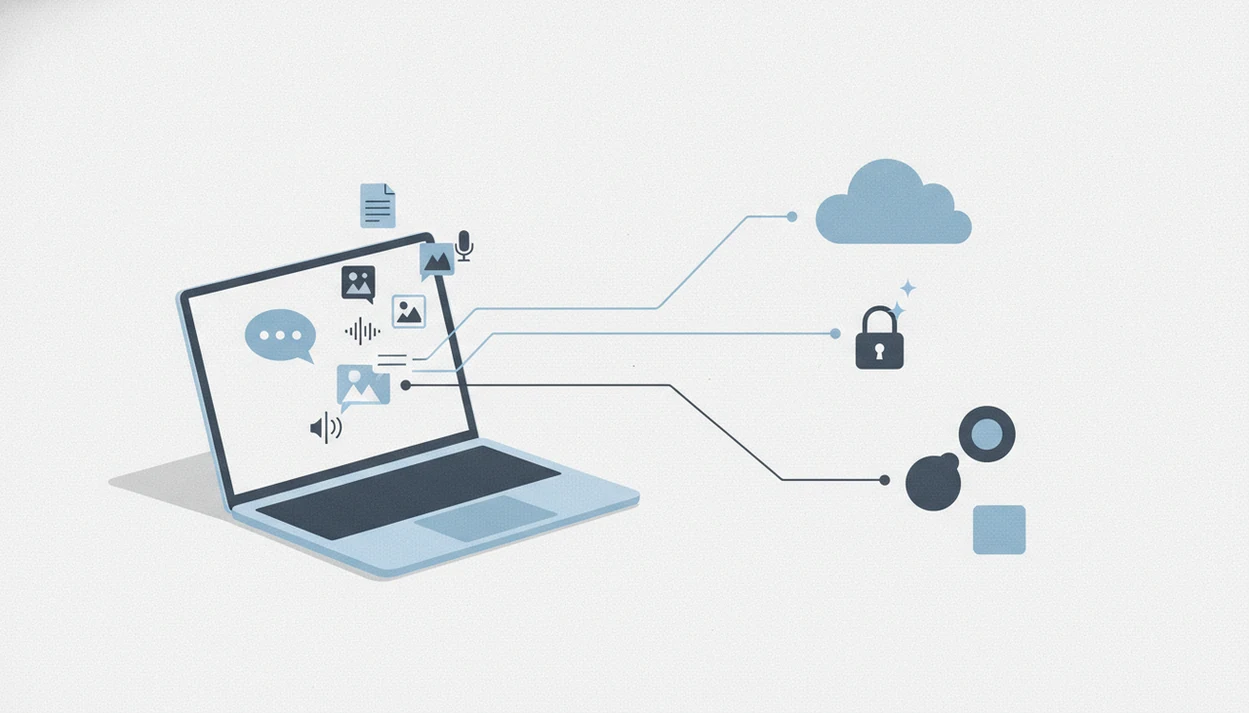
The usual path is simple: your input goes to the app, the app sends it to a model for inference, meaning a one-time answer or prediction, and the service may also store related records. Prompts, files, audio, screenshots, and images can be logged in chat history, cloud storage, crash reports, moderation queues, analytics tools, or human-review systems. Training is different from inference because it uses data to improve future model behavior. Moderation checks content for abuse or policy violations. Analytics tracks product usage, such as clicks, errors, and feature adoption.
- Enter a prompt, file, voice note, or image into the app.
- Process it locally or send it to a cloud model for an answer.
- Log some content, metadata, or diagnostics for safety, support, or analytics.
- Retain data in account history, backups, vendor systems, or subprocessors.
- Override local privacy when sync, cloud search, shared workspaces, or server-side AI features are enabled.
On-device processing lowers exposure when data never leaves the phone or laptop. Cloud features can undo that benefit if they upload content for better speed, larger models, collaboration, or backup.
AI App Data Collection: How Text, Voice, and Images Move
AI app data usually moves from your device to a model, storage layer, analytics system, or third-party service. Some tools process data on-device, but many send prompts, files, audio, and images to cloud servers for inference, moderation, logging, and improvement.
Input Data vs. Inference Data
Input data is what you provide directly, such as “Q3 campaign notes.docx,” a voice memo after a meeting, or a photo dragged into an upload box. Inference data is what the app creates about you, including summaries, labels, risk scores, preferences, or guessed identities.
Both can be personal data.
Model training pipelines can use user data to update future model behavior. That does not always mean your exact sentence is memorized, but it can become part of a training dataset or evaluation log.
The Third-Party Supply Chain Behind AI Apps
Many AI apps rely on model providers, plugins, analytics SDKs, cloud hosts, payment processors, and sometimes advertising partners. A privacy-friendly front end can still send data to outside systems.
Retention is also messy. Data can remain in logs, backups, analytics tools, abuse-monitoring queues, or training datasets after account deletion.
6 Checks for AI App Privacy Before You Install
Use this step-by-step test before giving an AI app real personal or business data. For non-developers, a 10-minute privacy check is often safer than trusting an app-store rating because ratings rarely explain training, retention, or subprocessors.
- Read the privacy policy for training-data disclosure. Search for “train,” “improve,” “model,” “human review,” and “AI.”
- Check data-sharing and third-party access sections. Look for model providers, affiliates, analytics vendors, advertisers, plugins, and subprocessors.
- Look for retention periods and deletion options. “We keep data as long as necessary” is less useful than a specific timeline.
- Find opt-out toggles for model training. They are often under privacy, data controls, or a small settings gear.
- Verify independent signals. Check for SOC 2 reports, ISO certifications, security pages, app-store privacy labels, or audit summaries.
- Test with non-sensitive data first. Paste a harmless two-page meeting transcript and see whether the summary invents action items.
If you’re still choosing tools, a plain-English best AI apps for beginners guide can help you compare privacy basics before testing features.
What Makes an AI App Privacy-Friendly?
A privacy-friendly AI app limits what it collects, explains what it keeps, and gives you usable controls before you upload anything sensitive. The strongest signal is a no-training-by-default policy that clearly excludes customer prompts, files, images, and outputs from model improvement.
Use buyer criteria, not vibes, when comparing tools:
- Confirm whether the app says customer data is not used for training by default, and whether that promise applies to free, paid, and team plans.
- Check retention windows, deletion steps, and export controls. A specific “deleted after 30 days” style statement is easier to trust than “as long as needed.”
- Compare the technical safeguards: on-device processing, encryption, admin controls, workspace logs, and whether permissions are narrow enough for the feature.
- Treat SOC 2, ISO 27001, public subprocessors, and security pages as supporting evidence, not a magic privacy guarantee.
- Flag vague policy language, forced contact or file permissions, and privacy controls that only appear on enterprise plans hidden behind a sales call.
The best apps make the safe setting the normal setting, then let you tighten or delete data without opening a support ticket.
Who Should Use This AI App Privacy Guide?
This guide is for anyone testing AI tools before handing over real data. It fits casual users, students, creators, freelancers, educators, and small teams that need a practical risk filter before trying chatbots, image generators, meeting tools, or productivity apps.
Use it differently depending on what you plan to upload:
- Start with the casual-user checks if you are testing prompts, drafts, images, travel plans, recipes, or low-risk productivity tasks.
- Escalate the review if your team handles client files, contracts, invoices, sales calls, classroom records, or meeting recordings.
- Pause before uploading healthcare-adjacent notes, therapy summaries, patient communications, disability records, insurance details, or anything that could expose another person.
- Choose enterprise controls when you need admin settings, audit logs, contractual no-training terms, data residency, single sign-on, or a signed data-processing agreement.
- Get professional guidance for legal, medical, financial, HR, regulated education, or compliance-heavy work.
Avoid consumer AI tools entirely for sensitive uploads such as medical records, tax files, passwords, confidential client documents, unreleased business plans, private student records, or anything covered by a contract you have not checked.
4 AI App Privacy Myths That Put Your Data at Risk
A few privacy myths make AI apps look safer than they are. The risky part is not just what appears on screen, but what the app stores, links, predicts, and sends elsewhere.
Myth 1: “No real name means no personal data.” An app can still connect your device ID, email, location, writing style, uploaded files, or usage pattern to you.
Myth 2: “AI hallucinations don’t count.” If an AI-generated output identifies a person, regulators may treat it as personal data even when it is wrong.
For legal context, GDPR Recital 26 treats information that can identify a person directly or indirectly as personal data (Eur Lex reference), and the FTC has warned companies not to overstate AI privacy and data-use claims (Ftc reference).
Myth 3: “End-to-end encryption means AI can’t see messages.” AI features may analyze decrypted content on your device or server side before encryption protects the message in transit.
Myth 4: “Turning off cookies solves it.” Cookie settings do not protect the text, images, documents, or voice clips you voluntarily upload.
The sticky note test works: if you wouldn’t leave the detail on a coworker’s monitor, don’t paste it into a random AI trial.
5 AI App Privacy Statistics on Data Use and Trust
- 81% of Americans said they were concerned about how companies use collected data, according to a 2023 Pew Research Center survey (Pew Research AI survey).
- 53% of organizations had adopted at least one AI use case in business functions, according to McKinsey’s 2024 global survey (McKinsey State of AI report).
- 92% of organizations said they need to do more to reassure customers about AI and automated data use, according to Cisco’s 2023 privacy benchmark (Cisco reference).
- 67% of surveyed Americans expressed concern about AI misuse, including privacy and civil liberties risks, according to Stanford’s 2023 AI Index (Aiindex reference).
- Over 80% of OECD countries have privacy or data protection laws that apply to AI systems, according to OECD analysis (Oecd reference).
The plain takeaway: AI adoption is moving faster than user trust. Privacy checks now belong in the same early decision process as pricing, free plan limits, and export options.
AI App Privacy Checklist for iOS, Android, and Desktop
AI app privacy checks look different by platform, but the goal is the same: find what the app collects, where processing happens, and which permissions it requests. On-device AI usually exposes less data to cloud servers, while cloud-based AI often gives stronger features at a higher privacy cost.
iOS Privacy Labels for AI Apps
On iOS, read the App Privacy Label before installing. Pay attention to “Data Linked to You,” “User Content,” “Identifiers,” “Diagnostics,” and “Data Used to Track You.” For AI apps, “User Content” can include prompts, photos, documents, audio, or chat history.
Also check microphone, photos, contacts, location, and pasteboard permissions after installation. A review video paused during a bold privacy claim is not enough. Open the settings page yourself.
Android Data Safety Checks
On Android, review the Data Safety section and requested permissions. Watch for broad file access, background microphone use, contact access, location, notification reading, and clipboard behavior.
Desktop and web tools need browser checks too. Extensions can see pages, clipboard content, downloads, and uploads. Tools like New AI Blog, therundown.ai, futurepedia.io, toolify.ai, and producthunt.com are useful for discovery, not a substitute for reading each vendor’s privacy page.
Privacy Impact Assessments for Non-Developers Evaluating AI Tools
A privacy impact assessment, or PIA, is a short written check of what data an AI app touches, why it needs that data, and what could go wrong. Small teams can do a lightweight version in a shared document before adopting a tool.
Start with data minimization. Only share what the AI needs for the task. For example, remove names, account numbers, addresses, and client details before uploading an invoice cleanup file from a slow printer day.
Ask vendors five questions: What data is retained? Is customer data used for model training? Who are the subprocessors? How do deletion requests work? Can admins turn off training or human review?
Red flags include vague retention language, missing security pages, no deletion process, forced broad permissions, and pricing pages that hide enterprise privacy behind a sales call.
Good AI app guides for non-developers explain what tools do, what they collect, and where they get awkward, not hype about replacing judgment. New AI Blog uses that practical lens when covering AI apps, agents, automation tools, and everyday software choices.
When New AI Blog cites privacy signals, it checks vendor policy pages, security pages, app-store labels, and published audit materials. If those materials are missing or vague, the guide should say that plainly instead of treating the absence as proof of safety.
Understanding Results
AI apps and AI tools can save time, but privacy claims still need verification before you upload real data. Check training use, retention, sharing, opt-outs, and support paths, then set realistic expectations about what users can evaluate from the outside.
This guide works best when
- Comparing AI app privacy policies before installing
- Testing settings with a spare account first
- Finding training opt-outs, deletion, and export controls
- Choosing business plans for stronger admin and privacy options
- Avoiding sensitive uploads unless safeguards are clear
This guide may be less accurate when
- Assuming an opt-out proves data is never stored
- Trusting vague claims like secure, private, or anonymized
- Ignoring plugins, analytics, cloud hosts, and payment vendors
- Uploading legal, medical, financial, school, or client files to consumer tools
- Expecting non-developers to audit backend automation, logs, or model training