
AI Writing Assistant vs Chatbot: What Is the Difference?
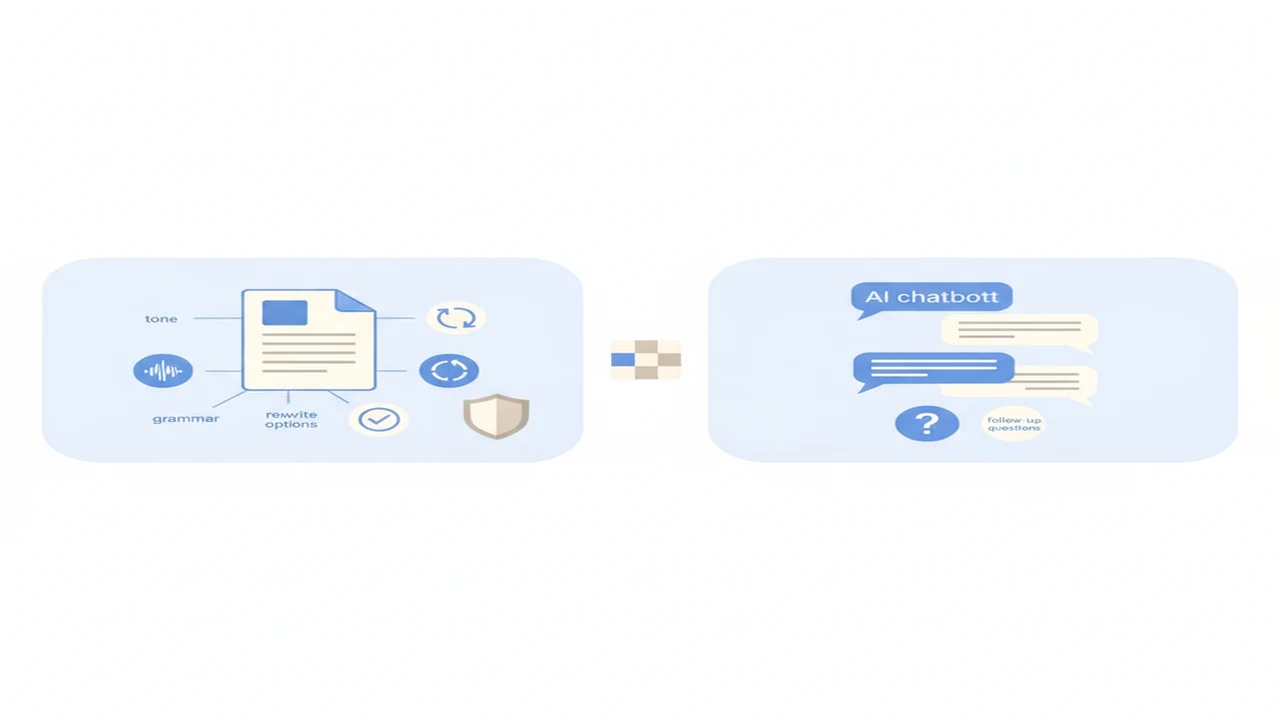
The difference between an AI writing assistant and an AI chatbot is less clear than many product pages suggest. Both may use similar language models, accept the same prompt, and produce a usable email or outline. The important distinction is how the AI app organizes the work around that model.
A writing assistant generally guides you toward a finished document. A chatbot gives you room to discuss a problem and change direction through follow-up questions. Knowing which workflow you need can save time and reduce the risk of choosing an app with the wrong controls, privacy terms, or plan restrictions.
Quick answer: An AI writing assistant is organized around drafting, rewriting, grammar, tone, and document workflows. An AI chatbot handles broader questions, brainstorming, and follow-up conversation. The categories often overlap, and both can produce inaccurate text. Choose according to the task, editing controls, privacy terms, and current free-tier limits rather than relying on the product label.
What does this mean?
Definition: An AI writing assistant is an AI app focused on creating and revising text, while an AI chatbot is a conversational interface designed to respond to a wider range of prompts and follow-up questions.
What is the main difference between an AI writing assistant and a chatbot?
A writing assistant is usually built around specific text tasks. Its interface may include controls for drafting, rewriting, summarizing, grammar, tone, length, or document structure. The intended result is normally a finished artifact such as an email, cover letter, product description, or report section.
An AI chatbot commonly begins with an open conversation box. You can ask a broad question, request alternatives, challenge an answer, or move from brainstorming to planning through follow-up prompts. As Grammarly's explanation of AI chat notes, modern AI chat can support open-ended writing and idea development rather than relying only on fixed scripts.
The categories are not rigid. A chatbot can draft an email, while a writing assistant may include conversational AI chat. The difference is mainly workflow and emphasis, not necessarily the underlying model.
For example, a writing assistant might let a beginner select a customer email and choose a more reassuring tone. A chatbot might discuss three possible responses, explain the trade-offs, and revise the selected option after further instructions.
Vendor research gives some context, although it should not be read as a universal performance benchmark. Grammarly reported up to 20% to 30% time savings for teams using AI writing assistance for drafting and revision in 2023. Salesforce reported in 2024 that 63% of service professionals used or planned to use AI chatbots for routine customer inquiries, while IBM reported an average 30% reduction in customer support costs from virtual assistants and chatbots in 2023.
What can each type of AI tool actually see and remember?
The model can work only with information made available to it. Depending on the app, that may include a typed prompt, pasted text, an uploaded document, recent conversation history, selected text from a document, or optional voice input.
A writing assistant may concentrate on the sentence, paragraph, or document currently being edited. A chatbot usually relies on the conversation context included in the active session. Longer conversations can still exceed an app's context limits, causing earlier details to be overlooked.
Temporary context is different from saved history or account-level memory. Temporary context helps the model respond within the current exchange. Saved history may remain available in an account, while an optional memory feature may carry selected information into future conversations. These features and their controls vary by app.
Neither interface automatically knows whether a factual claim is true, whether a source deserves trust, or what the user intended but never stated. An all-in-one AI writer and chatbot, such as the positioning used by Write.info, may reduce switching between discussion and drafting, but it does not remove the need to confirm claims.
Which tasks suit a writing assistant, a chatbot, or a dedicated checker?
Choose a writing assistant when the job is specific and repeatable. Examples include an AI cover letter writer, AI email writer, email reply generator, grammar checker, AI paraphrasing tool, or a feature for tone-controlled email drafts. Task-specific controls can be easier for a beginner than repeatedly explaining the same formatting and tone requirements in chat.
A chatbot is often more useful before the document is settled. It can brainstorm angles, ask clarifying questions, explore alternatives, create an outline, or help you reason through how different readers might react.
For a professional message, the two workflows can work together. A chatbot can help identify what the response should accomplish, while a writing assistant can turn that plan into a concise draft. Our guide to writing a professional email with AI explains how to add recipient context and review the result before sending.
A dedicated checker serves a different purpose. It reviews a finished passage for patterns, originality concerns, or areas that deserve closer inspection rather than creating the initial draft. For example, an AI Detector can be used as an optional review signal.
The Write.info AI Detector should not be used as a final judge of authorship. A responsible workflow looks at the passage, source history, drafts, citations, and relevant policy alongside any automated result.
How should a beginner choose the right workflow?
Start with the job rather than the product label. A dedicated AI app often works better than a general chatbot when you need repeatable templates, side-by-side rewrites, tone controls, document-focused review, or consistent steps for a small-business team.
A combined service such as Write.info may suit someone who regularly moves between discussion, drafting, and checking. It is still necessary to assess whether its current controls, privacy terms, and plan limits fit the material being processed.
If cost or account creation is a concern, begin with our guide to choosing a free AI writing tool without signup. Free access can be useful for a small sample draft, but it should not replace checking the provider's current terms.
- Define the output. Decide whether you need an email, cover letter, rewrite, summary, structured document, or open-ended research conversation.
- Remove private information. Replace customer names, account details, confidential figures, and other unnecessary identifiers before submitting text.
- Choose the workflow. Use focused writing controls for a repeatable document task and chat when you need discussion, alternatives, or follow-up questions.
- Draft a small sample. Give the app enough context to be useful without submitting an entire sensitive document.
- Confirm names, quotations, dates, links, calculations, and factual claims against original sources.
- Edit the result into your own voice. Restore details the model missed and remove wording that sounds generic or unsuitable for the reader.
- Review the final document for accuracy, tone, attribution, privacy, and any school or workplace disclosure requirements.
How do privacy and free tiers affect the choice?
Privacy terms can matter more than whether a service calls itself a writing assistant or chatbot. Check what text is stored, how long it remains available, whether people may review submissions, whether prompts may be used for model improvement, and whether deletion controls are provided.
Do not submit customer records, medical information, legal material, passwords, confidential employer documents, or unreleased business plans unless you have clear authorization and the service offers safeguards suitable for the task. Removing names helps, but other details can still identify a person or company.
Free plans commonly impose message caps, shorter context, limited document uploads, slower access, restricted models, or unavailable writing modes. These descriptions are qualitative because free access and plan terms can change. Check the current listing and terms as of the day you intend to use the service.
School and workplace rules may impose separate permission, attribution, or disclosure requirements. An app being technically capable of processing a document does not mean the organization permits it.
Privacy also affects accuracy because removing sensitive context can leave the model with an incomplete picture. Our explainer on why AI writing tools miss context shows why the final reviewer must restore relevant details without exposing unnecessary private information.
How do GPTZero, QuillBot, StealthGPT, and Originality fit into the comparison?
GPTZero is oriented toward sentence-level review and document analysis. Its results can help identify passages for closer inspection, but they belong within a broader process that also considers drafts, sources, and human judgment.
QuillBot is commonly associated with a sentence rewriter and text summarizer. It can help revise phrasing or shorten material, but rephrasing may alter precision. It also does not remove the obligation to quote, cite, or otherwise attribute source material where required.
StealthGPT focuses on writing pattern variation and human-style text. That places it closer to an AI humanizer or rewriting service than a general chatbot. No rewriting service can guarantee detector avoidance, and changing the surface wording does not correct unsupported claims.
Originality is aimed at publisher content workflow tasks, including AI content detection, originality checking, and plagiarism review. Those checks address different questions, so users should not interpret one combined score as a complete account of how a document was created.
A general AI chatbot is broader than these focused products. Write.info positions writing and checker functions together, while the four alternatives emphasize particular stages such as rewriting, detection, or publisher review. The appropriate choice depends on whether you need to create text, discuss it, revise it, or inspect a finished passage.
What are the limitations of AI writing, chat, and detection tools?
The main limitations are consolidated below. They apply differently according to the app, input, language, document type, and stakes of the decision.
Should you choose an AI writing assistant or an AI chatbot?
Choose a writing assistant for repeatable drafting, rewriting, tone adjustment, email preparation, and document-centered work. Its focused controls can reduce prompt writing and make a shared business workflow easier to repeat.
Choose a chatbot for broad questions, brainstorming, iterative planning, and conversations that move between topics. It is particularly useful when you have not yet decided what the finished document should say.
A combined app can make sense if you switch frequently between discussion and structured drafting. Confirm that its privacy terms, editing controls, and current plan limits fit your use before adopting it for regular work.
Use a dedicated detector or originality checker only as an additional review signal. It cannot independently prove who wrote a passage.
Comparison
| Decision factor | AI writing assistant | AI chatbot | Dedicated checker |
|---|---|---|---|
| Best suited to | Drafting, rewriting, tone, and document work | Questions, brainstorming, and iterative planning | Reviewing completed text for selected signals |
| Typical input | A brief, selected passage, or document | A prompt followed by conversation | A finished passage, file, or URL when supported |
| Workflow controls | Templates, tone, length, rewrite, and structure | Mostly prompt-led, with controls varying by app | Reports, highlights, or review categories |
| Follow-up conversation | Sometimes available | Usually central to the interface | Usually limited or secondary |
| Factual confirmation needed | Yes | Yes | Yes, particularly before interpreting flagged text |
| Privacy questions to check | Document storage, training use, and workspace access | Chat history, memory, training use, and deletion | Submission storage, human review, and report sharing |
| Common free-tier limits | Restricted modes, document size, or rewrites | Message caps, model limits, or shorter context | Limited scans, document length, or report detail |
| Main limitation | Focused controls cannot ensure factual accuracy | Broad conversation may lack repeatable document controls | Scores are signals, not proof of authorship |
Limitations
Generated text may invent facts, citations, names, or details while sounding confident. It may also produce generic phrasing, unsuitable tone, or weak sourcing that requires correction.
Writing assistants and chatbots do not understand private context or intent unless the user supplies it. Even then, they can overlook instructions or give greater weight to recent text.
An AI content detector estimates patterns in a passage. It does not observe who wrote the text, so false positives and false negatives are possible. Detector results are probabilistic signals rather than proof of human or AI authorship.
How accurate are AI detectors? There is no single answer that applies to every document. Performance can vary with text length, language, genre, model, editing level, and detector updates, so a percentage from one setting should not be assumed to apply elsewhere.
An AI paraphrasing tool or AI humanizer can distort meaning while attempting to humanize AI text. It cannot prove human authorship, guarantee detector avoidance, correct false claims, or satisfy disclosure requirements automatically.
Sensitive or confidential text may be stored, used for model improvement, or reviewed by people depending on the provider's terms and settings. Deleting a visible chat does not necessarily establish what happens to every retained copy.
Human review remains necessary for accuracy, attribution, tone, policy compliance, and consequential decisions. Academic grading, hiring, discipline, or employment action should not rest on one automated score.
Frequently Asked Questions
Can a chatbot replace an AI writing assistant?
A chatbot can draft and revise text, but it may lack focused templates, side-by-side editing, tone controls, or a consistent document workflow. It can replace a writing assistant for occasional tasks, while repeated business writing may be easier in a dedicated app.
Is an AI writing assistant better for professional emails?
It can be better when it offers recipient context, tone selection, reply formatting, and reusable templates. Confirm every factual detail, revise the message into your voice, and avoid exposing confidential correspondence without suitable permission and privacy safeguards.
Can Write.info help with both drafting and checking text?
Write.info is positioned around writing and checker functions in one service. That may reduce switching between tools, but users should still review its current feature listing, plan limits, privacy terms, and checker output before relying on it.
How accurate are AI detectors?
Accuracy varies with language, genre, passage length, editing, the generating model, and detector updates. A score can point to text that deserves review, but it cannot establish authorship by itself.
Will an AI humanizer make text impossible to detect?
No. An AI humanizer may change sentence patterns, but it cannot guarantee detector avoidance. It may also alter meaning, leave factual errors in place, or conflict with school and workplace disclosure rules.
Should I paste confidential business text into an AI chatbot?
Not without authorization and suitable safeguards. Check retention, model-training use, deletion options, access controls, and whether people may review submitted content. Remove unnecessary identifying details whenever possible.
Which option is better for a cover letter?
A focused writing assistant or AI cover letter writer can help with structure and editing. A combined app such as Write.info may also support drafting, but the applicant must provide truthful experience, add employer-specific details, and complete a personal final revision.
Are free AI writing tools good enough for beginners?
They can be sufficient for short drafts, rewrites, and learning how prompts work. Free tiers may have changing message caps, shorter context, limited uploads, restricted models, or unavailable writing modes, so check the current plan before building a regular workflow around one.