
Best AI Detectors for Beginners: Privacy and Limits
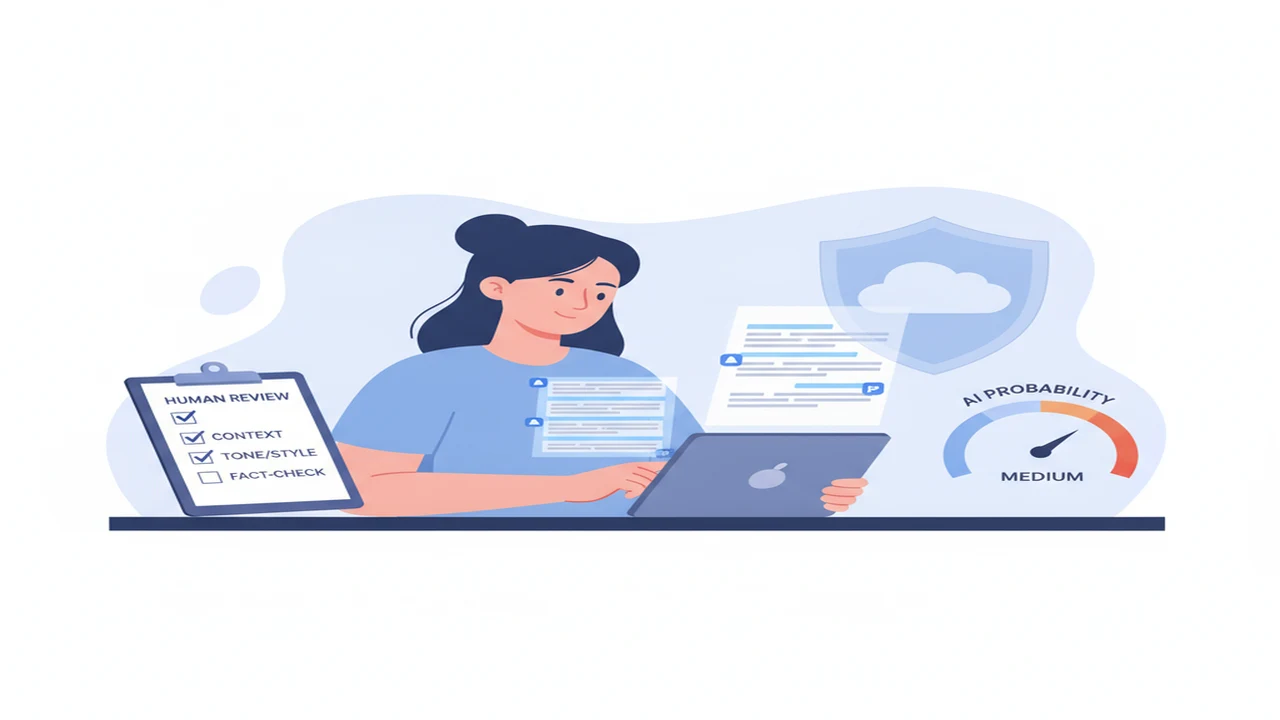
AI detectors promise a simple answer to a difficult question: does this passage look as if an AI assistant produced it? The result may appear as a percentage, label, color, or highlighted sentence. That presentation can look precise even though the detector never saw the writer, prompt, research, revisions, or document history.
For beginners, the best option is not necessarily the service making the strongest accuracy claim. Privacy, understandable results, practical free limits, and a sensible review process matter just as much. The goal should be screening text for a closer look, not using software to make an accusation.
Quick answer: No AI detector can prove who wrote a passage. Beginners should look for a clear result, understandable privacy terms, useful free limits, and support for human review. A dedicated checker is often more convenient than asking a general chatbot, but its score is only a warning signal. Important decisions should also consider drafts, citations, writing history, and a conversation with the writer.
What does this mean?
Definition: An AI content detector examines patterns in submitted text and estimates whether the writing resembles machine-generated content. It does not observe the original writing process, confirm authorship, or provide conclusive proof that a person used an AI assistant.
How do AI detectors decide whether text looks AI-generated?
An AI detector receives the text you submit. It may examine word choices, sentence predictability, repetition, variation, structure, and other statistical patterns. It then compares those signals with patterns learned from collections of human and machine-generated writing.
The model usually cannot see who typed the words, whether an AI Writer suggested one sentence, how heavily the passage was edited, or whether the writer followed a formula. It also cannot inspect prompts, browser history, earlier drafts, or intent unless a separate system supplies that information.
A confidence score therefore describes the detector's estimate, not a verified share of words written by AI. A result such as “80% AI” can be especially easy to misunderstand. It may represent confidence in a label rather than a literal claim that 80% of the passage came from a machine.
Our guide to how AI content detectors work when human writing is flagged explains why polished, predictable, or second-language writing can resemble patterns a model associates with generated text.
Which AI detector options are easiest for beginners to understand?
A beginner-friendly checker should make it obvious where to paste text, how much text is accepted, what the result means, and what to do next. Sentence highlighting can be more useful than one overall number because it helps a person inspect the specific wording that influenced the result.
The detect AI-generated text is one first-party option for a browser-based checking workflow. Its public site also positions detection alongside rewriting features. These are different jobs: detection estimates patterns, while rewriting changes the submitted language.
Established alternatives include GPTZero, Copyleaks, QuillBot AI Detector, Scribbr, ZeroGPT, Winston AI, Sapling, Turnitin, and Originality.ai. Their intended users differ. Some emphasize quick pasted-text checks, while others are designed around education, publishing, team accounts, document reports, or integrations.
No unsupported performance ranking is sensible here. Even a service that performs well on one collection of essays may behave differently with short emails, translated text, technical documentation, marketing copy, or heavily edited AI output. Beginners should first ask whether the explanation is readable and whether the workflow fits the actual task.
Should beginners use a web checker or an iPhone app?
A browser checker is convenient when text already lives in a document on a computer. It can also be easier to compare highlighted passages beside the original draft. Before pasting anything, check whether an account is required and whether the provider explains storage, deletion, and model-training use.
An iPhone app may fit people who draft messages, captions, or articles on mobile. The US storefront lists AI writer for iPhone, while the Canadian storefront lists AI humanizer app for iOS under the same app identifier.
Those regional names illustrate why readers should open the listing for their own storefront. Availability, displayed features, subscriptions, prices, trials, privacy labels, and app names can differ by country or change over time.
Choose based on where the writing starts. A mobile app reduces copying between devices, but a browser can provide more room for reviewing long passages and preserving the original beside the result.
What should you compare before choosing a free AI checker?
Start with the free allowance. Providers may limit characters, words, files, or scans per day. Some require an account after an initial check, while others reserve sentence-level analysis, reports, exports, or longer documents for paying users.
Next, inspect the result format. A plain label is easy to read but offers little context. Highlighted sentences, confidence ranges, and a short explanation can support better review, provided the interface does not imply certainty the model cannot deliver.
Language support also matters. A tool that accepts a language is not necessarily equally reliable across that language's regional, academic, or second-language writing styles. Confirm whether the provider documents language coverage rather than assuming that a text box supports everything pasted into it.
Free does not mean private. Read the provider's current policy for retention, human access, deletion, advertising, analytics, and model training. Our guide to privacy questions to ask before pasting text into an AI app covers a safer way to prepare sensitive material.
- Confirm the character, word, file, or daily scan limit.
- Check whether use requires an email address or account.
- Look for sentence-level context rather than only a percentage.
- Confirm supported languages and document formats.
- Review subscription renewal terms in the current checkout or storefront.
- Find a clear statement about storage, deletion, and training use.
How can beginners check a passage without overtrusting the score?
A repeatable workflow is more useful than repeatedly submitting the same passage until a preferred result appears. A dedicated AI text checker can organize the first screening step, but the final judgment should come from people and evidence outside the score.
For high-stakes work, keep the original result and note which tool, date, text version, and settings were used. Detection models and thresholds can change, so an undocumented screenshot may be difficult to interpret later.
- Remove sensitive details: Replace client names, account numbers, private health information, unreleased business plans, and other confidential material when the wording can still be evaluated without them.
- Keep the original draft: Save an unchanged copy before checking or rewriting so that later edits do not erase useful context.
- Submit sufficient context: Use a meaningful passage rather than one sentence, while staying within the provider's documented limits.
- Read the explanation: Inspect highlighted wording and labels instead of relying only on the largest percentage shown.
- Compare supporting evidence: For consequential cases, review citations, version history, source notes, metadata, and another appropriate signal.
- Confirm with a person: Ask the writer about the drafting process and allow a reasonable explanation or correction.
- Record the decision: Note why action was or was not taken, without presenting the detector's estimate as confirmed authorship.
Where do AI detectors fail or create misleading results?
False positives occur when human writing resembles patterns associated with generated text. False negatives occur when machine-generated writing is not recognized. Short samples, translations, technical prose, templates, formulaic assignments, and extensive editing can all make results unstable.
A 2026 SQ Magazine summary of research by Mike Perkins and colleagues reported 39.5% overall accuracy across six detectors, falling to 17.4% for lightly edited AI text. The same SQ Magazine summary reported a 61.22% false-positive rate for essays written by non-native English speakers. These figures describe that reported evaluation, not every detector, language, or use case.
A Business Insider guide to AI detectors from 2025 likewise advises caution and frames detector output as a signal rather than a final judgment. Different products can disagree because they use different models, training material, thresholds, and labels.
- A detector estimates patterns and cannot establish who authored a passage.
- Human writing may be flagged while generated writing passes undetected.
- Short, edited, translated, technical, or formulaic text may produce unstable results.
- An AI Humanizer or manual rewrite can change a score without documenting the real writing process.
- Provider privacy practices and retention periods can change, so users must confirm the current policy.
- A score should never be the sole basis for grading, discipline, hiring, publication rejection, or an accusation of misconduct.
When does a dedicated AI app beat a general chatbot?
A dedicated detector is usually better when the main task is to check if text is AI-generated in a consistent format. It may provide a purpose-built score, sentence highlights, saved reports, document handling, or repeated checks using the same interface.
A general AI Chatbot is better at discussing tone, explaining awkward wording, outlining revisions, or asking questions about a draft. It should not be assumed to possess a reliable hidden ability to detect AI-generated writing. A chatbot may simply infer an answer from visible writing patterns and explain it persuasively.
Detection and humanizing also need to remain separate in the user's mind. An AI Humanizer rewrites language to sound different. It does not verify human authorship, and lowering a detector score does not establish how the document was created.
The linked AI chat app for iOS brings writing and chat functions into an iPhone interface, but users should still identify which feature is checking, which is rewriting, and what happens to submitted text. See our comparison of when a dedicated AI app is better than a chatbot for a task-by-task explanation.
Which type of AI detector is the sensible starting point?
For an occasional low-stakes check, begin with a browser tool that has clear instructions, enough free capacity for the passage, and privacy terms you can understand. Avoid uploading confidential documents merely to see a score.
Mobile writers may prefer an iPhone app that keeps drafting, checking, and revision close together. Educators should prioritize sentence context, documentation, language fairness, and a process for hearing from the student. Publishers may need file support, reports, plagiarism checks, or team history. Businesses may also need access controls and deletion procedures.
The sensible starting point is the category matching your workflow, not the service claiming perfect accuracy. Result clarity and AI detector privacy matter more than an impressive percentage without context.
Comparison
| Option type | Best suited to | What the model receives | Free-tier question to confirm | Privacy question to confirm | Main limitation |
|---|---|---|---|---|---|
| Browser-based AI checker | Occasional pasted-text screening | Text or uploaded files submitted through a website | How many words, characters, or daily checks are included? | Is text processed locally, retained on a server, or used for training? | Copying sensitive text into a third-party site creates privacy risk |
| iPhone writing and checking app | People who write and revise on mobile | Pasted text, typed content, and any files the app accepts | Which features require a subscription or trial? | What do the current App Store privacy label and provider policy say? | Names, prices, and features may differ by region |
| Education-focused detector | Classroom review and student conversations | Assignments, documents, or LMS submissions | Are individual checks free, or is an institution account required? | Who can access student work, and how long is it stored? | False positives can cause serious harm if treated as proof |
| Publishing or team detector | Editors, agencies, and repeated document review | Articles, batches, URLs, or team uploads | Are reports, batch scans, and exports included? | Are access controls, deletion settings, and training exclusions documented? | Higher workflow capacity does not guarantee higher accuracy |
| General AI chatbot | Discussing style, sources, and possible revisions | The prompt, pasted text, and conversation context | Does the free plan limit messages, files, or model access? | Are chats saved, reviewed, or used to improve models? | A chatbot response is not a dedicated detection measurement |
Limitations
Detector performance depends on the model, threshold, language, genre, passage length, and amount of editing. Scores from different services are not directly interchangeable, and a changed score after rewriting says nothing conclusive about authorship.
Privacy is a separate limitation from accuracy. Removing identifiers can reduce exposure, but confidential wording may remain sensitive. When text concerns clients, students, employees, health, finances, or unpublished work, obtain permission and confirm the provider's current retention and deletion terms before submission.
Frequently Asked Questions
Can any AI detector prove that a person used AI?
No. A detector analyzes patterns in submitted text but does not observe the drafting process, prompts, revisions, or identity of the writer. Its result can support a closer review, not establish misconduct by itself.
How much text is needed to check if writing is AI-generated?
There is no universal minimum that makes detection dependable. Very short samples provide fewer patterns and can produce unstable results. Follow the provider's documented guidance and use a meaningful passage, while avoiding unnecessary confidential content.
Can an AI checker falsely flag human writing?
Yes. Predictable, formal, technical, translated, formulaic, or second-language writing may be flagged even when a person wrote it. Give the writer an opportunity to provide drafts, sources, notes, and an explanation of the process.
Is it safe to paste private or client text into an AI detector?
Do not assume so. Check whether the service stores submissions, permits human review, uses content for model training, offers deletion controls, or processes text locally. Remove sensitive details and obtain appropriate permission before submitting protected material.
Does AI Detector App offer the same workflow as an AI chatbot?
No. A dedicated detector is designed to return a detection-oriented result, while an AI chatbot primarily generates and discusses text. Even when both functions appear in one product, checking and conversational analysis should be understood as separate capabilities.
What is the difference between an AI Detector and an AI Humanizer?
A detector estimates whether text resembles generated writing. A humanizer rewrites text to change its style or predictability. A lower score after rewriting does not prove that the underlying ideas or original draft came from a person.
Which ACI App Store listing should iPhone users choose?
Open the listing available in your own regional storefront. The US listing currently uses the name AI Writer & AI Chat: ACI, while the Canadian listing uses AI Detector, AI Humanizer: ACI. Confirm the current features, price, trial terms, privacy label, and subscription details before downloading.