
How to Check AI Text Without Sharing Sensitive Data
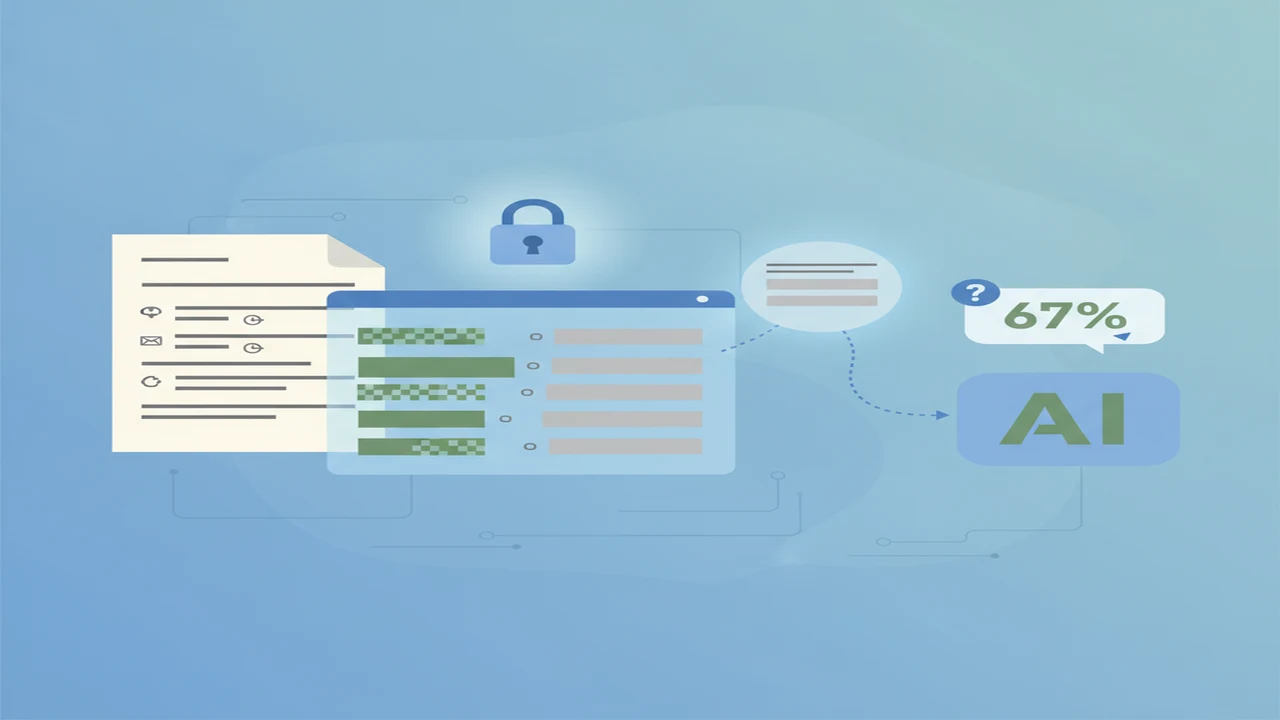
Checking whether text looks AI-generated can create a second privacy problem: the checker needs to see the text. A report, customer email, school assignment, or employee document may contain details that should not be copied into an unfamiliar service.
The safer workflow is to classify the material, remove sensitive details, preserve the writing pattern with placeholders, and submit only a necessary excerpt. Even then, an AI detector score should support a review rather than decide who wrote the passage.
Quick answer: Remove names, contact details, account information, confidential business facts, and identifying context before using an AI content detector. Submit only the minimum excerpt needed, review the service’s current privacy terms, and interpret the result as an estimate rather than proof. For highly sensitive material, use manual review or an organization-approved local workflow instead of uploading the text.
What does this mean?
Definition: Privacy-aware AI text checking is the process of minimizing, redacting, or replacing sensitive information before asking software to estimate whether writing may be AI-generated.
What sensitive information should you remove first?
Start by classifying the document before opening any checker. Public marketing copy is different from a medical note, customer complaint, legal draft, payroll document, or internal strategy memo. If your organization has a data-handling policy, follow that policy even when an AI app appears convenient.
Direct identifiers are the obvious risk, but context can identify someone too. A job title, unusual medical event, small town, precise date, and project name may point to one person when combined. Redaction should cover both explicit details and identifying context.
Never submit passwords, access tokens, recovery codes, private keys, security answers, or unmasked payment information. These details are not needed to detect AI text and should not be placed into a detector, AI Chatbot, or AI Assistant.
- Personal: names, addresses, phone numbers, email addresses, birth dates, signatures, photographs, and identification numbers.
- Financial: account numbers, card details, tax records, invoices, salaries, transaction histories, and credit information.
- Health and legal: diagnoses, treatment notes, case facts, legal advice, claim numbers, and privileged communications.
- Employment and education: personnel records, disciplinary details, grades, applications, unpublished assessments, and accommodation information.
- Customer data: support conversations, order details, contracts, complaints, usage records, and customer identifiers.
- Confidential business data: unreleased products, pricing plans, financial forecasts, source material, meeting notes, and negotiation terms.
- Credentials and security: passwords, authentication codes, API keys, internal addresses, vulnerability details, and recovery information.
How can you redact text without changing its writing pattern?
Replace sensitive information with consistent placeholders instead of simply deleting every detail. For example, change a person’s name to [PERSON A], a company to [COMPANY], and an account number to [ACCOUNT NUMBER]. Reuse the same placeholder when the same subject appears again.
Preserve sentence length, punctuation, paragraph breaks, spelling, and tone where possible. Rewriting a formal sentence as a short summary changes the patterns the detector is supposed to examine. Placeholders should hide identity without turning the sample into completely different writing.
Broad categories are usually safer than realistic substitutes. Writing [CITY] is less likely to create confusion than replacing a real city with another real location. Do not preserve unusual dates, rare job titles, exact financial amounts, or distinctive events unless they are essential to the analysis.
After redacting, read the excerpt as if you were an outsider. Ask whether the remaining facts could still identify a person, customer, case, or confidential project. Our guide to AI detectors for beginners, privacy, and limits explains additional questions to ask when choosing a service.
How do you submit the smallest useful sample?
Data minimization means sharing only what the task needs. A detector usually does not need the full contract, student record, support history, or business report. Select a coherent passage that contains enough natural writing to analyze, then remove headers, signatures, attachments, comments, and unrelated sections.
Length still matters. QuillBot said in 2026 that its detector works more accurately with at least 80 words. This is product guidance, not a universal accuracy threshold, but it shows why a single sentence may be too weak while an entire confidential document may be excessive.
For routine, low-sensitivity excerpts, the AI Detector App tool is one web-based AI Checker option. Its public site should be reviewed alongside its current privacy information before submission. Do not assume that web access, a free tier, or an account-free screen means text is processed locally or deleted immediately.
Read the privacy policy and input notice before pasting anything. Look for retention periods, model-training language, account requirements, subprocessors, deletion controls, and whether uploaded files are handled differently from pasted text. Recheck these details periodically because product policies and free-tier limits can change.
If you proceed with AI Detector App, use a fresh redacted copy rather than the original file. Keep your source document separate so that comments, revision history, hidden metadata, or tracked changes are not uploaded accidentally.
- Classify the document by sensitivity and organizational rules.
- Remove details that the checking task does not require.
- Replace necessary identifiers with consistent placeholders.
- Minimize the sample to one coherent, useful excerpt.
- Review the excerpt for identifying context and hidden metadata.
- Submit only if the service’s current privacy terms fit the material.
- Interpret the output as an estimate rather than a finding of authorship.
- Confirm concerns with document history, sources, and human review.
- Delete the submitted text, upload, report, or account history when controls permit.
How can you check text without uploading it to an AI service?
Restricted material may be unsuitable for any public AI content detector. Manual review cannot calculate a dependable AI percentage, but it can answer more useful questions about provenance, consistency, and the writing process without sending the document to another provider.
Compare the passage with the author’s earlier work, while allowing for legitimate improvement, editing, disability support, translation, or a different assignment format. Review document history for drafting over time, source notes, citations, tracked revisions, and pasted sections. Ask the author to explain claims, sources, and revisions rather than asking for a confession.
Verify quotations, links, names, figures, and cited sources. AI-generated writing can contain invented or distorted references, but factual mistakes are not exclusive to AI. Likewise, polished grammar does not establish AI use.
East Central College’s guidance on detecting AI-generated text warns that detectors are unreliable and recommends evidence such as prior writing and document history. This workflow is more appropriate than relying on one score for a disciplinary, employment, or grading decision.
Organizations handling regulated or confidential data can ask their security or privacy team about approved local tools. A locally operated system may reduce external sharing, but it still needs access controls, secure storage, updates, and a defined deletion process.
How should you interpret an AI detector result?
Many detectors return a percentage, probability-style label, or highlighted phrases. These outputs describe patterns associated with the system’s training examples. They do not identify the author, show which AI Writer may have been used, or reconstruct how the document was created.
A high score can be a false positive, particularly for predictable or formulaic prose. A low score can be a false negative after rewriting, translation, human editing, or mixing AI and human passages. Even two detectors may produce different results because their models, thresholds, and text-length requirements differ.
Review flagged spans instead of focusing only on the largest number on the screen. Check whether repeated phrasing, generic transitions, abrupt style changes, questionable citations, or unsupported claims have a normal explanation. Then compare those observations with revision history and the author’s explanation.
Our explainer on why AI detectors can mislabel human writing covers false positives in more detail. For an important decision, record what evidence was checked and provide a fair way for the person involved to respond.
When does a dedicated AI app beat a general chatbot?
A dedicated checker is usually easier when the job is narrow and repeatable: paste a prepared excerpt, receive a focused assessment, inspect highlighted text, and leave. A general AI Chat conversation is better for open-ended editing or questions, but asking a chatbot whether another passage was AI-generated does not turn it into a validated detector.
Mobile users can review the Australian App Store listing for AI checker app for iPhone. The listing describes checking and humanizing functions, but users should inspect the current privacy label, in-app purchase information, supported devices, and linked policy before entering text.
The AI Humanizer, AI Checker: ACI listing also illustrates why checking and rewriting should be treated as separate tasks. A humanizer may alter style, but it cannot verify authorship or make a later detector result more reliable. Rewriting sensitive material still requires the same privacy review as checking it.
Input capacity and account limits vary widely. GPTZero stated in 2026 that scans above 10,000 characters require a free account, while Decopy advertised in 2026 support for content up to 200,000 characters. These figures describe vendor limits, not detection quality or privacy protection.
Choose based on the workflow rather than the largest advertised limit. Consider whether the app accepts pasted text or files, whether reports are needed, what the free tier restricts, how deletion works, and whether the material is safe to share at all. See our comparison of a dedicated AI app and a chatbot for checking text for a more focused decision guide.
What can AI text detection not tell you?
Comparison
| Text category | Safe preparation | Preferred checking method | Main limitation |
|---|---|---|---|
| Public marketing copy | Remove unpublished campaign facts and customer examples | Redacted excerpt in a dedicated checker | Formulaic brand language may be flagged |
| Internal business draft | Replace project names, figures, clients, and strategy details | Approved checker or internal review | Context may identify the project after names are removed |
| Customer communication | Remove names, contacts, order details, and case numbers | Short redacted excerpt if policy permits | Tone may depend on omitted conversation history |
| Student or employee writing | Remove identity and unrelated records | Document history plus human review | A detector score cannot establish misconduct |
| Health, legal, or financial text | Do not upload unless an approved policy explicitly permits it | Authorized local workflow or manual review | Regulated and confidential details may remain identifiable |
| Credentials or security information | Remove completely rather than masking part of the value | No detector submission | Exposure can create an immediate security risk |
Limitations
An AI content detector estimates patterns and cannot establish who wrote a passage. It also cannot reliably separate fully human writing from text that was drafted by AI, revised by a person, translated, or assembled from several sources.
Short, heavily edited, formulaic, multilingual, translated, or mixed-origin passages can produce unstable signals. A carefully minimized excerpt may also lose context that affects the result, while a longer excerpt increases the amount of information shared.
Removing names does not necessarily make text anonymous. A combination of dates, events, roles, locations, medical details, or business facts may still identify a person or organization.
Free tiers can impose changing length, account, feature, or usage limits. Privacy terms, retention practices, and detection models can also change after the article date. Sensitive or regulated material should remain in an approved offline or organizational workflow when public submission is not authorized.
Frequently Asked Questions
Can an AI detector prove that a person used AI?
No. A detector estimates whether a passage shares patterns with text in its training and evaluation data. It cannot establish authorship, reconstruct the writing process, or prove misconduct. Confirm concerns with sources, document history, earlier writing, and a fair discussion with the author.
Is it safe to paste confidential text into an AI Checker?
Not by default. Remove sensitive data, check organizational rules, and read the current privacy and retention terms. If the material contains regulated, privileged, security-related, or highly confidential information, use manual review or an approved local workflow.
Can the AI Detector App check a redacted excerpt?
Its public website presents it as a web-based text checking option. A coherent redacted excerpt may be suitable for a low-sensitivity check, but preserve sentence structure and review the site’s current privacy information before submitting anything.
Does an AI Humanizer make detection results reliable?
No. Humanizing or rewriting changes the text, which can change a detector score, but it does not verify who wrote the original. It may also remove evidence that would have helped a reviewer understand the writing process.
Can I check if text is AI-generated without creating an account?
Some services advertise no-login checks, but availability and limits can change. No login does not automatically mean no retention, local processing, or anonymous use, so inspect the current policy and submit only redacted material.
Is AI Humanizer, AI Checker: ACI suitable for checking text on an iPhone?
Its Australian App Store listing describes an iOS app with checking and humanizing functions. Confirm current device compatibility, privacy disclosures, in-app purchases, and usage limits in the listing before using it.
Should I use an AI Chatbot or a dedicated AI content detector?
Use a dedicated detector for a repeatable, focused estimate with features such as highlighted passages. Use a chatbot for discussion, explanation, or editing, but do not assume its opinion about authorship is a detector result. Neither option should receive restricted text without approval.
What should I do if two AI detectors disagree?
Do not average the scores or choose the result you prefer. Review the flagged passages, sample length, revision history, sources, and prior writing. Disagreement is a reason to lower confidence and gather better contextual evidence.