
Best AI Assistant Apps in 2026
Quick answer: ChatGPT is the best AI assistant app for most people in 2026 because its free app covers text, voice, files, images, research, and coding. Pick Google Gemini if your day runs through Gmail and Calendar. Choose Perplexity when current web answers and visible source links are more important than a broad creative toolkit.
It is 7 a.m. You need to summarize a document, answer an email, check a fact, and plan dinner before work. A personal AI assistant app can handle parts of that list, but each app has different limits and strengths.
We compared seven current choices for US readers. The best AI app for iPhone depends first on what you ask it to do, then on price, device support, source quality, and access to your other apps.
Comparison at a glance
| App | Best for | Platforms | Free version | Price | Standout |
|---|---|---|---|---|---|
| ChatGPT | Most people | iPhone, iPad, Android, and web | Unlimited text chat listed; voice, uploads, images, research, and memory have limits | Plus costs $19.99/month; checked October 2026 | Broad mix of voice, image, file, research, and coding tools |
| Google Gemini | Google app users | iPhone, iPad, Android, and web | Free access with daily limits; exact caps are unknown | AI Plus costs $4.99/month; checked October 2026 | Connects with Gmail, Calendar, Photos, YouTube, and Search |
| Perplexity | Web research with sources | iPhone, iPad, and web; check the listing for Android | Free search and chat; five Pro searches per day were reported | Pro costs $20/month or $200/year; checked October 2026 | Answers include links to supporting sources |
| Claude | Long writing and analysis | iPhone, iPad, Android, web, and macOS | Free chat with a variable daily message cap | Pro costs $20/month; checked October 2026 | Works through long documents, code, and multi-step questions |
| ACI: AI Writer & AI Chat | Dedicated writing tools | iPhone and iPad | Free download; exact free tool limits are unknown | $3.99/week or $29.99/year; checked October 2026 | Chat, writing, AI detection, and rewriting in one app |
| Microsoft Copilot | Microsoft 365 work | iPhone, iPad, web, and Edge; check the listing for Android | Free assistant access; exact limits and work tools vary by license | Microsoft 365 Premium costs $19.99/month; checked October 2026 | Connects with Word, Excel, PowerPoint, Outlook, and Teams |
| Meta AI | Meta services and image tools | iPhone, iPad, Android, and web | Free access; exact usage limits are unknown | No US paid price was listed in October 2026 | Uses current posts and activity from Meta services |
Prices and ratings from the US App Store and Google Play, checked October 2026. Store prices change; the listing is the final word.
How we picked
We read the US App Store listings for all seven apps and checked available Google Play information, developer sites, pricing pages, and help documentation. Store ratings, prices, requirements, and update dates were checked in October 2026. Ratings in this guide come only from the US App Store.
First, we ranked apps by everyday usefulness. Then we considered free access, paid cost, platform reach, source handling, integrations, and recent updates. Rating totals show audience size, not how well an app fits your needs.
- The app can handle more than one everyday task.
- Free limits and paid prices are stated when known.
- Answers can be checked or reviewed easily.
- The app works on the devices its listing names.
- Recent updates and operating-system requirements affect the order.

ChatGPT
4.8 on the App Store (11,531,604 ratings)
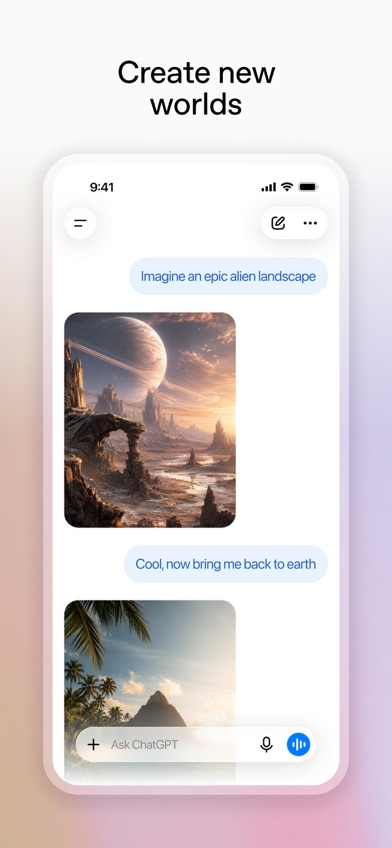
ChatGPT is the broadest AI assistant app in this comparison. You can type a question, talk by voice, upload a photo or file, create an image, research a topic, or ask for coding help. That range is useful when Monday's task is an email and Tuesday's is understanding a spreadsheet.
The free version is more useful than a short trial. Available plan information lists unlimited text chats, though voice, file uploads, image creation, research, memory, and coding access have limits. Exact caps can change, so check the listing before paying. Conversation history also syncs across supported devices.
ChatGPT had 4.83 stars from 11,531,604 US App Store ratings and was updated October 16, 2026. That rating count shows a much larger iPhone audience than the other picks. It still earns first place for capability, not audience size. The main catches are the iOS 18.0 requirement and a paid structure that ranges from $8 Go access to costly professional plans.
- Handles text, voice, files, photos, images, research, and code.
- The free tier includes general text chat.
- Advanced tools have changing usage caps.
- The iPhone app needs iOS 18.0 or later.
- Price
- Free; Go costs $8/month and Plus costs $19.99/month in the US App Store as of October 2026.
- Platforms
- iPhone, iPad, Android, and web.
Pick ChatGPT if you want one general assistant that can cover most home, school, and work requests.
Google Gemini
4.7 on the App Store (2,366,333 ratings)
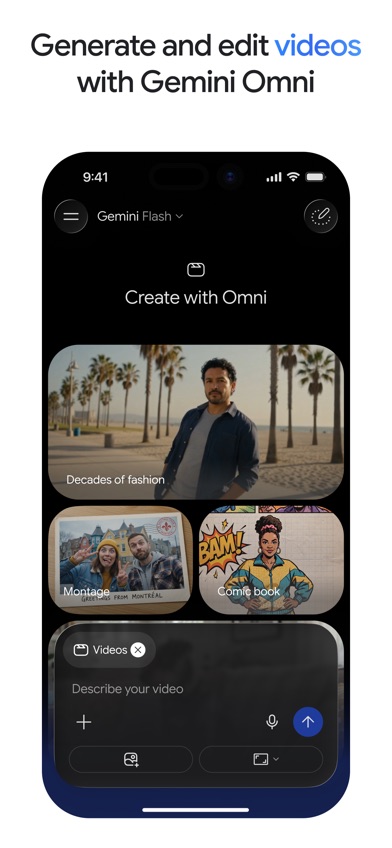
Google Gemini is the closest ChatGPT rival for everyday assistance. Its deciding advantage is access to Google services: Gmail, Calendar, Photos, YouTube, and Search. If your plans, messages, and files already live there, Gemini can answer with more of your existing context after you approve the required connections.
Gemini Live supports spoken conversations plus camera and screen sharing. You can also upload documents, spreadsheets, photos, and videos for summaries or questions. For students, the listing describes quizzes and visual study material made from uploaded notes. Creative tools cover images, video, audio, and basic app prototypes, though some require a paid plan.
The app had 4.73 stars from 2,366,333 US App Store ratings and was updated October 21, 2026. Free access has daily limits, but the exact caps are unknown. Google AI Plus starts at $4.99 per month, which is less than the main paid plans from ChatGPT, Claude, and Perplexity. On iPhone, Gemini needs iOS 18.2 or later.
- Connects to major Google apps with permission.
- Gemini Live accepts voice, camera, and screen input.
- Exact daily free limits are unknown.
- The iPhone app needs iOS 18.2 or later.
- Price
- Free; Google AI Plus costs $4.99/month and Google AI Pro costs $19.99/month as of October 2026.
- Platforms
- iPhone, iPad, Android, and web.
Pick Google Gemini if Gmail, Calendar, Photos, or other Google services hold most of your daily information.

Perplexity
4.8 on the App Store (517,746 ratings)
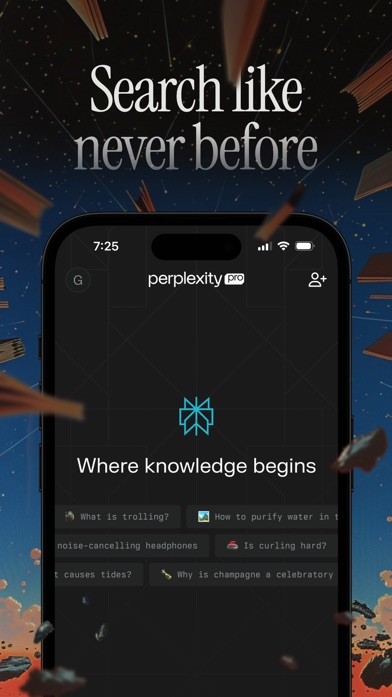
Perplexity is an AI search assistant built around current web research. It gives a direct response and attaches sources that you can open. That is useful when you are comparing products, reading about a breaking event, or collecting links for a report.
Follow-up questions stay in the same thread, so you can narrow a broad search without restating the topic. The app also has voice input, deeper research tools, and an assistant for tasks such as drafting emails or arranging appointments. The reported free allowance includes five Pro searches per day; other exact limits are unknown.
Perplexity had 4.82 stars from 517,746 US App Store ratings and was updated October 16, 2026. Its focus is narrower than ChatGPT's, especially for creative work. Source links also require human review: a cited page may be old, weak, or unrelated to the exact claim. The app has a 17+ age rating and needs iOS 18.0 or later.
- Places source links next to research answers.
- Follow-up threads help refine a search.
- Citations still need to be opened and checked.
- The App Store age rating is 17+.
- Price
- Free; Perplexity Pro costs $20/month or $200/year as of October 2026.
- Platforms
- iPhone, iPad, and web; check the current listing for Android availability.
Pick Perplexity if you want quick web research with visible sources more than an all-purpose creative assistant.

Claude
4.7 on the App Store (284,742 ratings)
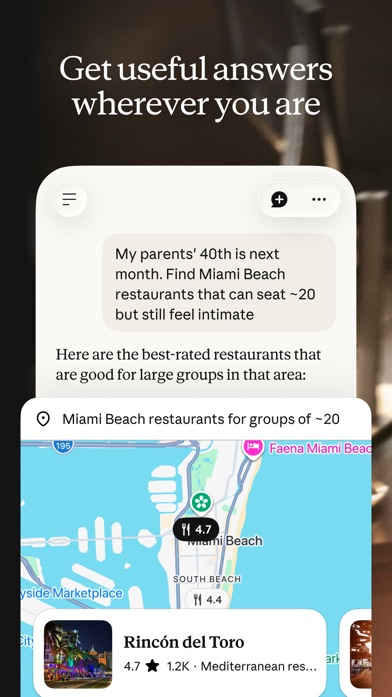
Claude is an AI assistant for writing, analysis, coding, and longer questions. It is a good fit when you want to develop a rough idea through several drafts or ask detailed questions about a report, chart, screenshot, PDF, or block of code.
Claude can search the web and provide citations. It can also connect to Google Drive, Gmail, and Calendar, which gives it some of Gemini's document and scheduling context. Its coding tools explain proposed fixes, while the visual tools can read charts, interface designs, and technical diagrams. Voice conversations are supported as well.
Claude had 4.72 stars from 284,742 US App Store ratings and was updated October 22, 2026, the most recent update date in this group. Free accounts have a daily message allowance, but the exact cap is unknown and can vary. Pro costs $20 per month; higher Max plans reach $124.99 or $249.99 per month. Claude also has a 17+ App Store age rating.
- Well suited to longer drafts, documents, and code discussions.
- Accepts files, images, voice, and connected Google content.
- The free message cap is variable and undisclosed.
- Higher usage plans are expensive.
- Price
- Free; Pro costs $20/month or $214.99/year as of October 2026.
- Platforms
- iPhone, iPad, Android, web, and macOS.
Pick Claude if your main work involves long documents, repeated revisions, analysis, or code.

ACI: AI Writer & AI Chat
4.8 on the App Store (23 ratings)
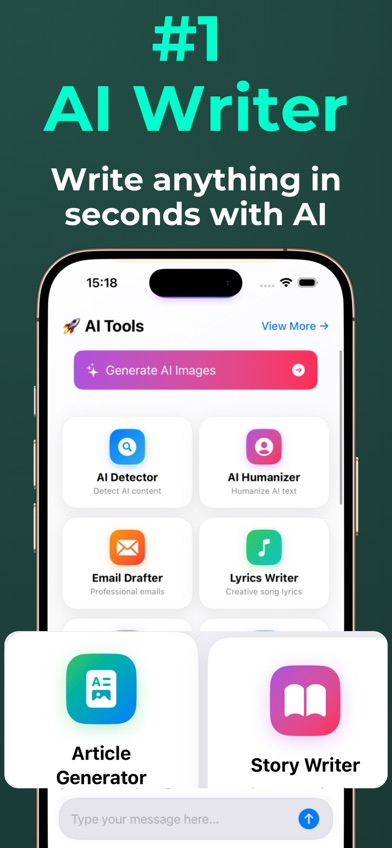
ACI: AI Writer & AI Chat is a personal AI assistant app centered on writing and everyday questions. It combines general chat with an AI writer, image creation, text analysis, an AI detector, and a humanizer that rewrites generated text in more natural language. ACI is the only pick here whose listing puts dedicated detection and humanizing tools beside chat and writing.
That setup suits someone who regularly moves between drafting an email, rewriting a paragraph, checking a document, and asking a general question. Voice prompts are supported. The narrower focus can also feel simpler than opening a broad research assistant when the task starts and ends with text.
ACI had 4.78 stars from 23 US App Store ratings and was updated July 2, 2026. It was first released in March 2025, so its small rating count reflects a much newer and smaller audience; it does not prove output quality. The firm limitation is platform reach: ACI needs iOS 17.0 or later, works on iPhone and iPad, and lists one language. Android and web apps are not listed.
- Combines chat, writing, detection, rewriting, and image creation.
- The $29.99 annual price is below the annual plans listed by larger rivals.
- Available only on iPhone and iPad, with one listed language.
- The US App Store has only 23 ratings.
- Price
- Free download; $3.99/week or $29.99/year as of October 2026.
- Platforms
- iPhone and iPad with iOS 17.0 or later.
Pick ACI: AI Writer & AI Chat if you want writing, rewriting, AI detection, and general chat in one iPhone app.
Microsoft Copilot
4.7 on the App Store (1,365,016 ratings)
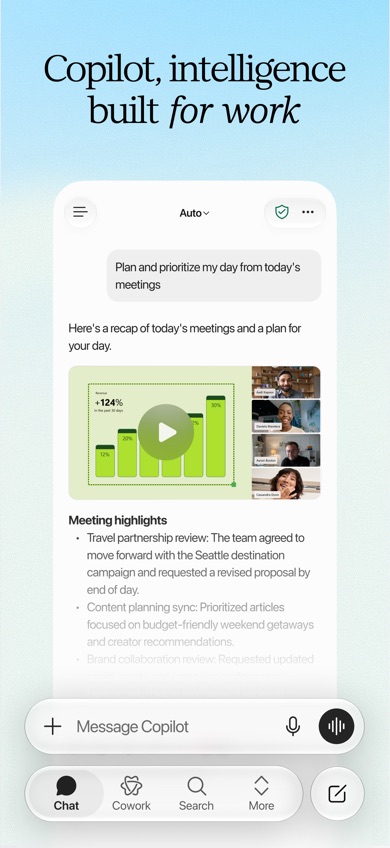
Microsoft Copilot is an AI assistant aimed at documents, communication, and project work. Its strongest case is the connection to Word, Excel, PowerPoint, Outlook, and Teams. You can upload office files or PDFs, ask questions about them, draft emails, and create document or presentation content.
Copilot can also take on multi-step work through its Cowork tools and lets users choose among different AI models for some requests. For a workplace already built around Microsoft 365, those connections may outweigh the broader consumer tools in ChatGPT. Access depends on the account, subscription, and settings chosen by an organization.
The app had 4.7 stars from 1,365,016 US App Store ratings and was updated October 19, 2026. Its largest iPhone drawback is unusually strict: the current listing requires iOS 26.0 or later. Microsoft 365 purchases range from $1.99 for Basic to $19.99 per month for Premium, but exact Copilot tools vary by license. Check your work account before paying personally.
- Connects with core Microsoft 365 programs.
- Can read common office files and create work content.
- The iPhone listing requires iOS 26.0 or later.
- Available tools vary by account and license.
- Price
- Free download; Microsoft 365 Premium costs $19.99/month as of October 2026.
- Platforms
- iPhone, iPad, web, and Edge; check the current listing for Android.
Pick Microsoft Copilot if most of your documents, email, meetings, and spreadsheets already use Microsoft 365.

Meta AI
4.7 on the App Store (281,738 ratings)
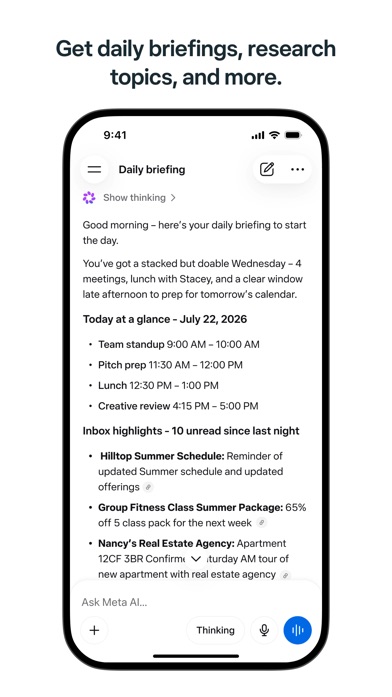
Meta AI is a free assistant for questions, images, reminders, shopping ideas, local suggestions, and file analysis. It can draw on current material from Instagram, Facebook, and Threads, which gives it a distinct angle for trends, creators, restaurants, and social content.
The app accepts voice, photos, videos, documents, PDFs, and spreadsheets. Its image tools can generate or edit pictures from written directions or rough sketches. Meta AI also has an Incognito Chat setting for a temporary conversation. Connections to email, calendars, Google Workspace, professional Instagram accounts, and advertising tools expand its work uses.
Meta AI had 4.69 stars from 281,738 US App Store ratings and was updated October 19, 2026. No in-app purchase was included in the supplied US listing data, while exact usage limits and any future US paid plan remain unknown. It ranks below the general assistants because its strongest advantage applies mainly to people who use Meta services. Verify research claims through primary sources before acting on them.
- Uses current information from connected Meta services.
- Has image editing, file analysis, voice, and temporary chats.
- Exact usage limits are unknown.
- Its main advantage is tied to Meta services.
- Price
- Free; no US paid price was listed as of October 2026.
- Platforms
- iPhone, iPad, Android, and web.
Pick Meta AI if you use Meta services daily and want free social, local, shopping, and image assistance.
ChatGPT vs Google Gemini for everyday assistance
ChatGPT and Google Gemini cover the widest range of everyday requests. The deciding question is where your information lives: inside Google services or across many unrelated files, conversations, and creative tasks.
| Point | ChatGPT | Rival |
|---|---|---|
| Connected services | ChatGPT syncs conversations and works with uploaded files. | Google Gemini connects directly with Gmail, Calendar, Photos, YouTube, and Search. |
| Voice and camera | ChatGPT has live voice plus photo uploads. | Google Gemini Live supports voice, camera, and screen sharing. |
| Range of work | ChatGPT covers research, coding, image creation, writing, and file analysis. | Google Gemini covers similar tasks with deeper Google app connections. |
| Starting paid price | ChatGPT Go costs $8/month and Plus costs $19.99/month. | Google AI Plus costs $4.99/month and Pro costs $19.99/month. |
| iPhone requirement | ChatGPT needs iOS 18.0 or later. | Google Gemini needs iOS 18.2 or later. |
ChatGPT wins for a general first download because its tools span more unrelated situations, from code to image creation. Its US App Store rating is also slightly higher at 4.83 stars, though ratings can change.
Google Gemini wins when Gmail, Calendar, Photos, and Search are central to your day. It also has the lower entry paid plan. Check the permissions for connected services before giving either app access to personal files or messages.
What to check before downloading an AI assistant
Accuracy and visible sources
An answer can sound certain and still be wrong. If you research current events, products, laws, or academic topics, look for source links and open them. Perplexity puts citations at the center of its results, while several other picks can search the web. For medical, financial, tax, legal, or safety decisions, confirm the answer with primary documents or a qualified professional.
Your main daily task
Start with the job you repeat. ChatGPT covers the broadest mix, Claude suits longer drafting and analysis, and ACI groups dedicated writing tools together. Perplexity fits web research. Google Gemini and Microsoft Copilot are stronger when your work already lives in their connected services. Paying for a large toolset makes little sense if you only need email drafts.
Privacy, memory, and permissions
Connected assistants may request access to email, calendars, documents, photos, or past conversations. Read the current privacy and training controls before sharing confidential material. Check whether you can disable memory, delete history, remove connected accounts, and limit permissions. Avoid entering banking details, private workplace data, medical records, or another person's personal information without approval.
Free limits and the real monthly cost
Free does not mean every tool has unrestricted use. Voice, uploads, advanced models, image creation, research, and memory may have separate caps. Look for daily or rolling limits before subscribing. Also check whether the displayed purchase is weekly, monthly, or yearly; ACI's $3.99 weekly plan costs far more across a year than its $29.99 annual option.
Device and input support
Confirm the operating-system requirement before paying. ChatGPT, Claude, and Perplexity need iOS 18.0, Gemini needs iOS 18.2, and Microsoft Copilot currently needs iOS 26.0. If you speak prompts or scan documents, check voice, camera, and file support too. Background noise, accents, and technical terms can reduce transcription accuracy.
Frequently asked questions
Which AI assistant is best for everyday use?
ChatGPT is the best AI assistant for most everyday users because it combines text, voice, image, file, research, and coding tools. Its advanced free tools have usage limits.
Which AI assistant cites reliable sources?
Perplexity is the strongest pick for source-linked answers because citations are part of its standard search format. Open each cited page and confirm that it supports the answer.
Which AI assistant works best with Gmail or Google Docs?
Google Gemini is the best fit for Gmail and other Google services because it can connect with Gmail, Calendar, Photos, YouTube, and Search. Access depends on your permissions and plan.
Which AI assistant app is best for writing?
ACI: AI Writer & AI Chat suits iPhone users who want writing, rewriting, detection, and chat together. Claude is a better fit for long documents and repeated analysis.
Is the best AI app for iPhone free?
ChatGPT has a useful free iPhone app with general text chat and limited access to advanced tools. Paid plans raise limits and add access, but exact caps can change.
Are free AI assistant apps really free?
Most free AI assistant apps allow basic chat but cap advanced models, uploads, images, voice, or research. Read the current listing for exact limits before subscribing.
Do AI assistant apps use my chats for training?
Training and retention policies vary by app, account type, and settings. Review the current privacy controls and delete or disable history when needed.
Can I trust an AI assistant with medical or legal advice?
AI assistant output can contain confident errors and cannot replace a qualified clinician or attorney. Verify important claims through primary sources and a licensed professional.
Our recommendation for most people
Download ChatGPT first if you want one AI assistant app for general questions, writing, voice, files, images, research, and coding. Google Gemini is the better choice for people whose day runs through Google services, while Perplexity is stronger for web research with visible sources.
Choose Claude for long drafts and analysis, ACI for a focused iPhone writing toolkit, Microsoft Copilot for Microsoft 365 work, or Meta AI for social and image tasks tied to Meta services.
ACI: AI Writer & AI Chat for an all-in-one writing toolkit
ACI: AI Writer & AI Chat is worth trying for one specific reason: it puts general chat, an AI writer, text rewriting, AI detection, and a humanizer in the same iPhone and iPad app. That combination suits students, marketers, and everyday writers who often switch between drafting and revising text.
The $29.99 annual price is lower than the annual plans listed by the larger assistants. Pick ACI if dedicated writing tools are your priority and iOS-only access is not a problem.