
Best AI Identifier Apps in 2026
Quick answer: Lens AI is the best AI identifier app for most people because it gives a plain answer, supporting details and a confidence score from one photo. Google Lens is better for free visual web searches and shopping matches. Seek by iNaturalist is the more focused choice for identifying plants, insects and wildlife.
You find an odd tool in a kitchen drawer, photograph a bug near the porch or spot a chair you want to buy. An AI identifier analyzes the picture and suggests what the subject is. Some apps stop at a name; others provide explanations, shopping results or follow-up questions.
The right photo identifier app depends on what you scan. First, decide whether you need broad object recognition or a specialist category such as wildlife. Then check the free limits, supported devices and type of result. An AI label can be useful, but it is still an estimate.
Comparison at a glance
| App | Best for | Platforms | Free version | Price | Standout |
|---|---|---|---|---|---|
| Lens AI | Direct identification answers | iPhone, iPad, Android and web | Free download; one free web scan daily; mobile limits may vary | $7.99 weekly, $9.99 monthly, $39.99 yearly or $89.99 lifetime | Plain answers with a confidence score |
| Google Lens | Free visual web search | iPhone and iPad through the Google app; Android and web | Lens use is free; no verified scan cap | Free for Lens; optional Google plans are separate | Related images, stores and web pages |
| ChatGPT | Detailed follow-up questions | iPhone and iPad in the checked listing | Free image uploads with limits that can change | Free; Go $8 monthly and Plus $19.99 monthly | Conversational explanations about a photo |
| Seek by iNaturalist | Plants and wildlife | iPhone and Android | Free wildlife identification; no subscription confirmed | Free | Taxonomic suggestions for living species |
| Google Gemini | Live camera conversations | iPhone and iPad in the checked listing | Free assistant access with changing usage limits | Free; AI Plus $4.99 monthly and AI Pro $19.99 monthly | Discusses camera views and uploaded images |
| Apple Visual Intelligence | Built-in iPhone use | Supported iPhones | Included on compatible devices; no separate app purchase | No separate price listed | Camera-based identification without another app |
| Microsoft Bing | Bing visual searches | iPhone, iPad and web; check the listing for Android | Free visual search; no verified scan cap | Free | Similar-image results tied to Bing search |
Prices and ratings from the US App Store and Google Play, checked October 2026. Store prices change; the listing is the final word.
How we picked
We read the US App Store and Google Play records supplied for this guide, plus official sites, pricing information and help documentation. Prices, ratings, compatibility and update dates were checked in October 2026. We did not conduct hands-on accuracy tests, so the ranking does not claim that one model recognizes every object more accurately.
The order reflects fit for someone seeking a general AI identifier app. Dedicated photo identification ranks above broad assistants when it gives a direct result, covers several everyday categories and explains the answer. Store rating totals show audience size, not identification quality. One supplied Seek link opened an unrelated hidden-object game, so that game's 4.94-star score and 174,723 ratings were excluded.
- The app identifies general objects or a clearly defined specialist category.
- Results include useful context, alternatives or confidence information.
- Camera capture and existing photo uploads are supported where documented.
- Free access and paid renewal terms are stated without assumed limits.
- Platform requirements suit US phone users in 2026.

Lens AI
4.6 on the App Store (1,593 ratings) · 4.3 on Google Play (1,888 reviews)
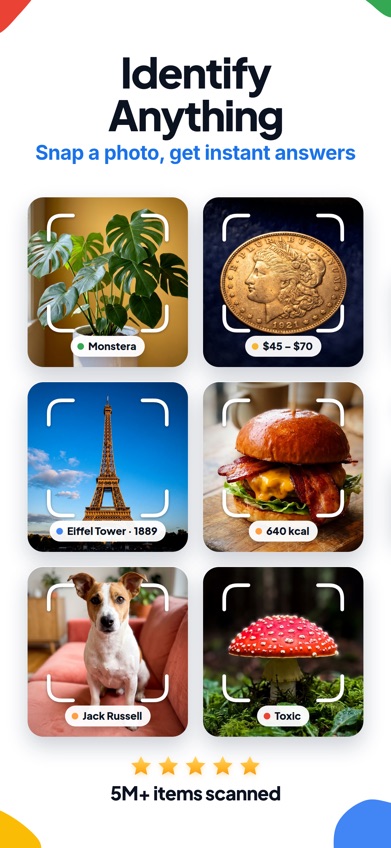
Lens AI is a dedicated identify anything app for photos, screenshots and live camera scans. Its main difference from the Google Lens app is the result: Lens AI explains what the object is in a plain answer and includes a confidence score. Google Lens centers its results on web visual matches, related images and shopping links. That makes Lens AI the better starting point when your first question is simply, What is this?
The app covers everyday objects, plants, animals, insects, products, coins, food and landmarks. It can also estimate a collectible's value from comparable online listings, translate text and continue with follow-up questions. Those estimates are leads, not authentication or a guaranteed selling price. The confidence score is useful because it signals uncertainty, though it cannot prove that a result is correct.
Lens AI ranks first despite having far fewer ratings than Google Lens or ChatGPT because it is built around this exact job. The US App Store showed 4.55 stars from 1,593 ratings, while Google Play showed 4.3 stars from 1,888 reviews. The iOS app was updated October 5, 2026, and requires iOS 17.0 or later.
- Identifies broad categories from a camera photo, upload or screenshot
- Gives a plain explanation and confidence score
- Includes reverse image search, product matching and text translation
- The free mobile scan allowance is not stated consistently; check the checkout screen
- Value estimates cannot authenticate or grade an item
- Price
- Prices checked October 2026: free download; $7.99 weekly, $9.99 monthly, $39.99 yearly or $89.99 lifetime.
- Platforms
- iPhone and iPad with iOS 17.0 or later, Android, and a web tool with one free scan per day.
Pick Lens AI if you want a purpose-built object identifier app that answers directly and shows how confident the match is.
Google Lens
4.7 on the App Store (5,256,367 ratings)
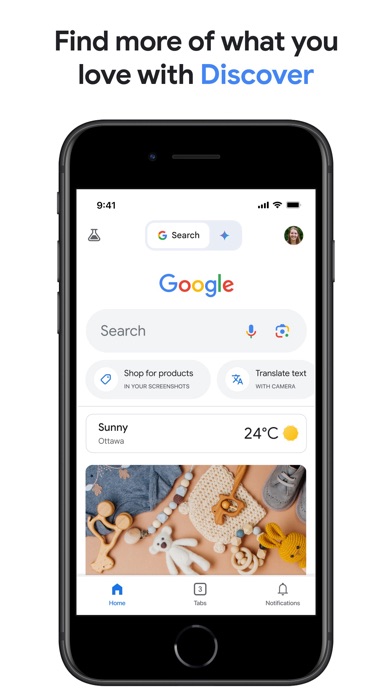
Google Lens is a visual search tool inside the Google app on iPhone. Point it at an object or upload a picture, and it finds related images, products and web pages. You can add words to narrow the search, such as asking for the same shoes in blue or instructions for repairing a photographed bicycle part.
Google Lens is strongest when the next step happens on the web. It is better than Lens AI for locating a store listing, comparing visually similar products or tracing an image to related pages. It also handles visible text and translation. The tradeoff is that a page of matches may require more sorting when you only want one plain identification.
The Google app had 4.65 stars from 5,256,367 US App Store ratings and was updated October 19, 2026. That rating count is the largest among the dedicated visual search choices here, but it measures the full Google app, not Lens alone. No verified Lens scan cap was found.
- Free visual search with no verified scan cap
- Strong product, related-image and web matching
- Supports text extraction and translation
- Lens is part of a larger search app
- Results often lead to web pages instead of one direct identification
- Price
- Price checked October 2026: Google Lens is free; listed storage and AI purchases apply to other Google services.
- Platforms
- iPhone and iPad through the Google app, Android, and supported Google or Chrome web tools.
Pick Google Lens if you want free image search and care more about products or web matches than a single AI answer.

ChatGPT
4.8 on the App Store (11,531,604 ratings)
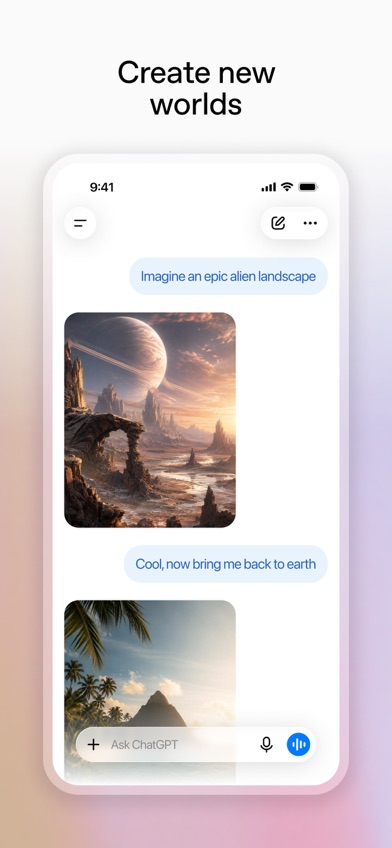
ChatGPT is a general AI assistant that can analyze a new camera photo or an uploaded image. Ask it to name an object, read handwriting or explain a landmark; then continue asking about materials, age, use or visible details in the same conversation.
That conversational format is the reason to choose it. A dedicated photo identifier app tends to give a category and supporting facts. ChatGPT lets you ask why it reached that answer, request alternative possibilities or provide another angle. This is useful for an unfamiliar tool or machine part where context can change the identification. It has less category-specific structure for plants, collectibles and shopping.
The US App Store showed 4.83 stars from 11,531,604 ratings, with an update dated October 16, 2026. The free version supports photo uploads, but the supplied listing does not state a fixed identification allowance. It requires iOS 18.0 or later, which rules out some older iPhones.
- Supports follow-up questions about the same image
- Can analyze photos, screenshots and handwritten material
- Explains visible clues instead of giving only a label
- Free image limits are not fixed in the listing
- It is a broad assistant, so category-specific records are limited
- The checked iOS app requires iOS 18.0 or later
- Price
- Prices checked October 2026: free; Go costs $8 monthly and Plus costs $19.99 monthly. Higher plans are also listed.
- Platforms
- The checked listing supports iPhone and iPad with iOS 18.0 or later; check current listings for other platforms.
Pick ChatGPT if you want to question an image step by step and get an explanation you can refine.

Seek by iNaturalist
4.9 on the App Store (174,723 ratings)

Seek by iNaturalist is a specialist nature identifier for plants, animals, fungi and insects. It uses wildlife observations to suggest a taxonomic level, such as family, genus or species, and can show organisms associated with the surrounding area. This narrow focus gives it an advantage over a general AI identifier when you are outside looking at a leaf, bird or beetle.
Seek also suits people who want nature identification without publicly posting every observation. It has badges and nature activities, but those extras do not replace confirmation from a field guide or local expert. Similar species, juvenile animals, seasonal changes and partial views can lead to an uncertain or incorrect match.
There is an important listing issue. The App Store URL supplied for this comparison resolved to Hidden Object Games: Seek It, which is a puzzle game and has no connection to nature identification. We therefore did not apply that listing's rating, price or October 21 update to Seek by iNaturalist. Available documentation supports iPhone and Android access, with no subscription confirmed; check the correct store listing before downloading.
- Focuses on plants, animals, insects and fungi
- Can suggest several levels of biological classification
- No paid plan was confirmed in the reviewed documentation
- It is not for household objects, shopping or collectibles
- Closely related species can be misidentified
- The supplied App Store record belonged to a different app
- Price
- Price checked October 2026: free, with no subscription confirmed; verify the correct store listing.
- Platforms
- iPhone and Android are documented; no standalone web app was confirmed.
Pick Seek by iNaturalist if most of your photos are plants, animals, fungi or insects.
Google Gemini
4.7 on the App Store (2,366,333 ratings)
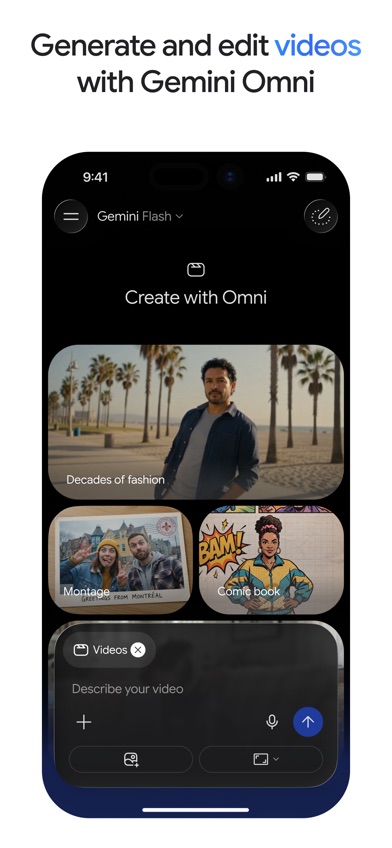
Google Gemini is a general AI assistant that accepts photos, video and camera input. Gemini Live can discuss what the camera sees, so you can point at an unfamiliar object and add spoken context without beginning a separate search each time.
Gemini works well when identification is one part of a longer task. After recognizing an appliance control, for example, you can ask what the symbols mean or request basic operating steps. It can also read visible text and connect answers with other supported Google services. Google Lens is still the more direct choice for related images and shopping pages, while Lens AI presents a more structured identification result.
The iOS listing had 4.73 stars from 2,366,333 ratings and was updated October 21, 2026. It requires iOS 18.2 or later. Free access is available, but exact image and live-session limits were not stated in the supplied listing and can change by plan.
- Accepts camera views, photos, videos and documents
- Supports spoken follow-up questions through Gemini Live
- Can connect identification with a broader task
- It is not organized as a dedicated identification catalog
- Free usage limits are not stated
- The iOS app requires iOS 18.2 or later
- Price
- Prices checked October 2026: free; AI Plus costs $4.99 monthly, AI Pro $19.99 monthly and AI Ultra $199.99 monthly.
- Platforms
- The checked listing supports iPhone and iPad with iOS 18.2 or later; check current listings for other platforms.
Pick Google Gemini if you want to discuss a live camera view and connect the answer to other questions.
Apple Visual Intelligence
Apple Visual Intelligence is a camera-based identification function on supported iPhones. It can examine visible objects and text, answer questions about a scene, translate or summarize text and direct some requests to supported outside services.
Its main advantage is convenience. There is no separate identification app to find on your home screen, and the feature starts from the iPhone's camera controls on compatible hardware. That is useful when you occasionally need to identify a landmark, read a sign or ask about an object. Lens AI and Google Lens cover more devices, while specialist apps present more structured category results.
Compatibility is the main limit. Availability depends on the iPhone model, software version, language and region, and the supplied documentation did not establish one model list that applies to every US reader. Check the support page from the phone you plan to use. There is no separate App Store rating or update date because Visual Intelligence is part of iOS.
- Built into supported iPhones
- Handles objects and visible text
- Can send a visual question to supported services
- Requires compatible iPhone hardware and software
- There is no Android or standalone web version
- Availability can vary by language and region
- Price
- Price checked October 2026: no separate app price is listed; compatible hardware is required.
- Platforms
- Supported iPhones only. Check the current Apple support page for model, language and regional requirements.
Pick Apple Visual Intelligence if your compatible iPhone already has it and you only need occasional camera identification.

Microsoft Bing
4.8 on the App Store (298,365 ratings)
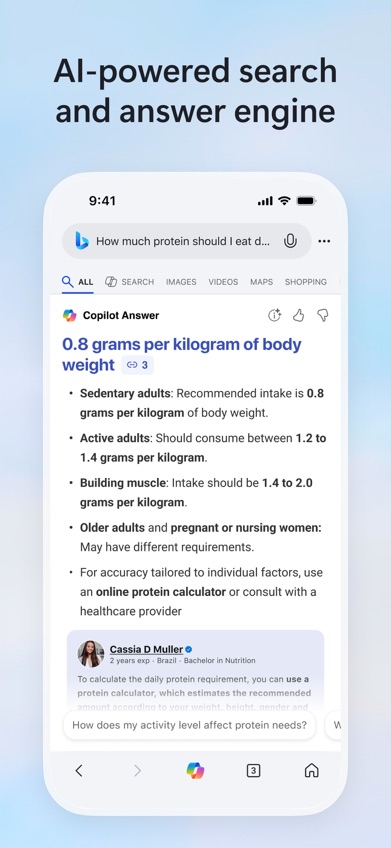
Microsoft Bing is a search app with camera and uploaded-image search. Its visual search can locate similar images and related web results, while Copilot Search can summarize information around the query.
Bing makes sense if Bing or Edge is already where you search. Photographing a product can lead to comparable web images, and a picture can become the starting point for a broader search. Its role overlaps with Google Lens, but Google Lens has more clearly documented links to product refinement, translation and related-image workflows in the supplied materials. Bing's listing also says that functions may differ by market.
The US App Store showed 4.75 stars from 298,365 ratings and an update dated October 16, 2026. The app requires iOS 18.0 or later. Visual search is free, though no fixed scan allowance or detailed category coverage was verified. That uncertainty places it below tools with a more defined identification result.
- Searches from a camera image or uploaded picture
- Finds visually similar web results
- Connects images with Bing and Copilot Search
- Identification coverage is not described in detail
- Functions can vary by market
- The iOS app requires iOS 18.0 or later
- Price
- Price checked October 2026: free; no visual-search subscription was confirmed.
- Platforms
- iPhone and iPad with iOS 18.0 or later, plus web access through Bing or Edge; check the listing for Android.
Pick Microsoft Bing if you already use Bing or Edge and want image matching inside the same search setup.
Lens AI vs Google Lens for photo identification
Lens AI and Google Lens both turn a picture into a search, but they answer different first questions. Lens AI starts with an identification and explanation. Google Lens starts with visually related pages, pictures and shopping results.
| Point | Lens AI | Rival |
|---|---|---|
| Primary result | A plain identification with context | Web matches, related images and product pages |
| Confidence information | Shows a confidence score | No documented confidence score in the supplied listing |
| Shopping | Finds similar products and compares listings | Stronger direct path into broad shopping results |
| Free access | Free download, with paid plans and unclear mobile limits | Free Lens use with no verified scan cap |
| Device support | iPhone, iPad, Android and web | iPhone and iPad through Google, plus Android and web tools |
Choose Lens AI when you want the app to name the subject, explain it and show confidence in the answer. It is more focused on identification categories such as insects, coins, food and general household objects.
Google Lens wins on price certainty and web discovery. It is the better pick when your real goal is finding where an item is sold, locating related pictures or reaching source pages.
What to check before downloading an AI identifier
Match the app to the subject
Start with what you photograph most. A broad object identifier app suits tools, furniture, products and landmarks. A nature app is better for plants or insects because it can suggest biological classifications. Coins, jewelry and antiques need extra care: an AI estimate may point you toward comparable listings, but it cannot certify authenticity, grade, age or market value.
Look at the result format
Some apps return web links and similar pictures. Others provide one likely name, an explanation and follow-up chat. Web matches help when you want to buy an item or find its source. A direct answer is easier when you do not know the words needed for a search. Confidence scores and alternative matches are useful signs that the app acknowledges uncertainty.
Check the photo workflow
Confirm that the app accepts the type of image you have: a new camera shot, saved photo or screenshot. Center one subject and use good light. For a plant, tool or collectible, take more than one angle if the app supports another upload. Blurry backgrounds and several overlapping subjects increase the chance of an unrelated answer.
Read the subscription screen
A free download does not guarantee unlimited identification. Check how many scans are included, when a trial renews and whether the displayed price is weekly, monthly or yearly. Weekly plans become expensive fast. If the listing does not state a limit, assume it can change and review the checkout screen before confirming with Face ID or a password.
Treat sensitive photos carefully
Review the privacy policy before uploading faces, documents, home interiors or pictures that reveal a location. Photo processing and retention differ between apps, and one app's promise does not apply to another. Internet-based identification may also fail without a connection. For medical, food-safety, legal or high-value decisions, confirm the result with a qualified person.
Frequently asked questions
What is the best free AI identifier app?
Google Lens is the best free choice for general visual search because no Lens scan cap was verified. Seek by iNaturalist is the more focused free option for wildlife.
Which app is better than Google Lens for direct identification?
Lens AI is better when you want a plain identification and confidence score instead of starting with web matches. Google Lens remains better for shopping pages and related images.
Can an AI identifier app identify a plant from one photo?
An AI identifier app can suggest a plant from one clear photo, but similar species often require more angles or details. Never use one photo result to decide whether a plant is edible, poisonous or safe for pets.
Can a photo identifier tell whether an item is valuable?
A photo identifier can compare visible details with online examples and suggest a possible price range. It cannot prove authenticity, condition, provenance, grade or final resale value.
Do AI identifier apps work without internet?
Many AI identifier apps require internet access because the image is analyzed through an online service. Check the listing for a stated offline mode before relying on an app away from cellular or Wi-Fi coverage.
Why does an object identifier app give the wrong answer?
Wrong answers often come from blur, poor light, several subjects in the frame or objects that look alike. Retake the photo with one centered subject and compare the result with another source.
Which app is best for asking follow-up questions about a photo?
ChatGPT is the best fit for follow-up questions because it keeps the photo and discussion in one conversation. ChatGPT can explain visible clues and consider another image angle.
Do free AI identifier trials renew automatically?
Some free trials renew into paid weekly, monthly or yearly plans. Read the confirmation screen for the renewal date, billing interval and cancellation terms before subscribing.
The right AI identifier app for most photos
Lens AI is our first recommendation for a general AI identifier app because it is purpose-built to name a photographed subject, explain the result and display a confidence score. Choose Google Lens if you mainly want free web or shopping matches. Pick Seek by iNaturalist for wildlife, or ChatGPT when a longer conversation about the image is more useful than a structured result.
Try Lens AI for a direct answer from one photo
Lens AI is worth trying if your main question is simply what an object is. Its strongest checkable feature is the combination of a plain identification and confidence score, which gives you more context than a page of visually similar links. It covers everyday objects as well as plants, insects, products, food and coins. The paid plans can be costly, so check the mobile scan limit before subscribing. It suits people who want one photo identifier app for many ordinary categories.