
Best Pregnancy Tracker Apps in 2026
Quick answer: Zen Pregnancy is the best pregnancy tracker app for people who want week-by-week tracking, birth preparation and live partner sharing in one place. BabyCenter is better for extensive free education and due-date communities. Pick Pregnancy+ if interactive 3D baby models are the main reason you want a week by week pregnancy app.
It is 2 a.m., you cannot sleep, and you want to know what is happening during week 24. Later, you may need a kick counter, a hospital-bag list or a contraction timer. A good pregnancy tracker puts those jobs in one familiar place.
First, decide whether you mainly want weekly education, detailed health logs or birth preparation. Then check the paywall, device requirements and privacy controls. Those differences shaped our ranking.
Comparison at a glance
| App | Best for | Platforms | Free version | Price | Standout |
|---|---|---|---|---|---|
| Zen Pregnancy | Tracking with birth preparation | iPhone, iPad and Android; selected Apple Watch tools | Free download and one named hypnobirthing session | Free; listed purchases from $2.99 to $29.99 | Private live sharing during labor |
| BabyCenter Pregnancy Tracker | Free education and communities | iPhone, iPad and Android | Ad-supported weekly content, classes and tracking tools | Free | Birth Clubs organized by due month |
| Pregnancy+ | 3D fetal development | iPhone, iPad and Android | Weekly tracking with an unclear premium split | Free; $5.99 monthly or $34.99 annually listed | Interactive 3D baby models |
| Ovia Pregnancy | Detailed symptom logging | iPhone, iPad and Android | Pregnancy tracking, health logs and articles | Free; check the listing for paid access | Health and symptom data in one timeline |
| The Bump | Appointments and registry planning | iPhone, iPad and Android | Weekly content, planning tools and trackers | Free | Appointment planner with suggested questions |
| What to Expect | Detailed weekly reading | iPhone and Android | Ad-supported weekly content and community access | Free; check the listing for paid options | Large pregnancy content library |
| Flo | Existing Flo cycle users | iPhone, iPad and Android | Pregnancy mode with an unclear free-content limit | Free; $49.99 pregnancy purchase listed | Pregnancy tracking linked to cycle history |
Prices and ratings from the US App Store and Google Play, checked October 2026. Store prices change; the listing is the final word.
How we picked
We read the available US App Store listings, Google Play data, official developer sites and listed in-app purchase information in October 2026. We compared weekly tracking, health logs, birth tools, sharing, free access, device support, store ratings and recent update dates.
The order reflects fit for someone seeking a pregnancy tracker app, not the largest rating count. Ratings show audience size. They do not tell you whether an app has the weekly information, partner access or labor tools you need.
- Weekly tracking had to explain fetal and body changes.
- Useful tools included kick counts, appointments and contractions.
- The free tier and listed paid prices had to be stated.
- Recent updates and device requirements affected placement.
- Each app needed a distinct reason to choose it.
Zen Pregnancy
4.7 on the App Store (339 ratings) · 4.4 on Google Play (215 reviews)
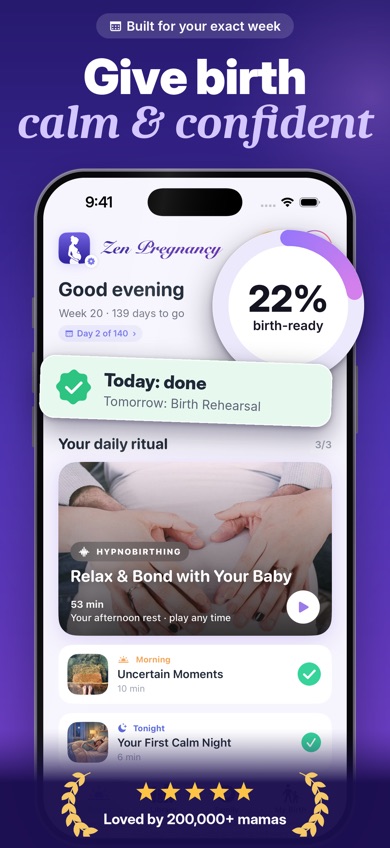
Zen Pregnancy is a pregnancy tracker built around weekly progress and preparation for birth. Enter your due date and the app matches its daily sessions to your stage of pregnancy. It also has a due-date calculator, baby-size updates, a journal, weight tracking, a kick counter and a contraction timer. The last two can be used on Apple Watch.
Its deciding feature is Live Family Sharing. You can create a private page for bump photos, milestones and weekly updates; during labor, a partner can help time contractions while invited relatives follow from elsewhere. The listing says you control the link and that the page deletes itself after the baby arrives. No account is required, and pregnancy data stays on the phone according to the store description.
The audio side is broader than the other pregnancy trackers here: there are more than 60 hypnobirthing, meditation, breathing, relaxation and sleep recordings. The US App Store showed 4.71 stars from 339 ratings, while Google Play showed 4.4 stars from 215 reviews and 10K+ installs. That is a smaller audience than BabyCenter or Flo, but the combination of labor preparation and live sharing fits this search well. The iOS app was updated October 12, 2026.
- Private live partner and family page
- More than 60 pregnancy-focused audio sessions
- Kick and contraction tools on Apple Watch
- The iPhone version needs iOS 18.0 or later.
- The App Store lists one language, and much of the audio requires payment.
- Price
- Prices checked October 2026: free download; $9.99 monthly and $29.99 yearly plans listed, with other promotional purchases from $2.99.
- Platforms
- iPhone, iPad and Android; kick and contraction tools are listed for Apple Watch.
Pick Zen Pregnancy if you want weekly tracking, hypnobirthing and a private way for your partner or family to follow labor.
Zen Pregnancy pregnancy tracker app for iPhoneZen Pregnancy for Android
BabyCenter Pregnancy Tracker
4.9 on the App Store (298,423 ratings)
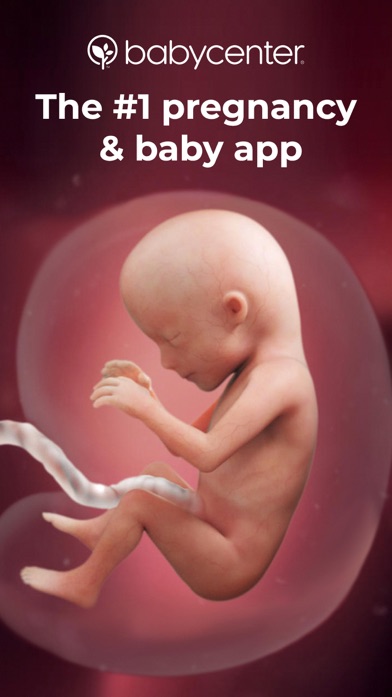
BabyCenter Pregnancy Tracker is the broadest free pregnancy tracker in this list. Its pregnancy calendar follows fetal growth and your changing body by week. You can record appointments and symptoms, watch 3D development videos and read guidance tied to your trimester.
BabyCenter also covers jobs that arrive later: kick counting, contraction timing, a birth-plan template and a printable hospital-bag checklist. Free childbirth and baby-safety classes add more depth. Birth Clubs group people by due month, which is useful if you want to compare notes with parents at roughly the same stage. Community posts still are not medical guidance.
The US App Store showed 4.89 stars from 298,423 ratings, and the app was updated October 16, 2026. That rating count is far larger than Zen Pregnancy's and shows a much bigger App Store audience. BabyCenter wins on the amount of free educational material and community access. It loses ground if you want guided hypnobirthing, offline audio or a private live page for labor. The free experience is ad-supported, and available research notes baby-brand and registry promotion.
- Extensive free week-by-week information
- Due-month Birth Clubs
- Free classes and late-pregnancy tools
- The free experience includes advertising and product promotion.
- Exact feature limits on Android are unknown.
- Price
- Price checked October 2026: free; no confirmed consumer subscription price was available.
- Platforms
- iPhone, iPad and Android.
Pick BabyCenter if free education and a due-date community are more useful to you than meditation or private labor sharing.

Pregnancy+
4.9 on the App Store (76,799 ratings)
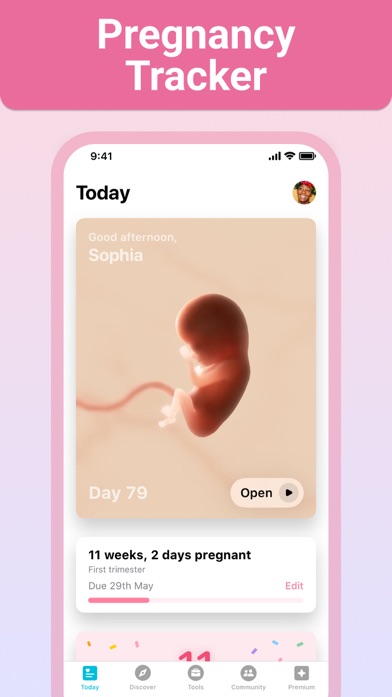
Pregnancy+ is a visual week by week pregnancy app. Its interactive 3D models show fetal development from early pregnancy onward. You can rotate and zoom the model, choose among several skin tones and compare the baby's current size with familiar objects. For someone who opens an app mainly to see this week's development, Pregnancy+ has the strongest presentation here.
It is also a capable organizer. Pregnancy+ has a kick counter, contraction timer, weight log, appointment calendar and due-date calculator. Its birth-plan tool can organize and export your preferences, while separate lists cover hospital packing, shopping and tasks. Daily articles and weekly guides explain what may be happening to you and the baby.
The US App Store showed 4.85 stars from 76,799 ratings. The app was last updated August 10, 2026, which is less recent than most higher-ranked picks. Premium purchases listed $5.99 for one month and $34.99 for a year, but the current free-versus-paid split is unclear. Check the purchase screen before building your plan around a specific tool.
- Rotatable 3D fetal models
- Exportable birth plan
- Strong set of planning and labor tools
- Some tools may require Premium.
- The current free-versus-paid split is not stated clearly.
- Price
- Prices checked October 2026: free download; $5.99 monthly and $34.99 annual purchases listed.
- Platforms
- iPhone, iPad and Android.
Pick Pregnancy+ if interactive fetal development models will keep you engaged with weekly updates.

Ovia Pregnancy
4.8 on the App Store (90,762 ratings)
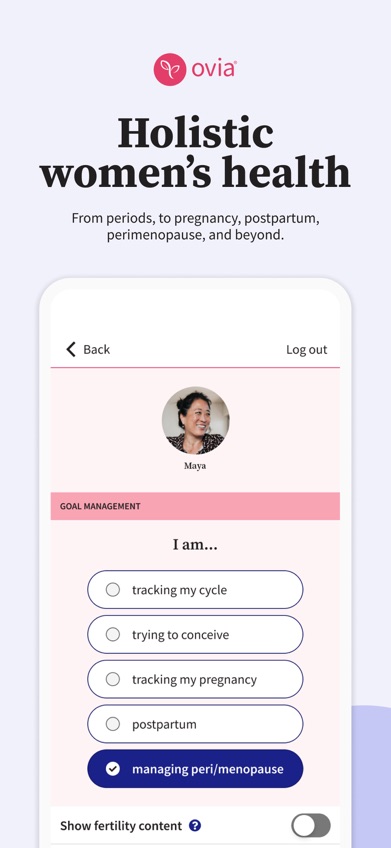
Ovia Pregnancy is the strongest pick for people who like recording details. Its pregnancy mode tracks baby growth, the due-date countdown, symptoms, bump changes and fetal movement. Available research also describes logs for weight, blood pressure, mood, medication and nutrition, so it can hold more day-to-day health information than a simple weekly calendar.
Ovia has more than 2,000 articles across fertility, pregnancy, postpartum and later reproductive health. Pregnancy information is matched to your stage, and the app continues into a 12-month postpartum program. This makes sense if you want one health record before and after delivery. The tradeoff is focus: the app covers the menstrual cycle, fertility, pregnancy, postpartum and menopause, so pregnancy does not occupy the whole product.
The US App Store showed 4.83 stars from 90,762 ratings, with an update on October 21, 2026. The listing calls the app free, but available sources do not confirm every consumer price or employer-sponsored feature. Check the listing and any benefit information before entering sensitive health data. The iPhone version also requires iOS 18.0 or later.
- Detailed symptom and health logs
- Pregnancy-to-postpartum continuity
- Large reproductive-health article library
- Paid and employer-sponsored access details are unclear.
- The iPhone version needs iOS 18.0 or later.
- Price
- Price checked October 2026: free; check the listing for any paid or sponsored access.
- Platforms
- iPhone, iPad and Android.
Pick Ovia Pregnancy if detailed symptom, medication and health logging is your first priority.

The Bump
4.9 on the App Store (40,194 ratings)
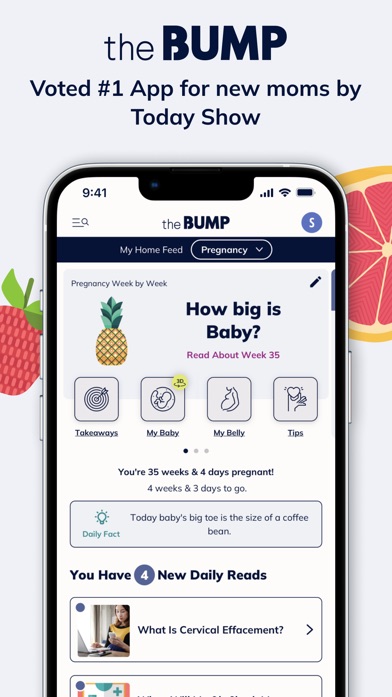
The Bump combines weekly pregnancy updates with planning tools. Its appointment planner suggests questions for prenatal visits and can place appointments on your phone's calendar. That can be more useful than another general article when an ultrasound or checkup is approaching.
The pregnancy tracker compares the baby's size with illustrated produce and has an interactive 3D weekly view. You also get a journal, weight tracker, kick counter, contraction counter, food-safety information and baby-name lists. Registry support is built into the app, so it suits someone who wants pregnancy planning and shopping in the same place.
The US App Store showed 4.85 stars from 40,194 ratings, and the app was updated October 21, 2026. The listing described it as free. Its exact advertising and registry-related limits are not fully stated, and it has less support for guided birth preparation than Zen Pregnancy. The iPhone version needs iOS 17.6 or later and lists one language. Choose it for organization; BabyCenter has the stronger community case, while Pregnancy+ has the better 3D experience.
- Prenatal appointment planner
- Food-safety and registry tools
- Kick, weight and contraction tracking
- Registry content may feel prominent.
- The App Store lists one language.
- Price
- Price checked October 2026: free; check the listing for any current paid options.
- Platforms
- iPhone and iPad; Android support is reported.
Pick The Bump if appointments, registry work and checklists are central to how you want to use the app.
What to Expect
What to Expect is a pregnancy tracker centered on daily and weekly reading. Its guides cover fetal development, changes in your body and preparation for birth. Videos and a large content library give you more to read when a short baby-size card does not answer your question.
The app also has kick counting, pregnancy-planning information and birth-month communities. That makes it a sensible alternative to BabyCenter for readers who already prefer the What to Expect style. BabyCenter ranks higher because its current US App Store facts, tools and update date were available for verification here. What to Expect still has a real use case: detailed education with a community attached.
Available research describes the app as free and ad-supported on iPhone and Android. Current US store ratings, review counts, update dates, iPad support and all paid-plan details were not verified in the supplied listing information, so check the current store page before downloading. Research also notes registry promotion and community-moderation complaints. If you prefer a cleaner tracking-first experience, Pregnancy+ or Ovia may fit better.
- Detailed weekly guides and videos
- Birth-month communities
- Large pregnancy content library
- Current store rating and update data were unavailable.
- Advertising and registry promotion are part of the experience.
- Price
- Price checked October 2026: free and ad-supported; check the listing for paid options.
- Platforms
- iPhone and Android; current iPad support is unknown.
Pick What to Expect if you want substantial weekly reading and birth-month discussions.

Flo
4.7 on the App Store (2,003,647 ratings)
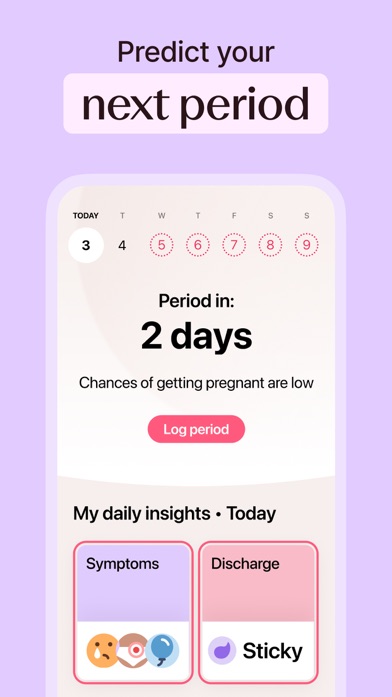
Flo is a cycle tracker with a pregnancy mode. Once you switch modes, Flo provides weekly fetal-development updates, daily articles and pregnancy checklists. Its main advantage is continuity: people who tracked periods, ovulation or conception in Flo can keep their history in the same app.
Flo also has Anonymous Mode, which the listing says lets you use the app without personal identifiers being connected to health data. That is a useful option to examine if privacy is a major concern, though you should still read the current policy and deletion terms before entering pregnancy information.
The US App Store showed 4.74 stars from 2,003,647 ratings, by far the largest rating count in this comparison. It was updated October 22, 2026. That audience size does not make Flo the closest fit for a pregnancy-only search: the app also covers cycles, fertility and perimenopause. The exact free limits in pregnancy mode are unclear, and the App Store listed a $49.99 Flo Pregnancy Tracker purchase among several other prices. New users focused only on pregnancy will probably get more direct tools from the higher-ranked apps.
- Keeps prior cycle history
- Anonymous Mode is available
- Very recent App Store update
- Pregnancy is one mode within a broader cycle app.
- The free pregnancy-content limit is unclear.
- Price
- Prices checked October 2026: free download; a $49.99 pregnancy purchase and several other Premium prices were listed.
- Platforms
- iPhone, iPad and Android.
Pick Flo if you already use it for cycle or conception tracking and want to retain that history.
Zen Pregnancy vs BabyCenter Pregnancy Tracker
These are the closest choices for most readers, but they solve different problems. Zen Pregnancy combines standard tracking with birth preparation and private sharing. BabyCenter puts more weight on free education and public due-date communities.
| Point | Zen Pregnancy | Rival |
|---|---|---|
| Weekly tracking | Zen Pregnancy matches baby updates and daily sessions to the due date. | BabyCenter has broader weekly education, symptom guidance and 3D videos. |
| Labor preparation | Zen Pregnancy has hypnobirthing audio, breathing practice and a contraction timer. | BabyCenter has classes, a contraction timer, a birth plan and a hospital checklist. |
| Sharing | Zen Pregnancy creates a private family page with live labor updates. | BabyCenter has public Birth Clubs organized by due month. |
| Cost | Zen Pregnancy is free to download, but much of the audio is paid. | BabyCenter is free and ad-supported. |
| Device requirements | Zen Pregnancy needs iOS 18.0 or later on iPhone. | BabyCenter needs iOS 17.0 or later on iPhone. |
BabyCenter wins if you want the deepest free educational library or a large group of people with similar due dates. Its 298,423 App Store ratings also show a much larger audience.
Zen Pregnancy wins for private partner sharing and guided preparation for labor. For many couples, the live family page is the deciding difference.
How to choose a pregnancy tracker app
Check how the app counts pregnancy weeks
Pregnancy apps can describe the current week differently. One may say you are in week 12 after 11 full weeks have passed, while another emphasizes the completed week. Enter the same due date and compare the date shown with your clinician's record. If they disagree, fix the due date before relying on reminders or weekly articles.
Choose the logs you will actually use
A long list of trackers is useful only when it matches your needs. Ovia suits detailed symptom, mood and medication records. A simpler app may be enough if you mainly need appointments, kick counts and contractions. For medical symptoms, share the relevant information with your clinician instead of using an app to diagnose the cause.
Look beyond baby-size comparisons
Fruit and object comparisons are approximate illustrations. They are easy to understand, but fetal size varies and an app cannot measure your baby. Look for useful context about body changes, appointments and the limits of general advice. Ultrasound findings and clinical assessment carry more weight than a weekly graphic.
Read privacy and sharing controls first
Pregnancy information is sensitive health data. Before adding symptoms, photos or medication details, check deletion rights, data export, advertising use and third-party sharing. If the app has a partner or family link, confirm who can open it and how you can revoke access. Private sharing is different from posting in a community group.
Confirm the paywall and phone requirements
A free download may place articles, audio or planning tools behind a subscription. Open the purchase screen and check monthly and annual prices before entering weeks of data. Also compare the required iOS or Android version with your phone. Zen Pregnancy and Ovia require iOS 18.0 on iPhone, which rules out some older devices.
Frequently asked questions
What is the best free pregnancy tracker app?
BabyCenter Pregnancy Tracker is the strongest free choice for weekly education, classes, tracking tools and due-month communities. The free app is supported by ads and product promotion.
Which pregnancy app has the best weekly updates?
What to Expect suits readers who want detailed weekly articles and videos, while Pregnancy+ is better for interactive 3D fetal development. BabyCenter combines weekly education with free classes and communities.
Is Pregnancy+, The Bump or BabyCenter better?
Pregnancy+ is better for 3D baby models, The Bump for appointment and registry planning, and BabyCenter for free education and due-date groups.
Can I use more than one pregnancy app?
Yes, but conflicting week labels and generalized advice can become confusing. Use one app as your main record and treat all app content as education, not medical advice.
Are weekly baby-size comparisons accurate?
Baby-size comparisons are illustrations based on general averages, not measurements of your baby. Clinical assessment and ultrasound provide individualized information.
Why does my pregnancy app show the wrong week?
The due date may be entered incorrectly, or the app may label the current and completed weeks differently. Compare the due date and week convention with your clinician's record.
Can my partner see pregnancy and contraction updates live?
Zen Pregnancy can create a private family page for weekly updates and live contraction timing. The person who creates the page controls its link and can delete it.
Which pregnancy tracker should you download?
Choose Zen Pregnancy if you want one app for weekly tracking, guided birth preparation and private live sharing with a partner or family. BabyCenter is the better free choice for extensive education and due-date communities, while Pregnancy+ is the better visual tracker. Existing Flo users may prefer to keep their cycle and pregnancy history together.
Zen Pregnancy is best for private labor sharing
Zen Pregnancy is worth trying for its Live Family Sharing page. A partner can help time contractions, while invited relatives follow updates without turning labor into a public community post. The same app also has weekly tracking, hypnobirthing audio and breathing exercises, so it suits couples who want preparation and communication in one place.
It is less suitable if you have an older iPhone or want a completely free library of pregnancy articles. In that case, BabyCenter is the better pick.