
Best Wine Identifier Apps in 2026
Quick answer: DiVino is the best wine identifier app for turning a label photo into bottle details, an estimated value, a drinking window, and a saved cellar entry. Vivino is better if you want free scanning, a large review pool, or Android access. Wine-Searcher is the better pick when your main question is how much a bottle costs.
You are standing in a wine aisle with two Cabernets, tiny label text, and dinner in an hour. A wine label scanner can identify each bottle and pull up information that is easier to use than the front label alone.
First, decide what you need after the scan. Some apps focus on ratings, while others check prices or save bottles in a home cellar. The picks below are ordered for label identification first, with free access, recent updates, platform support, and follow-up tools also considered.
Comparison at a glance
| App | Best for | Platforms | Free version | Price | Standout |
|---|---|---|---|---|---|
| DiVino | Label scan to cellar record | iPhone; iPad compatibility listed; Android coming | Free download; exact free-use limits are not listed | $5.99 weekly or $59.99 yearly | Shows an estimated value and drinking window after a scan |
| Vivino | Free scanning and community ratings | iPhone, iPad, Android, and web | Label scanning, ratings, reviews, pairings, and a basic cellar | Premium from $4.99 monthly; yearly listings from $47.90 | 139,462 US App Store ratings |
| Wine-Searcher | Price and retailer checks | iPhone and iPad; check other listings | Wine lookup, label scanning, and price searches; exact limits unknown | PRO purchases listed at $10.99 and $98.99 | Compares bottle listings from wine merchants |
| Delectable | Unlimited free label scans | iPhone and iPad; check other listings | Unlimited scans, ratings, tasting notes, and a personal journal | $1.99 ad-free option or $5.99 monthly Premium | Free scans with a social tasting journal |
| CellarTracker | Detailed home-cellar records | iPhone, iPad, and web; check Android listing | Inventory, community notes, and ratings; exact bottle limit unknown | Bottle-tier purchases listed from $4.99 to $44.99 | Detailed inventory, valuation, and drinking-window data |
| Oeni | Bottle aging and food pairing | iPhone and iPad; check other listings | Free download; exact cellar and scan limits unknown | Annual options listed from $39.99 to $89.99 | Tracks maturity and suggests pairings from 5,000 dishes |
| InVintory | Visual cellar organization | iPhone and iPad; check other listings | Free download; exact inventory limits unknown | Paid plans from $9.99 monthly or $99.99 yearly | Maps bottle locations in a 3D cellar view |
| Wine Identifier | Researching label-scanner basics | iPhone claimed; separate store listing not supplied | Check the listing | Check the listing | Explains the scan, pairing, and cellar workflow |
Prices and ratings from the US App Store and Google Play, checked October 2026. Store prices change; the listing is the final word.
How we picked
We read the US App Store listings, in-app purchase panels, supplied product sites, and available Google Play evidence in October 2026. No hands-on scan test was performed, so this ranking does not claim that one camera system is more accurate than another.
The order starts with fit for the phrase "wine identifier app." Label recognition and the information shown after a scan carry more weight than audience size. This is why the newer DiVino ranks above apps with tens of thousands of ratings. Store rating counts show how much App Store feedback exists; they do not prove recognition accuracy.
- A useful scan should identify the producer, vintage, region, and bottle when those details are available.
- The result should help with a decision, such as opening, pairing, pricing, or saving the bottle.
- Free-tier limits and current subscription prices affect long-term cost.
- Recent updates and supported operating systems affect who can install the app.
- Easy cellar records, tasting notes, and correction options add value after identification.

DiVino
5.0 on the App Store (1 ratings)
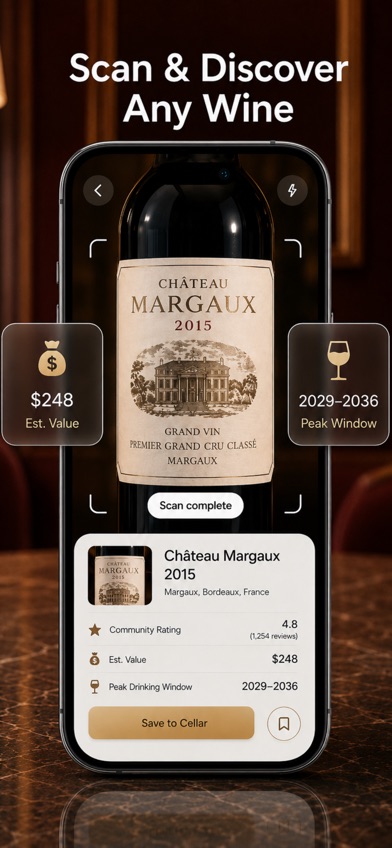
DiVino is an iPhone wine identifier that moves from a label photo to bottle details, then lets you save that bottle to a cellar. The scan result can include the producer, vintage, ratings, estimated value, tasting notes, food pairings, and a suggested drinking window. That last item tells you whether a wine may benefit from more time or is near its suggested peak.
The complete scan-to-cellar flow puts DiVino first for this specific search. You can record quantity and storage location, keep tasting notes, ask its AI sommelier about serving or pairings, and scan a restaurant wine list. The App Store description also says no account is required and collection data stays on the device. For a beginner, this cuts out an account setup step; for a small collector, it keeps identification and inventory in the same app.
There are major limits. DiVino is for Apple devices, requires iOS 18 or later, and Android is still listed as coming soon. It is also new: the US App Store showed 5 stars from one rating, with the latest update on September 23, 2026. That tiny count says little about recognition reliability. The subscription is expensive for occasional scanning, and the listing does not state exactly what remains usable without it.
- Connects label identification with estimated value and drinking-window information
- Saves scanned bottles with quantity and storage location
- Does not require an account according to the App Store description
- Can scan restaurant wine lists as well as bottle labels
- Apple devices only, with iOS 18 or later required
- Only one US App Store rating at the October 2026 check
- Exact free-tier limits are not listed
- Price
- Free download; PRO costs $5.99 weekly or $59.99 yearly. Prices checked October 2026.
- Platforms
- iPhone with iOS 18 or later; iPad compatibility is listed. Android is coming soon.
Pick DiVino if you want one scan to produce bottle details, a drinking window, and a cellar entry.

Vivino
4.8 on the App Store (139,462 ratings)
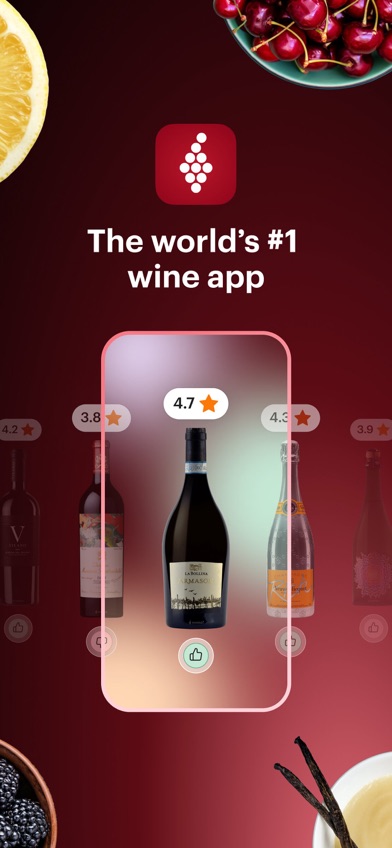
Vivino is the strongest alternative for shoppers who want a free wine label scanner backed by a large pool of App Store feedback. Photograph a bottle to see ratings, reviews, tasting notes, and food pairings. You can also scan a restaurant wine list, compare bottles, record your own rating, and add wine to a basic cellar.
Vivino wins on audience evidence and broad availability. Its US App Store listing had 4.84 stars from 139,462 ratings, far beyond every other app here, and it was updated October 19, 2026. Android availability is also confirmed, so mixed-device households have an easier choice. The free tools cover the basic store-aisle question: what is this wine, and how have other people rated it?
Community scores still reflect other drinkers' tastes. A 4.2 average cannot tell you that a high-tannin red will suit tonight's salmon. Some cellar and recommendation tools sit behind Premium, and the store has several purchase entries with different prices. Vivino is also built around discovery and buying as much as identification. DiVino gives a more direct estimated-value and drinking-window workflow, while Wine-Searcher is more focused when retailer prices are the main concern.
- Free label and restaurant-list scanning
- Large pool of US App Store ratings
- Food pairings, tasting notes, and a basic cellar
- Available on Android as well as Apple devices
- Some cellar and recommendation tools require Premium
- Community ratings may not match your taste
- Several Premium prices appear in the store
- Price
- Free tier available; Premium listings include $4.99 monthly and yearly prices from $47.90. Prices checked October 2026.
- Platforms
- iPhone and iPad with iOS 18.6 or later; Android and web access are also available.
Pick Vivino if you want free label scanning, many community ratings, or Android support.

Wine-Searcher
4.8 on the App Store (17,156 ratings)
Wine-Searcher is a wine identifier and price-search app. Its label scanner pulls up producer, region, grape, vintage, critic scores, and merchant listings. That makes it the most useful pick when you are holding a $40 bottle and want to know if nearby or online stores list it for less.
The deciding feature is price coverage. The App Store description cites millions of wine, beer, and spirits listings from thousands of merchants, though those are company claims and availability will vary by location. You can search manually when a worn or reflective label fails, compare vintages, save wines, and find stores. Wine-Searcher also covers whisky, Cognac, beer, and other drinks, which adds value if your cabinet is not limited to wine.
Wine-Searcher is less centered on personal taste and cellar organization than Vivino, CellarTracker, or DiVino. Its free access is useful for lookup and comparison, but the current listing does not spell out every free search limit. The US App Store showed 4.81 stars from 17,156 ratings and an October 15, 2026 update. PRO purchases were listed at $10.99 and $98.99, but the displayed data did not label their billing periods, so confirm the checkout screen.
- Compares prices and merchant availability
- Searches by label photo or typed name
- Includes critic scores, regions, grapes, and vintages
- Also identifies several other alcoholic drinks
- Cellar and personal recommendation tools are not its main focus
- Exact free-search limits are not stated
- PRO billing periods require confirmation
- Price
- Free download; PRO purchases are listed at $10.99 and $98.99. Check the billing period before buying. Prices checked October 2026.
- Platforms
- iPhone and iPad with iOS 16 or later; check current listings for other platforms.
Pick Wine-Searcher if identification is mainly the first step toward checking a bottle's price or finding a seller.

Delectable
4.7 on the App Store (25,998 ratings)
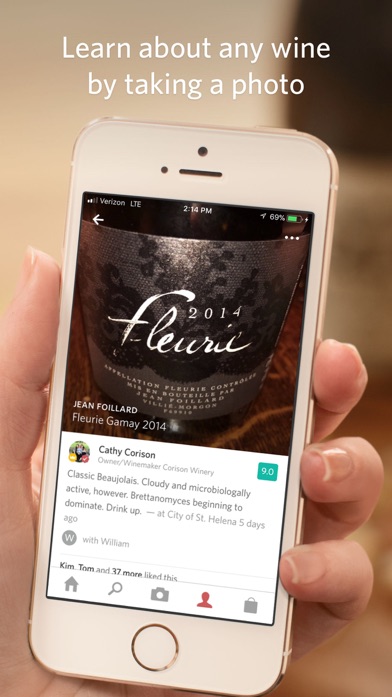
Delectable identifies wine from a label photo and lets you scan an unlimited number of bottles for free, according to its App Store description. Results include ratings and tasting notes. You can then rate the wine, write a note, save a favorite, or follow wine professionals and other members.
Unlimited free scanning is the reason to consider it. Someone who photographs bottles at tastings or while stocking a new rack may prefer a free scanner without a stated scan quota. Delectable also works as a tasting journal, with tags for people and places. That social record is more useful than detailed financial tracking if your goal is remembering the Pinot Noir served at a birthday dinner.
The age of the listing is the concern. Delectable had 4.7 stars from 25,998 US App Store ratings, but its last recorded update was September 14, 2021. It still supports devices as old as iOS 10, which helps people with older iPhones, yet a five-year update gap raises questions about current label coverage and future compatibility. Premium adds professional reviews and priority handling for hard-to-match labels. Wine-Searcher has stronger price tools, while recently updated cellar apps give collectors more inventory controls.
- Unlimited free wine scans are stated in the listing
- Combines identification with a personal tasting journal
- Runs on older iPhones starting with iOS 10
- Has 25,998 US App Store ratings
- Last recorded update was in September 2021
- Detailed cellar and valuation tools are limited
- Professional reviews require Premium
- Price
- Free scanning; ad-free access is listed at $1.99 and Premium at $5.99 monthly. Prices checked October 2026.
- Platforms
- iPhone and iPad with iOS 10 or later; check current listings for other platforms.
Pick Delectable if unlimited free scans and a social tasting journal outweigh the old update date.

CellarTracker
4.9 on the App Store (13,328 ratings)
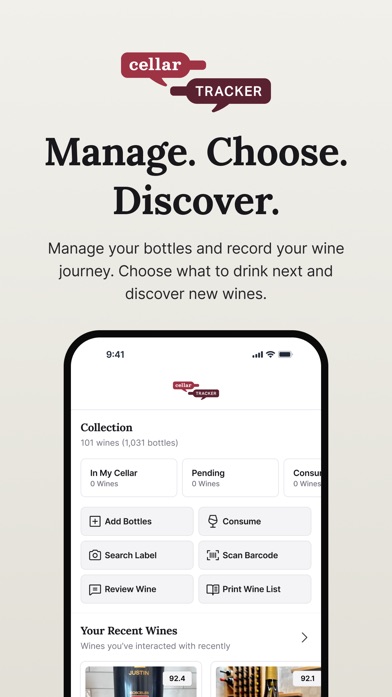
CellarTracker is a cellar manager with label and barcode lookup, community tasting notes, pricing data, and drinking windows. Identification is one part of a much deeper inventory system. It suits the reader who needs to know which rack holds a bottle and when that bottle may be ready.
CellarTracker's strength starts after the scan. You can add bottles, record personal tasting notes, review community notes, track values, and use maturity information when choosing what to open. The listing also describes retail and auction pricing data. That is more detail than a casual shopper needs, but it can replace a spreadsheet for a growing collection.
The app had 4.9 stars from 13,328 US App Store ratings and was updated September 28, 2026. It works with iOS 15.5 or later, so it supports older Apple devices than DiVino or Vivino. The tradeoff is focus: its inventory depth can feel excessive if you only scan a bottle twice a month. Exact free bottle limits were not confirmed. The in-app purchase panel lists bottle tiers from 100 to more than 2,500 bottles at $4.99 to $44.99, without enough billing detail to infer the subscription period.
- Detailed bottle inventory and storage records
- Community tasting notes and drinking windows
- Retail, auction, and valuation information
- Supports iOS versions back to 15.5
- More complex than a scanner-first app
- Exact free bottle limit is unknown
- Store pricing does not clearly state each billing period
- Price
- Free download; bottle-tier purchases range from $4.99 to $44.99 in the listing. Confirm billing details. Prices checked October 2026.
- Platforms
- iPhone and iPad with iOS 15.5 or later; web access is available. Check the Android listing.
Pick CellarTracker if the scan needs to feed a detailed cellar, valuation, and drinking-window record.

Oeni
4.7 on the App Store (935 ratings)
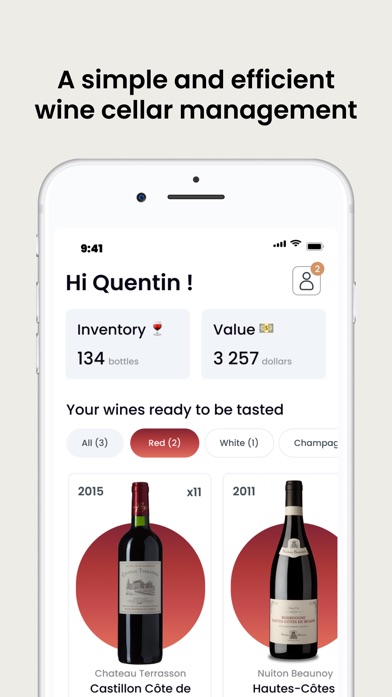
Oeni is a cellar manager that can scan bottles, track their estimated maturity, and suggest food pairings. Its listing describes a directory of more than 400,000 bottles and pairing ideas across more than 5,000 dishes. Those figures come from the store description, not a comparative database test.
Oeni fits the common question, "What should I open with dinner?" Add the vintage and purchase price, then the app tracks inventory, estimated cellar value, and aging stages. A 3D cellar view gives you a visual record of stored bottles. The combination is useful if opening time and food pairing are more important to you than reading a large social feed.
The US App Store showed 4.7 stars from 935 ratings and an October 5, 2026 update. Oeni supports iOS 15 or later and lists 15 languages. Its scan coverage is smaller than the database figures claimed by some rivals, and the free-tier limits are not stated. Pricing is also messy: multiple annual subscriptions from $39.99 to $89.99 appeared in the store, alongside other premium entries. Check the exact plan and renewal price shown on your device.
- Tracks estimated maturity and peak dates
- Pairs wines with a stated catalog of more than 5,000 dishes
- Includes inventory value and purchase-price records
- Supports 15 languages
- Exact free limits are unknown
- The store lists several different annual prices
- Database size claims were not independently compared
- Price
- Free download; annual options are listed from $39.99 to $89.99. Confirm the current renewal price. Prices checked October 2026.
- Platforms
- iPhone and iPad with iOS 15 or later; check listings for other platforms.
Pick Oeni if you mainly want aging estimates and food suggestions for bottles already in your cellar.

InVintory
4.8 on the App Store (4,984 ratings)
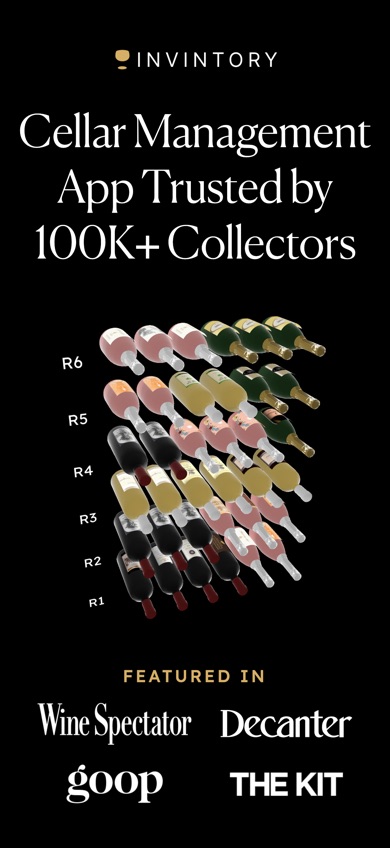
InVintory is an inventory app for collectors who want to record the exact location of each bottle. You can add wine with a label scan or search, then assign it to a cellar, rack, bin, case, or custom location. Its VinLocate tool creates a 3D representation of that storage layout.
The location system is the deciding feature. In a large rack, knowing that a bottle is somewhere in the basement is not enough; InVintory can record the specific slot. It also lists imports from spreadsheets and other wine services, price tracking, maturity alerts, tasting notes, and an AI sommelier that answers questions about the collection. These tools fit an established cellar better than a few kitchen-shelf bottles.
InVintory had 4.76 stars from 4,984 US App Store ratings and was updated October 21, 2026, the newest update in this group. It requires iOS 18, and its paid plans are among the more expensive choices here. Prestige starts at $9.99 monthly or $99.99 yearly. Premium listings start at $13.95 monthly, with annual entries between $124.99 and $149.99. The exact free inventory allowance is not stated, so check it before importing a large collection.
- Maps bottles to exact racks, bins, or custom locations
- Imports existing cellar files and records
- Tracks value, maturity, and tasting notes
- Updated in October 2026
- Requires iOS 18
- Paid plans cost more than most scanner-first apps
- Exact free inventory limit is unknown
- Price
- Free download; paid plans start at $9.99 monthly or $99.99 yearly. Prices checked October 2026.
- Platforms
- iPhone and iPad with iOS 18 or later; check current listings for other platforms.
Pick InVintory if finding a bottle's exact rack or bin is more important than quick store-aisle scanning.
Wine Identifier
Wine Identifier is a site that presents an AI wine identifier built around label scanning, food pairings, tasting notes, and cellar tracking. It explains the expected process in plain terms: photograph a label, check the producer and vintage, review the result, then save the bottle if it matches.
The site is useful as a checklist for comparing apps. It calls out an important limit of image recognition: old, torn, obscure, or badly photographed labels may need manual review. That is sound buying advice because similarly styled labels can cover several vintages or related wines. The site also explains why you should verify region, grape, and vintage before relying on a scan.
We ranked it last because a separate US App Store listing, store rating, update date, and in-app purchase panel were not supplied for this entity. The site points readers toward an iPhone experience, but its claims cannot be checked against a distinct listing from the information available here. Price and free-use limits are also unknown. Readers who want an app now have better-documented choices above. Use this site to understand the category, then verify the download page, platform requirements, privacy terms, and subscription price before installing anything.
- Explains the label-scan and correction process
- Covers pairings, tasting notes, and cellar records
- Warns that damaged or obscure labels may need review
- No separate store listing was supplied for verification
- Price, rating, update date, and free limits are unknown
- Platform details cannot be fully confirmed
- Price
- Check the listing; a separate verified price was not available in October 2026.
- Platforms
- The site refers to iPhone use; verify the current store listing and iOS requirement.
Pick Wine Identifier if you want a plain-language feature checklist and are willing to verify the separate store details before downloading.
DiVino vs Vivino for scanning wine labels
DiVino and Vivino both identify bottle labels, scan restaurant lists, suggest food pairings, and save wine records. DiVino ranks first because its result flows directly into estimated value, drinking-window, and cellar tools; Vivino is the safer free choice for most Android users and anyone who wants a much larger pool of App Store feedback.
| Point | DiVino | Rival |
|---|---|---|
| Scan result | DiVino shows bottle details, estimated value, pairings, and a drinking window | Vivino centers ratings, reviews, tasting notes, pairings, and purchase choices |
| Cellar use | DiVino saves quantity, location, notes, value, and opening guidance | Vivino has a basic free cellar, with added tools in Premium |
| Account and storage | DiVino says no account is required and collection data stays on the device | Vivino's current account and storage terms should be checked in its listing and privacy policy |
| Audience evidence | DiVino had 5 stars from one US App Store rating | Vivino had 4.84 stars from 139,462 US App Store ratings |
| Platforms | DiVino is limited to Apple devices with iOS 18 or later | Vivino supports Apple devices, Android, and web access |
Choose DiVino when you want the scan to answer what the bottle may be worth, when to drink it, and where it is stored. Its small rating count means you should judge the subscription carefully during any free access period.
Vivino wins for free discovery, Android support, and community review volume. It is probably the better first download for someone who scans supermarket wine occasionally and does not need detailed opening guidance.
What to check before choosing a wine label scanner
Check the full match, especially the vintage
A correct producer name is only part of the job. Look at the vintage, region, grape, wine color, and exact bottle name before saving a result. Related wines often use similar label designs, and an import sticker or glare can hide useful text. Choose an app that lets you search or edit the record when the first match is wrong. No listing here provides a controlled accuracy comparison.
Match the database to where you buy wine
A large database improves the chance of finding supermarket bottles, imports, and older vintages, but size alone does not guarantee the right result. Think about your normal use. Mainstream US retail wines benefit from broad community coverage; rare bottles may require manual search, critic records, and auction data. Scan a few bottles you already own before paying for a yearly plan.
Decide what should happen after identification
If you only need ratings in a store aisle, a free scanner may be enough. Price shoppers should look for merchant comparisons and nearby availability. A home collector needs quantities, storage locations, maturity dates, and export or import tools. Paying for a large cellar system makes little sense if your real need is identifying one dinner bottle each weekend.
Read the subscription and privacy details
Several listings show multiple purchase prices, and the supplied store data does not always identify the billing period. Confirm the renewal price and cancellation terms on the checkout screen. Also read the privacy label and policy if you care where photos, tasting notes, or collection values are stored. DiVino says its collection stays on the device; privacy practices for the other apps need individual review.
Frequently asked questions
What is the best wine identifier app?
DiVino is our top pick because a label scan can lead directly to bottle details, estimated value, a drinking window, and a saved cellar entry. It is limited to Apple devices and requires iOS 18 or later.
What is the best free wine label scanner?
Vivino is the strongest free choice for label scans, ratings, reviews, pairings, and a basic cellar. Delectable is another option if unlimited free scans are more important than recent updates.
Is Wine-Searcher better for checking wine prices?
Wine-Searcher is the best pick here for comparing merchant prices and finding sellers. Its cellar and personal recommendation tools are less central than its price search.
Can a wine identifier app identify the vintage?
A wine identifier app may read the vintage from a clear label, but similar labels and damaged text can produce the wrong year. Always compare the result with the year printed on the bottle.
Which wine scanner is the most accurate?
No controlled accuracy test was available for these apps, so the listings do not prove which scanner is most accurate. Test several labels you already know and check whether the app allows manual correction.
Why did a wine label scanner identify the wrong bottle?
Glare, torn labels, import stickers, similar label designs, and missing vintage text can all cause a wrong match. Retake the photo in even light, then search by producer and vintage if needed.
Which app is best for tracking a home wine cellar?
CellarTracker is the better choice for detailed inventory, tasting notes, value data, and drinking windows. InVintory is better when you need a visual map of exact rack and bin locations.
Our recommendation
Download DiVino if you use an iPhone and want a wine identifier app that turns one label scan into bottle details, an estimated value, a drinking window, and a cellar record. Choose Vivino for a broader free tier or Android access, Wine-Searcher for price checks, and CellarTracker when detailed inventory is the main job.
DiVino is the pick for scan-to-cellar guidance
DiVino is worth trying for one specific reason: its label scan connects directly to a drinking window and a saved cellar record. That suits an iPhone user who wants to identify a bottle, decide whether to open it, and remember where it is stored without moving between separate apps. The one-rating App Store history and $59.99 yearly price call for caution, so check the free access and recognition results with bottles you already know before subscribing.