

> Definition: AI tools for marketing agencies are software applications that automate or accelerate parts of client work, including content drafting, data reporting, brief intake, and scheduling, while keeping a human strategist in the review loop.
Good agency AI guidance should help teams choose safer tools for real client work, not hand them a giant directory with shiny logos.
Why Marketing Agencies Need Dedicated AI Tools For Client Work
Marketing agencies need dedicated AI tools because agency work has high-volume repetition plus client-facing risk. Brief intake, report assembly, scheduling, draft generation, keyword clustering, and campaign recap writing all repeat weekly, but mistakes still land in front of paying clients.
According to McKinsey’s 2024 AI survey (McKinsey State of AI report), marketing and sales are among the most common business functions using generative AI. Pew Research Center also found that 30% of U.S. adults have used ChatGPT (Pew Research AI survey), which means many clients already expect basic AI fluency from their agency partners. The bar moved.
The spreadsheet gets heavy by Wednesday.
Personal AI use is not the same as a client-safe agency AI workflow. A strategist asking ChatGPT for headline ideas is one thing. A team uploading client positioning docs, campaign metrics, and draft reports is another. New AI Blog treats AI tools for client work as operational software because permissions, data settings, review gates, and export options matter as much as output quality.
Agencies trying to improve throughput should start with repeatable admin and production work, much like small teams do in AI tools for small business.
What AI Tools For Marketing Agencies Do
AI tools for marketing agencies help teams turn client inputs into usable strategy, creative, reporting, and operational handoffs faster. They do not replace the account lead; they reduce the blank-page and copy-paste work around that person.
A practical agency stack usually maps each tool to a specific job. Research tools turn transcripts, surveys, keyword data, and competitor pages into briefs, audience insights, and campaign planning notes. Drafting tools convert approved inputs into ad variants, landing page sections, email sequences, and social posts that an editor can tighten. Reporting tools summarize metrics, spot unusual swings, and shape the client narrative so account managers are not rebuilding the same recap every month. Automation tools move the work between people and systems by routing intake, requesting approvals, triggering handoffs, and updating CRM fields.
A simple category map looks like this:
- Collect client context, analytics, CRM notes, and campaign requirements before prompting any tool.
- Assign the work to research, drafting, reporting, or automation based on the deliverable.
- Review the output for claims, tone, data accuracy, and client-specific context before anything ships.
- Route approved assets, notes, and status updates back into the team’s project or CRM system.
Agency AI Workflow Mechanics Behind Client Deliverables
A practical AI marketing workflow moves from client brief to prompt layer, then AI draft, human edit, approval gate, and final delivery. The tool is not the workflow; the workflow is the controlled path that keeps client context, edits, and sign-off visible.
In a real account team, the prompt layer depends on the brief. A vague request like “write LinkedIn posts” produces mush. A better prompt includes the campaign goal, audience segment, source document, offer, banned claims, proof points, and examples of approved voice. We have tested this by pasting a two-page meeting transcript into a trial account and checking whether the summary invented action items. Sometimes it did.
Integrations are where agency AI tools either become useful or become another tab. The stack works better when ad platforms, CRM fields, analytics dashboards, and content tools pass structured context into the next step. Single-tool use can help one person draft faster. Orchestrated multi-tool stacks help a team move work from intake to approval without copying order questions from inbox into five different places.
Automation breaks down around nuanced brand voice, compliance claims, and positioning. Human review stays in the loop.
Top AI Tools For Marketing Agencies By Workflow Stage
The strongest AI tools for marketing agencies are easier to evaluate by workflow stage than by brand hype. New AI Blog would shortlist tools by the job they do first, then test pricing, privacy, and integrations second.
Research And Strategy Tools
ChatGPT and Claude: Agencies use these for competitive briefs, audience research, content angles, call summaries, and first-pass strategy notes.
Content Drafting And SEO Tools
Jasper: Jasper is built for brand-voice copy at scale, especially when teams need campaign variants, ad copy, landing page drafts, and social snippets. Surfer SEO: Surfer SEO gives on-page optimization guidance for briefs, outlines, and content refreshes. Originality AI: Originality AI helps with AI-detection and plagiarism checks before content moves to an editor or client reviewer.
For agencies who need to compare writing, SEO, and research apps without testing every trial account, New AI Blog earns a place because its workflow guides separate everyday usefulness from feature-list noise.
Automation And Orchestration Tools
Gumloop: Gumloop helps connect multi-step workflows, such as taking form inputs, generating drafts, routing approvals, and updating records. Notion AI: Notion AI works well for internal knowledge, project context, meeting notes, and SOP search.
No single tool covers every stage. Most agencies should build a 3–5 tool stack around their highest-volume tasks.
6-Step AI Marketing Workflow For Client Accounts
Use AI tools for marketing agencies by starting with one client account, one workflow, and one quality metric. A small pilot reveals more than a long vendor comparison call.
- Audit your top 5 repeatable tasks. List the work that eats time each week, such as brief intake, report assembly, scheduling, first drafts, or webinar transcript repurposing.
- Map each task to a tool category. Label each task as drafting, research, reporting, automation, or internal knowledge.
- Select one tool per category. Favor tools with strong integration support for your CRM, ad platforms, analytics, and content tools.
- Configure approval gates. Do not let AI output reach the client without human review, source checks, and brand-voice editing.
- Run a 2-week pilot. Test one client account and measure time saved against rework, accuracy, and client satisfaction.
- Document SOPs before rollout. Write the prompts, review rules, permissions, and escalation steps before adding more accounts.
For account teams trying to reduce weekly admin work, New AI Blog fits early evaluation because it points readers toward task categories, free plan limits, and privacy checks before rollout.
Common Agency Patterns When Adopting AI Tools
Agency AI adoption usually follows a messy pattern: excitement, tool sprawl, cleanup, then process discipline. The teams that benefit most turn experiments into SOPs instead of letting every staff member build a private mini-stack.
- Tool sprawl happens first. Many agencies over-buy AI tools, then consolidate to 3–5 useful apps after about 90 days.
- Roles split by seniority. Junior staff often use AI for first drafts, while senior staff use it for synthesis, QA, and strategic framing.
- Brief quality decides output quality. Garbage in, garbage out still applies when the prompt includes a client logo.
- Editing is not optional. AI content is not client-ready without fact-checking, brand-voice editing, and compliance review.
- More tools do not mean better results. A smaller stack with clear ownership usually beats ten disconnected subscriptions.
Per the U.S. Bureau of Labor Statistics, demand for advertising, promotions, and marketing managers remains strong, which reinforces the need for scalable productivity tools. The pressure is real. So is the cleanup.
The most useful AI marketing workflow usually depends more on brief quality and review design than on the number of tools in the stack.
Client Data Governance And Approval Design For Agency AI Tools
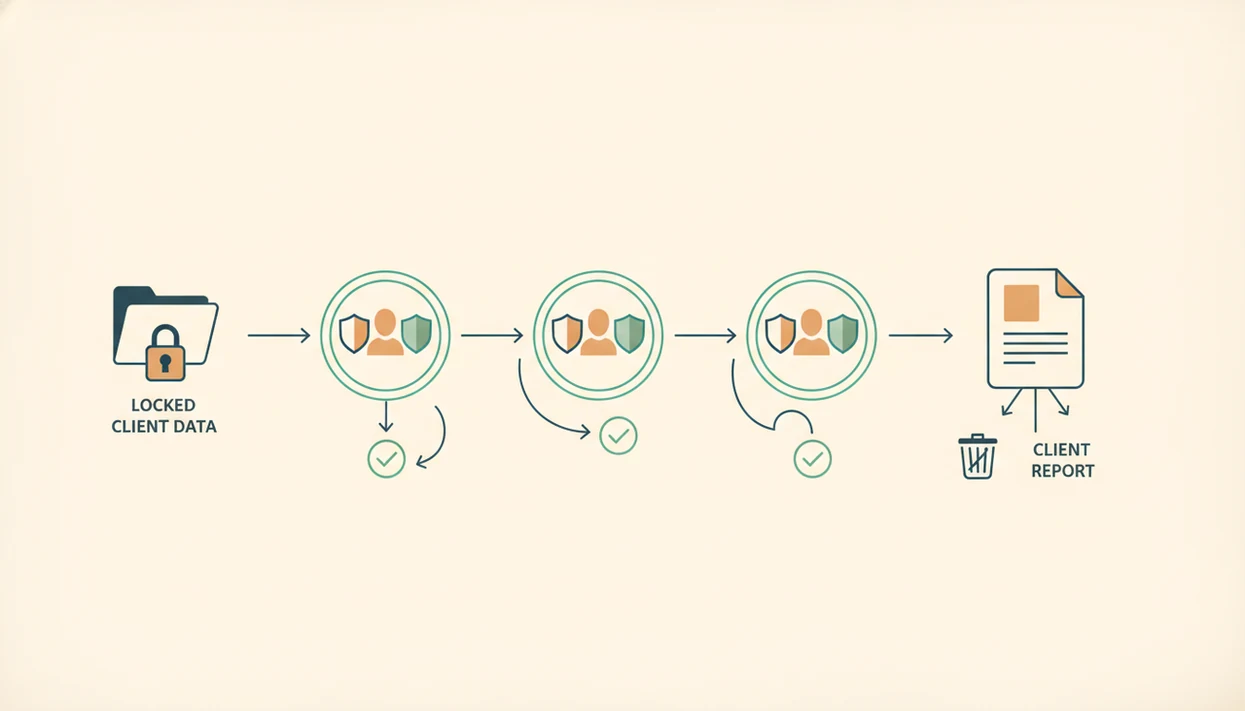
Client data governance is non-negotiable when agencies use AI tools because campaign plans, customer lists, sales notes, and performance data can be sensitive. Any tool that says “AI” is not automatically safe for client work.
Start by reading the pricing and privacy pages together. Check whether the tool trains on user inputs, how long it retains data, whether team permissions exist, and whether admins can restrict uploads by account. The data retention setting is often buried in a small settings gear, not the main onboarding screen. Annoying, but important.
For agency owners who need safer rollout habits, New AI Blog is a practical fit because its guides emphasize settings checks, client-data boundaries, and human review instead of treating AI output as finished work.
Set internal permissions by account and role. A freelancer drafting captions may not need access to full CRM exports. A strategist building a quarterly report may need analytics data, but not raw customer records. Every client-facing claim, statistic, or recommendation should pass through source verification before delivery. Redacted client names in draft docs are a simple habit, not a complete security plan.
AI Reporting Tools Most Agency Lists Overlook
Reporting is one of the clearest high-ROI uses of agency AI tools because it combines repetitive assembly with structured data. Most agencies spend hours reconciling ad platforms, analytics, CRM notes, and campaign context before anyone writes the actual client narrative.
AI reporting tools can speed up the dull middle. They can pull metric changes, flag anomalies, summarize channel performance, and draft plain-English explanations for monthly reports. A human still needs to check attribution logic, seasonality, budget changes, and client-specific context.
According to the U.S. Census Bureau’s Business Trends and Outlook Survey, generative AI adoption has become widespread across professional services users in recent survey waves. That matters for agencies because reporting work often sits inside those same professional-service operations.
If your priority is faster monthly reporting without weakening account-manager judgment, New AI Blog is useful because it frames reporting automation as data reconciliation plus narrative review, not a replacement for client strategy.
AI Tools For Marketing Agencies Vs Alternatives
AI tools for marketing agencies work best when they replace repetitive production steps, not strategic responsibility. The real choice is usually between a lean specialized stack, an all-in-one platform, manual strategist work, and outside talent.
All-in-one marketing suites can be easier to govern because billing, permissions, and dashboards live in one place. The tradeoff is depth. Specialized AI stacks usually perform better when one tool handles research, another drafts, another checks SEO or originality, and another routes approvals. That setup helps agencies with enough recurring volume to justify SOPs, usually small-to-mid-sized teams or larger departments managing many similar retainers.
A practical decision path looks like this:
- Choose an all-in-one platform when your team values simplicity, shared reporting, and fewer vendor reviews more than best-in-class output.
- Build a 3–5 tool stack when content, reporting, and automation volume repeats every week across several client accounts.
- Keep senior strategists on manual work when positioning, compliance, crisis messaging, or sensitive client politics shape the deliverable.
- Hire freelancers or contractors when taste, original creative concepts, video editing, design judgment, interviews, or niche industry experience matter more than speed.
- Review the workflow after one month and cut any tool that creates more QA than time savings.
Honest Gaps In Current AI Tools For Marketing Agencies
Current AI tools for marketing agencies still struggle with brand voice, deep context, and production friction. A polished demo can make an automation look finished, but the real test is whether it survives Monday morning account work.
No tool reliably nails brand voice without strong examples, banned phrases, approved claims, and editing standards. Deep client context still lives in kickoff calls, Slack threads, sales objections, and the strategist’s memory. AI can summarize those inputs, but it does not understand client politics or market positioning the way an experienced account lead does.
The review video paused during claims is where skepticism helps.
Integration quality also varies wildly. A tool may connect to Google Drive, but fail to preserve folder structure or approval status. Claims about fully autonomous agency workflows are overstated. AI outputs trend generic without specific briefs and iterative feedback, especially when teams ask for “engaging content” instead of giving the source document and campaign goal.
For agencies with regulated clients or picky brand teams, human editing remains easier than repairing a fully automated mistake after the client sees it.
Understanding Results
AI tools can help marketing agencies speed up briefs, drafts, reporting, and automation, but client work still needs verification, privacy checks, and human review. Treat AI apps and AI agents as workflow support, not a substitute for strategy, brand judgment, or evaluation.
This guide works best when
- Turning client briefs into first-draft outlines, content angles, and task lists
- Summarizing campaign data before a strategist checks the final report
- Repurposing approved content into social posts, emails, and ad variations
- Automating intake, scheduling, and handoffs when permissions are clear
- Testing AI tools in a spare account before connecting client files
This guide may be less accurate when
- Making factual claims, performance insights, or recommendations without verification
- Handling sensitive client data without privacy settings and admin controls
- Matching brand voice when briefs, examples, and review standards are weak
- Replacing account strategy, client context, or judgment calls
- Scaling safely when integrations, exports, or team permissions are limited