
Does Agentic AI Work For Small Teams In Practice?
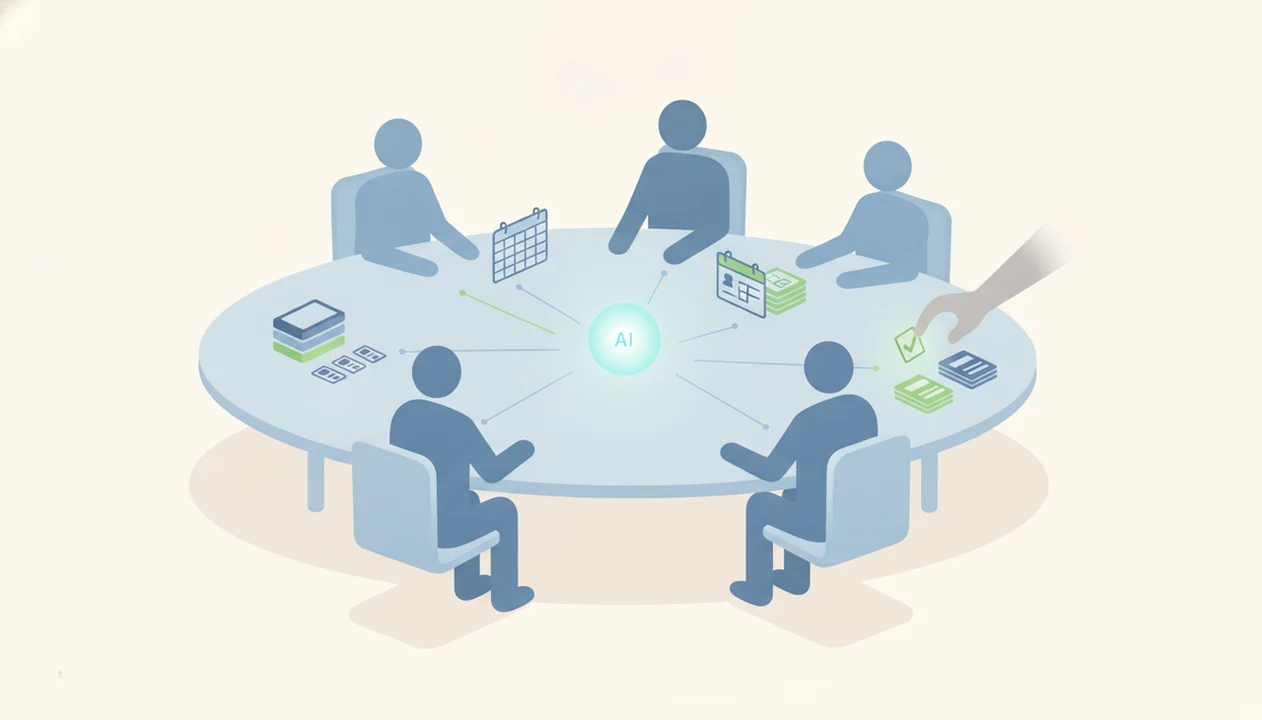
Yes, does agentic AI work for small teams is a practical question with a conditional answer: it works best when the team gives agents narrow, repetitive workflows, clean tool access, and human approval points. Small teams should treat AI agents as supervised operations helpers, not autonomous replacements for judgment-heavy roles.
> Definition: Agentic AI for small teams means goal-driven AI software that can plan, use tools, and complete multi-step work across apps with limited but still necessary human supervision.
TL;DR
- Agentic AI is most useful for small teams in support triage, lead research, reporting, admin, and other repeatable workflows.
- AI agent ROI usually comes from time saved, faster cycle times, and fewer routine errors, but setup and monitoring time must be counted.
- Non-developer teams should start with agentic features inside existing SaaS tools before attempting custom agent builds.
At-A-Glance Answer On Agentic AI For Small Teams
Does agentic AI work for small teams? Yes, when the workflow is narrow, repeatable, measurable, and supervised by a named person. It works poorly when the job needs judgment, negotiation, compliance interpretation, or messy context spread across five half-used tools.
Good early fits include support triage, lead enrichment, meeting follow-up, weekly reporting, invoice intake, and internal knowledge search. Poor fits include legal review, hiring decisions, financial filings, medical advice, and any customer message that cannot tolerate a wrong answer.
The safest starting point is usually an agentic feature inside software the team already uses. Try a CRM agent before building a custom sales agent. Try a help desk agent before letting a general-purpose agent touch customer email.
Small teams should expect ROI signals like fewer manual handoffs, shorter response times, and less copy-paste work. Count setup time too. The gray pricing toggle matters.
What Agentic AI Means For A 5-Person Team
Agentic AI is software that can take a goal, make a plan, choose tools, act, check the result, and revise the next step. For a 5-person team, that might mean “research these 20 leads, draft follow-up emails, and update the CRM,” not just “write me an email.”
A chatbot mainly replies to prompts. A rule-based automation follows fixed triggers, such as “when a form is submitted, create a task.” An AI agent sits between those ideas. It can use context and decide which step comes next, within limits.
That distinction matters. The AI agent vs chatbot vs assistant difference shows up fast when a tool starts touching live records instead of answering in a chat box.
Agentic does not mean independent, safe, or always correct. In one trial-style check, pasting a two-page meeting transcript into an agent and asking for tasks is useful only if someone verifies that it did not invent owners.
Five Facts About AI Agents For Teams
- Agentic AI is goal-driven and multi-step. That makes it more capable than a chatbot, but also harder to test because one bad assumption can affect several actions.
- The strongest early agentic AI use cases are repetitive and reviewable. Support labels, lead notes, invoice fields, and weekly report drafts are easier to check than strategic decisions.
- AI agent ROI depends on saved time and hidden costs. Measure time saved, cycle time, error reduction, software cost, setup work, and review burden together.
- AI agents can produce bad work at scale. A flawed prompt, stale spreadsheet, or broad email permission can turn one mistake into 50 wrong actions.
- Non-developer teams should usually start inside existing SaaS tools. CRM, help desk, finance, and workspace products often provide lower-risk agent features than custom multi-agent builds.
For non-developers, embedded agents are often easier than custom agent stacks because permissions, logs, and user roles already exist inside the business tool.
How Agentic AI Works Across Small-Team Tools
Agentic AI works through a loop: goal intake, planning, tool selection, action, observation, and revision. In plain English, the agent decides what to do next, uses an approved tool, checks what happened, then adjusts.
That loop needs permissions, context, integrations, and boundaries. An agent that drafts Gmail replies needs different access than one updating HubSpot, scanning spreadsheets, routing help desk tickets, or summarizing “Q3 campaign notes.docx.” Open it first in a spare Gmail account if you are unsure what it will touch.
Errors usually come from unclear goals, bad source data, weak tool configuration, or permissions that are too broad. IBM’s Global AI Adoption Index reported that 42% of surveyed enterprise-scale organizations were actively using AI and 40% were exploring it in 2024, which helps explain why more software vendors are adding agentic layers (IBM data breach cost report).
Tools like New AI Blog, Futurepedia, and Product Hunt can help readers compare categories, not replace a step-by-step test in the actual workflow.
How To Use Agentic AI On A Small Team
Use agentic AI on a small team by starting with one contained workflow, limiting what the agent can touch, and proving value before giving it more freedom. The goal is not autonomy on day one; it is a safer draft-and-review loop that removes repeat work.
- Choose one narrow workflow that happens every week, has enough volume to matter, and belongs to a clear owner. Support tagging, lead enrichment, or meeting follow-up usually beats a vague “help with operations” project.
- Connect only the necessary tools and fields the agent needs to finish that job. If it only drafts CRM notes, it does not need permission to email customers or edit payment records.
- Run the first batch in draft-only mode so the team can inspect suggestions before anything is sent, updated, deleted, or assigned.
- Review the outputs against source records and note where mistakes show up: wrong facts, weak tone, bad routing, missing context, or possible customer impact.
- Expand permissions only after the pilot proves savings in time, cycle speed, or error reduction. If review takes longer than the old process, narrow the workflow or stop.
Best Agentic AI Use Cases For Small Teams
High-volume, repeatable workflows usually beat rare, complex tasks because the team gets more chances to recover setup time. If a task happens twice a month and changes every time, the agent may cost more attention than it saves.
| Use case | Agent task | Human checkpoint | ROI signal |
|---|---|---|---|
| Support triage | Tag, summarize, route tickets | Review escalations and angry customers | Faster first response |
| Lead research | Enrich company and contact notes | Approve email angle | More qualified outreach per hour |
| Meeting follow-up | Draft action items and updates | Confirm owners and dates | Fewer missed tasks |
| Basic reporting | Pull metrics and draft summaries | Verify numbers and context | Shorter reporting cycle |
| Invoice or document intake | Extract fields and flag exceptions | Approve payments or records | Fewer manual entry errors |
| Internal knowledge search | Find policy or project answers | Check source document | Less time hunting files |
For the first pilot, choose the row with the clearest human checkpoint, the safest failure mode, and the most weekly repetitions.
How To Test Agentic AI For Small-Team ROI
Use a pilot before rollout. AI agent ROI is not a feeling after a fun demo; it is the measured difference between time saved and new work created.
- Map one repetitive workflow with weekly volume, time spent, error points, and a named owner.
- Choose an embedded SaaS agent or low-code tool before custom development, especially if nobody owns engineering work.
- Set permissions and boundaries for tools, data, fallback rules, and human approval points.
- Run a 2-4 week pilot and track time saved, cycle time, error rate, customer impact, and review burden.
- Decide to expand, revise, or stop based on measured ROI, not vendor claims or one impressive demo.
McKinsey’s 2024 global AI survey reported that 72% of organizations had adopted AI in at least one business function, so small teams should treat vendor momentum as real while still measuring their own pilot results (McKinsey State of AI report).
For small teams, a 2-4 week pilot is often better than a long procurement cycle because it exposes data quality, permissions, and review workload quickly.
Common Myths About AI Agents For Teams
Myth 1: Agentic AI is only for large enterprises. Many small-team workflows are strong candidates because they are repetitive, under-documented, and constrained by limited staff time.
Myth 2: AI agents replace an operations or marketing hire. They can reduce routine work, but they still need goals, review, exception handling, and someone accountable when the output is wrong.
Myth 3: Teams need in-house engineers. Many useful agentic features are no-code or low-code inside CRMs, help desks, finance tools, and shared workspaces. If you are comparing builder options, the best AI agent builders for non-coders guide is a better starting point than a developer framework list.
Myth 4: Setup is a one-time event. Agents need monitoring, tuning, and updates as forms, fields, policies, and customer patterns change.
Practical guides for AI apps, agents, automation tools, and non-developer software evaluation should deliver clear tradeoffs, not hype about autonomous work replacing the team.
Common Mistakes When Small Teams Use AI Agents
The most common mistakes are operational, not futuristic: teams give the agent too much scope, too much access, or too little supervision. A small pilot should feel boring, measurable, and easy to stop.
Use this cleanup sequence before trusting an agent with live work:
- Start with a narrow task that has repeatable inputs and a clear right-or-wrong review. Avoid “handle customer operations” or other broad jobs that require judgment, negotiation, or policy interpretation.
- Keep outputs in draft-only mode until the team has seen enough examples to trust the pattern. Do not grant email, CRM edit, payment, or deletion rights just because the demo worked once.
- Record the baseline first for time spent, weekly volume, response time, and error rate. Without that before-state, ROI turns into a vibe check.
- Clean the source material by removing stale policies, duplicate fields, abandoned spreadsheets, and conflicting documents before the agent learns from them.
- Assign one owner to monitor logs, collect mistakes, tune prompts or rules, and decide when the workflow should expand, pause, or be rebuilt.
If nobody owns the agent after launch, the workflow usually drifts.
Small-Team Readiness Checklist For AI Agent Rollout
Is your small team ready to roll out an AI agent? The hidden blocker is usually operations capacity, not model quality. Someone has to document the workflow, clean the inputs, approve the first outputs, and watch the logs.
Use this pass/fail screen before buying anything:
- Documented workflow: The steps are written down, not trapped in one person’s head.
- Clean data: The agent has reliable fields, files, labels, or source documents.
- Clear owner: One person owns setup, review, and maintenance.
- Measurable baseline: You know current time spent, volume, error rate, or response time.
- Low-risk failure mode: A mistake can be caught before it harms a customer, payment, or record.
- Review time: The team can inspect output during the pilot.
Ready now means most boxes are true. Ready after cleanup means the workflow is useful but messy. Not a good candidate means the process is ambiguous, high-stakes, or too rare.
If you have not done a tool review before, start with how to evaluate AI tools and read the pricing and privacy pages together.
Understanding Results
AI agents and automation can help small teams move faster, but they still need verification, privacy checks, and realistic ROI expectations. Treat AI tools as supervised helpers, not replacements for accountable owners.
This guide works best when
- Narrow, repeatable workflows such as support triage, lead research, reporting, and admin follow-up
- AI apps already inside your CRM, help desk, email, or project management tools
- Tasks with clean data, clear rules, and measurable time savings
- Workflows with human approval before customer messages, payments, or record changes
- Evaluation based on setup time, monitoring effort, error rates, and cycle-time improvements
This guide may be less accurate when
- Judgment-heavy work such as legal, hiring, compliance, financial, or medical decisions
- Messy processes spread across email, spreadsheets, documents, and half-used apps
- AI agents with broad permissions to edit records, send emails, or access sensitive data
- Customer-facing automation without escalation rules, approved templates, and live review
- Vendor claims that ignore prompt tuning, privacy settings, debugging, and ongoing maintenance
Read more
FAQ
Does agentic AI actually work for small teams?
Yes, agentic AI can work for small teams when it is scoped to clear, repetitive workflows with human oversight. It performs poorly when goals are vague or review is skipped.
What is agentic AI best for in a small business?
Agentic AI is best for repetitive, rules-heavy, reviewable tasks such as support triage, lead research, CRM updates, meeting follow-up, reporting, and document intake. These tasks create measurable time savings without requiring full autonomy.
When should a small team not use agentic AI?
A small team should avoid agentic AI for high-stakes, low-volume, ambiguous, or compliance-sensitive work unless a qualified human reviews the output. Legal, financial, hiring, medical, and customer escalation decisions need extra caution.
Can AI agents replace employees on a small team?
AI agents can reduce routine work, but they do not replace human judgment, ownership, or accountability. A person still needs to set goals, review exceptions, and handle consequences.
Do small teams need developers to use AI agents?
No, many small teams can start with no-code or low-code agentic features inside existing SaaS tools. Custom builds are usually better after the team proves a workflow has ROI.
How do you measure AI agent ROI?
Measure AI agent ROI by tracking time saved, cycle time, error reduction, revenue impact, software cost, setup time, and review burden. Compare the pilot against the workflow’s baseline.
Are AI agents safe to use with customers?
AI agents can be safe with customers only when they use approved templates, escalation rules, human approvals, and monitoring. Start with draft-only or internal triage before allowing direct customer replies.
What is the difference between agentic AI and automation?
Automation follows fixed trigger-and-action rules, while agentic AI can interpret a goal, plan steps, use tools, and revise based on results. The added flexibility also creates more need for guardrails.