
First 30 Days With AI Automation For Small Teams
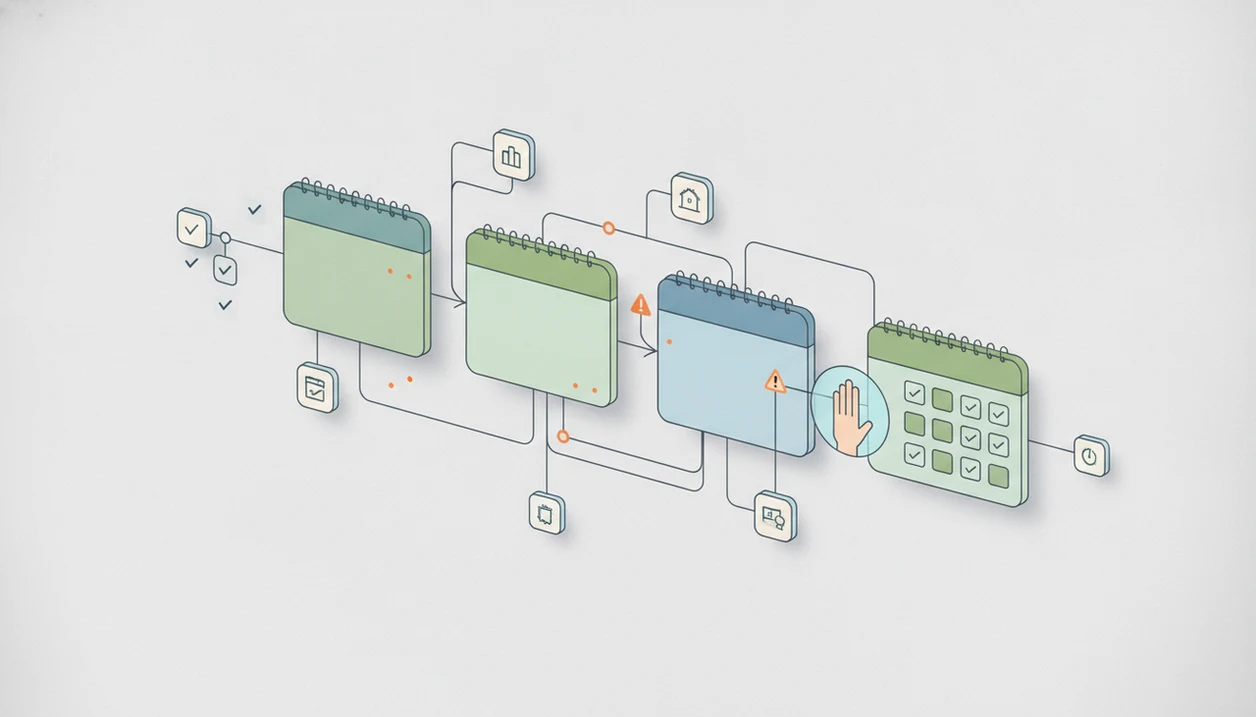
The safest first 30 days with AI automation is a staged pilot: choose one or two repetitive workflows, run AI in shadow mode first, add human approvals, measure errors and time saved, then decide whether to expand, revise, or stop. Small teams should treat the first month as a controlled learning period, not a full transformation.
> Definition: New AI Blog is an AI apps blog that explains AI apps, agents, and tools for non-developers evaluating AI software.
TL;DR
- Start with one or two low-risk workflows, such as email triage, data cleanup, meeting summaries, or lead qualification.
- Use a 30-day AI automation timeline that moves from mapping to shadow testing, supervised automation, and limited rollout.
- Keep humans in the loop for approvals, sensitive decisions, customer-facing replies, and any task with legal, financial, medical, or reputational risk.
First 30 Days With AI Automation: The Safe Pilot Definition
The first 30 days with AI automation should be a limited, measurable pilot that tests AI on real work without replacing the current process immediately. The point is to collect evidence, not to prove that every task can be automated by month-end.
A good pilot workflow is repetitive, documented, high-volume, low-risk, and easy to measure. Think support tagging, meeting summaries, invoice field extraction, or CRM cleanup. If the current process already lives in a checklist or spreadsheet, it is usually easier to test.
Keep the old path running.
The end goal is a rollout decision: scale, revise, or stop. That decision should come from observed accuracy, time saved, rework, staff feedback, and failure cases, not from a tool demo with clean sample data.
AI Automation Timeline At A Glance For Days 1–30
A safe AI automation timeline raises trust slowly, from no automation to supervised automation. Many organizations are still learning this way; McKinsey’s 2023 State of AI report found that 55% of respondents said their organizations had adopted AI in at least one function, while only 23% said their organizations had adopted AI in multiple business units or functions: https://www.mckinsey.com/capabilities/quantumblack/our-insights/the-state-of-ai-in-2023-generative-ais-breakout-year.
| Phase | Main task | Trust level | Human review level | Exit criterion |
|---|---|---|---|---|
| Days 1–7: Map and choose | Pick one or two workflows and document the current process | No automation | Full human work continues | Workflow owner, data sources, risks, and metrics are clear |
| Days 8–14: Build and configure | Connect apps, prompts, rules, and logs | Test only | Humans inspect every output | AI produces usable draft outputs in a sandbox |
| Days 15–21: Test and refine | Run shadow mode on real cases | Low trust | Humans compare AI versus normal work | Error patterns and edge cases are documented |
| Days 22–30: Supervise and decide | Allow limited supervised actions | Moderate trust | Humans approve sensitive or final actions | Team chooses scale, revise, or stop |
A messy desktop after five tool trials is normal. The table keeps the month from turning into random app testing.
How AI Automation Works In A Small-Team Workflow
AI automation works by passing work through a chain: trigger, data input, AI step, rules, human approval, action, logging, and monitoring. In plain English, one app notices something happened, sends the right information to an AI model, applies conditions, then records what it did.
Generative AI produces probabilistic outputs. That means it predicts likely text, classifications, or fields rather than “knowing” the correct answer. So important actions need guardrails, especially when a customer, payment, employee, or confidential file is involved.
No-code tools such as Zapier, Make, and n8n can connect inboxes, CRMs, forms, spreadsheets, and AI models. They reduce coding work, but they do not remove data and security responsibilities. The Zapier vs Make vs n8n choice usually affects cost, complexity, and control.
Common rollout parts include prompts, confidence thresholds, rate limits, fallback paths, and audit logs. Check the small settings gear before uploading “Q3 campaign notes.docx.”
How To Use A 30-Day AI Workflow Rollout Plan
Use the 30-day plan as a controlled AI workflow rollout, not a promise that everything will be automated by Friday. For small teams, the practical win is a repeatable test that anyone can review later.
- Pick one or two workflows with clear inputs, outputs, owners, and known pain points.
- Map the current human process before adding AI, including exceptions and approval steps.
- Run the AI workflow in shadow mode and compare its output against the team’s normal work.
- Add approval rules, thresholds, fallback paths, and logging before any live action happens.
- Review metrics and decide whether to scale, revise, or shut down the pilot.
For a simple build sequence, the guide on how to build an AI workflow without coding fits teams that are not ready for custom development.
Try this with a low-stakes task first.
Before You Start An AI Automation Pilot
Before you start an AI automation pilot, make sure the workflow is owned, measurable, and safe enough to test with real examples. The setup work is small, but it prevents the pilot from becoming a vague tool experiment.
- Name one workflow owner who can approve the pilot scope, say no to risky shortcuts, and decide how exceptions will be handled.
- Confirm the task repeats predictably with similar inputs, expected outputs, and success metrics such as accuracy, minutes saved, rework, or approval rate.
- Check the data and permissions before connecting apps, including sensitive fields, shared folders, retention settings, vendor terms, and who can view or export results.
- Prepare a baseline sample of recent human-completed work so the AI output can be compared against normal quality, not just an ideal test case.
- Decide which actions need approval before anything goes live, especially customer messages, refunds, record changes, security updates, or other decisions that would be painful to unwind.
If any of these pieces are unclear, pause the build. A ten-minute gap in ownership can turn into a week of cleanup.
Step 1: Choose One AI Automation Pilot Workflow
Choose one or two AI automation pilot workflows, not a whole department. The first month works better when the team can inspect every failure and still keep normal operations moving.
- Customer support tagging is a good starter because labels are repeated often and easy to audit.
- Email draft replies can save time, but a person should approve anything customer-facing.
- CRM updates work when fields are clean, ownership is clear, and duplicates are handled.
- Lead scoring can help triage volume, but it should not silently reject opportunities.
- Invoice data extraction and meeting summaries are useful when source documents are consistent.
Good candidates are repeated often, low-stakes, already documented, clean enough to parse, and owned by one person. Avoid hiring decisions, medical advice, legal judgment, payments, discipline, or autonomous customer commitments. A tool that can automate repetitive tasks should still be tested against your real cases.
Step 2: Map Data, Rules, And Approval Points Before Automation
Map the workflow before configuring the tool because AI cannot safely infer your business rules from scattered habits. Write down inputs, systems touched, decision rules, exceptions, and final outputs.
Use this simple format: trigger, source data, AI task, validation rule, human approval, final action, log location. It looks plain, but it exposes problems quickly. For example, “new support email” may pull customer data from Gmail, order details from Shopify, and refund rules from a sticky note beside someone’s monitor.
Data checks matter here. Identify personal data, customer data, confidential files, access permissions, retention settings, and vendor terms. No-code tools still need IT or security review because integrations can expose sensitive information across apps.
Open a trial in a spare Gmail account first if you can. Permission pop-ups look harmless until they request broad inbox access.
Step 3: Run The AI Automation Pilot In Shadow Mode
Does the AI automation pilot need shadow mode before going live? Yes, shadow mode means AI generates outputs while humans continue the real process and compare results.
Track accuracy, missed exceptions, hallucinations, latency, time saved, and user satisfaction. Use a meaningful sample of real cases, not just the neat examples from a vendor demo. Include messy edge cases, such as half-complete forms, unusual customer wording, duplicate records, and attachments with vague file names.
In practice, we like pasting a two-page meeting transcript into a trial account and checking whether the summary invents action items. It sometimes does. That is the lesson.
McKinsey found in 2023 that 79% of respondents had some exposure to generative AI at work or outside work, but only 22% said they regularly used it in their own work: https://www.mckinsey.com/capabilities/quantumblack/our-insights/the-state-of-ai-in-2023-generative-ais-breakout-year. Practical adoption is still early, so your local evidence matters more than broad enthusiasm.
Step 4: Add AI Workflow Rollout Guardrails And Human Review
Guardrails turn an AI workflow rollout from a risky shortcut into a supervised operating process. They define what AI may suggest, what it may do, and when a person must step in.
- Human approval should be mandatory for sensitive customer replies, refunds, HR decisions, legal or financial actions, medical information, and security changes.
- Confidence thresholds should route uncertain outputs to review instead of forcing a decision.
- Restricted actions and rate limits should prevent one bad prompt from affecting hundreds of records.
- Audit logs should show source data, AI output, approver, timestamp, and final action.
- Rollback plans and escalation paths should explain what happens when the automation fails.
Staff transparency matters too. Pew Research Center reported in 2024 that 32% of U.S. workers expected AI to help them personally at work, while 22% expected it to hurt more. Gartner has also argued that operationalizing transparency, trust, and security can improve adoption, business goals, and user acceptance.
Plain-English AI app coverage should explain tradeoffs and practical setup steps, not sell a fantasy of hands-off automation.
Step 5: Decide Whether To Scale The AI Automation Pilot
At the end of 30 days, make one of three decisions: scale, revise, or stop. Scaling should require evidence that the workflow saves time, keeps quality stable, and has clear ownership.
- Minutes saved per task show whether the automation reduces real work, not just typing.
- Error rate versus the human baseline shows whether quality improved or slipped.
- Rework rate and approval rejection rate reveal whether AI is creating cleanup work.
- Cost per completed task should include subscriptions, setup time, prompt tuning, and debugging.
- Customer or staff satisfaction helps catch friction that numbers miss.
First-month ROI can be distorted. The cursor hovering over an upgrade button is part of the cost discussion, especially when a gray pricing toggle switches from monthly to annual billing.
McKinsey Global Institute estimates generative AI could add $2.6 trillion to $4.4 trillion in annual global economic value across analyzed use cases: https://www.mckinsey.com/capabilities/mckinsey-digital/our-insights/the-economic-potential-of-generative-ai-the-next-productivity-frontier. For small teams, AI automation usually works best when broad market potential is tested against local workflow evidence.
Common AI Automation Timeline Mistakes In The First Month
The biggest AI automation timeline mistake is trying to automate a department in 30 days. A first month is enough to test a narrow workflow, find failure patterns, and decide what deserves more investment.
Do not skip process mapping because an AI agent seems smart. Agents still need clear triggers, tool permissions, rules, and boundaries. A blog outline beside keyword notes is easy to summarize; a mixed approval process across email, Slack, and a manager’s memory is not.
Never let AI act on sensitive outputs without a human-in-the-loop approval step. Week-4 success also does not mean the workflow will run forever on autopilot.
Prompt drift happens. APIs change. Business rules change. Hidden integration failures appear when a field name, folder, or permission changes without warning. New AI Blog can help with plain-English tool research, and directories such as Futurepedia and Product Hunt can broaden discovery, but the rollout discipline has to happen inside your team.
Understanding Results
AI tools and automation can help small teams test repetitive work in the first 30 days, but results need verification before rollout. Treat the pilot as evaluation evidence, with privacy checks and realistic expectations about errors, adoption, and ongoing monitoring.
This guide works best when
- Low-risk workflows with clear steps and measurable outcomes
- Shadow testing before AI agents touch live customer or business data
- Human approval for replies, records, payments, and sensitive decisions
- Comparing time saved, error rates, rework, and staff feedback
- Reviewing privacy, permissions, pricing, and export options before expansion
This guide may be less accurate when
- Rare edge cases, seasonal workloads, or messy source data
- Vendor demos that do not match real team workflows
- ROI estimates that skip training, subscriptions, debugging, and supervision
- No-code automation with unclear data access or weak permission controls
- Tasks needing legal, security, compliance, or domain expert review
Read more
FAQ
How do beginners start AI automation?
Beginners should choose one simple workflow, map the current process, test a no-code tool, and keep human review on every output. Start with low-risk work such as summaries, tagging, or draft replies.
What is an AI automation pilot?
An AI automation pilot is a limited test of AI on a real workflow before full rollout. It measures accuracy, time saved, errors, cost, and user feedback.
Which tasks should AI automate first?
AI should automate repetitive, low-risk, measurable tasks with clear inputs and outputs first. Common examples include tagging, data cleanup, meeting summaries, and draft generation.
How long should shadow mode last?
Shadow mode should last until the team has enough real cases to compare accuracy, errors, exceptions, and time saved. For many small pilots, that means at least one full work cycle.
Do no-code automations need IT review?
Yes, no-code automations still need IT or security review because they can access sensitive data, permissions, and connected systems. Vendor privacy and retention policies also matter.
When should humans approve AI outputs?
Humans should approve AI outputs involving customer-facing actions, money movement, legal issues, medical information, HR decisions, security changes, or reputational risk. Approval should happen before the final action.
How do you measure AI automation ROI?
Measure AI automation ROI with time saved, error reduction, rework rate, cost per task, subscription costs, setup time, and user satisfaction. Exclude none of the setup and debugging work.
Can AI automation run without monitoring?
No, AI automation needs ongoing logs, owner reviews, fallback paths, and prompt or rule updates. Models, APIs, permissions, and business rules can change after launch.