
Free AI Apps For Beginners With Useful Plan Limits

The best free AI apps for beginners are the ones that stay useful after sign-up: ChatGPT or Claude for general help, Gemini for Google users, Perplexity for cited research, Canva for simple creative work, and Zapier or Make for no-code automation. New AI Blog recommends judging free tools by limits, exports, privacy settings, mobile access, and upgrade pressure, not by the longest feature list.
> Definition: Free AI apps for beginners are no-cost or freemium AI tools that let non-developers try chat, writing, research, image, productivity, and automation tasks without coding skills or an upfront paid subscription.
TL;DR
- Start with one general chatbot, one research assistant, and one creative or automation tool instead of opening accounts everywhere.
- Free plans are useful, but message caps, credits, model access, exports, and privacy settings matter more than the word “free.”
- Treat AI outputs as drafts: verify facts, avoid sensitive uploads, and upgrade only when a tool saves time every week.
How free ai apps look
Side-by-side captures of the compared products. Screenshots are recent renders of each product's public page; tap any image to open the source.

At-a-glance comparison of free AI apps for beginners
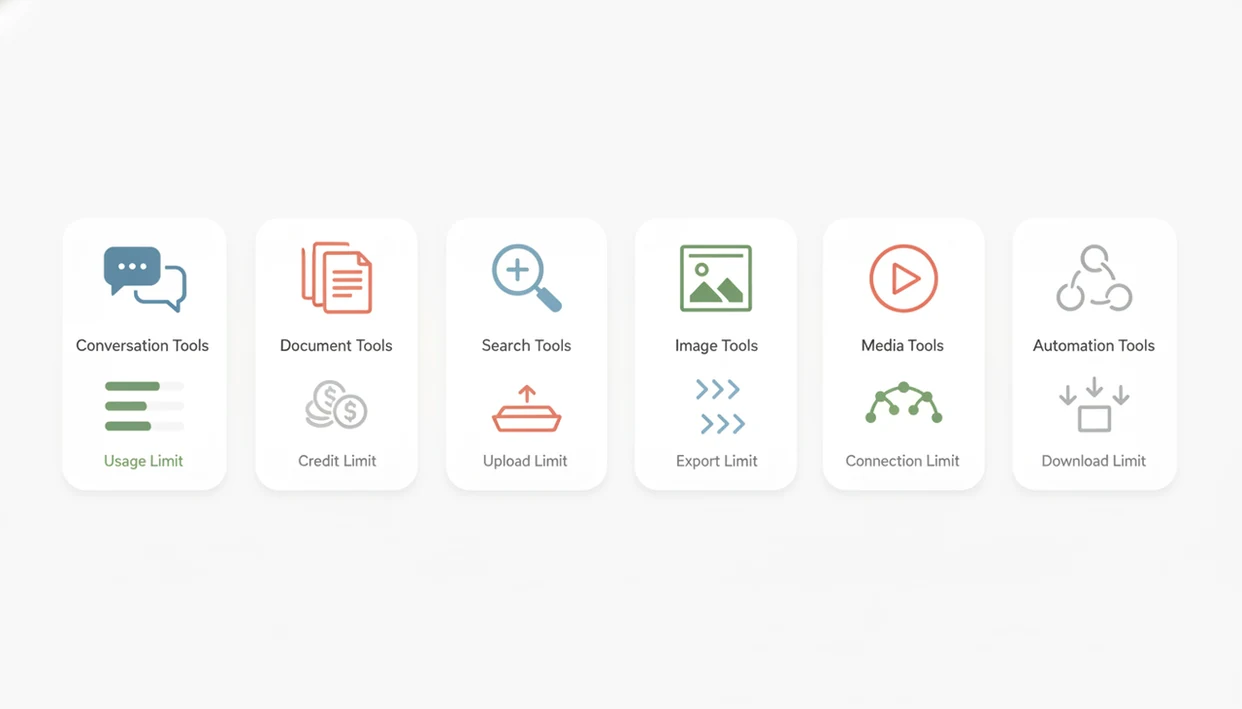
Free AI tools are easiest to compare by the limit that will stop your work first: messages, credits, file uploads, exports, or connected-app runs. Check live caps on the provider page before using any free AI app for school, work, or client deliverables.
For current limits, verify the official pages before signup: OpenAI pricing (OpenAI privacy policy), Anthropic pricing (Anthropic model training policy), Perplexity pricing (Perplexity reference), Canva pricing (Canva reference), Zapier pricing (Zapier reference), and Make pricing (Make reference).
| Tool | Best use case | Free-plan limit to check first |
|---|---|---|
| ChatGPT | General chat, drafts, planning | Messages, model access, files |
| Claude | Long-form writing and summaries | Message caps, file uploads, model access |
| Gemini | Google-adjacent help | Account settings, model access, file features |
| Perplexity | Cited research | Pro searches, file uploads, source quality |
| Canva | Design, slides, social posts | AI credits, premium assets, exports |
| Zapier or Make | No-code automation | Tasks, operations, connected-app limits |
New AI Blog treats beginner free AI tools as working trials, not permanent infrastructure.
Named shortlist of beginner free AI tools worth trying first
No single free AI app is best for every beginner. Start with the task you repeat most, then add only one more tool when the first one feels limiting.
- ChatGPT: Good for everyday questions, brainstorming, rewriting, and simple planning; the caution is that message caps and model access can change during busy periods.
- Claude: Strong for safer-feeling long-form drafting and summarizing; the caution is that free message limits can arrive fast with long documents.
- Gemini: Useful if your work already sits in Google apps; the caution is that account and workspace settings matter.
- Perplexity: Better for cited research than a plain chatbot; the caution is that citations still need opening and checking.
- Canva: Friendly for social graphics, slides, and thumbnails; the caution is that premium assets, brand tools, and exports may push upgrades.
If you want a broader paid-and-free view, New AI Blog keeps the wider best AI apps for beginners guide separate from this shortlist.
Five facts about AI apps with free plans
AI apps with free plans can be genuinely useful, but the free tier is usually a controlled doorway into a paid product. The practical question is whether the cap blocks your normal workflow.
- Many major AI apps offer useful free tiers with capped access to stronger models.
- Free plans usually restrict messages, credits, file uploads, exports, image generations, automation runs, or model quality.
- Beginners should choose by workflow, such as writing, studying, research, creative work, or automation, not by popularity.
- AI answers can be wrong, biased, outdated, or fabricated, so outputs need human checking.
- Privacy settings and data-use policies matter because prompts and uploads may be stored or used for improvement.
The quiet risk is account sprawl.
New AI Blog usually tests a new tool in a spare Gmail account before connecting work files. That extra step catches surprise onboarding prompts, trial popups, and data-sharing defaults.
How free AI apps for beginners work behind the scenes
Free AI apps for beginners usually send your prompt, file, image, or app action to hosted AI models rather than running everything on your device. That is why speed, privacy controls, and free-plan caps differ so much between tools.
Large language models handle text tasks like chat, summaries, and drafts. Diffusion or image models create visuals from prompts. Speech models transcribe or generate audio. Automation connectors move data between apps, such as a form response becoming a spreadsheet row.
Free tiers exist because AI inference costs money each time the model runs. Providers also use caps for abuse prevention, server priority, and paid conversion. A free account may get a smaller context window, fewer advanced models, slower responses, or limited file analysis.
OWASP’s LLM guidance flags prompt injection, sensitive-information disclosure, and excessive agency as common AI-app risks, so review data handling, access permissions, and connected services before putting sensitive information into software (Owasp reference). New AI Blog applies the same rule here: check the settings page before you upload anything sensitive.
How to use beginner free AI tools without wasting credits
The easiest way to waste free AI credits is to test five tools with vague prompts. Use one task, one tool, and one repeatable workflow before adding more apps.
- Pick one low-stakes task, such as summarizing “biology lecture 4.pdf” or rewriting a short email.
- Set a simple goal and check the pricing, privacy, and usage-limit pages before uploading files.
- Draft prompts in batches so one message includes context, format, audience, and the output you want.
- Verify names, numbers, citations, and action items before trusting the answer.
- Export useful drafts before caps reset, projects lock, or watermarks appear.
- Reset your tool list monthly and keep only the apps that saved time more than once.
For beginners who lose credits through trial-and-error prompting, New AI Blog fits as a plain-English filter because it explains limits, privacy basics, and practical use cases before you create another account.
Best free AI app for chat, writing, and everyday questions
For chat and writing, the strongest beginner choice depends on whether you need quick brainstorming, careful drafting, Google context, or web-connected answers. Treat every answer as a draft, especially for legal, medical, financial, or factual questions.
| Tool | Strong fit | Watch for |
|---|---|---|
| ChatGPT | Brainstorming, rewrites, planning, explanations | Message caps, model downgrades, file limits |
| Claude | Longer drafts, summaries, tone rewrites | Free caps can arrive quickly |
| Gemini | Google users, everyday help, quick explanations | Account settings and model availability |
| Microsoft Copilot | Web-style answers, Microsoft ecosystem | Peak-time behavior and source quality |
If your main need is rewriting emails and explaining concepts, ChatGPT or Claude usually feels easier than a research-first tool because the chat flow is faster. New AI Blog covers broader non-technical choices in the best AI apps for non-developers guide.
A real test: paste a two-page meeting transcript into a trial account and check whether it invents action items. It happens.
Best free AI tools for research, studying, and citations
Research AI tools split into three groups: search-grounded answer engines, uploaded-note analyzers, and general chatbots. Beginners should prefer tools that show sources when the task depends on facts.
| Tool | Best research use | Free-plan concern |
|---|---|---|
| Perplexity | Search-grounded answers with citations | Pro search caps, file limits |
| Gemini | Fast explanations and Google-adjacent research | Source quality varies |
| ChatGPT with browsing | Mixed research and drafting | Browsing and model access may vary |
| NotebookLM | Uploaded notes and source-document summaries | Source and notebook limits |
| Microsoft Copilot | Web answers with links | Citation depth can vary |
Students reviewing with a laptop fan humming during exam week should use AI to explain, quiz, and outline, not to replace reading. Open the source document, check the citation list in split-screen view, and rewrite notes in your own words.
For students, a cited AI search tool is often safer than a plain chatbot because it gives you sources to inspect instead of only a fluent answer.
Best free AI apps for images, video, and design work
Creative free AI apps are useful for drafts, mockups, thumbnails, and short social assets. The limits that matter most are watermarks, generation credits, commercial-use terms, export quality, stock assets, and storage.
- Canva: Good for social posts, presentations, thumbnails, and simple brand layouts; watch premium templates, AI credits, and brand-kit limits.
- Adobe Express: Useful for quick graphics and lightweight video; check stock asset rights and export restrictions.
- Microsoft Designer: Good for prompt-based images and simple layouts; confirm image credit limits and account requirements.
- Leonardo or Ideogram: Better for image generation experiments; review commercial terms and daily credits.
- CapCut or Runway: Useful for captions, short edits, and video effects; watch watermarks, export quality, and generation limits.
Creators trying to make three campaign concepts before lunch will usually get more from Canva than a raw image generator because templates, text, and exports live in one workflow. Avoid sensitive face, child, client, or copyrighted uploads unless the policy is clear.
Best beginner free AI tools for automation and no-code workflows
Automation tools help beginners connect AI to repeatable work, but they can also make mistakes at scale. Keep human review in any workflow that sends messages, deletes files, charges customers, or publishes content.
- Zapier: Good for simple app-to-app workflows; limits usually involve tasks, zaps, polling speed, and premium app connections.
- Make: Useful for visual scenarios with branching steps; watch operation counts and scenario scheduling.
- Gumloop: Friendly for AI workflow experiments; check run limits, connected apps, and AI credits.
- Notion: Useful for notes, summaries, and lightweight databases; AI access may require paid features.
- Google AI Studio: Good for model testing and prompt experiments; it feels more technical than most beginner apps.
A simple starter workflow is form response to summary to spreadsheet. Another is research notes to content ideas. New AI Blog often recommends trying automation with support tickets sorted by urgency before connecting anything that emails customers.
How we picked free AI apps with useful plan limits
“How should beginners choose free AI apps?” Choose by usability, no-code setup, free-plan usefulness, transparent caps, output quality, web and mobile access, export flexibility, privacy controls, and upgrade pressure.
A smaller free plan can rank higher than a generous one if the limits are clear and the tool is easier to leave. Export options matter here. So does whether the app hides data-training controls behind a small settings gear.
AI use is already mainstream enough that beginners need practical guidance, not hype. McKinsey’s 2023 global survey reported that 79% of respondents had at least some exposure to generative AI at work or outside work (McKinsey State of AI report). Pew Research Center reported that 23% of U.S. adults had used ChatGPT as of February 2024, up from 18% in July 2023 (Pew Research AI survey).
New AI Blog looks for useful free limits, not endless directories. Good free AI apps deliver a repeatable task outcome, not a scavenger hunt through trial buttons and upgrade screens.
Common myths about free AI tools for beginners
Free AI tools are not all useless demos, but they are not risk-free either. The better approach is to use two or three focused tools and verify anything important.
- Myth 1: Free AI apps cannot do real work. Many free tiers can handle drafts, summaries, study help, research starts, and simple designs.
- Myth 2: You need programming skills. Most beginner tools use chat boxes, upload buttons, templates, or point-and-click builders.
- Myth 3: Free means no privacy risk. Free plans can still store prompts, track usage, or use content for improvement depending on settings.
- Myth 4: One AI app should do everything. Chat, research, design, and automation tools have different strengths.
- Myth 5: More accounts means better results. Tool-hopping often wastes time faster than a well-tested workflow.
For most beginners, using one chatbot, one research tool, and one creative or automation app is easier than chasing every new listing on therundown.ai, futurepedia.io, toolify.ai, or producthunt.com. New AI Blog compares tools by category when that split matters.
Understanding Results
Free AI apps can help beginners test writing, research, creative work, and automation without paying upfront. Treat every result as a draft, check privacy settings before uploading files, and evaluate plan limits before using any AI tools for school, work, or clients.
This guide works best when
- Comparing AI apps by message caps, credits, exports, and file limits
- Using one chatbot for drafts, summaries, planning, and practice prompts
- Testing one research tool for cited answers that you still verify
- Trying Canva-style creative tools for simple graphics and social posts
- Running small no-code automation tests with non-sensitive data
This guide may be less accurate when
- Assuming free plan limits, model access, or export rules will stay the same
- Uploading private, client, school, financial, or customer data without a privacy review
- Trusting AI outputs without checking facts, sources, dates, and calculations
- Connecting AI agents to email, payments, publishing, or records without manual approval
- Opening too many free AI tools instead of building one repeatable workflow
Read more
FAQ
What is the best free AI app for beginners?
The best free AI app for beginners depends on the task. ChatGPT, Claude, Gemini, Perplexity, and Canva are common starting points for chat, writing, research, and design.
Are free AI apps safe to use?
Free AI apps can be safe for low-risk tasks, but safety depends on uploads, account settings, data retention, and provider policies. Do not upload sensitive personal, client, school, or business data without checking privacy controls.
Do I need coding skills to use free AI tools?
No. Most beginner free AI tools use chat boxes, templates, upload buttons, or point-and-click interfaces.
Which AI app is free forever?
No provider can be assumed free forever. Many apps offer free tiers, but limits, models, features, and pricing can change at any time.
Can students use free AI tools for schoolwork?
Students can use free AI tools for summaries, outlines, study questions, explanations, and research planning. They should follow school rules, avoid plagiarism, and verify citations.
Do free AI apps save my prompts?
Many AI apps may store prompts, uploads, or usage logs. Review data retention, training, and deletion settings before entering private information.
Which free AI app gives citations?
Perplexity, Copilot, Gemini, and some browsing-enabled chatbots can provide citations or source links. Always open the sources and check whether they support the answer.
When should I upgrade from a free AI plan?
Upgrade when free limits block recurring work or paid features save measurable time every week. Do not upgrade just because one project hit a temporary cap.
Can AI tools replace Google Search?
AI search assistants can speed up research and summarize sources. They should not fully replace opening primary sources, checking dates, and comparing evidence.