
How To Automate Weekly Reports With AI Safely
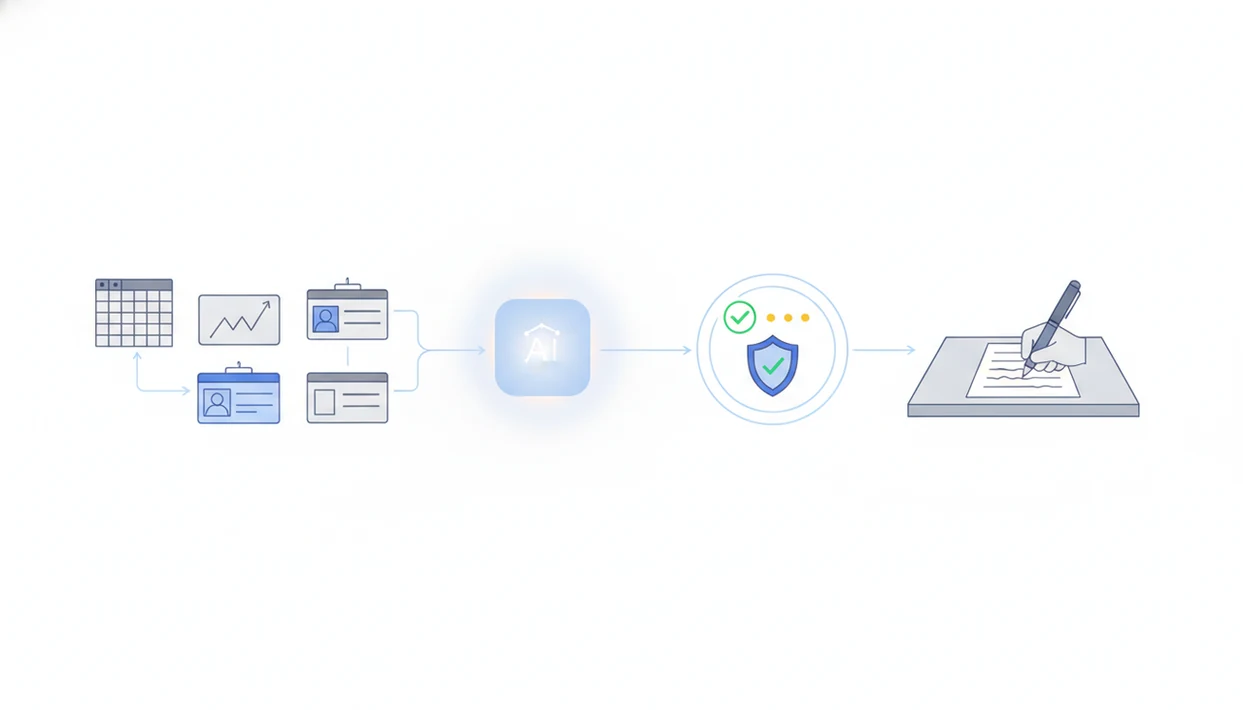
The safest way to learn how to automate weekly reports with AI is to connect trusted data sources, let automation create a first draft, run validation checks, and require human approval before delivery. Treat AI as a reporting assistant, not the final authority.
> Automating weekly reports with AI means using connected data sources, no-code automation, AI-generated analysis, validation rules, and scheduled delivery to produce recurring reports with human review.
- Start with fixed KPIs, owners, data sources, and a weekly reporting template before adding AI.
- Use AI for summarizing trends, exceptions, and plain-language explanations, but keep humans responsible for sign-off.
- Build a validation layer so automated AI reports do not send incorrect metrics, hallucinated causes, or sensitive content.
AI Weekly Report Workflow Definition For Small Teams
An AI weekly report workflow pulls data from spreadsheets, CRM tools, analytics platforms, project apps, and dashboards, then turns that data into a draft report. A person still checks the numbers, edits the language, and approves the final version before it goes out.
For small teams, the useful part is not “AI writes everything.” It is fewer copy-paste loops on Friday afternoon. No-code tools can connect a Google Sheet, HubSpot export, GA4 table, or Asana project list without asking a developer to build a custom system.
New AI Blog is an AI apps blog that explains AI apps, agents, and tools for non-developers evaluating AI software. Good coverage of AI apps, agents, automation tools, and practical guides for non-developers should deliver plain-English decision help, not hype dressed up as software advice.
Five Facts Before You Automate Weekly Reports With AI
- Define KPIs first. Weekly reports need a fixed KPI list, source document, date range, and owner before AI gets involved.
- Keep a human in the loop. AI can draft summaries, but validation, editing, and sign-off should stay with a named person.
- Expect a tool chain. Most workflows need connectors, storage, an AI model, and a delivery channel such as email, Slack, Teams, Docs, or Slides.
- No-code is enough for many teams. Zapier, Pabbly, Power Automate, and similar platforms can run useful reporting workflows without code. If you are comparing builders, the Zapier vs Make vs n8n question matters more once your report grows beyond a few steps.
- Maintenance is part of the job. Prompts, templates, checks, and data connections need review when metrics or tools change.
Workers report spending about 4.5 hours per week on manual data collection and reporting tasks, according to McKinsey’s 2023 organization research McKinsey State of AI report.
The receipt pile next to the mouse is a signal. Reporting has drifted into admin work.
Automated AI Report Data Flow Behind The Scenes
Here is how AI weekly report automation works: a scheduled trigger collects data, cleaning rules standardize it, an AI prompt drafts the narrative, validation checks catch errors, and a human approves delivery. The “AI” part is only one step inside a larger reporting system.
Here is how it works. A trigger starts the workflow every Monday morning or when a source table updates. The automation pulls rows, normalizes fields, stores the prepared data, and sends structured inputs to an AI model. The model uses pattern recognition and natural language generation. In plain English, it reads the supplied numbers and writes a narrative.
AI models do not inherently know whether the dashboard is complete. If the prompt asks, “Why did sales drop?” without enough evidence, the model may invent a cause. That is hallucination risk.
Accurate analytics matter. McKinsey Global Institute reported that data-driven organizations were significantly more likely to acquire customers, retain customers, and be profitable than peers that used analytics less intensively McKinsey State of AI report. For weekly reports, accuracy beats speed because a fast wrong report creates extra work.
Requirements For A Safe AI Reporting Workflow
A safe AI reporting workflow needs named inputs before automation starts: KPI list, data sources, owners, reporting audience, reporting schedule, template, data access permissions, and privacy rules. Skip these, and the workflow will mostly automate confusion.
Core inputs: - KPI list: the exact metrics included each week. - Source map: where every number comes from. - Audience rules: what executives, managers, and contributors should see. - Permission rules: which fields are allowed, excluded, or masked. - Baseline report: one manual report to compare against the first AI draft.
Decide early which metrics are allowed in the report and which sensitive fields must stay out. Customer names, deal notes, salaries, and health-related details should not casually pass through a trial AI account.
Locked-down corporate tools may need IT or admin help. Check the settings page before you upload anything sensitive, especially the small gear where data-training controls are often hidden.
How To Use AI To Automate Weekly Reports Step By Step
For small teams, an AI weekly report workflow usually works best when it starts from a stable manual template, because the automation has a clear target to reproduce.
- Set the weekly KPI list and report audience before choosing tools.
- Connect the data sources to a sheet, database, dashboard, or automation platform.
- Clean and standardize dates, owners, campaign names, pipeline stages, and metric labels.
- Prompt the AI to summarize changes, anomalies, wins, risks, and next actions using only the supplied data.
- Review the draft against validation checks, source numbers, and the original dashboard.
- Schedule delivery by email, document, slide deck, Slack, Teams, or dashboard after approval.
Try this with a low-stakes task first. We usually test with a spare Gmail account and a file like “Q3 campaign notes.docx” before connecting work systems. If you need the broader setup pattern, how to build an AI workflow without coding covers the same idea outside reporting.
No-Code AI Weekly Report Workflow Example
“How can a small team automate a weekly report without coding?” Start with a Monday morning trigger, pull rows from Google Sheets or a CRM, calculate weekly changes, send the prepared data to ChatGPT or another AI model, write the summary into Google Docs or Slides, notify the reviewer, then send after approval.
Zapier, Make, n8n, Pabbly, and Microsoft Power Automate can all support versions of this chain, with different tradeoffs around visual builders, self-hosting, approval steps, and enterprise controls. This is not a product comparison; the point is the workflow shape. If the analytics dashboard is open after lunch and someone is still copying numbers by hand, the process is ready for a small test.
The same source data can produce role-specific outputs. Executives get a five-line summary. Managers get segment changes and risks. Contributors get a task list. For non-developers comparing options, AI automation tools for non-developers is the more useful starting point than browsing a raw tool directory.
Validation Checks For Automated AI Reports
Validation sits between AI output and distribution. It is the guardrail that stops automated AI reports from sending bad metrics, unsupported explanations, or sensitive content.
| Check | What it catches | Reviewer action |
|---|---|---|
| Missing data | Blank rows, empty KPI fields, failed imports | Pause delivery and refresh the source |
| Large changes | Sudden spikes or drops beyond a set threshold | Compare against the dashboard |
| Duplicate rows | Repeated deals, tickets, or campaigns | Remove or de-duplicate before summarizing |
| Stale timestamps | Old exports used as current data | Confirm the latest sync time |
| Label mismatches | “Revenue” and “Bookings” treated as the same metric | Fix field names and prompt wording |
| Totals not reconciling | Segment totals that do not match the headline number | Correct formulas before approval |
AI-generated causes should be labeled as possible explanations unless supported by data. Pew reported in 2024 that automation and AI tools could automate up to 30% of current knowledge work for some workers Pew Research AI survey. That does not remove review.
The reviewer’s checklist is simple: verify numbers, remove unsupported claims, check sensitive content, and approve delivery.
Common Mistakes In An AI Reporting Workflow
The most common mistake is automating before KPIs are stable. If the team changes “active customer,” “qualified lead,” or “resolved ticket” every week, AI will only make the inconsistency look more polished.
Another mistake is asking AI to explain trends without giving it enough data. A model can summarize a drop in demo requests, but it cannot know whether pricing, seasonality, tracking errors, or a paused campaign caused it unless that context is included.
Do not send reports automatically without approval. Also avoid pushing confidential business information into tools that have not been reviewed. Read the pricing and privacy pages together, especially if a free plan looks generous.
Prompts and templates age. Quietly. AI cannot fix bad data on its own; it can only describe what it receives.
Verification Routine Before Weekly AI Report Delivery
Before delivery, compare the AI draft against the source dashboard or spreadsheet. Check trend direction, period labels, segment names, totals, and any outlier explanation that sounds too confident.
Assign one named owner for final sign-off. Not “the team.” One person should approve the report, even if others contribute comments. Keep a change log for prompt edits, data-source changes, formula fixes, and recurring AI errors. A saved pricing change screenshot or update note can also explain why a connector behaved differently that week.
AI adopters reported cost reductions in McKinsey’s 2022 State of AI research, including in business functions related to analytics and reporting McKinsey State of AI report. Savings depend on controls and maintenance, not just adding AI to a workflow. For small businesses, automated reporting is often easier than full BI redevelopment because it improves an existing weekly habit instead of replacing every tool at once.
Understanding Results
AI tools can speed up weekly report automation, but they still need source-data checks, privacy controls, and human approval before delivery. Treat AI apps and AI agents as drafting helpers, not as the final authority for business reporting.
This guide works best when
- Drafting weekly KPI summaries from trusted data sources
- Flagging unusual changes, missed targets, and follow-up items
- Turning spreadsheet, CRM, analytics, or project data into plain-language updates
- Reducing copy-paste work with scheduled no-code automation
- Supporting evaluation of trends when humans verify the numbers
This guide may be less accurate when
- Explaining causes that are not proven by the data
- Working with stale, missing, or inconsistent source data
- Handling confidential reports without privacy settings and access controls
- Replacing manual review for executive or team-specific context
- Surviving free-plan limits, sync delays, or restricted workplace permissions
Read more
FAQ
Can AI generate weekly reports?
Yes. AI can draft weekly reports from connected data sources, but the numbers, explanations, and sensitive content should be reviewed before sending.
How do I automate weekly reports with AI?
Connect trusted data sources, prepare the fields, prompt AI to draft the summary, validate the output, and schedule delivery after approval. Start with one recurring report before expanding.
What data does AI need for a weekly report?
AI needs KPIs, source tables, time periods, metric labels, segment names, and business context. It also needs clear instructions about what not to infer.
Are AI-generated weekly reports accurate?
Accuracy depends on source data quality, prompt design, validation checks, and human review. AI can summarize bad data in fluent language, so verification matters.
Can I automate weekly reports for free?
Basic workflows may be possible with free tiers. Limits often apply to automation tasks, integrations, file sizes, and AI usage.
Which tools can automate weekly reports?
No-code automation platforms, spreadsheets, BI dashboards, AI assistants, and delivery tools can automate weekly reports. Common examples include Zapier, Pabbly, Power Automate, Google Sheets, ChatGPT, Slack, Teams, Docs, and Slides.
Should humans review AI reports before sending them?
Yes. Humans should review AI reports before sending, especially when the report affects decisions, customers, revenue, staffing, or confidential information.
Can AI make charts for weekly reports?
AI can help create basic charts and write chart descriptions. Complex visuals, branded slide layouts, and interactive dashboards may still need manual editing.