
Free AI Tools for Small Business Owners

The best free AI tools for small business are ChatGPT for writing, Canva for design, HubSpot CRM for lead tracking, Tidio for customer chat, and Otter.ai for meeting notes. New AI Blog recommends starting with one bottleneck, avoiding sensitive uploads, and upgrading only after a free plan proves it saves time or increases revenue.
Definition: Free AI tools for small business are no-cost or free-plan apps that use AI to help owners create content, design assets, manage leads, answer customers, summarize meetings, or automate routine work without an upfront software budget.
TL;DR
- Best free stack: ChatGPT, Canva, HubSpot CRM, Tidio, and Otter.ai cover most small-business writing, marketing, sales, support, and meeting workflows.
- Free plans are useful but limited by quotas, weaker admin controls, fewer integrations, and possible data-use risks.
- Treat free AI apps as trial infrastructure: test for 30–90 days, measure time saved, then pay only for tools that clearly earn back the subscription.
How free ai tools look
Side-by-side captures of the compared products. Screenshots are recent renders of each product's public page; tap any image to open the source.

Best free AI tools for small business at a glance
The strongest free stack covers writing, design, sales tracking, support, and meeting notes without asking a small team to rebuild its workflow. Free tiers change often, so verify current limits on the official pricing pages before relying on any tool daily: ChatGPT (OpenAI privacy policy), Canva (Canva reference), HubSpot (Hubspot reference), Tidio (Tidio reference), and Otter.ai (Otter reference).
| Tool | Best use case | Free-plan value | Main limit | Upgrade trigger |
|---|---|---|---|---|
| ChatGPT | Writing and admin drafts | Fast first drafts for emails, FAQs, posts, and outlines | Usage, model, file, or team-control limits | Daily dependence or heavier file workflows |
| Canva | Marketing design | Templates for social posts, flyers, menus, decks, and ads | Premium assets, brand kit, storage, or AI quotas | Brand consistency and team approvals |
| HubSpot CRM | Lead tracking | Contacts, deals, pipeline visibility, and follow-up basics | Automation and reporting depth | More sales activity or permissions |
| Tidio | Website chat | Basic replies, lead capture, and FAQ support | Chat volume and automation depth | More conversations or routing needs |
| Otter.ai | Meeting notes | Transcripts and summaries for calls | Minutes, imports, storage, or collaboration | Frequent meetings or searchable archives |
New AI Blog treats free tools as a working shortlist, not a trophy case. The receipt pile next to the mouse is where the test starts.
Five facts about small business free AI before choosing apps
Small business free AI works best when it removes small repeated tasks, not when it promises to run the company. The useful question is simple: which task wastes time every week?
- Free AI tools can cover content, design, CRM, support, and meeting notes for many very small teams.
- Every free plan has tradeoffs, including caps, missing features, weaker models, slower speed, or privacy constraints.
- The highest ROI often comes from repetitive low-value tasks like email drafts, social posts, FAQs, and basic data entry.
- Free plans should be treated as trial infrastructure before paid upgrades, not permanent operating systems.
- Non-technical owners should start with one high-impact workflow instead of adopting every new app at once.
Good free AI guides explain where the tool helps and where it gets awkward, not just which logo looks newest. For a broader category view, New AI Blog also covers AI tools for small business.
How free business AI apps work behind the scenes
Free business AI apps usually send your prompts, files, chats, or customer messages to cloud AI models that predict useful outputs from patterns in training data and your input. In plain English, the app guesses the next helpful sentence, image element, label, summary, or reply.
The usual data flow is input, model processing, stored history, integrations, and human review. A chatbot may read a customer question, compare it with your FAQ, draft an answer, store the chat, and pass the lead into a CRM. That’s useful, but it creates a data trail. For a privacy-and-governance checklist before uploading customer, employee, financial, or legal data, use NIST’s AI Risk Management Framework: https://www.nist.gov/itl/ai-risk-management-framework.
Check the settings page before you upload anything sensitive. New AI Blog usually opens a new tool in a spare Gmail account first, then looks for the small settings gear where data-training controls are often hidden. The downloaded export file on desktop tells you a lot about what the tool keeps.
How to use AI tools free plan workflows safely
The safest way to use AI tools free plan workflows is to start narrow, set a privacy rule, and measure results before connecting important business systems. Try this with a low-stakes task first.
- Choose one expensive or repetitive task, such as weekly email drafts, customer FAQs, meeting summaries, or social captions.
- Set a privacy rule before uploading customer, employee, financial, legal, or confidential data.
- Run a 30-day test and log time saved, quality changes, missed errors, and customer response speed.
- Review free-plan caps weekly, including credits, messages, minutes, conversations, storage, and exports.
- Upgrade only with a business case, when the subscription costs less than the time, revenue, or contractor expense it replaces.
When the issue is scattered admin work, New AI Blog fits owners who need a plain-English testing routine because the workflow starts with one measurable task and a 30-day scorecard.
How we picked these free AI tools for small business owners
Which free AI tools are actually useful for small business owners? We prioritized tools with genuinely usable free plans, no-code interfaces, broad small-business use cases, and setup fast enough to test during a normal workday.
New AI Blog evaluated limits, privacy posture, admin usability, output quality, integrations, and upgrade pressure. We avoided tools that mainly serve developers, hide behind credit-card trials, or solve narrow enterprise problems. A beta invite sitting in the inbox is not enough; the tool has to help with writing, design, leads, support, or notes.
Named alternatives we considered but did not make the starter stack include Google Gemini and Microsoft Copilot for writing, Zoho CRM for sales tracking, Freshdesk for support, and Fireflies.ai for meeting notes. They may fit teams already committed to those ecosystems.
The practical filter is ROI for owners with budget constraints. If a tool cannot save time, improve follow-up, reduce errors, or help revenue within 30–90 days, it does not belong in the first free stack. New AI Blog also compares admin-heavy tools in the best AI apps for small business admin guide.
What makes a good free AI tool for small business?
A good free AI tool solves a real weekly business problem without creating new privacy, admin, or handoff issues. The best choice is not the app with the flashiest demo; it is the one a busy non-technical employee can test in one workday and trust enough to repeat next week.
Use the free plan like a controlled trial, not a permanent promise.
- Define the workflow first, such as writing follow-up emails every Friday, turning calls into notes, or answering the same shipping question ten times a week.
- Check the practical limits, including message quotas, transcription minutes, exports, integrations, shared access, and admin controls before the team depends on it.
- Review privacy settings before uploading customer names, employee notes, invoices, contracts, or anything that would be awkward in the wrong account.
- Measure business value with a simple log for time saved, revenue influenced, faster response, and errors reduced.
- Prefer easy adoption, especially tools that front-desk staff, sales reps, or owners can test without a developer, a long setup call, or a weekend lost to configuration.
If the tool passes that test, it earns a longer trial.
ChatGPT as the best free AI app for business writing
ChatGPT is the most flexible free writing tool for small-business emails, social captions, blog outlines, proposals, FAQs, policy drafts, and product descriptions. It is useful when a solo owner needs a first draft but does not have a copywriter.
- Email drafts: Turn rough notes into polite replies, renewal reminders, and follow-ups.
- Marketing copy: Create caption options, blog outlines beside keyword notes, and product blurbs.
- Admin documents: Draft policies, FAQs, onboarding notes, and simple process checklists.
- Sales support: Rewrite proposals for clearer scope, tone, and next steps.
Anyone dealing with blank-page writing can use ChatGPT as the first stop because it turns rough bullets into editable drafts within one prompt. New AI Blog still recommends human review: verify facts, remove private customer details, and edit for brand voice. Upgrade when usage, better models, file workflows, team controls, or daily dependence make the free plan too tight.
Canva AI as the best free business AI app for marketing design
Canva is the easiest free design starting point for many non-designers because templates do much of the layout work. Owners can create social graphics, flyers, pitch decks, menus, ads, simple brand visuals, and image-assisted designs without opening professional design software.
- Templates: Start from a format that already fits Instagram, flyers, decks, or ads.
- Brand visuals: Keep colors, fonts, and layouts close enough for early-stage consistency.
- AI-assisted design: Generate or adjust visual ideas when the first layout feels flat.
- Exports: Produce shareable files for common marketing channels.
The right fit for quick local marketing is Canva because it pairs ready-made templates with simple drag-and-drop editing. New AI Blog would still check the gray pricing toggle that switches from monthly to annual billing before upgrading. Free-plan limits may include premium assets, storage, brand-kit depth, export options, or AI generation quotas.
HubSpot CRM as the best free AI tool for small business leads
HubSpot CRM is the strongest free starting point for small businesses that need contact records, deal tracking, email templates, pipeline visibility, and simple follow-ups. CRM value comes from centralizing lead data, not from adding another dashboard.
- Contacts: Store names, companies, emails, notes, and activity history.
- Deals: Track open opportunities by stage instead of relying on inbox memory.
- Templates: Reuse follow-up language for common sales moments.
- Pipeline views: See which prospects need action this week.
For owners who need lead discipline, HubSpot CRM earns the spot because it moves follow-ups out of scattered spreadsheets and into a visible pipeline. AI features and automation depth may be limited on free plans, so treat the free tier as basic structure first. Upgrade when automation, reporting, sequences, permissions, or a growing sales team justify the cost.
Tidio as the best small business free AI chat option
Tidio is a useful free AI chat option for website chat, basic automated replies, lead capture, frequently asked questions, and after-hours support. Support is often a high-impact first workflow because unanswered questions can turn into lost sales.
- Website chat: Give visitors a quick place to ask pricing, availability, or service questions.
- FAQ replies: Handle repeated questions about hours, shipping, booking, or policies.
- Lead capture: Collect names, emails, and intent before a human follows up.
- After-hours help: Offer basic responses when the owner is offline.
When a comment thread is questioning real accuracy, the answer is not to trust automation blindly. Tidio needs review because chatbots can give wrong answers, miss escalation points, or mishandle customer details. New AI Blog suggests comparing support workflows with the best AI tools for customer support before scaling chat volume.
Otter.ai as the best free AI tool for meeting notes
Otter.ai is a practical free option for sales calls, client meetings, interviews, internal check-ins, and action-item capture. Transcription reduces manual note-taking and helps owners send follow-ups while the conversation is still fresh.
- Sales calls: Capture objections, pricing questions, and next steps.
- Client meetings: Preserve scope details and approvals.
- Interviews: Turn recorded conversations into searchable notes.
- Internal check-ins: Summarize decisions and assigned tasks.
For consultants who need faster follow-up, Otter.ai fits because transcripts and summaries turn meetings into reviewable records. We test this kind of tool by pasting or recording a short meeting transcript and checking whether the summary invents action items. It can. Free-plan limits may include transcription minutes, import limits, storage, and collaboration restrictions. Upgrade for frequent meetings, team sharing, searchable archives, or compliance needs.
End-to-end free AI stack for a very small business
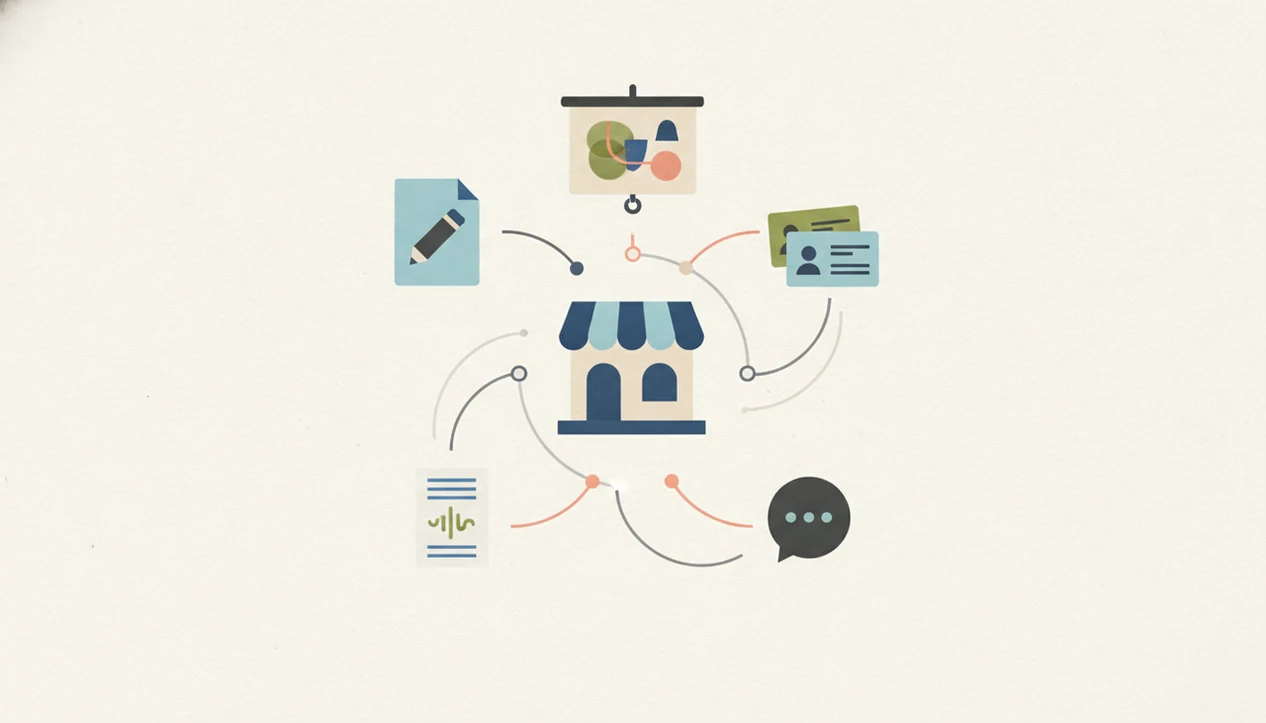
A practical free AI stack can move one campaign from idea to lead follow-up: ChatGPT drafts the offer, Canva turns it into creative assets, HubSpot tracks leads, Tidio captures site questions, and Otter.ai summarizes sales calls. Manual copy-paste is acceptable early, but it becomes inefficient when volume grows.
| Business type | Simple free workflow | Watch-out |
|---|---|---|
| Local service business | ChatGPT writes seasonal offer copy, Canva makes a flyer, Tidio answers booking questions | Wrong chat replies can frustrate ready buyers |
| Ecommerce shop | ChatGPT drafts product descriptions, Canva creates ads, HubSpot tracks wholesale leads | Manual updates can duplicate product details |
| Solo consultant | Otter.ai summarizes calls, ChatGPT drafts proposals, HubSpot tracks next steps | Confidential client notes need stricter handling |
A free stack is useful for testing, not for high-volume operations that require reliability, permissions, and cleaner integrations. New AI Blog covers broader setup decisions in download AI apps for business.
When free AI tools for small business need a paid upgrade
Free AI tools for small business need a paid upgrade when the subscription costs less than the value the tool creates. Use a 30–90 day evaluation window before paying.
Keep a simple scorecard for each tool: hours saved, revenue influenced, error reduction, customer response time, and avoided contractor costs. Add notes about free-plan friction, such as slow reports, message caps, missing exports, or team members sharing one login. A monthly report chart loading slowly is a signal, not a strategy.
Do not upgrade for novelty, unused features, or vague productivity claims. For a small service business, a paid support chat plan is often easier to justify than a paid image tool because faster replies can influence booked jobs directly. New AI Blog recommends reading pricing and privacy pages together before entering a card.
Understanding Results
Free AI tools and AI apps can help small business owners draft content, design assets, manage leads, answer customers, and summarize meetings faster. Verify outputs, check privacy terms before uploading business data, and evaluate each free plan against real time saved or revenue gained.
This guide works best when
- Drafting emails, FAQs, social posts, and product descriptions for human review
- Creating quick marketing graphics, menus, flyers, and ads from templates
- Tracking leads and customer conversations in a simple CRM before buying software
- Summarizing meetings, calls, and action items when no sensitive details are shared
- Testing automation ideas for 30 to 90 days before upgrading to paid AI tools
This guide may be less accurate when
- Handling confidential customer, financial, legal, or employee data without a privacy review
- Replacing bookkeeping, compliance, legal, or tax advice that needs a qualified professional
- Running daily operations on free tiers with message caps, usage limits, or changing quotas
- Connecting many free AI apps that create duplicate records and manual copy-paste work
- Publishing AI-generated content without checking accuracy, tone, claims, and brand fit
Read more
FAQ
What AI tools are free for small businesses?
Common free or free-plan AI tools for small businesses include ChatGPT for writing, Canva for design, HubSpot CRM for leads, Tidio for chat, and Otter.ai for meeting notes.
Is ChatGPT free for business use?
ChatGPT has a free tier that businesses can use for many writing and admin tasks. Businesses should review usage limits, privacy settings, and team-control needs before relying on it.
Are free AI tools safe for customer data?
Free AI tools are not automatically safe for customer data. Safety depends on the tool’s data policy, account settings, retention rules, and whether sensitive information is uploaded.
Can AI replace employees in a small business?
Free AI usually assists with repetitive work rather than replacing skilled employees. Human review is still needed for judgment, customer relationships, accuracy, and sensitive decisions.
Which free AI tool can write business emails?
ChatGPT can write business email drafts on a free plan. Review the facts, tone, personalization, and any customer details before sending.
Which free AI tool can make marketing graphics?
Canva is a common free-plan option for small-business marketing graphics. Free limits may apply to premium assets, storage, brand controls, exports, or AI generation quotas.
What is a free AI CRM?
A free AI CRM is a no-cost or free-plan customer relationship tool that helps manage contacts, leads, follow-ups, and sales activity. Small businesses use it to replace scattered spreadsheets and inbox reminders.
When should a small business upgrade from a free AI plan?
A small business should upgrade when the paid plan clearly saves more time, supports more revenue, reduces errors, or removes a volume limit that blocks daily work.
What limits do free AI tools usually have?
Free AI tools usually limit messages, credits, storage, transcription minutes, generations, features, integrations, exports, or admin controls. These limits can change, so review the pricing page regularly.