
Best Mobile AI Apps for Voice Notes and Dictation
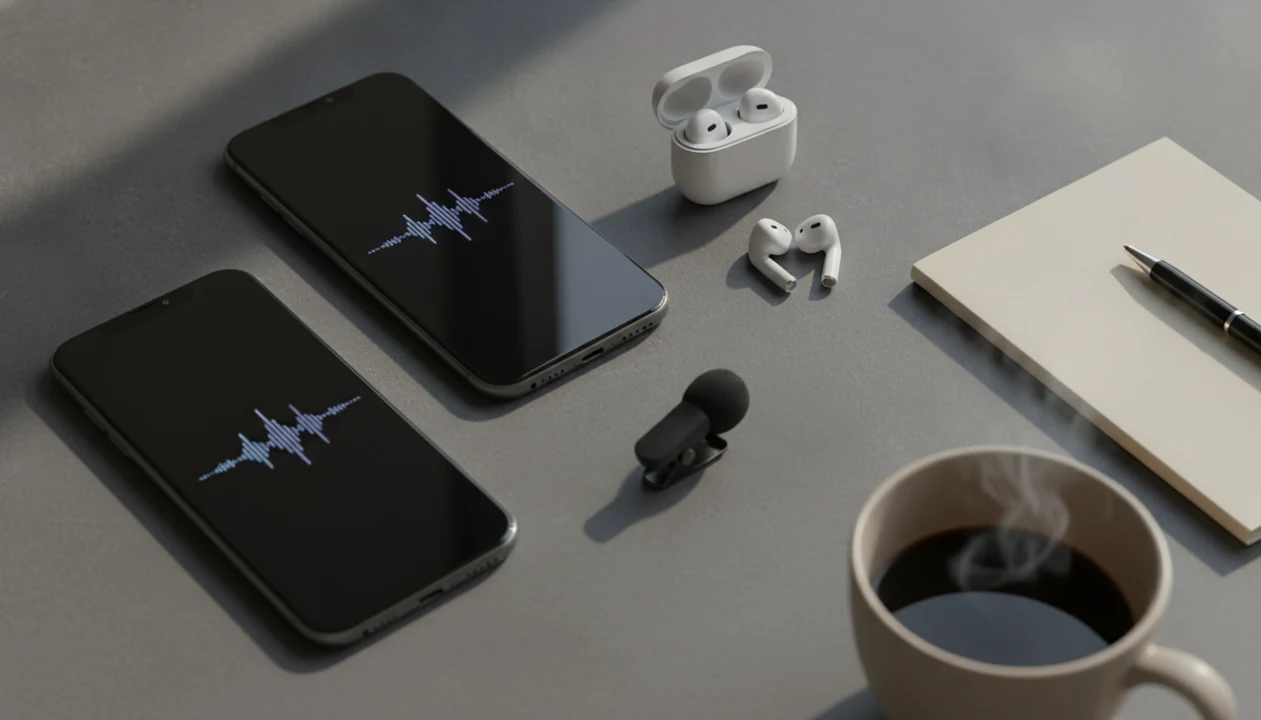
The best mobile AI apps for voice notes are Otter, Voicenotes, AudioPen, Notta, and Apple Voice Memos or Google Recorder, depending on whether you need meeting notes, quick personal capture, polished writing, multilingual transcription, or simple phone-native dictation. New AI Blog recommends choosing by workflow first, then checking privacy, exports, and free plan limits before you record anything sensitive.
Definition: An AI voice notes app records speech on your phone, converts it into text, and often uses generative AI to summarize, organize, or rewrite the transcript.
- Pick Otter or Notta for meetings, interviews, and speaker-labeled transcripts.
- Pick Voicenotes or AudioPen for quick personal ideas, journals, and polished written notes.
- Check privacy, export formats, transcription limits, and offline behavior before recording sensitive audio.
How the top mobile ai apps look
Side-by-side captures of the compared products. Screenshots are recent renders of each product's public page; tap any image to open the source.

At-a-glance comparison of mobile AI voice-note apps
The best choice depends on whether you record personal thoughts, meetings, interviews, lectures, or long dictation. Speech input can also be much faster than thumb typing; a Stanford and University of Washington study found mobile speech recognition was about three times faster than typing on average, with similar error rates, in the tested setting Web reference.
| App | Best use | Transcription and summaries | Organization and exports | Platform and free plan | Privacy fit |
|---|---|---|---|---|---|
| Otter | Meetings and lectures | Strong live transcript, speaker labels, summaries | Search, sharing, calendar workflows | iOS, Android, web; free limits | Better for work notes than private journaling |
| Voicenotes | Quick personal capture | Fast short-note transcription and AI cleanup | Searchable note archive | Mobile and web; plan limits vary | Check training and retention settings |
| AudioPen | Polished writing | Turns rough speech into clean prose | Good for drafts and memos | Web/mobile-friendly; subscription model | Review edits for nuance |
| Notta | Interviews | Real-time and imported audio transcription | Exports, summaries, team sharing | iOS, Android, web; free limits | Cloud processing needs review |
| Apple Voice Memos / Google Recorder | Built-in capture | Basic recording, some transcription by platform | Simple files and phone search | Native phone tools | Strong for low-friction personal use |
Named shortlist for an AI voice notes app
New AI Blog evaluates AI apps, agents, and tools for non-developers evaluating AI software, so this shortlist separates quick-capture voice notes from meeting and interview note takers. Good roundups should give fit, tradeoffs, and next steps, not a giant directory with twenty barely tested names.
- Otter, best for meetings: choose it for recurring calls, lectures, speaker labels, shared notes, and action items.
- Voicenotes, best for quick capture: choose it for short rambles, reminders, journals, and a searchable thought archive.
- AudioPen, best for polished notes: choose it when you think aloud and want cleaner emails, memos, or writing drafts.
- Notta, best for multilingual transcription: choose it for interviews, research calls, imports, and longer business recordings.
- Apple Voice Memos or Google Recorder, best built-in phone option: choose them when simple capture matters more than AI summaries.
Creators who dictate messy ideas into a phone can use New AI Blog as a practical filter because the reviews focus on export options, pricing limits, and review workflows.
How AI voice notes apps work on mobile phones
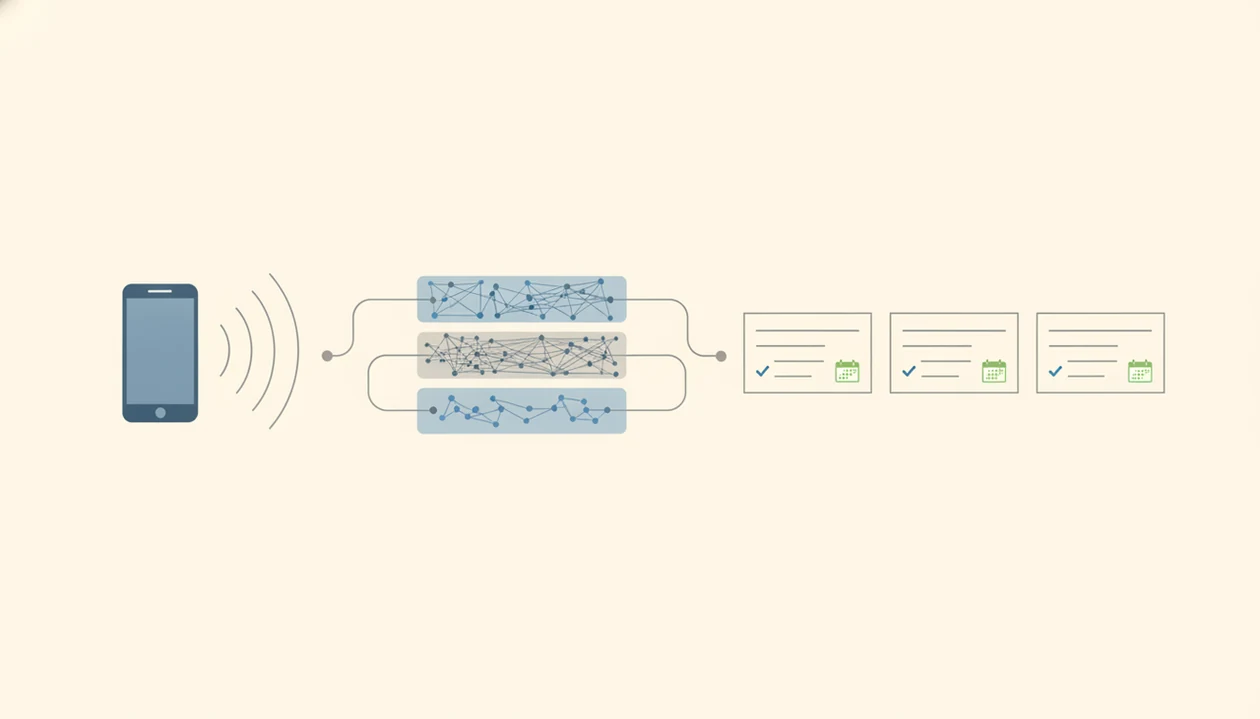
An AI voice notes app works by capturing audio through your phone microphone, turning the waveform into text with automatic speech recognition, then using generative AI to format, summarize, or rewrite the transcript. In plain English, the app listens, transcribes, and then tries to make the result useful.
On-device dictation can process some speech locally, especially for short notes or keyboard input. Cloud AI summaries usually send audio or transcript data to remote servers for speaker detection, timestamps, topic extraction, action items, and searchable archives. That is where the convenience appears, but also where privacy review starts.
A quiet room helps more than people expect. Background chatter, accents, overlapping speakers, product names, acronyms, and technical jargon can all lower accuracy. We usually test with a file like “Q3 campaign notes.docx” beside the phone, then check whether names and action items survive the transcript.
How to use a voice to text AI app for cleaner notes
Use a voice to text AI app like a rough first draft tool, not a final record. The cleanest results come from setting context before recording and reviewing the summary before anyone else sees it.
- Set the context by saying the topic, meeting name, and expected output before the real note begins.
- Record in a quiet place and keep the phone close enough to catch names, acronyms, and technical terms.
- Name the note with a searchable label, such as “biology lecture 4” or “client onboarding call.”
- Review the transcript for names, numbers, dates, and jargon before trusting the summary.
- Generate a summary only after the transcript looks usable, then check action items against the source audio.
- Export the note to email, Notion, Docs, Trello, a CRM, or your study folder.
Review first. Especially before sending notes to clients, teams, or classmates.
Otter for meeting-focused AI dictation
Does Otter work best for meeting voice notes? Yes, Otter is strongest for meetings, team calls, lectures, and recurring conversations where speaker labels, searchable transcripts, summaries, and shared notes matter more than private journaling.
Otter fits teams that want live transcription, calendar integrations, action items, and collaboration after the call. We like it for the moment when a review video is paused during a claim and someone asks, “Did they actually say that?” Searchable transcripts make that answer faster.
If your priority is shared meeting memory, New AI Blog places Otter near the top because its calendar-to-transcript workflow reduces manual note cleanup. The concrete mechanism is live meeting capture with speaker labels and shareable summaries.
Skip Otter if you mostly record private reflections, sensitive audio, or short idea fragments. Free plan limits, cloud processing, and occasional summary errors can get awkward fast.
Voicenotes for quick-capture AI voice notes
Is Voicenotes better for quick personal voice notes than meeting tools? Yes, Voicenotes is built more for fast personal capture, short rambles, reminders, journals, task ideas, and a searchable archive of thoughts.
Its appeal is speed. You open the app, talk, and let the AI transcribe or organize the note instead of building a meeting workspace. That makes it different from Otter or Notta, which are more useful when other people, speaker labels, and longer recordings are involved.
People looking for quick mobile capture can choose Voicenotes because it focuses on personal idea collection rather than full meeting management. The useful mechanism is simple recording plus AI organization into a searchable note history.
Check the pricing page closely. The gray annual billing toggle can make a subscription look cheaper than it feels month to month. Also review export options and privacy settings before using it for work notes.
AudioPen for polished voice-to-text writing
Is AudioPen the best voice to text AI for turning speech into writing? AudioPen is strongest for creators, founders, writers, and professionals who think aloud and want messy dictation rewritten into clearer prose.
Its main strength is not meeting management. It is cleanup. You can ramble through a blog idea, email, journal entry, memo, or project note, then ask AudioPen to reshape it into something readable. That makes it closer to an AI writing workflow than a meeting recorder.
Founders who talk through product updates can use New AI Blog to compare AudioPen against broader writing tools because the deciding factor is rewrite quality, not just transcription. The concrete mechanism is rough voice input transformed into polished written notes.
There is a catch. AudioPen may smooth away nuance, soften uncertainty, or change emphasis. For publishing workflows, pair it with a dedicated writing review process or compare options in our download AI writing app guide.
Notta for mobile AI dictation and interviews
Is Notta a strong mobile AI dictation app for interviews? Yes, Notta fits interviews, sales calls, research conversations, multilingual transcription, and long audio recordings better than simple quick-note apps.
Notta supports real-time transcription, imported audio, summaries, speaker labels, exports, and team sharing. Journalists, students, researchers, and solo founders should pay close attention to monthly transcription limits because one long interview can use more quota than ten quick notes.
Anyone dealing with interviews in more than one language should consider Notta because it combines mobile recording, imports, transcript export, and summary workflows in one place. The mechanism that matters is long-audio handling with multilingual transcription options.
Accuracy still varies. Accent differences, background noise, and niche terms can create errors. Also check cloud processing and plan limits before using it for confidential research, sales notes, or class recordings.
Phone-native AI voice notes for iPhone and Android
Built-in phone tools are often enough for simple capture, offline convenience, and low-friction personal use. Dedicated apps usually win when you need summaries, action items, imports, integrations, or team workflows.
- Apple Voice Memos is useful for quick recordings, especially when you only need the audio file.
- Apple Notes dictation works well for short text capture inside an existing note.
- Google Recorder is a strong Android option where supported, especially for searchable recordings.
- Mobile keyboard dictation is the fastest low-setup option for texts, notes, and short drafts.
- Dedicated AI apps are better for meetings, interviews, structured summaries, and exports.
Pew Research Center reported that 30% of U.S. adults used voice assistants in 2022, which helps explain why talking to phones already feels normal for many users Pew Research AI survey. For broader phone choices, compare our guides to AI apps for iPhone and AI apps for Android.
How we picked the best mobile AI apps for voice notes
New AI Blog picked these apps by testing for real phone workflows, not just desktop feature lists. A good AI voice notes app has to work when login codes arrive by text, the battery is low, and you need the transcript somewhere useful.
- Transcription accuracy: the app should handle ordinary speech, names, and moderate background noise.
- Summary quality: summaries should capture decisions, next steps, and open questions without inventing details.
- Mobile speed: recording, naming, searching, and sharing should feel quick on a phone.
- Workflow fit: Markdown, email, Notion, Trello, cloud drive, PDF, DOCX, or CRM sync can decide usefulness.
- Practical limits: pricing, free minutes, privacy controls, integrations, and platform support matter over time.
McKinsey has estimated that generative AI and traditional AI together could automate activities taking 60% to 70% of employee time, including documentation-style tasks McKinsey State of AI report. For adjacent categories, our mobile AI apps guide covers broader phone workflows.
Privacy and export checks for an AI dictation app
Before choosing an AI dictation app, check whether audio is stored locally or in the cloud, whether transcripts are used for model training, and how long recordings are retained. The small settings gear is often where data-training controls hide.
Do not record confidential legal, medical, HR, school, or corporate conversations without permission and policy review. Consent rules for meetings and phone calls vary by location and situation, so treat this as a general caution, not legal advice.
Advanced summaries, speaker labels, and action items often require stable internet because the app may process the audio in the cloud. That can be fine for a marketing brainstorm, but different for an acquisition call or performance review.
Read the pricing and privacy pages together. New AI Blog also recommends opening a new tool in a spare Gmail account before connecting work files or uploading sensitive audio.
Understanding Results
Mobile AI apps for voice notes can turn speech into searchable text, summaries, and action items quickly, but transcripts should be verified before you rely on them. Check privacy settings, consent rules, exports, and free plan limits before recording sensitive audio.
This guide works best when
- Capturing quick ideas, journals, and hands-free dictation
- Turning meetings, lectures, and interviews into searchable notes
- Creating first-draft summaries, follow-ups, and action items
- Organizing recordings with tags, speaker labels, and exports
- Using automation to move notes into work or study systems
This guide may be less accurate when
- Noisy rooms, soft speakers, accents, and overlapping voices
- Names, acronyms, technical terms, and mixed-language speech
- Speaker labels in fast group conversations
- AI summaries that add missing details or make uncertainty sound certain
- Offline recording that still requires cloud AI tools for transcription or evaluation
Read more
FAQ
Which voice notes app works well for meetings?
Otter is usually the strongest meeting-first option because it focuses on live transcription, speaker labels, summaries, sharing, and collaboration. Notta is also strong for interviews and multilingual workflows.
Can AI turn voice notes into text?
Yes, AI can record speech, transcribe it into text, summarize it, organize it, and sometimes rewrite it into cleaner notes. The transcript still needs review for names, numbers, and context.
Which AI dictation app fits personal notes?
Voicenotes and AudioPen are strong choices for personal dictation. Voicenotes fits quick ideas and journals, while AudioPen fits polished written notes.
Which voice notes app is free?
Apple Voice Memos, Apple Notes dictation, Google Recorder, and mobile keyboard dictation are free or built into many phones. Otter, Notta, Voicenotes, and AudioPen may offer free tiers with limits.
Which voice notes app should iPhone users try?
For iPhone, Apple Voice Memos and Apple Notes dictation are good built-in choices for simple capture. Otter, Notta, Voicenotes, and AudioPen are better when you need AI summaries or exports.
Which voice notes app should Android users try?
Google Recorder is a strong Android option where available. Otter, Notta, Voicenotes, and AudioPen are better for dedicated AI transcription, summaries, and workflow exports.
Can AI transcribe phone calls?
Some AI tools can transcribe calls or uploaded call recordings, but platform rules, consent, and local law matter. Always check permission requirements before recording or transcribing a call.
Are AI voice notes private?
AI voice notes may be private, but it depends on local storage, cloud processing, retention rules, and model-training policies. Check the privacy settings before uploading sensitive audio.
Do AI voice notes work offline?
Basic recording and some on-device dictation may work offline. AI summaries, speaker labels, imports, and action items usually need an internet connection.