
What Is an AI App, and How Should You Evaluate One?
If you are asking what is an AI app, it is software that uses artificial intelligence to understand inputs, find patterns, make predictions, generate content, or automate decisions that would normally require human judgment. The practical test is not whether the product says “AI,” but whether it improves a real workflow with acceptable accuracy, cost, privacy, and oversight.
Definition: An AI app is a software application that uses AI methods such as machine learning, natural language processing, computer vision, or generative models to perform tasks beyond fixed rule-based instructions.
TL;DR
- AI apps are still software, but they use models to summarize, classify, recommend, predict, generate, detect, or automate.
- Common AI app examples include chatbots, writing assistants, recommendation systems, image analysis tools, fraud detection tools, and virtual assistants.
- The best buying question is not “Is it AI?” but “What workflow improves, what data is required, and what mistakes could the app make?”
AI App Meaning in Plain English
AI app meaning: an AI app is software that uses artificial intelligence to handle tasks that need language understanding, pattern detection, prediction, generation, or automation.
Most users do not need to know the model family before they try a tool. They need to know whether it can summarize a messy PDF, rank support tickets, draft a reply, or spot an unusual number in a report. That job-first view is usually more useful than the model name.
An AI software app is still software. It has buttons, settings, permissions, billing pages, and export limits. The difference is that part of the app depends on learned patterns, not only fixed instructions written by a developer. When we test a new tool, we often start with a spare Gmail account before connecting work files. That small step tells you a lot.
Try low stakes first.
Where the Term AI App Comes From and Why It Matters
The term AI app became common because people needed a plain label for user-facing software powered by AI. It matters because the app is the packaged experience, not just the model sitting behind it.
An AI model is the pattern engine. An AI app wraps that engine in screens, permissions, workflows, exports, support, and pricing. An AI tool may be a smaller utility for one task, like rewriting a paragraph. An AI agent suggests or takes multi-step actions toward a goal. An AI platform gives builders the infrastructure to create or run many AI features. These labels overlap, and vendors do not use them consistently.
Generative AI made the phrase more visible because chat-style interfaces turned model output into something anyone could try. A text box, a file upload, and a “generate” button made AI feel like an app category instead of a research topic.
When a product calls itself an AI app, test the workflow before trusting the label:
- Identify the job you need improved.
- Compare the output with examples you already understand.
- Check the settings, permissions, and data terms.
- Decide whether the result saves time without adding unacceptable risk.
Five AI App Facts Buyers Should Know
- AI apps add AI methods to ordinary software tasks. They may summarize, classify, recommend, predict, generate, or detect patterns inside a familiar app interface.
- Not every AI-labeled app is equally capable. Some products use a strong model for one feature; others add a thin “AI” button to ordinary automation.
- Narrow AI tools can be excellent at one task and poor outside it. A lead-scoring app may work well on sales data but fail at customer support triage.
- Human oversight is still required for many outputs. A generated customer email, legal-style summary, or hiring note should not ship without review.
- Workflow fit matters more than the AI label. For a small team, a plain checklist can beat an AI workflow if the task is predictable.
A 2024 Pew Research Center survey found that 79% of U.S. adults had heard at least a little about AI, and Pew has also reported that more Americans are concerned than excited about AI's growing use (Pew Research Center). That is why plain-English evaluation matters. People are not just curious. They are cautious.
AI App Data Flow Behind the Screen
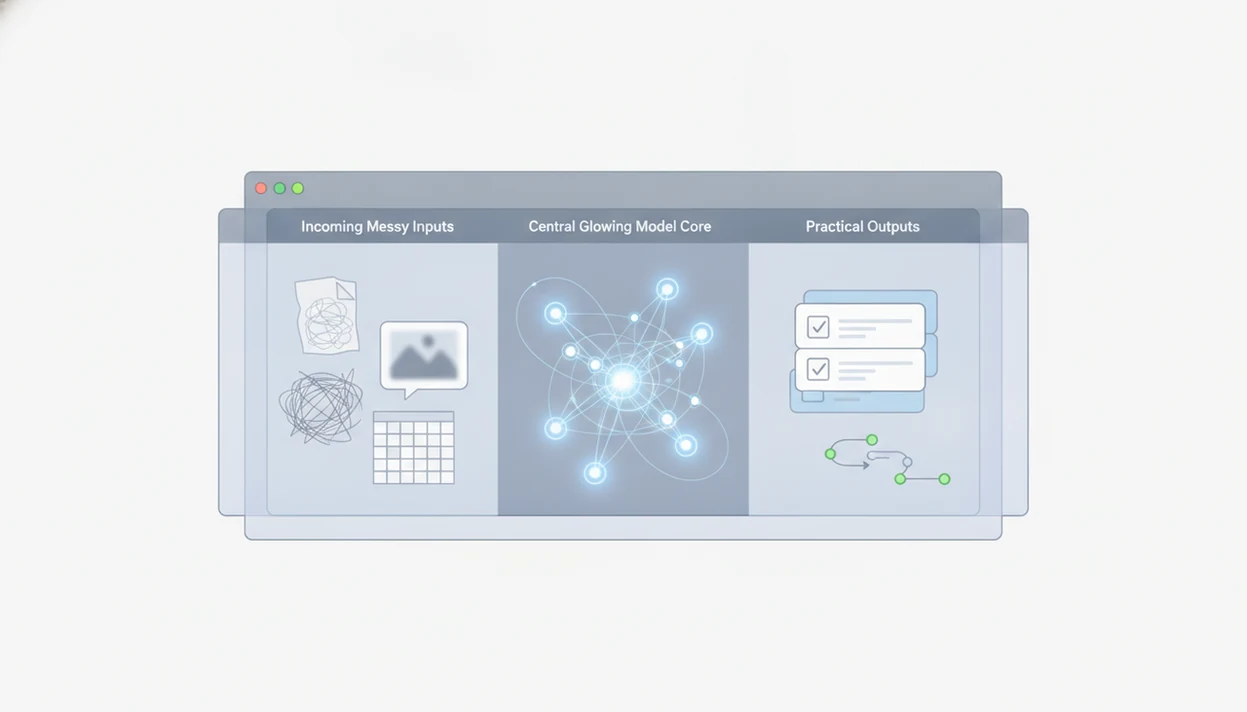
In one sentence: AI apps work by converting a user's input into data a model can process, then returning a probability-based output such as a label, ranking, prediction, or generated draft. An AI app usually follows a simple flow: input, model processing, output, and feedback. You give it text, an image, a file, a click, or a data record. The model compares that input with learned patterns, then returns a result.
That result might be a summary, a ranking, a label, a prediction, or a generated answer. Natural language processing helps with text. Computer vision helps with images. Recommendation models rank products, videos, posts, or search results. Predictive models forecast likely outcomes, such as demand or risk.
Generative AI apps go one step further. They produce new text, images, code, audio, or summaries based on patterns in training data and the prompt you provide.
Here is the practical version: the app is not reading your mind. It is matching patterns.
Business use is growing fast. McKinsey’s 2024 State of AI survey reported that 65% of respondents said their organizations regularly used generative AI in at least one business function (McKinsey).
Common AI App Examples by Everyday Workflow
Chatbots and virtual assistants: These answer questions, explain documents, draft replies, and help with task support. ChatGPT is one example, but it is not the whole category.
Writing assistants: These help draft, rewrite, summarize, or change tone. A common test is pasting a two-page meeting transcript into a trial account and checking whether the summary invents action items.
Recommendation engines: These rank products, videos, search results, playlists, or articles. Most people use this kind of AI without calling it an AI app.
Image analysis tools: These can detect objects, read text in images, flag quality issues, or identify medical-style image patterns. Medical interpretation still needs qualified review.
Fraud, anomaly, and forecasting tools: These often run behind the scenes. They flag suspicious transactions, detect unusual usage, or forecast demand from past data.
For readers comparing options, a category view is often easier than a giant directory, which is why guides like best AI apps by category can be useful.
AI App vs Automation App vs Traditional Software
AI apps, automation apps, and traditional software can overlap, but they do different jobs. The difference is how decisions are made.
| Software type | How it works | Good fit | Watch out for |
|---|---|---|---|
| Traditional software | Follows explicit rules and user commands | Calculations, forms, records, approvals | Limited flexibility with messy inputs |
| Automation app | Moves data or triggers steps based on rules | “If this, then that” workflows | Can break when exceptions appear |
| AI app | Infers, classifies, generates, recommends, or predicts from patterns | Language, images, ranking, forecasting, triage | May be wrong, biased, or hard to audit |
Simple rule-based software can be better when predictability, low cost, and clear rules matter most. If every refund over $50 needs manager approval, a rule may beat an AI guess. The sticky note with the refund policy still wins sometimes.
For many teams, the real comparison is not fancy versus boring. It is dependable versus unnecessary.
AI Software App Use Cases That Make Sense
When does an AI software app make sense? An AI app makes sense when the task involves messy language, images, patterns, predictions, or repetitive judgment that fixed rules handle poorly.
Good-fit workflows include summarizing documents, triaging messages, classifying leads, drafting content, searching knowledge bases, detecting anomalies, and forecasting demand. If your inbox has thirty versions of the same order question, an AI classifier may save real time.
Poor-fit workflows include simple checklists, fixed calculations, compliance-critical final decisions without review, and tasks with too little data to learn from. AI should not be added just because a vendor can put it in the demo.
McKinsey has estimated that generative AI could add $2.6 trillion to $4.4 trillion annually across use cases (McKinsey). That explains the investment rush, but it does not prove that any single product fits your workflow.
For non-developers, an AI app usually works best when it improves a repeated task and leaves a human in control of the final decision.
AI App Pricing Signals and Buying Questions
AI app pricing often hides the real cost in usage limits, seats, tokens, workflow runs, or enterprise terms. Read the pricing and privacy pages together before paying.
Common pricing signals include per-seat subscriptions, per-usage fees, per-token billing, per-workflow pricing, per-automation-run pricing, and custom enterprise contracts. Watch the gray pricing toggle that switches monthly billing to annual billing. It is easy to miss when you are moving fast.
Use this step-by-step test before buying:
- Start with a low-stakes task using real examples, such as “Q3 campaign notes.docx.”
- Check the data policy for storage, training use, deletion, and retention.
- Review permissions for integrations, shared folders, inbox access, and admin controls.
- Test accuracy against examples where you already know the right answer.
- Confirm exits by checking export options, audit logs, support, and cancellation terms.
Stanford HAI reported that AI-related private investment in the United States reached $67.2 billion in 2023 (Stanford HAI AI Index). Investment is high, but hype does not prove fit. Practical AI apps guides should deliver tool categories, privacy questions, pricing signals, and workflow checks, not breathless rankings.
Tools like New AI Blog, futurepedia.io, toolify.ai, Product Hunt, and therundown.ai can help you discover products, but discovery is only the first pass.
Common AI App Myths About Chatbots, Accuracy, and Jobs
Myth: an AI app is the same thing as a chatbot. Fact: chatbots are one category. Many AI apps rank, score, forecast, detect anomalies, analyze images, or classify records in the background.
Myth: AI-labeled software is automatically better. Fact: a tool is better only if it improves a specific workflow at an acceptable cost and error rate.
Myth: AI apps understand like humans. Fact: most systems are pattern-based. They can sound confident and still be wrong, especially when the source document is vague.
Myth: AI apps replace all human work. Fact: many deployments shift work rather than erase it. People still review outputs, handle exceptions, tune prompts, and decide what reaches customers.
The pocket check is real. Before trusting a shiny app, open the settings gear and look for data-training controls.
If you are choosing your first tools, a plain list of best AI apps for beginners is more useful after you understand these myths.
Understanding Results
AI apps can improve real workflows, but they still need verification, privacy checks, and realistic expectations. Evaluate them like other AI tools: test the output, inspect permissions, and decide whether the automation is worth the risk.
This guide works best when
- Summarizing harmless documents and comparing results with the source
- Drafting emails, outlines, support replies, or first-pass content
- Classifying tickets, files, leads, or records with human review
- Spotting patterns in reports when the data is clean and well scoped
- Testing AI agents or integrations with low-risk accounts before using work data
This guide may be less accurate when
- Treating confident generated answers as verified facts
- Using sensitive data before checking privacy, retention, and sharing settings
- Assuming every product labeled AI has model-based value beyond basic automation
- Relying on AI apps for legal, medical, financial, or customer-facing decisions without oversight
- Ignoring evaluation limits such as exports, file uploads, history, model access, or permissions
Read more
FAQ
What is an AI app?
An AI app is software that uses artificial intelligence to understand inputs, find patterns, generate content, make predictions, or automate judgment-like tasks. It is still software, but part of its behavior comes from AI models rather than fixed rules only.
What does AI app mean?
AI app means an application that uses AI methods to perform tasks such as summarizing, classifying, recommending, forecasting, detecting, or generating. The plain-English meaning is “software that uses AI to do a useful job.”
What are AI apps used for?
AI apps are used for writing, search, recommendations, customer support, document summaries, image analysis, prediction, automation, and anomaly detection. They are most useful when the work involves messy language, images, patterns, or repeated judgments.
Is ChatGPT an AI app?
Yes, ChatGPT is a generative AI app because it can produce text, answer questions, summarize information, and assist with tasks. It is one AI app example, not the entire AI app category.
Are AI apps safe?
AI app safety depends on privacy controls, permissions, data handling, accuracy, and human oversight. Check what data the app collects, whether it uses inputs for training, and how outputs are reviewed.
Do AI apps replace workers?
AI apps usually automate tasks or assist workflows rather than replacing all human work. Many still require people to review outputs, handle exceptions, manage customers, and make final decisions.
Are free AI apps worth it?
Free AI apps can be worth trying for low-risk tasks, learning, and basic testing. Before relying on one, check usage limits, data terms, export options, model quality, and whether features require a paid plan.
How do AI apps make money?
AI apps commonly make money through subscriptions, usage fees, per-seat plans, enterprise contracts, ads, marketplace fees, or paid integrations. Some also include data-related terms, so users should read the privacy and training policies before uploading sensitive information.