


Pricing sources checked: OpenAI lists ChatGPT Plus at $20/month (OpenAI privacy policy), Anthropic lists Claude Pro at $20/month (Anthropic model training policy), Google lists Google One AI Premium pricing (One reference), GitHub lists Copilot Pro at $10/month (Github reference), and Notion lists Notion AI pricing at https://www.notion.com/pricing.
> Definition: AI tools under $20 are consumer- or prosumer-grade software subscriptions that provide access to state-of-the-art language models, image generators, or automation features for a flat monthly fee of twenty dollars or less.
At-a-Glance: Best AI Tools Under $20 Compared
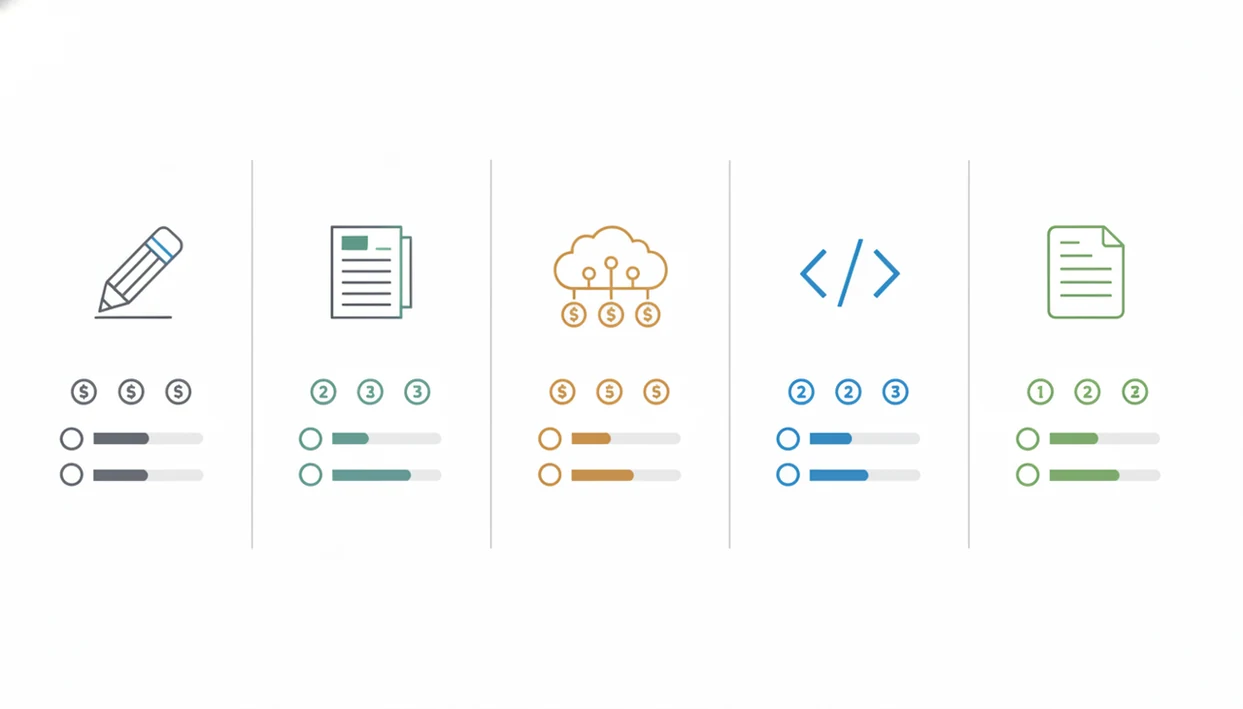
All five tools below provide frontier-level AI access at consumer pricing, but they solve different problems. The right pick depends less on hype and more on where your work actually piles up.
| Tool | Monthly price | Primary use case | Model access | Key limitation |
|---|---|---|---|---|
| ChatGPT Plus | $20 | Writing, research, analysis | GPT-4o and related OpenAI tools | Message caps and no team admin features |
| Claude Pro | $20 | Long-document reading and reasoning | Claude 3.5 Sonnet / Opus access varies by plan limits | No native image generation |
| Gemini Advanced | $20 | Google Workspace productivity | Current Gemini Advanced models | Creative output can be uneven |
| GitHub Copilot | $10 | Coding help and scripting | Copilot models inside editors | Needs a code editor |
| Notion AI | $10 add-on | Notes, docs, project summaries | Notion-integrated AI features | Most useful inside Notion |
We keep a spreadsheet of pricing tiers open when checking these tools, because the gray monthly/annual toggle can change the real cost fast.
Named Shortlist: 5 Cheap AI Tools Worth Paying For
These cheap AI tools earned a spot because they fit non-developer everyday workflows, not because they have the longest feature pages. New AI Blog balanced writing, research, coding, and productivity so the list covers real work instead of one narrow use case.
- ChatGPT Plus is the strongest all-rounder for drafting, summarizing, browsing, image generation, and quick analysis.
- Claude Pro fits people who paste long source documents and need careful summaries without chopping files into tiny pieces.
- Gemini Advanced makes the most sense for users already living in Gmail, Docs, Sheets, and Google Drive.
- GitHub Copilot is the affordable pick for code completions, small scripts, and learning inside VS Code.
- Notion AI works well when meeting notes, project briefs, and databases already live in Notion.
If your priority is one paid subscription that covers the broadest everyday workload, ChatGPT Plus fits because it combines chat, browsing, file analysis, and DALL·E image generation in one $20 workflow.
Selection Criteria for Affordable AI Apps Under $20
We selected affordable AI apps using six filters: price at or below $20 per month, ease of use for non-developers, model quality, bundled features, usage caps, and basic privacy transparency. API-only tools and enterprise-only plans were excluded because they don’t match how most readers buy software.
Free tiers mattered, but they did not qualify a tool for the paid shortlist unless the paid plan stayed under $20. For a deeper checklist, New AI Blog covers how to evaluate AI tools before connecting work files or uploading client notes.
The adoption context is no longer niche. McKinsey reported that 79% of surveyed respondents had at least some exposure to generative AI, and 22% used it regularly for work. Source: McKinsey’s 2023 generative AI survey: https://www.mckinsey.com/capabilities/quantumblack/our-insights/the-state-of-ai-in-2023-generative-ais-breakout-year. That is why pricing clarity matters now. Good AI app guides deliver task fit, privacy basics, and limits, not a raw directory of shiny logos.
The tiny text on pricing pages matters: annual-billing discounts, add-on fees, model caps, and workspace restrictions can turn a cheap AI tool into a poor fit.
How AI Tools Under $20 Work
AI tools under $20 work by sending your prompt to hosted AI models on the provider’s servers, then returning generated text, code, images, or summaries through the app. In plain terms, you are usually renting access to remote compute, not installing a powerful local AI engine on your laptop.
That is why limits show up even on paid plans. A model run uses compute, meaning expensive server capacity, so providers manage budget plans with message caps, file-size limits, slower queues during busy periods, and priority access for higher tiers. Chatbots such as ChatGPT, Claude, and Gemini are general-purpose interfaces for asking questions and drafting. Coding assistants like GitHub Copilot sit inside an editor and predict code in context. Workspace add-ons such as Notion AI or Gemini in Google apps use the documents, notes, or databases already open in that workspace.
The usual flow is simple:
- You enter a prompt, file, code snippet, or workspace command.
- The provider routes it to an available model with plan-specific limits.
- The app returns an answer and may apply caps if demand or usage is high.
- Higher tiers add admin, compliance, billing, and collaboration controls for teams.
ChatGPT Plus: Best AI Tool Under $20 for General Writing and Research
ChatGPT Plus costs $20 per month and is the most flexible under-$20 AI subscription for general writing, research, summarization, data analysis, browsing, and image generation through DALL·E. It gives everyday users GPT-4o access without needing API setup.
In our trial checks, we pasted a two-page meeting transcript into a clean account and looked for invented action items. ChatGPT Plus handled the summary well, but it still needed human review on names, dates, and ownership. That is normal for AI writing tools.
After a webinar transcript gets sliced into social posts, when you still need a landing-page draft and follow-up email, ChatGPT Plus earns the all-rounder spot because it moves between formats without changing apps.
The drawbacks are real. GPT-4o usage can hit message caps, and the Plus tier does not include native team controls. For a work-specific budget call, compare the use case against ChatGPT Plus worth it for work.
Claude Pro: Affordable AI App for Long-Document Analysis
Claude Pro costs $20 per month and stands out for long-document analysis, careful reasoning, and more restrained answers. Its large context window is the main reason researchers, policy workers, and legal-adjacent teams consider it.
The practical difference shows up when the browser has six PDF chapters stacked in tabs. Claude can take longer source material and keep more of the document in view, which reduces the copy-paste gymnastics common in smaller-context tools. Still, you should check quotes against the source document.
If the priority is reading dense files rather than producing images, Claude Pro fits because its long-context workflow can summarize, compare, and question multi-page documents in one thread.
Claude Pro is weaker if you want image generation or a broad plugin ecosystem. ChatGPT Plus has more third-party tooling around it, while Gemini has tighter Google Workspace hooks. New AI Blog treats Claude Pro vs ChatGPT Plus as a document-depth versus ecosystem decision.
Gemini Advanced: Best Budget AI Tool in the Google Ecosystem
Gemini Advanced costs about $20 per month through Google One AI Premium and includes current Gemini Advanced model access plus 2 TB of storage. It is the budget AI tool to consider when Gmail, Docs, Sheets, and Drive are already your workbench.
The integration advantage is practical. A student can keep a teacher policy page bookmarked, draft in Docs, and use Gemini around the same file set without rebuilding a workspace elsewhere. Multimodal input also helps when prompts include images, screenshots, or mixed materials.
On days when your weekly sales numbers live in a spreadsheet and the follow-up email sits in Gmail, Gemini Advanced handles the loop because it connects AI help to Google Workspace instead of a separate chat tab.
The weak point is consistency. Creative writing can feel flatter than ChatGPT or Claude, and the plugin ecosystem is less mature. Check storage value too, because the bundle is stronger if you actually need the 2 TB.
GitHub Copilot: Cheapest AI Coding Assistant at $10/Month
GitHub Copilot costs $10 per month and is the cheapest paid tool on this list. It provides inline code completions, chat mode, and multi-language support inside editors such as VS Code.
The productivity case is unusually concrete for an AI product. GitHub reported that 88% of surveyed Copilot users felt more productive, and a Microsoft/GitHub study found developers completed a coding task 55.8% faster on average with Copilot. Sources: GitHub’s Copilot productivity research at https://github.blog/news-insights/research/research-quantifying-github-copilots-impact-on-developer-productivity-and-happiness/ and the Microsoft/GitHub experimental study at https://github.blog/news-insights/research/the-economic-impact-of-the-ai-powered-developer-lifecycle-and-lessons-from-github-copilot/. Those figures apply to coding tasks, not general office work.
For solopreneurs who need small automations, GitHub Copilot covers spreadsheet scripting, website tweaks, and repeatable file cleanup because it suggests code directly where the work happens.
It is not useful if you never open a code editor. Copilot will not replace ChatGPT for research, Claude for long documents, or Notion AI for project notes. But for a student learning Python or a founder editing a Zapier script, $10 is a low-risk test.
Notion AI: Best Affordable AI Tool for Productivity and Notes
Notion AI costs $10 per month as an add-on to Notion plans and works inside pages, databases, meeting notes, and project docs. It is the best affordable AI app here for people who already use Notion as a workspace.
Its strength is reduced context-switching. You can summarize client feedback highlighted in yellow, rewrite a project brief, or autofill a database field without copying everything into a separate chatbot. That saves small bits of time all day.
For project managers who need notes turned into next steps, Notion AI fits because it runs inside the same workspace where tasks, docs, and databases already live.
The limitation is also obvious. If your team does not use Notion, the value drops fast. Notion AI is weaker for standalone research, coding, and broad web tasks than the general assistants above. It is a workspace upgrade, not a replacement for every AI subscription.
Frontier-Model Quality in Cheap AI Tools
AI tools under $20 can offer strong model quality because providers manage cost with rate limits, queues, context windows, and feature packaging, not just weaker models. In plain English, many consumer plans use the same model families as business tiers, but with tighter access rules.
That mechanism explains why a $20 plan can feel “pro” during normal use and still get frustrating during heavy work. Subscription revenue spreads compute costs across many users. Higher tiers usually add priority access, larger context, admin controls, team billing, and compliance features.
The economic reason is simple: AI providers want consumer adoption. McKinsey estimated that generative AI use cases could add $2.6 trillion to $4.4 trillion in annual economic value, which gives major providers a reason to compete hard on entry-level pricing.
For everyday users, output quality usually depends more on task fit and prompt context than on paying above $20 because the core model access is already strong.
5-Step Buying Guide for AI Apps Under 20 Dollars
The safest way to buy AI apps under 20 dollars is to start with one paid tool, test it against real tasks, then add free backups only where needed. New AI Blog uses this same step-by-step test before recommending an app.
- List your top three daily tasks that eat the most time, such as drafting emails, summarizing PDFs, cleaning spreadsheets, or writing scripts.
- Match each task to a category: writing, research, coding, productivity, image work, or automation.
- Test the free tier or trial of the strongest candidate for one week using low-stakes files first.
- Check usage caps against actual volume before paying, especially if you run long chats or large documents.
- Add one free complementary tool to cover gaps while keeping total spend at or below $20.
Read the pricing page and privacy page together. The AI tool pricing guide explains why monthly caps, annual discounts, and add-ons matter more than the headline price.
How to Use AI Tools Under $20
Use AI tools under $20 by treating them like a junior assistant: give clear instructions, test on safe work, and verify anything important before it leaves your desk. The goal is not perfect automation on day one, but a repeatable workflow that saves time without creating cleanup later.
- Start with one low-risk task such as rewriting a short email, summarizing public notes, or creating a rough outline before you upload client files, financial records, or private documents.
- Give the tool enough context by naming the audience, goal, desired format, tone, and a short example of what “good” output looks like.
- Ask for a specific first pass like a draft, summary, comparison table, spreadsheet formula idea, or code suggestion instead of asking it to “handle everything.”
- Check the result carefully against source material, especially facts, quotes, formulas, names, dates, permissions, and anything legal, medical, or financial.
- Save reusable prompts only after testing them on real tasks and revising the wording so they work more than once.
Understanding Results
AI tools under $20 can improve everyday writing, research, coding, notes, and light automation, but they still need verification and realistic expectations. Before uploading sensitive files, check privacy settings, data-training controls, retention policies, and plan limits.
This guide works best when
- Comparing AI apps by your main workflow, such as writing, research, coding, or notes
- Drafting, summarizing, brainstorming, and cleaning up everyday documents
- Testing AI tools month to month before committing to a larger workflow
- Using budget automation for repeatable personal or solo work tasks
- Evaluating privacy, pricing, and usage caps before choosing a subscription
This guide may be less accurate when
- Heavy research sessions that hit message caps or smaller context limits
- Sensitive business files when privacy, deletion, or training policies are unclear
- Team use that needs admin controls, audit logs, compliance, or shared billing
- Assuming one low-cost AI app will be equally strong at writing, code, images, and spreadsheets
- Relying on tool directories without checking current pricing, limits, and evaluation results