
What Is No-Code AI for Apps and Workflows?
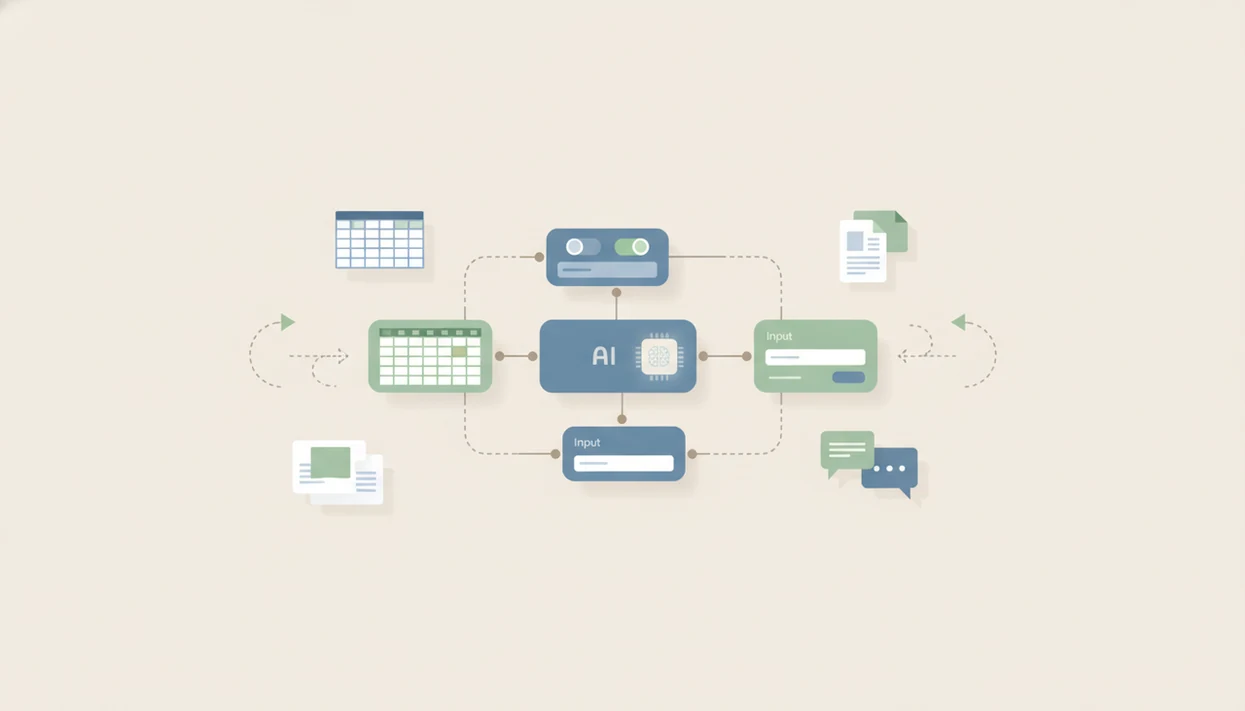
For anyone asking "what is no-code AI," it means using visual builders, templates, prompts, and integrations to create AI-powered apps, automations, and workflows without writing programming code. These tools let non-developers add features such as chatbots, document processing, predictions, and smart routing to business processes while still requiring testing, governance, and data judgment.
> Definition: No-code AI means AI features packaged inside visual app builders, automation tools, and workflow platforms so users can configure intelligent systems without writing code.
TL;DR
- No-code AI helps non-developers build AI-powered apps, automations, and workflows through visual interfaces and prebuilt components.
- Most no-code AI platforms hide model selection, infrastructure, deployment, and integrations behind forms, templates, prompts, and rules.
- No-code AI is useful for practical business workflows, but it still needs data judgment, governance, testing, and developer support for complex use cases.
No-Code AI Definition for Apps and Workflow Tools
What is no-code AI? No-code AI is the use of visual configuration, templates, prompts, and integrations to add AI features to apps and workflows without writing programming code.
Instead of opening an IDE, a user might connect a spreadsheet, choose a document extraction template, set a few routing rules, and test the output in a form. The code, APIs, hosting, and model calls are mostly hidden behind menus and settings.
No-code AI usually appears inside app builders, automation tools, workflow platforms, chatbot builders, and document tools. It is less about “AI magic” and more about packaging AI into software steps a business user can operate.
Tools like New AI Blog explain these categories in plain English for non-developers evaluating AI software, especially when the pricing page and privacy settings are harder to read than the product demo.
Five Facts About No-Code AI Tools
- No-code AI platforms let users build, train, and deploy AI features through visual interfaces instead of code. The user still chooses the source data and checks the results.
- Many no-code AI tools are embedded inside app builders, automation tools, and workflow platforms. They often show up as one step in a larger process, not as a separate AI system.
- The platform handles technical work such as model selection, parameter tuning, training, deployment, and hosting. That abstraction is useful, but it can hide important tradeoffs.
- Citizen developers in marketing, HR, operations, sales, support, and finance use these tools. Gartner predicted that 70% of new enterprise applications would use low-code or no-code technologies by 2025 (Gartner low-code forecast), and Google Cloud reported that 82% of IT decision-makers saw citizen developers as very or extremely important (Google Cloud citizen developer study).
- No-code AI still has limits around customization, governance, transparency, compliance, and advanced model control. A sticky note with a refund policy is not enough governance.
For non-developers, no-code AI is often easier than custom AI development because the platform handles setup, hosting, and integrations.
How No-Code AI Workflow Steps Work Behind the Scenes
No-code AI workflows usually follow a simple chain: connect data sources, choose a template or AI component, configure prompts or rules, test outputs, and deploy the result into an app or automation. Behind the interface, the platform abstracts model training, model selection, APIs, infrastructure, deployment, and basic monitoring.
A typical setup might pull from forms, CRMs, spreadsheets, help desks, document stores, dashboards, and messaging tools. The platform turns those connections into inputs and sends AI outputs into the next workflow step.
Still, the user makes technical decisions. You decide whether “high priority” means a confidence score above 80%, whether a human must approve a summary, and what happens when a file is missing. We usually test with something low-stakes first, like “Q3 campaign notes.docx,” before connecting sensitive folders.
The progress spinner matters. Wait for the second run too.
How to Use No-Code AI in a Workflow
Use no-code AI by starting with a narrow workflow where the inputs, outputs, and review point are easy to inspect. Treat the first build as a controlled pilot, not a full production rollout.
- Choose one low-risk process with a clear before-and-after state, such as tagging support tickets, summarizing intake forms, or extracting fields from sample invoices.
- Connect only the data sources you need for that test, rather than granting access to every folder, CRM table, or shared drive on day one.
- Configure the template, prompt, rules, and review step so the AI knows what to produce, when to stop, and who checks uncertain results.
- Run test records and compare the AI output with the result you expected. Keep examples of good, bad, and borderline outputs so the team can tune the workflow.
- Deploy gradually and monitor errors before expanding volume. Document the owner, escalation path, data access, and change history so the workflow does not become an orphaned automation.
No-Code AI Examples in Business Workflows
No-code AI is most useful when AI decisions are embedded into forms, dashboards, approvals, and multi-step automations. The value is not just generating text; it is moving work to the right next step.
Common platform examples include Zapier and Make for automations, Airtable and Bubble for app-style workflows, Microsoft Power Platform for enterprise processes, and DataRobot or Akkio for predictive AI; they differ mainly in connectors, governance, pricing, and model control.
AI chatbot builders
An AI chatbot builder can answer common customer or employee questions from an approved source document. If you are comparing bot types, the AI agent vs chatbot vs assistant difference matters because a chatbot may only respond, while an agent may take actions.
AI document processing workflows
An AI document workflow can extract invoice fields, classify contracts, or summarize intake forms. We like to test these with a shared folder that contains harmless sample invoices before uploading real vendor records.
AI routing and scoring automations
AI routing and scoring tools can rank leads, assign support tickets, or flag records for review. A support ticket router, for example, can read message text and send billing complaints to finance before the queue backs up.
No-Code AI Platform Examples
No-code AI platform examples fall into a few practical groups: automation, app-building, chatbot, document processing, and AutoML. The right shortlist depends on the workflow buyer, not on a universal “best” tool.
- Match automation platforms such as Zapier, Make, or n8n to teams that need to connect apps, classify records, draft messages, or route tasks across SaaS tools. Check connector permissions and run limits first.
- Consider app-building platforms such as Airtable, Bubble, Glide, or Microsoft Power Apps when operations teams need forms, dashboards, approvals, and lightweight internal tools with AI steps inside them.
- Compare chatbot builders such as Intercom, Botpress, Voiceflow, or Chatbase when support, HR, or sales teams need question-answering from approved content. Data retention and handoff controls matter here.
- Review document AI tools such as Docparser, Rossum, Google Document AI, or Azure AI Document Intelligence for invoices, forms, contracts, and claims where extraction accuracy needs sample testing.
- Use AutoML platforms such as DataRobot, Akkio, or Google Vertex AI AutoML when analysts need predictions from structured data. These usually expose more model, governance, and developer-access options than simple workflow builders.
No-Code AI vs Low-Code AI vs Traditional AI Development
No-code AI is configuration-first, low-code AI mixes visual tools with developer extensions, and traditional AI development relies on code for maximum control. The difference between code AI and no-code AI is who builds the system and how much of the technical stack they can change.
| Approach | Who uses it | Coding required | Control level | Best fit |
|---|---|---|---|---|
| No-code AI | Business users, analysts, operations teams | None or very little | Lower to moderate | Internal workflows, chatbots, document extraction, simple predictions |
| Low-code AI | Technical operators and developers | Some | Moderate to high | Custom integrations, reusable components, governed business apps |
| Traditional AI development | Developers, ML engineers, data scientists | Heavy | Highest | Proprietary models, regulated systems, complex infrastructure |
Low-code and no-code can overlap in real products. If the cursor is hovering over an upgrade button, check whether the feature you need requires custom code, premium connectors, or developer access.
7 No-Code AI Use Cases Where AI Without Coding Makes Sense
Where does AI without coding make sense? It works best for repetitive workflows where the inputs, rules, review points, and desired outputs are clear.
Good fits include internal tools, customer support triage, document extraction, marketing operations, reporting, data enrichment, and simple prediction tasks. A marketing team might paste a campaign brief into a prompt box, generate first-draft segments, and push approved records into a spreadsheet. For readers comparing categories, New AI Blog focuses on practical decision help for AI apps, agents, automation tools, and non-developer software guides.
Poor fits include highly regulated decisions, novel machine learning research, complex proprietary models, mission-critical systems without oversight, and workflows needing deep customization. According to McKinsey’s 2023 State of AI survey, 55% of organizations reported using AI in at least one business function (McKinsey State of AI report). IDC also projects continued growth in worldwide AI spending, but treat spending forecasts as directional rather than proof that a specific no-code tool will work for your workflow (IDC AI spending forecast). Adoption is rising, but review still matters.
For routine business operations, AI without coding usually works best when a human can review exceptions before the workflow affects customers, money, or compliance.
No-Code AI Platform Myths That Cause Bad Workflow Decisions
No-code AI myths lead teams to buy the wrong platform or trust a workflow too early. The safest approach is a step-by-step test, not a demo-only decision.
One myth says no-code AI is only toy AI. In reality, it can support serious document processing, support triage, and internal app workflows when configured and governed well.
Another myth says no-code AI requires no technical thinking. Not true. Users still need to understand data quality, rules, workflow design, and output review. If a two-page meeting transcript produces invented action items, the problem is not cosmetic.
A third myth says no-code AI replaces developers and data scientists. Experts are still needed for complex integrations, custom models, governance, security reviews, and scaling. If you want agent-like systems, start with AI agents explained before assuming a no-code builder can safely act on its own.
Also, no-code AI tools are not all the same. Chatbots, app builders, automation tools, AutoML tools, and document workflows solve different jobs.
Understanding Results
No-code AI tools can help non-developers build useful AI apps, AI agents, and automation workflows without writing code. Treat them as configurable software that still needs privacy review, evaluation, testing, and human oversight before real business use.
This guide works best when
- Building simple AI apps from forms, spreadsheets, and templates
- Automating repeatable workflows like routing, summaries, and document intake
- Testing ideas quickly before investing in custom development
- Connecting common business tools with prebuilt integrations
- Helping small teams prototype AI agents with clear approval steps
This guide may be less accurate when
- Handling sensitive data without checking privacy, training, and access settings
- Replacing evaluation with a product demo or sample output
- Managing complex logic, edge cases, or regulated workflows without technical review
- Staying reliable when APIs, field names, permissions, or source data change
- Avoiding vendor lock-in when prompts, schemas, and workflow history are hard to export
Read more
FAQ
What does no coding in AI mean?
No coding in AI means configuring AI features with visual tools, prompts, templates, and settings instead of writing programming code. The user still needs to understand the data, workflow goal, and review process.
How does no-code AI work?
No-code AI works by connecting data, selecting an AI component, configuring rules or prompts, testing outputs, and deploying the result into a workflow. The platform hides much of the model, API, and infrastructure work.
Is ChatGPT a no-code platform?
ChatGPT can be used without coding, but it is not the same as a full no-code app builder or workflow automation platform. It is mainly a conversational AI interface unless connected to broader workflow tools.
What is AI without coding?
AI without coding means using AI capabilities through interfaces that hide programming, infrastructure, and model deployment. It usually relies on forms, visual builders, templates, prompts, and integrations.
Who uses no-code AI tools?
Typical users include operations teams, marketers, HR teams, support teams, analysts, founders, and citizen developers. Developers may also use no-code AI for prototypes or internal tools.
Can no-code AI build apps?
Yes, no-code AI can power internal apps, forms, dashboards, chatbots, and automations, depending on the platform. More advanced apps may still need developer support.
Does no-code AI replace developers?
No-code AI reduces developer dependency for simple workflows, but it does not replace developers for complex, secure, or scaled systems. Developers are still important for integrations, governance, and custom architecture.
Is no-code AI safe?
No-code AI can be safe when data handling, permissions, audit logs, testing, human review, and compliance controls are strong. It is risky when sensitive data is uploaded without review or when AI outputs trigger actions automatically.