
Tool That Can Create AI Agents With Guardrails
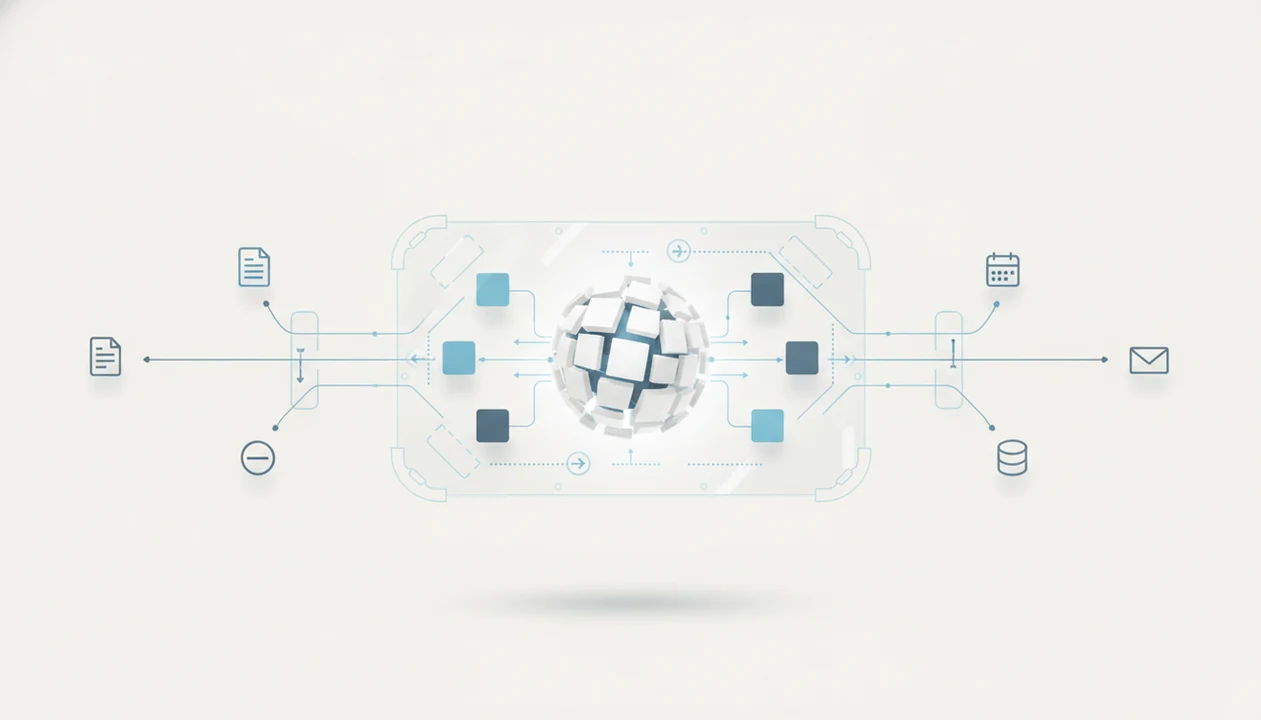
A tool that can create AI agents should let you build task-running workflows while controlling what the agent can see, change, approve, and log. The safest choice is usually not the most autonomous tool, but the one with the clearest integrations, permissions, human approvals, test runs, audit logs, and rollback options.
> Definition: An AI agent creation tool is software that combines an LLM, workflow logic, connected tools, permissions, and monitoring so an AI system can complete multi-step tasks within defined operating limits.
TL;DR
- Choose an AI agent creation tool by checking integrations, permissions, logs, approvals, testing, and pricing before model quality.
- Start agents in read-only or draft-only mode, then add write access only after tests show predictable behavior.
- Avoid treating no-code agent builders as safe by default because broad app access, hidden prompt logic, and weak logging can create real operational risk.
What a Tool That Can Create AI Agents Actually Does
An AI agent creation tool is software that combines an LLM, workflow logic, connected tools, permissions, and monitoring so an AI system can complete multi-step tasks within defined operating limits.
In plain English, it helps you build a task-doing AI system, not just a chat window. A simple chatbot answers when you ask. An agent can receive a goal, check a source document, call an app, draft an update, wait for approval, and move to the next step. That difference matters in the AI agent vs chatbot vs assistant comparison.
Most agent builders include five parts: the language model, a workflow engine, app integrations, memory, and action permissions. No-code and low-code tools hide much of the setup behind blocks, forms, triggers, and prompt boxes. That helps non-developers, but it does not remove the need to decide what the agent is allowed to touch.
The permission screen is where the real product lives.
Five Facts About AI Agent Creation Tool Safety
- A modern AI agent creation tool combines an LLM with tools, memory, APIs, and workflow logic so it can plan, act, observe results, and adjust its next step.
- Many platforms now support no-code or low-code agent building with blocks, prompts, triggers, and app connectors instead of custom code.
- Safe operation depends on scope, hard limits, and the difference between read access, draft access, and write access.
- Evaluation must include security controls, audit logs, human approvals, rate limits, error handling, and clear failure modes.
- The market is changing quickly, so portability, model switching, export options, and hosting choices matter before a team commits.
A review video paused during claims can make every tool sound mature. Then you open the settings panel and find the data retention option three clicks deep. Slow down there. The safest agent is usually the one you can inspect, limit, and pause without asking a developer to rescue the workflow.
How an AI Agent Creation Tool Works
An AI agent creation tool works by running an agent loop: receive a goal, plan steps, call tools, observe results, revise the plan, and complete or escalate the task. The language model supplies reasoning and text generation, while the workflow engine decides when each step runs.
For external context, IBM describes AI agents as systems that can use reasoning, memory, and tools to pursue goals across multiple steps: IBM data breach cost report.
Integrations connect the agent to apps such as email, CRM, ticketing, spreadsheets, databases, calendars, or file storage. Memory stores useful context, such as a customer’s last ticket or a project rule. Permissions define what the agent can read, draft, send, delete, or change.
Probabilistic model is the technical phrase to remember. It means the model predicts likely outputs rather than following fixed instructions like a calculator. That is why multi-step agents can be slower, more expensive, and less predictable than one-shot prompts.
For a low-stakes test, paste a two-page meeting transcript into a trial account and check whether the agent invents action items. If it does, the workflow needs tighter instructions, better source grounding, or a human approval step.
Requirements Before You Create AI Agents Without Code
What do you need before you create AI agents without code? You need a clear workflow goal, source apps, data access rules, user roles, approval rules, and test cases before choosing the builder.
Start with a low-risk internal task. Good first candidates include summarizing support tickets, preparing a weekly report, classifying leads, or drafting CRM notes. Avoid customer-facing replies, payment changes, account closures, and production database writes until the agent has passed repeated tests.
You also need scoped API keys, sandbox data, and a named human owner. Scoped means the credential only allows the actions required for that one workflow. A company laptop on public Wi-Fi is not the place to connect a broad admin token.
No-code tools can make risky decisions feel harmless because access is granted through friendly toggles. If you are still unsure what the category includes, what is no-code AI is the better starting point than a pricing page.
Examples of Tools That Can Create AI Agents
Tools that can create AI agents fall into a few practical groups: no-code builders, automation platforms, developer frameworks, and enterprise agent platforms. Microsoft Copilot Studio, Zapier Agents, Relevance AI, LangGraph, and CrewAI are useful category examples, not final recommendations.
For non-developers, no-code and automation tools are usually the easiest starting point. Microsoft Copilot Studio fits teams already working inside Microsoft apps, while Zapier Agents is closer to workflow automation across many common SaaS tools. Relevance AI sits in the builder category too, with templates and agent-style workflows that can help business teams prototype faster.
Technical teams usually look harder at frameworks such as LangGraph and CrewAI because they allow more control over orchestration, state, code, testing, and deployment. That control is useful, but it also means more engineering responsibility.
- Start by choosing the category that matches your team’s skill level.
- Check whether the tool connects to the apps your workflow actually uses.
- Compare permissions, logs, approvals, and sandbox testing before autonomy.
- Treat vendor names as a shortlist for evaluation, not a buying decision.
How to Use an Agent Workflow Tool Safely
Use an agent workflow tool safely by starting narrow, limiting access, testing with real examples, and reviewing logs before expanding permissions. For non-developers, draft-only mode is often safer than full automation because it gives the agent useful work without letting it silently change business records.
1. Define the agent task
- Set one goal for the agent, such as “draft a reply from approved help-center articles.”
- Define success, failure, forbidden actions, and the human owner for the workflow.
2. Connect limited data sources
- Connect only the apps and files needed for the task, using sandbox data where possible.
3. Set permissions and approvals
- Restrict the agent to read-only, draft-only, or approval-required actions before granting write access.
4. Test the workflow in a sandbox
- Test normal cases, messy cases, and adversarial examples before production use.
5. Review logs before scaling
- Review logs, costs, errors, approval queues, and rate limits before expanding access.
If behavior changes after a model update or connector change, pause the agent and reset permissions. A campaign brief pasted into a prompt box can look fine on Monday and produce different routing on Friday.
AI Agent Creation Tool Comparison Criteria
Compare AI agent creation tools by operational controls first, then model quality. Guardrails, logs, approvals, and export options matter because an agent can touch live systems, not just generate text.
Common tools people compare in this category include Microsoft Copilot Studio, Zapier Agents, Relevance AI, LangGraph, CrewAI, and Make, but they differ sharply in no-code setup, developer control, hosting, and governance.
| Criterion | What to check | Why it matters |
|---|---|---|
| Integrations | Email, CRM, docs, databases, ticketing, calendars | The agent is only useful if it reaches the right source systems. |
| Permissions | Read, draft, write, delete, admin, scoped keys | Small permission differences create large risk differences. |
| Audit logs | Step history, tool calls, user approvals, error records | Logs help you investigate bad actions and prove what happened. |
| Approvals | Human review queues, escalation rules, override controls | Approval gates keep sensitive work from running unattended. |
| Testing tools | Sandbox mode, replay, test datasets, edge-case checks | Agents need repeatable tests before production. |
| Hosting | Cloud, private cloud, self-hosted | Hosting affects data residency, control, and vendor lock-in. |
| Model choice | Default model, model switching, bring-your-own model | Portability helps when price, quality, or policy changes. |
| Pricing | Runs, tokens, seats, connectors, annual billing | The gray monthly-to-annual toggle can hide the real cost. |
Cloud platforms are easier to start. Self-hosted options may fit stricter data or compliance needs, but they usually require more technical maintenance. For a broader buying process, use how to evaluate AI tools before comparing demos.
Best AI Agent Use Cases for Non-Developers
The best AI agent use cases for non-developers are narrow, repeatable, and easy for a human to review. Support triage, research summaries, CRM updates, data cleanup, and internal reporting are better starting points than open-ended autonomous work.
- Support triage: The agent labels tickets, suggests priority, and drafts replies from approved articles. Keep replies approval-gated at first.
- Research summaries: The agent collects source links and prepares a short brief. Human review should confirm claims and sources.
- CRM updates: The agent drafts call notes or next steps. Avoid direct field changes until logs look reliable.
- Data cleanup: The agent finds duplicates, inconsistent names, or missing fields. Deletions should require approval.
- Internal reporting: The agent gathers weekly updates and drafts summaries for managers.
Customer support is one of the more evidence-backed areas. A 2023 MIT-Stanford study found that access to a generative AI tool increased support worker productivity by 14% on average, with larger gains for less-experienced workers Nber reference.
Good AI apps coverage should explain what the tool does, where it gets awkward, and what to check before uploading work files, not just list logos and launch dates. That is the practical lens New AI Blog uses for non-developers.
New AI Blog treats agent tools as workflow software first and model demos second. That is why this guide emphasizes permissions, audit trails, and review queues before launch-day novelty.
Common Mistakes When Choosing an AI Agent Tool
The most common mistake is assuming no-code means no risk. A friendly builder can still create an agent with broad write access to a CRM, inbox, spreadsheet, or production database.
Do not connect agents directly to production systems with broad permissions. Start in read-only or draft-only mode. Then add write access only after sandbox tests, log reviews, and approval rules are working. For small teams, this usually prevents more damage than picking a slightly smarter model.
Another mistake is evaluating only the underlying model. Model quality matters, but permissions, monitoring, cost controls, rollback planning, and failure behavior matter more once the agent can act. Three browser tabs of AI dashboards will not tell you how the tool handles a bad connector response.
Also be skeptical of autonomous marketing claims. Test the same workflow in your own environment, with your messy file names, missing fields, and odd customer phrasing.
Verification Checklist for an AI Agent Workflow Tool
Verify an agent workflow tool by checking access control, testing depth, monitoring, privacy terms, and ownership before launch. A tool is not ready for production just because the demo task worked once.
These checks also line up with common AI risk controls around governance, monitoring, access management, and incident response in the NIST AI Risk Management Framework: Nist reference.
- Confirm role-based access control for admins, builders, reviewers, and viewers.
- Use scoped credentials instead of broad app or database access.
- Require human approval for write actions, sensitive records, and customer-facing outputs.
- Check audit logs for prompts, tool calls, approvals, errors, and final actions.
- Review rate limits, cost alerts, failure alerts, and retry behavior.
- Confirm sandbox testing, rollback options, and pause controls.
- Read the pricing and privacy pages together, especially retention and training terms.
- Test normal, edge-case, and adversarial examples before launch.
- Document the owner, review cadence, and escalation path.
Open a new tool in a spare Gmail account before connecting work files. It is a small habit, but it catches surprise permissions early. For category options, the best AI agent builders for non-coders guide can help narrow the list.
Evidence Behind These AI Agent Safety Checks
The safety checks above are not just cautious habits. They reflect established AI risk guidance from the NIST AI RMF and practical LLM security guidance from OWASP on tool access, prompt injection, and data exposure.
Use those references as a floor, not a guarantee. Agent reliability is still hard to benchmark because each workflow depends on its model, tools, data, prompts, permissions, and users.
- Map the agent’s task, connected systems, data types, and possible harms before granting access.
- Limit tools and credentials so the agent can only reach the apps and fields needed for that workflow.
- Gate high-impact actions such as payments, deletions, account changes, production database writes, and customer replies behind human approval.
- Monitor prompts, tool calls, errors, refusals, costs, and final actions so failures can be investigated instead of guessed.
- Test normal cases, messy real cases, and prompt-injection attempts before expanding autonomy.
- Recheck results after model updates, connector changes, or policy changes because agent-specific benchmarks are still immature and context-dependent.
The practical takeaway is simple: treat every connected agent like junior workflow software with a fast keyboard and uneven judgment.
Understanding Results
AI tools can help non-developers build useful automation, but AI agents still need verification, privacy checks, and realistic expectations. Treat any agent builder as a controlled workflow system, not an unsupervised employee.
This guide works best when
- Draft-only or read-only AI agents with human approval before changes
- Repetitive workflows across AI apps with clear inputs, rules, and permissions
- Agent builders that show logs, test runs, rollback options, and pricing per step
- Automation where privacy settings, data retention, and training controls are easy to review
- Evaluation tasks where outputs can be checked against source documents or known criteria
This guide may be less accurate when
- Open-ended tasks where the agent must guess goals, context, or business rules
- Write actions in live systems without approval queues or rollback plans
- No-code AI tools that hide permissions, prompts, data access, or security settings
- Multi-step agents that may call the wrong tool, skip instructions, or vary across runs
- Sensitive data workflows where privacy terms, hosting, or training controls are unclear
Read more
FAQ
What tools can create AI agents?
No-code builders, workflow automation tools, developer frameworks, and enterprise AI platforms can create AI agents. The right type depends on integrations, governance needs, technical skill, and budget.
Can I build agents without code?
Yes, many tools support no-code or low-code agent creation with prompts, blocks, triggers, and app connectors. You still need to define workflow logic, permissions, test cases, and approval rules.
Are AI agents safe by default?
No, AI agents are not automatically safe by default. They need scoped access, human approvals, sandbox testing, logs, monitoring, and a clear owner.
What can AI agents do?
AI agents can triage support tickets, summarize research, enter data, prepare reports, update CRM records, and automate internal workflows. Sensitive or customer-facing tasks should usually stay approval-gated.
What is an agent workflow tool?
An agent workflow tool connects AI reasoning to triggers, apps, data, actions, and controls. It lets a user design how an agent receives work, uses tools, and completes or escalates tasks.
Which Microsoft tool creates agents?
Microsoft Copilot Studio is commonly used to build copilots and agent-like workflows in Microsoft environments. It is often considered when teams already use Microsoft 365, Teams, Power Platform, or Dynamics.
Can ChatGPT build AI agents?
ChatGPT can help design agents, write prompts, draft logic, and run some agent-like workflows. Dedicated agent platforms are often needed for integrations, permissions, audit logs, and governance.
Do agents need human approval?
Human approval is strongly recommended for write actions, customer-facing responses, financial changes, and sensitive data workflows. Draft-only mode is usually a safer starting point than unattended automation.