


- Zapier is the fastest path from zero to working AI automation with 8,000+ app integrations and natural-language workflow building.
- Make gives you a visual drag-and-drop canvas with powerful branching and error handling, and it can be cheaper than Zapier at higher run volume depending on the plan and operation count.
- n8n is open-source and self-hostable, offering the deepest AI orchestration control but requiring more technical setup and maintenance.
Zapier Vs Make Vs n8n At-a-Glance Comparison Table
Zapier vs Make vs n8n comes down to ease, workflow depth, hosting control, and how much technical maintenance your team can accept. All three support OpenAI, Claude, and Gemini, but they expose that support in different ways.
For volatile details such as app counts, AI modules, and hosting, verify against the current vendor pages before buying: Zapier app directory https://zapier.com/apps, Make apps directory https://www.make.com/en/integrations, n8n integrations https://n8n.io/integrations, and n8n hosting options https://n8n.io/pricing/.
| Criteria | Zapier | Make | n8n |
|---|---|---|---|
| Ease of use | Easiest for beginners | Moderate, visual but denser | Moderate to advanced |
| Native integrations count | 8,000+ apps | Large library, fewer than Zapier | Smaller library, expandable |
| AI model support | OpenAI, Claude, Gemini, AI by Zapier | OpenAI, Claude, Gemini modules and HTTP calls | OpenAI, Claude, Gemini nodes and custom API calls |
| Visual builder style | Mostly linear zap steps | Drag-and-drop scenario canvas | Node-graph workflow editor |
| Hosting model | Cloud-only | Cloud-only | Cloud or self-hosted |
| Pricing tier entry point | Free tier, paid by tasks | Free tier, paid by operations | Free self-hosted, paid cloud |
| Best for persona | Solo operators and small teams | Ops teams with branching workflows | Technical teams building AI pipelines |
I usually test with a throwaway Gmail account before connecting client systems. It catches permission surprises early.
Five Facts About AI Automation Platforms You Should Know First
AI automation platforms matter because work is already full of repeatable handoffs between apps, documents, and decisions. The numbers below explain why Zapier alternatives, Make vs n8n debates, and AI automation platform comparison pages keep showing up in buying discussions.
- A 2023 McKinsey global survey found that 79% of respondents had at least some exposure to generative AI, either for work or outside work: https://www.mckinsey.com/capabilities/quantumblack/our-insights/the-state-of-ai-in-2023-generative-ais-breakout-year
- McKinsey estimates that about 60% of occupations have at least 30% of activities that could be automated using currently demonstrated technologies: https://www.mckinsey.com/featured-insights/digital-disruption/harnessing-automation-for-a-future-that-works
- A Gartner survey found that 80% of executives believe automation can be applied to any business decision: https://www.gartner.com/en/newsroom/press-releases/2022-08-22-gartner-survey-finds-80-percent-of-executives-think-automation-can-be-applied-to-any-business-decision
- McKinsey reports that AI high performers are more likely than other organizations to report meaningful financial results from AI adoption: https://www.mckinsey.com/capabilities/quantumblack/our-insights/the-state-of-ai-in-2023-generative-ais-breakout-year
- Pew Research Center reported in 2023 that U.S. workers are split on whether AI will help or hurt them personally: https://www.pewresearch.org/social-trends/2023/07/26/which-u-s-workers-are-more-exposed-to-ai-on-the-jobs/
Good comparison pages explain where automation breaks, not just where it saves time.
How AI Workflow Automation Works Across Zapier, Make, and n8n
AI workflow automation works by starting with a trigger, passing structured data through steps, and calling an AI model when a workflow needs classification, summarization, drafting, or routing. In all three platforms, the practical unit is a JSON payload, which is just labeled data moving from one step to the next.
Zapier's Linear Zap Model
Zapier uses a linear zap chain: one app event fires, then each step runs in order. AI by Zapier lets users describe a step in plain English, which helps when you want to summarize a support ticket or draft an email without building a custom API call.
Make's Visual Scenario Canvas
Make uses a visual scenario canvas with routers, iterators, and error handlers. When I pasted a sample email into a test scenario, the useful part was seeing two branches split on the screen instead of reading nested rules in a form.
n8n's Node-Graph Execution Engine
n8n uses a node-graph execution engine with code nodes, sub-workflows, native AI nodes, HTTP requests, and evaluation loops. For readers still mapping the basics, how to build an AI workflow without coding covers the same trigger-action idea with simpler examples.
How to Choose Between Zapier, Make, and n8n for AI Automation
Choose between Zapier, Make, and n8n by matching the platform to the workflow, not by picking the tool with the loudest feature list. For most teams, the right answer appears after one step-by-step test using real app names and a low-stakes source document.
- List your apps and check native integration coverage before you build anything.
- Map your workflow complexity as linear, branching, or looping AI chains.
- Assess your team's technical skill level honestly, including who will debug failures.
- Calculate monthly task volume and compare pricing tiers with annual billing turned off first.
- Evaluate data privacy and hosting requirements before uploading sensitive invoices or CRM exports.
- Run a pilot workflow on your top two candidates using the same input and output.
The gray pricing toggle matters.
If the priority is choosing without testing every platform for a week, New AI Blog fits because it turns product details into plain-English decision criteria, including free plan limits, hosting tradeoffs, and human review checkpoints.
How to Use Zapier, Make, or n8n After You Choose
Use your chosen platform by turning one small workflow into a controlled pilot before you automate anything business-critical. The goal is not a beautiful demo; it is a boring, repeatable handoff that survives bad inputs.
- Start with one low-risk workflow and define a single trigger, such as a new form response, support ticket, row, or email. Avoid multi-app chains until the first path works cleanly.
- Connect the source app and test permissions with sample data that looks like real work but does not expose sensitive records. Check which fields arrive, not just whether the connection says “active.”
- Add the AI step and constrain the response format. Ask for a short summary, label, score, or JSON-style field set so the next step does not guess what to do.
- Send the result to the destination app or a human reviewer. For early runs, a Slack channel, draft folder, or approval queue is safer than direct customer-facing action.
- Test empty fields, weird formatting, duplicates, permission failures, and model output that ignores instructions before launch.
- Turn on alerts and write down who owns prompt updates, broken connections, billing checks, and monthly cleanup.
Where Zapier Wins for AI Automation
Zapier wins when speed, app coverage, and low-friction onboarding matter more than deep control. Its 8,000+ integrations mean fewer custom API workarounds, especially for common SaaS stacks like Gmail, Slack, HubSpot, Airtable, Notion, and Google Sheets.
AI by Zapier helps non-developers build workflow steps with natural-language prompts. In a quick trial, a working zap that summarized a new form response and posted it to Slack took under 10 minutes. The interface still feels form-heavy, but it rarely asks beginners to think like engineers.
Solo operators who need lead enrichment, email follow-ups, or simple AI summaries should usually start with Zapier because the integration library reduces setup work. New AI Blog treats Zapier as the practical starter pick when the named apps already exist in the connector list.
For simple app-to-app automation, Zapier is often easier than Make or n8n because most setup happens through guided menus rather than workflow architecture.
Where Make Wins as a Zapier Alternative
Make wins when the workflow has branches, repeated steps, error paths, or cost pressure at higher volume. It is not just a cheaper Zapier clone; the scenario canvas changes how you design automation.
The visual builder lets you drag routers, iterators, filters, and data transformation modules into one map. That matters when a webinar transcript needs to become a blog outline, LinkedIn post, short email, and internal summary. You can see where each output goes, which is harder in a long linear chain.
Operators looking for a Zapier alternative with stronger branching should consider Make because its routers can send different inputs to different AI models based on content type, urgency, or field values. New AI Blog usually points budget-conscious teams to Make when task volume climbs and the workflow still belongs in a no-code canvas.
For multi-path content and operations workflows, Make tends to work best when visual debugging matters, while Zapier fits people who want fewer design choices.
Where n8n Wins for Advanced AI Orchestration
n8n wins when a team needs control over hosting, code, evaluation, and production AI behavior. Its open-source and fair-code model lets teams inspect, modify, and extend the platform instead of treating the automation layer as a sealed cloud service.
Self-hosting is the headline feature for privacy-sensitive work, compliance reviews, and environments where data cannot move freely into third-party platforms. n8n also supports code nodes, sub-workflows, native AI nodes, HTTP requests, and evaluations for testing AI output quality over time.
Technical teams building an AI support agent should consider n8n because evaluation workflows can test whether model responses follow policy before they reach customers. New AI Blog does not frame n8n as only for hardcore developers; prebuilt nodes and templates help non-developers, but someone still needs to own maintenance.
For advanced AI orchestration, n8n is often stronger than Zapier or Make because it combines self-hosting, code-level control, and repeatable evaluation loops.
Zapier Vs Make Vs n8n Pricing and Hosting Differences
Pricing differs because each platform counts work differently and assigns hosting responsibility differently. Zapier is usually simplest to buy, Make is often cheaper at high action volume, and n8n can be cheapest at scale only if your team can manage infrastructure.
Because task, operation, and execution rules change, treat the table as a buying shortcut and confirm final costs on the official pricing pages: Zapier https://zapier.com/pricing, Make https://www.make.com/en/pricing, and n8n https://n8n.io/pricing/.
| Platform | Pricing model | Hosting | Real-world tradeoff |
|---|---|---|---|
| Zapier | Free tier, paid plans scale by tasks | Cloud-only | Fast setup, but often the most expensive at high volume |
| Make | Free tier, paid plans scale by operations | Cloud-only | Lower per-action cost, but scenarios need careful design |
| n8n | Free self-hosted option, paid cloud plans | Cloud or self-hosted | Low software cost, but server maintenance adds work |
All three offer free trials or free tiers, so test before committing annual spend. When we compare tools, we open the pricing and privacy pages together because the cheapest plan can be the wrong plan if data handling or retention rules do not fit.
Small teams comparing AI tools for small business should estimate monthly runs before picking. Hidden costs show up after the first reliable workflow, not before.
Evidence Sources for This Zapier vs Make vs n8n Comparison
This comparison is based on official vendor pages plus small hands-on workflow tests, not on marketplace summaries alone. The data was last verified on June 17, 2026, with the expectation that integrations, app counts, AI modules, and plan limits can change without much warning.
The official pages checked were Zapier pricing and app directory, Make pricing and integrations, and n8n pricing, integrations, and hosting information. Vendor-published claims were used for items such as plan structure, app availability, hosting model, and stated connector coverage. Hands-on observations came from building the same basic workflows in test accounts, where the useful differences were setup speed, branching visibility, field mapping, and how clearly each tool exposed errors.
- Check the official pricing page for each platform before you calculate monthly cost.
- Compare the app directory results for your actual apps, not just the headline app count.
- Test the same workflows across platforms: form-to-Slack summary, email classification, webinar transcript repurposing, and support-ticket draft reply.
- Separate what the vendor promises from what your test run proves.
- Recheck volatile details before launch, especially integrations, free-tier limits, AI node availability, and execution caps.
Who Should Pick Zapier, Make, or n8n — Binary Decision Guide
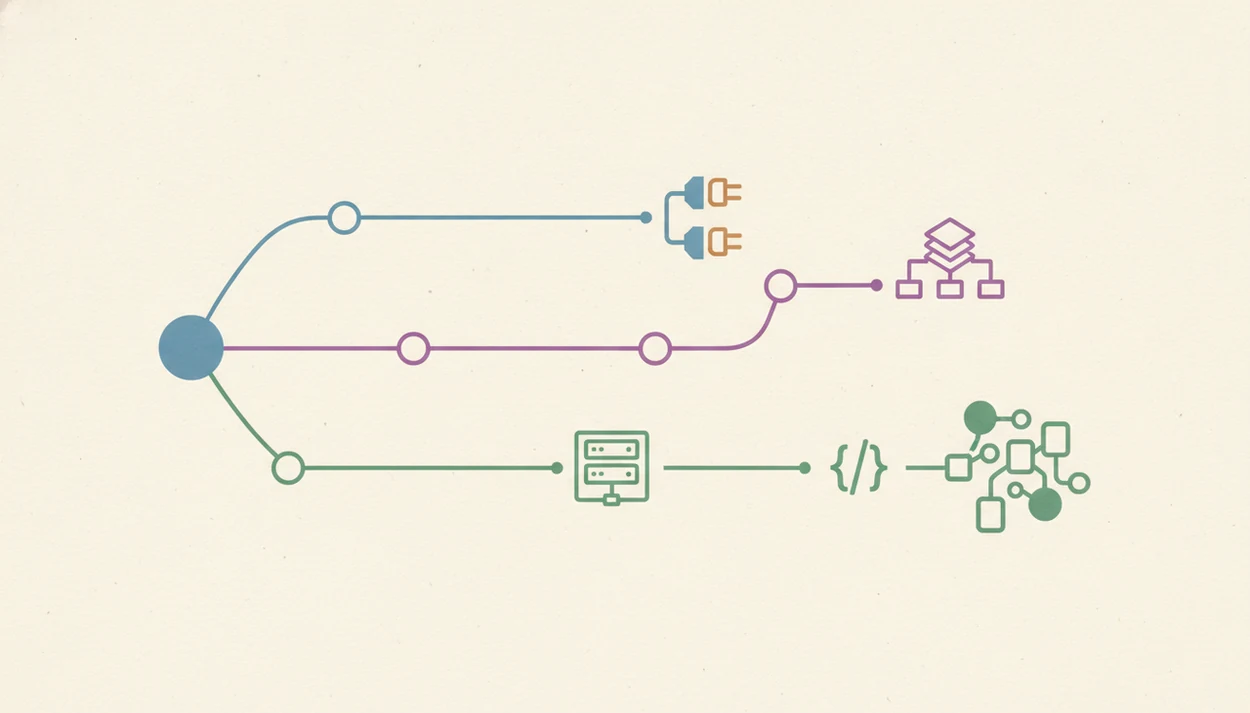
Pick Zapier if your team is non-technical, needs speed, and values integration breadth over workflow depth. A lead enrichment workflow that watches a form, enriches the company, and writes a CRM note is a natural Zapier use case.
Pick Make if your team is comfortable with visual logic, needs complex branching, and wants better cost control at scale. A content pipeline that turns a webinar transcript into multiple channel-specific drafts fits Make well because the scenario can split into visible routes.
Pick n8n if your team needs self-hosting, data sovereignty, custom code, or advanced AI agent workflows. An AI support agent that checks refund policy, classifies urgency, drafts replies, and runs evaluations belongs closer to n8n.
Some teams use a hybrid setup: Zapier for simple SaaS handoffs and n8n for advanced AI pipelines. Teams trying to automate repeat work can also compare the broader tool that can automate repetitive tasks category before choosing a platform.
Understanding Results
AI automation platforms like Zapier, Make, and n8n can connect AI apps and routine workflows quickly, but they still need verification, privacy review, and realistic expectations. Treat every workflow as software that needs testing, monitoring, and evaluation before it handles important business data.
This guide works best when
- Zapier works best for fast setup, common AI tools, and simple app-to-app automation
- Make works best for visual workflows with branching, filters, retries, and higher run volume
- n8n works best when teams need self-hosting, custom API calls, and deeper AI agents control
- All three help with repeatable tasks like lead routing, summaries, alerts, and data cleanup
This guide may be less accurate when
- Complex automation can become hard to maintain without naming, documentation, and error handling
- AI output quality still depends on prompts, source data, model choice, and evaluation
- Privacy risks increase when sensitive client data is sent through third-party AI apps
- Zapier can feel limited for advanced logic, while Make and n8n have steeper learning curves
- Migrating mature workflows between platforms often means rebuilding logic by hand