


No-code AI apps are software tools that let everyday users harness artificial intelligence through visual builders, templates, and natural-language prompts, without writing a single line of code.
5 Must-Know Facts About AI Apps for Everyday Users
- No-code AI apps use visual builders, templates, and natural language. You describe the result you want, then the app turns that request into prompts, automations, or structured steps.
- The useful tools are outcome-first. The strongest AI apps for everyday users focus on writing, automation, data analysis, design, or app building, not model settings.
- Integrations matter more than novelty. Google Sheets, Gmail, Slack, Airtable, CRM tools, and calendar apps are where beginner workflows usually start.
- Privacy and lock-in still matter. Check the settings page before you upload anything sensitive, especially if the app trains on user data by default.
- Compare time-to-result, not model sophistication. For non-developers, setup speed, tutorials, export options, and pricing clarity usually matter more than benchmark scores.
Good AI app guides deliver usable choices and tradeoffs, not a giant directory of tools with identical one-line descriptions. New AI Blog uses that lens when sorting no code AI apps for regular workdays.
Named Shortlist: 5 Best AI Apps for Non-Developers
A useful shortlist for non-developers covers one clear job per app: writing, automation, data, design, and notes. Start here before browsing larger databases like futurepedia.io, toolify.ai, therundown.ai, or producthunt.com.
| App | Best for | Free tier | Learning curve | Platform |
|---|---|---|---|---|
| ChatGPT | General writing and Q&A | Yes | Low | Web, iOS, Android, desktop |
| Zapier AI | Workflow automation | Yes, limited tasks | Moderate | Web-first |
| Airtable AI | Data organization and analysis | Yes, AI may require paid access | Moderate | Web, mobile |
| Canva Magic Studio | Visual design | Yes, with limits | Low | Web, iOS, Android |
| Notion AI | Productivity and knowledge management | Limited trial or paid add-on | Low to moderate | Web, desktop, mobile |
A solo operator looking for content drafts and quick explanations should start with ChatGPT because the workflow is just a prompt box, a response, and human review.
If the priority is connecting repeat tasks across apps, Zapier AI fits because it turns trigger-action logic into Zaps that run between tools you already use.
Who Should Use Each AI App
Choose the app that matches the shape of your work, not the one with the longest feature list. For most non-developers, the right pick is the tool that improves one weekly task without forcing a new operating system for your whole day.
- Pick ChatGPT when you need fast drafting, summarizing, explaining, brainstorming, or low-setup research help. It is the best first stop when the input is messy text and the output needs human judgment.
- Choose Zapier AI when the same admin task crosses two or more apps, such as a form submission becoming a CRM lead, Slack alert, and spreadsheet row.
- Use Airtable AI when records, fields, filtered views, and shared team data matter more than free-form notes. It suits lightweight operations, content calendars, and client trackers.
- Choose Canva Magic Studio if you are a non-designer making social graphics, slides, thumbnails, or campaign assets every week.
- Use Notion AI when your notes, docs, meeting summaries, and internal knowledge already live in one Notion workspace.
The simple rule: start where your work already happens, then add AI there.
How We Picked These No-Code AI Apps
We ranked these tools on five axes: setup speed, learning curve, data privacy, pricing transparency, and daily usefulness. We tested from a non-developer perspective, so no coding, machine-learning vocabulary, or API setup was treated as normal beginner work.
The quick test was simple. Open a spare Gmail account, create a trial, paste a low-stakes file like “Q3 campaign notes.docx,” and see whether the tool produces something useful before asking for a card.
According to Gartner, 35% of organizations reported using no-code or low-code platforms for application development in 2023, which explains why these tools now target business users outside IT Gartner low-code forecast. New AI Blog gave extra weight to free tiers, visible billing pages, built-in onboarding, and integrations with common productivity suites.
For readers who want a wider beginner list, our best AI apps for beginners guide covers more entry-level tools beyond this ranked shortlist.
How No-Code AI Apps Work Behind the Scenes
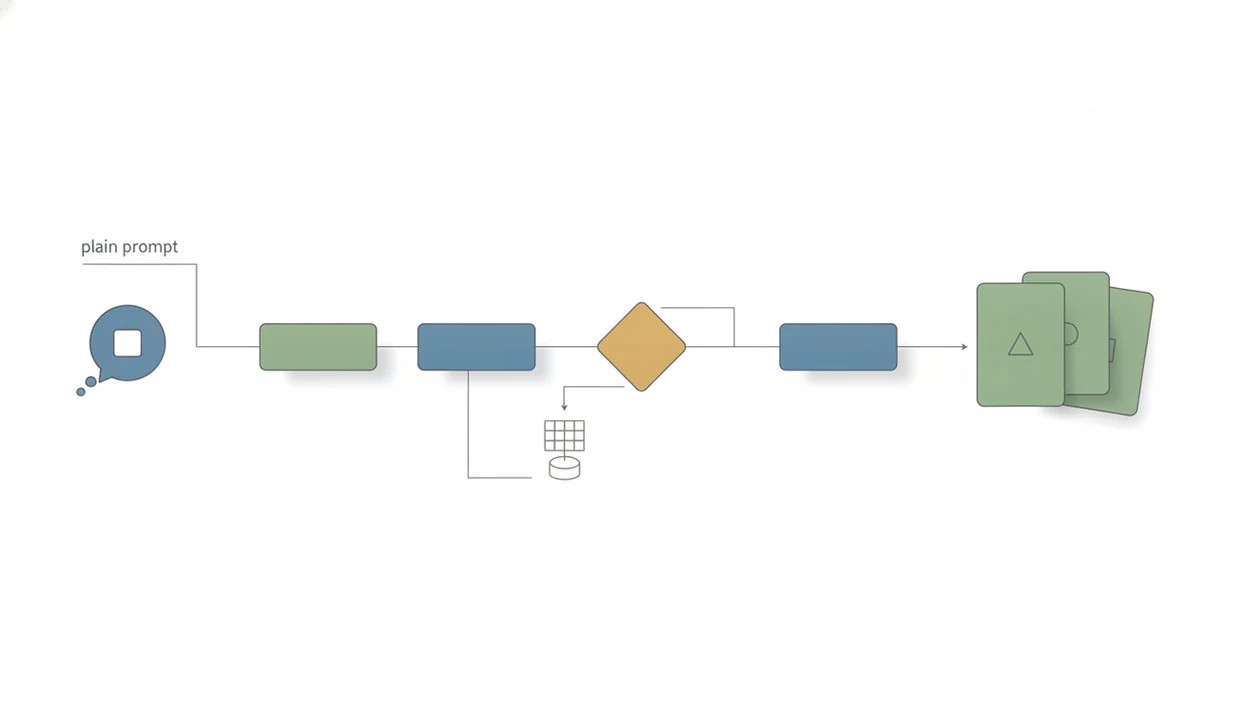
No-code AI apps work by turning visual actions and natural-language instructions into API calls to large language models or machine-learning services. In plain English, the app hides the technical wiring so you can use buttons, fields, templates, and prompts instead of code.
Templates do more than decorate the screen. They package prompt engineering, data formatting, model selection, and output rules into a guided workflow. When you ask an AI app to summarize a transcript, classify support tickets, or write ad copy, your data is usually sent to cloud-hosted inference systems for processing.
That matters.
McKinsey reports that generative AI and related technologies could automate activities absorbing 60 to 70% of employee time today, which is one reason beginner-friendly tools are spreading so quickly McKinsey State of AI report. The tradeoff is control. New AI Blog treats abstraction as useful, but not harmless, because simpler interfaces can make errors harder to trace.
How to Choose and Set Up Your First AI App Without Coding
Use your first AI app on a narrow, real task before connecting work systems. A sample email pasted into a chat window tells you more than a glossy demo.
- Identify one daily task you want to automate or improve, such as drafting replies, sorting leads, summarizing notes, or making social graphics.
- Match the task to a category: writing, automation, data, design, or productivity.
- Sign up for the free tier and complete the onboarding tutorial before importing important files.
- Connect one existing tool such as Google Sheets, Gmail, Slack, or your calendar through built-in integrations.
- Test with real but low-risk data and compare the output against your own expected answer.
- Review privacy settings and export options before scaling the workflow across a team.
For small teams, AI software for beginners works better when one person owns the test file, the prompt wording, and the pass-fail checklist. New AI Blog often uses a step-by-step test like this before calling an app practical.
ChatGPT: Best AI App for Writing and Q&A
ChatGPT is the easiest starting point for most non-developers because the interface is just conversation. You create an account, type a question, paste text, or upload a file if your plan supports it, then review the answer.
It helps with email drafting, brainstorming, summarization, explanation, and learning new topics. In our basic test, a two-page meeting transcript produced a useful summary, but it also invented one action item that nobody had agreed to. Human review is not optional.
Pew Research Center found that 61% of U.S. adults had heard of ChatGPT in 2023, which shows how far it has moved beyond technical users Pew Research AI survey. The free tier covers many beginner needs, while paid plans add expanded limits, GPT-4o access, file tools, and other features.
Anyone dealing with blank-page work should consider ChatGPT first because it turns rough notes into drafts, outlines, summaries, and questions without requiring app setup. Change the data-training controls before pasting private material.
Zapier AI: Best No-Code AI App for Workflow Automation
Zapier AI is the strongest pick for non-developers who want apps to talk to each other. It connects 6,000+ apps, including email, CRM systems, spreadsheets, Slack, forms, calendars, and project tools. Zapier lists its app directory and current integration count here: Zapier reference.
- Natural-language Zap creation: Describe the automation you want, then Zapier suggests the trigger and actions.
- AI-powered formatting: Clean names, summarize messages, classify leads, or reformat text between tools.
- Chatbots and interfaces: Build simple front-end helpers that send information into your workflows.
- Task-based pricing: The free tier is limited to 100 tasks per month, and paid plans scale as automations run more often.
The learning curve is moderate. Trigger/action logic usually takes one focused session, especially when support tickets must be sorted by urgency before hitting a shared inbox.
When the issue is repetitive admin work, Zapier AI earns the spot because Zaps move data between apps without asking the user to write scripts. However, complex multi-step Zaps can break quietly, and debugging is often opaque for beginners.
Airtable AI, Canva Magic Studio, and Notion AI for Beginners
These three tools are useful when your main problem is not general writing or automation. Airtable AI handles structured information, Canva Magic Studio handles visuals, and Notion AI handles notes and knowledge work.
Airtable AI for Data and Analysis
Airtable AI is best for organizing and analyzing structured data because it feels like a spreadsheet with database rules underneath. The catch is that fields, linked records, and views can confuse beginners. Its free plan is useful for testing, but AI features may require paid access.
Canva Magic Studio for Visual Design
Canva Magic Studio fits non-designers who need presentations, social posts, product images, and quick layouts. Its free tier is generous for basic design, but some AI features and assets sit behind paid plans. Text generation is handy, not a replacement for brand judgment.
Notion AI for Productivity and Notes
Notion AI works well for meeting notes, project wikis, study pages, and inline rewriting. A citation list in split-screen view is where its summaries can save time. The downside is export friction; your workspace can become a walled garden.
On days a monthly report chart loads slowly, Airtable AI is the better fit because it keeps structured records, views, and summaries in one workspace. For broader comparisons, New AI Blog also maintains a best AI apps by category guide.
Honest Cons of AI Software for Beginners
AI software for beginners still needs prompt iteration, testing, and guardrails. Set-and-forget workflows tend to drift, especially when the source document changes format or a connected app updates a field name.
The gray pricing toggle matters too. Many tools show annual billing by default, and free tiers can hit usage caps once real work begins. Gartner forecast the low-code development technology market would reach $26.9 billion in 2023, which signals a large ecosystem but also more switching costs.
Not all “no-code” tools feel simple. Airtable assumes database thinking. Zapier assumes logic chains. Notion assumes workspace discipline. New AI Blog looks for export options, data retention settings, and clear limits because those details decide whether a beginner can leave later.
For non-developers, the safest first AI workflow is often a low-stakes assistant task rather than a business-critical automation because errors are easier to catch and reverse.
Understanding Results
AI apps and no-code AI tools can help non-developers write, automate, organize data, design assets, and manage notes faster. Before using them daily, verify outputs, review privacy settings, test exports, and keep expectations realistic.
This guide works best when
- Fast first drafts for emails, summaries, posts, and simple documents
- Light automation across Gmail, Sheets, Slack, Airtable, calendars, and CRMs
- Organizing small datasets, notes, tasks, and repeatable team workflows
- Creating simple visuals, templates, and content layouts without design software
- Comparing AI tools by setup time, learning curve, pricing, and daily value
This guide may be less accurate when
- Messy data, vague prompts, or missing context can produce weak results
- AI agents may fail on unusual customer requests or multi-step edge cases
- Free plans can limit tasks, uploads, integrations, AI credits, or team features
- Cloud-based automation can create privacy risks if sensitive files are uploaded
- Vendor lock-in, pricing changes, and incomplete exports can disrupt workflows