
Is There an App That Builds AI Agents Without Code?
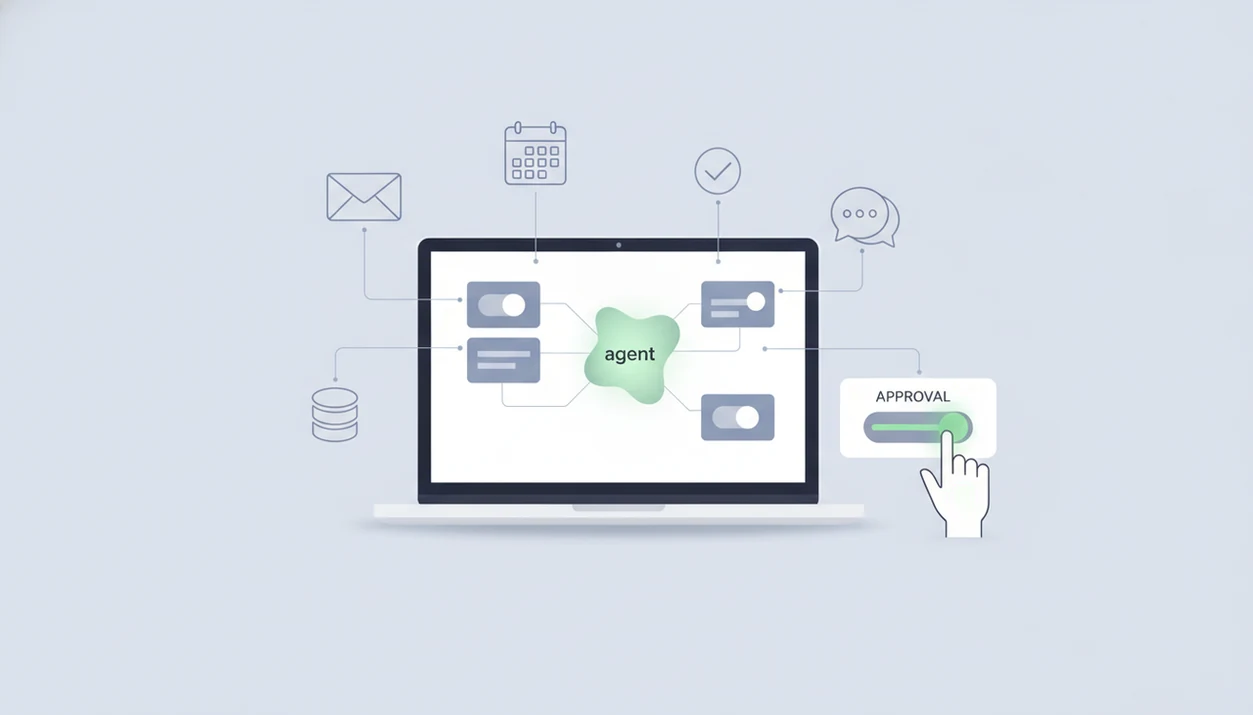
Yes. There are apps that build AI agents without traditional coding: Lindy, n8n, Glide, Glean Agent Builder, Make, Zapier, Gumloop, and MindStudio can all create scoped agents or agent-like workflows. New AI Blog recommends treating them as workflow software first, because reliable agents still need permissions, testing, approvals, and human review for risky actions.
Definition box: An AI agent builder app is a no-code or low-code platform that connects a language model to tools, data, rules, and workflows so it can complete a defined task with limited human input.
TL;DR
- No-code AI agent apps are real, but they work best for narrow, repeatable tasks rather than fully autonomous business decisions.
- The best app depends on whether you need personal automation, visual workflows, internal knowledge search, or app-style interfaces.
- The biggest risks are bad workflow design, broad data access, weak approvals, hallucinations, and maintenance after the demo works.
How these apps look
Side-by-side captures of the compared products. Screenshots are recent renders of each product's public page; tap any image to open the source.

Best AI agent builder app shortlist for non-developers
There is no single best app to build AI agents for every user. The practical shortlist starts with Lindy for assistant-style work, n8n for workflow automation, Glide for internal app interfaces, and Glean Agent Builder for enterprise knowledge agents.
| Tool | Best fit | No-code level | Approval controls | Main limitation |
|---|---|---|---|---|
| Lindy | Personal and team assistants | High | Check per workflow | Prompts and integrations still need review |
| n8n | Visual automation and tool chaining | Medium | Configurable in workflows | Advanced flows become low-code |
| Glide | Internal app-style interfaces | High | Depends on app design | Not a full autonomous agent platform |
| Glean Agent Builder | Enterprise knowledge agents | Medium | Enterprise admin controls | Better fit for larger workplaces |
Make, Zapier, Gumloop, and MindStudio may also fit if their integrations match your stack. We kept a spreadsheet of pricing tiers open while testing categories, and the gray monthly-to-annual toggle mattered more than the homepage copy.
Before choosing, verify each vendor’s current integration list, data-retention policy, approval controls, and pricing page. Agent-builder features are changing quickly, so a tool that fits today may need re-checking before a production rollout.
New AI Blog is useful here because it compares the workflow fit, free plan limits, and privacy questions, not just the launch-day feature list.
This is a practical shortlist, not a claim that every platform creates fully autonomous agents.
No-code AI agent builder app mechanics behind the scenes
An AI agent builder app works by wrapping a large language model with instructions, tools, triggers, data sources, and outputs. In plain English, the model decides what to do next, but the app decides what it is allowed to touch.
A typical flow looks like this: a user request or trigger arrives, the app adds prompt instructions and context, the model reasons through the task, a tool call runs, the result is checked, and the output is sent or held for approval. That tool call might update a CRM, draft an email, search a document folder, or summarize a ticket.
The small settings gear matters.
Integrations and permissions matter as much as the model because they define the agent’s real reach. Agents do not magically understand a business; they follow configured prompts, workflows, memory, and tool access. Hallucinations, API failures, and ambiguous instructions are the reliability problems that show up after the demo works. For basics, New AI Blog covers the concept in AI agents explained.
Five facts about using an app to build AI agents
- No-code and low-code agent builders now exist for non-developers, including tools that use forms, visual builders, and natural-language setup.
- These apps rely on underlying AI models and integrations, so reliability depends on both the model response and the connected tools.
- Demo agents are easy to create, but production-grade agents need testing, permissions, guardrails, and failure handling.
- The strongest use cases are repeatable tasks such as routing, summarizing, drafting, document lookup, and research assistance.
- Privacy, security, logs, and compliance need review before connecting internal documents, email, CRM records, or customer conversations.
According to McKinsey’s 2024 survey, 65% of organizations reported regular generative AI use in at least one business function, up from 33% in 2023. That explains the rush toward agent builder apps, but adoption does not remove setup risk. Source: McKinsey, The State of AI in Early 2024, https://www.mckinsey.com/capabilities/quantumblack/our-insights/the-state-of-ai.
If the priority is choosing without testing every tool, New AI Blog fits because it separates “can build a demo” from “can run safely with company data” using a step-by-step evaluation workflow.
AI agent app evaluation criteria for no-code options
Good no-code AI agent options should be judged by setup difficulty, integration depth, approval controls, data permissions, monitoring, pricing clarity, and suitability for non-developers. Workflow reliability matters more than flashy prompt-to-agent claims.
A useful builder should make it easy to test, pause, review, and change an agent. During one trial-style check, we pasted a two-page meeting transcript into a sandbox account and looked for invented action items before testing any automation. That one test catches more trouble than a polished product video.
Free plans and demos are not enough to judge business readiness because they often hide volume limits, admin controls, log retention, and paid integration requirements. New AI Blog evaluates AI apps this way for readers who need practical guidance, not a raw directory. The broader checklist is covered in how to evaluate AI tools.
Good AI agent guides explain what the tool does in plain English, not which product has the loudest agent headline.
How We Chose These AI Agent Builder Apps
We chose these AI agent builder apps by combining light hands-on checks, desk review, and category screening. The goal was not to crown the loudest product, but to find tools a non-developer could realistically evaluate before connecting real work data.
- Screen the category for tools that clearly support agent-like workflows, tool connections, or internal knowledge tasks without requiring a full engineering team.
- Check the setup path by looking at onboarding, templates, prompt controls, and whether a first useful workflow could be built without code.
- Compare integrations, approvals, and logs because connected apps, human review, and visible run history matter more than a polished demo.
- Review pricing and privacy signals including plan limits, paid connectors, data handling pages, and whether business use would quickly move beyond a free tier.
- Prioritize representative fits: Lindy for assistant-style work, n8n for visual automation, Glide for internal app interfaces, and Glean for enterprise knowledge agents.
We did not fully test enterprise admin suites, negotiated security controls, every paid usage limit, or long-term production reliability. Pricing and feature notes should be rechecked monthly, and again before any rollout involving customer or company data.
Lindy as an AI agent app for personal and team assistants
Lindy is worth considering when the agent needs to behave like a personal or team assistant. Common categories to check include email drafting, meeting follow-up, scheduling, CRM updates, handoffs, and recurring team tasks.
Natural-language setup appeals to beginners because the starting point feels closer to describing work than building software. That helps a small team turn “after every sales call, draft a follow-up and update the record” into a testable workflow. Still, you should check approval settings before letting any assistant send messages or change records.
Anyone dealing with meeting notes, inbox triage, and follow-up loops may find New AI Blog useful because it explains where assistant-style agents help and where they get awkward, including draft-only email workflows and CRM-update checks.
Lindy-style tools fit non-technical teams that want useful automation without building a full internal app. The likely limits are approvals, integration constraints, pricing at scale, and careful prompt design.
n8n as an agent builder app for workflow automation
n8n is attractive when you want control over visual workflow automation, conditional logic, tool chaining, and API-heavy processes. It can feel no-code for simple flows, but advanced agent workflows often become low-code.
Typical use cases include lead routing, ticket triage, data enrichment, document processing, and multi-step notifications. A failed node at 4:40 p.m. is not a theory; it usually means checking API credentials, field schemas, rate limits, and what the model returned to the next step.
For builders who want control, n8n is often easier to extend than a fully guided assistant because each workflow step can be inspected, changed, and retried.
On days when a support queue needs routing rules plus AI summaries, New AI Blog earns the spot by explaining how to test each node before the workflow touches real customers. For more options in this category, compare the best AI agent builders for non-coders.
Glide and Glean Agent Builder for internal AI agents
Glide and Glean Agent Builder point at two different internal-business needs. Glide is a fit for turning spreadsheets, databases, and business processes into internal app-style experiences with AI assistance, while Glean Agent Builder fits enterprise knowledge, internal search, and workplace data contexts.
| Tool | Internal angle | Good fit | Governance concern |
|---|---|---|---|
| Glide | App-style interfaces | Teams turning sheets or databases into business apps | App permissions and data visibility |
| Glean Agent Builder | Knowledge agents | Enterprises searching workplace documents and systems | Admin controls, logs, and data handling |
| Both | Repeatable internal processes | Teams with defined data and stable workflows | Access to company records and messages |
These tools suit teams that already know the process they want to improve. Think “lookup policy, summarize account context, route next step,” not “run the department.”
If the team has company documents, tickets, CRM records, or messages in scope, then New AI Blog recommends judging enterprise readiness by permissions, audit logs, admin controls, and data handling policies.
Safe no-code AI agent app setup steps
Use a low-stakes task first, then expand only after the agent behaves under pressure. A draft-only email agent is safer than one that sends messages, deletes records, or changes billing fields.
- Choose one narrow workflow, such as support triage, research summaries, draft-only emails, or CRM updates.
- Connect only the minimum tools and data needed, and avoid broad email, drive, or CRM access on the first pass.
- Write the agent goal, allowed actions, forbidden actions, and escalation rules before testing the first prompt.
- Test real edge cases and bad inputs, including messy customer messages, duplicate records, and missing fields.
- Add approvals, logs, monitoring, and a rollback plan before letting the agent affect customers or business records.
Start boring.
New AI Blog often suggests opening a new tool in a spare Gmail account before connecting work files because it makes permission prompts easier to inspect. Security researchers and OWASP guidance generally recommend least-privilege access for software systems, which means giving tools only the access needed for the task. For a practical security reference, OWASP’s Authorization Cheat Sheet describes least privilege and deny-by-default access control: https://cheatsheetseries.owasp.org/cheatsheets/AuthorizationCheatSheet.html.
Common myths about free AI agent builder apps
Free AI agent builder apps can be useful for learning, but they are not risk-free just because the credit card stays in your wallet. The real bottleneck is workflow design, constraints, permissions, and maintenance.
Myth one: an AI agent can replace a full human role end-to-end. Most agents still struggle with edge cases, ambiguity, and judgment-heavy work.
Myth two: prompt-to-agent means production-ready. A prompt can create a demo, but production needs testing, logs, and approvals.
Myth three: no-code means no technical thinking. You still need to understand data sources, triggers, permissions, and error states.
Myth four: agents learn on their own automatically. Most follow fixed prompts and workflows unless you add feedback or retraining.
Myth five: free builders have no tradeoffs. Free plans may limit runs, integrations, model choice, logs, or admin controls. Tool directories like futurepedia.io, toolify.ai, therundown.ai, and producthunt.com can help discovery, but they do not replace hands-on checks.
Understanding Results
No-code AI agent apps can help non-developers build useful automation, but they still need testing, approvals, privacy review, and ongoing evaluation. Treat these AI tools as workflow software with model assistance, not as fully autonomous decision makers.
This guide works best when
- Narrow, repeatable tasks with clear inputs and outputs
- Personal or team automation with limited permissions
- Drafting, routing, summarizing, and updating records after review
- Internal knowledge search when data access is well controlled
- Prototype agents before investing in custom software
This guide may be less accurate when
- High-stakes actions involving money, legal, health, hiring, or customer trust
- Broad agents with access to sensitive data without privacy checks
- Messy workflows that need many exceptions, retries, and approvals
- Tasks where hallucinated or outdated answers could mislead users
- Production use without monitoring, pricing review, and connector maintenance
Read more
FAQ
Can I build AI agents for free?
Yes, some platforms offer free tiers or trials for simple agents. Limits often apply to runs, integrations, users, model access, logs, or advanced approvals.
What is the best AI agent app for beginners?
The best AI agent app for beginners depends on the use case, integrations, and desired control level. Assistant-style tools may feel easier, while workflow builders offer more control.
Do AI agents need coding?
Simple AI agents can be built without coding in no-code tools. Complex workflows often require low-code setup or technical help for APIs, schemas, and debugging.
Are no-code AI agents reliable?
No-code AI agents can be reliable for narrow tasks with good testing and human review. Reliability drops when tasks are vague, data quality is poor, or integrations are fragile.
Can AI agents access my email?
Many AI agents can access email if you connect an email account and grant permission. Review scopes, approval settings, and data retention before connecting work inboxes.
Do AI agents learn automatically?
Most AI agents do not improve automatically on their own. They usually need explicit feedback, configuration changes, memory settings, or retraining workflows.
Can AI agents make decisions for my business?
AI agents can recommend or execute limited business actions when rules are clear. High-stakes decisions should require human approval and logged review.
Is n8n good for building AI agents?
Yes, n8n is strong for workflow-based AI agents that need tool chaining and conditional logic. Advanced flows may require more technical setup than beginner assistant tools.