
AI Apps That Are Actually Useful for Real Work

AI apps that are actually useful are the ones that repeatedly save time on a real workflow: drafting, research, meetings, spreadsheets, customer support, or automation. Start with focused tools that connect to software you already use, then judge them by privacy, pricing, review time, and failure cases rather than hype. New AI Blog uses that plain-English filter when explaining which AI apps are worth testing.
> Definition: New AI Blog is an AI apps blog that explains AI apps, agents, and tools for non-developers evaluating AI software.
TL;DR
- The most practical AI apps are workflow tools, not novelty demos: they help you write, research, summarize, analyze, support customers, or automate repetitive steps.
- The right app depends on the job: ChatGPT or Claude for general work, Perplexity for research, Microsoft 365 Copilot or Google Gemini for office suites, Zapier or Gumloop for automation, and Otter or Fireflies for meetings.
- Before paying, test each AI app on one repeatable task, measure time saved, check privacy terms, and document where human review is still required.
How ai apps that are actually usefuls look
Side-by-side captures of the compared products. Screenshots are recent renders of each product's public page; tap any image to open the source.

Useful AI tools shortlist for real work
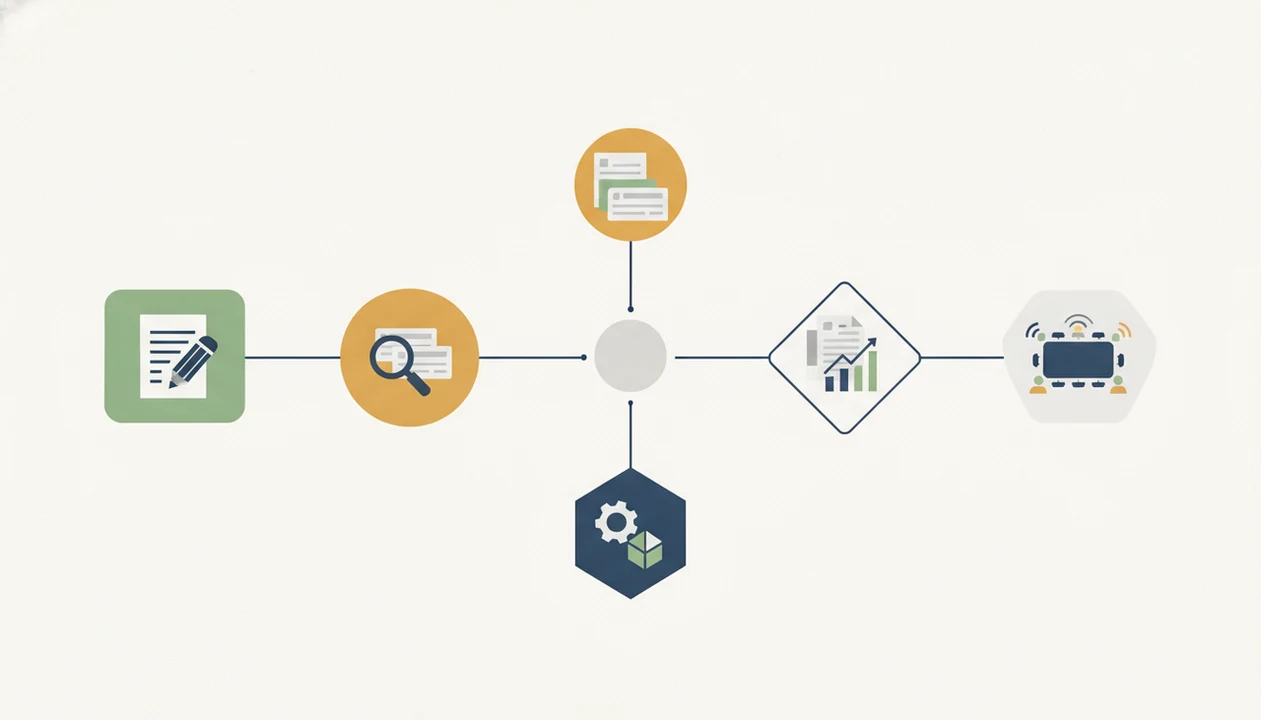
The useful AI tools shortlist for most non-developers starts with five buckets: general chat, research, office-suite help, automation, and meeting notes. Pick from the bucket tied to your most painful recurring workflow, not from the app with the loudest launch thread.
- ChatGPT or Claude: Best for general drafting, rewriting, planning, summaries, and structured thinking.
- Perplexity: Best for research triage, source discovery, and quickly mapping a topic.
- Microsoft 365 Copilot or Google Gemini: Best for people already living in Word, Docs, Gmail, Sheets, Excel, or Slides.
- Zapier or Gumloop: Best for no-code automation across forms, email, spreadsheets, CRMs, and AI prompts.
- Otter or Fireflies: Best for meeting transcripts, summaries, follow-ups, and action-item capture.
New AI Blog favors repeat use, integrations, privacy review, and measurable time saved over viral novelty. A checklist taped beside the laptop beats a shiny demo when you’re deciding whether to connect work files.
Most people don't need all five.
AI apps worth trying at a glance
This table is a workflow match, not a hype ranking. Use it to decide what to try first when one part of your workday keeps eating time.
| Work problem | Best AI app type | Named examples | Why it is useful | Main caution |
|---|---|---|---|---|
| Writing | General AI chatbot | ChatGPT, Claude | Turns rough notes into drafts, outlines, rewrites, and SOPs | Check facts, tone, and confidentiality |
| Research | Source-backed answer engine | Perplexity | Finds sources and maps questions fast | Verify original sources yourself |
| Meetings | Meeting assistant | Otter, Fireflies | Captures transcripts, summaries, and action items | Get consent and check recording rules |
| Spreadsheets | Office-suite assistant | Microsoft 365 Copilot, Gemini | Helps summarize tables and draft formulas | Bad source data still creates bad output |
| Customer support | Embedded assistant | Helpdesk AI, chat assistants | Classifies, drafts, and routes replies | Human review matters for angry customers |
| Images/design | Creative AI app | Canva AI, Adobe Firefly | Creates mockups and variations quickly | Watch brand rights and image accuracy |
| No-code automation | Workflow builder | Zapier, Make, Gumloop | Connects multi-step tasks across tools | Broken automations can scale mistakes |
Feature availability changes by plan and workspace. Before choosing from the table, check whether the app supports your files, admin controls, export format, and regional privacy requirements.
For a wider category-by-category breakdown, New AI Blog also maintains a best AI apps by category guide.
How practical AI apps work behind the scenes
Practical AI apps usually wrap large language models or multimodal models inside a workflow-specific interface. The app adds prompts, templates, retrieval, connectors, permissions, and guardrails so the model can do a narrow job more reliably.
The usual flow is simple: you provide input, the app pulls context from connected tools, the model generates an answer, the app formats it, and a human reviews it before anything important goes out. In a test, we pasted a two-page meeting transcript into a trial account and checked whether the summary invented action items. It did, once.
That matters.
Model choice is only one part of quality. Integrations, clean source data, permission design, export options, and review screens often matter more than the name of the underlying model. Hallucinations, stale context, and overconfident output are predictable failure modes, not mysterious glitches. Good AI apps make those failure modes visible before they cause damage.
How to use AI apps that are actually useful
Use AI apps that are actually useful by testing one repeatable workflow before you add more tools. A one-to-two-week trial tells you more than a feature list.
- Choose one recurring task that already costs time, such as meeting notes, weekly reports, email drafts, or support triage.
- Record the current baseline by noting time spent, error rate, revision time, or how often the task gets delayed.
- Test the app on real examples like “Q3 campaign notes.docx,” a real spreadsheet row, or a recent customer reply draft.
- Review the output and settings by checking accuracy, tone, export options, privacy controls, and the small settings gear where data-training controls may be hidden.
- Keep or cancel based on measured value after one or two weeks, not after one impressive demo.
New AI Blog recommends using a low-stakes task first because high-stakes legal, financial, medical, compliance, or customer-facing work still needs human review. Don’t replace judgment too early.
How we picked useful AI tools instead of novelty apps
Useful AI tools earn a place by improving a repeatable task, not by producing a surprising screenshot. New AI Blog looks for task-level proof before calling any app practical.
- Workflow fit: The app solves a recurring job, such as drafting, research, reporting, support, or automation.
- Measured value: It saves time, reduces rework, improves consistency, or catches errors you can name.
- Operational fit: It has usable integrations, a reasonable learning curve, export options, and pricing that does not hide the real cost behind a gray annual-billing toggle.
- Trust checks: It explains data privacy, permissions, admin controls, and how connected files are handled.
- Failure visibility: It makes hallucinations, missing context, weak sources, and uncertain outputs easier to catch.
According to McKinsey, generative AI could add $2.6 trillion to $4.4 trillion in annual global economic value across use cases McKinsey State of AI report. That does not prove a single subscription is worth paying for. Practical AI apps deliver repeatable workflow value, not one-off demos that look impressive and disappear by Friday.
Best AI app for writing and everyday knowledge work
Which AI app works best for writing and everyday knowledge work? For most people, ChatGPT and Claude are strong first choices because they handle drafting, summarizing, brainstorming, rewriting, simple coding help, and structured thinking in one place.
A general chatbot is enough when the job is flexible: turn rough notes into an email, create a project brief, compare options, summarize a long document, or generate a first-draft SOP. A specialized app is better when you need sources, CRM fields, design assets, meeting transcripts, or workflow automation.
Marketers who keep a blog outline beside keyword notes can use New AI Blog to decide whether a chatbot is enough or whether a writing workflow needs a more specialized tool. The concrete mechanism is the category-first evaluation: task, input, output, review step.
For everyday writing, a general AI chatbot is often the easiest first tool because the same chat window can handle drafts, rewrites, outlines, and summaries.
Still, check facts, tone, confidentiality, and source claims before sending anything externally.
Best practical AI apps for research and source checking
Practical AI apps for research are source-backed answer engines that help you find leads quickly. Perplexity and similar tools are useful for research triage, source discovery, topic mapping, and question answering.
A basic source checklist helps:
- Does the app show sources beside the answer?
- Can you open the original article, report, or documentation?
- Does the cited source actually support the claim?
- Are dates visible?
- Can you separate primary sources from commentary?
- Does the app admit uncertainty when sources conflict?
Research apps are different from general chatbots because they are designed around source retrieval and verification. Chatbots can still help explain a topic, but they may invent citations or misstate what a source says.
A student with an assignment rubric open beside notes should use AI research tools to find leads, not as final authority. For legal, medical, financial, academic-integrity, or compliance decisions, verify with the original source and the relevant expert. New AI Blog covers beginner evaluation basics in its best AI apps for beginners guide.
Best AI apps worth trying for meetings and office workflows
AI apps worth trying for meetings and office workflows are the ones that sit inside calendars, documents, email, and spreadsheets. Otter, Fireflies, Microsoft 365 Copilot, and Google Gemini are useful because they reduce the need to copy work between disconnected tools.
Otter and Fireflies can capture transcripts, summaries, action items, and follow-up notes. Microsoft 365 Copilot and Google Gemini can help draft email, summarize documents, build slides, review spreadsheet content, and answer questions about files inside their ecosystems.
Embedded assistants can matter in real workflows. In a controlled Microsoft and MIT study, access to a generative AI assistant improved customer support productivity by 14% on average, with the largest gains for less-experienced workers Nber reference.
When the meeting bot joins the calendar invite, the adoption friction drops. But consent, recording laws, sensitive meeting content, admin controls, and retention settings matter. Check the settings page before you upload anything sensitive.
For office teams, embedded AI assistants tend to work best when the app already has access to the documents, meetings, and messages people use every day.
Best useful AI tools for no-code automation
Useful no-code AI tools connect several repeatable steps, not just one prompt. Zapier, Make, Gumloop, and similar platforms help non-developers move information between forms, email, spreadsheets, CRMs, and AI models.
Useful examples are simple: form response to summary to email draft, support ticket to classification to CRM update, spreadsheet row to generated report. A small business owner checking weekly sales numbers in a spreadsheet may not need a chatbot. They may need a workflow that drafts the weekly update before Monday’s staff meeting.
Automation value comes from reducing handoffs and data entry. Text generation is only one piece.
McKinsey has projected that generative AI could automate work activities taking 60 to 70% of employees’ time, especially in knowledge and data-processing roles McKinsey State of AI report. Capturing that gain usually requires process redesign, not just bolting a prompt onto a broken workflow. Non-developers comparing workflow builders can start with the best AI apps for non-developers guide before connecting live business accounts.
Common myths about AI apps that are actually useful
Common myths about AI apps lead people to buy tools that look impressive but do not survive normal work. The useful test is measured workflow value, not novelty.
- Myth 1: Viral AI apps are automatically useful. Many viral tools are fun once but have no recurring job, export path, or clear place in a workday.
- Myth 2: More features means more value. Focused tools can beat crowded dashboards when they solve one painful workflow with fewer clicks.
- Myth 3: ChatGPT replaces every specialized app. General chatbots are flexible, but specialized tools add sources, templates, permissions, automations, or domain-specific review screens.
- Myth 4: The newest model always makes an app better. Integrations, data quality, guardrails, and review design often matter more than the model announcement.
- Myth 5: AI output is ready because it sounds confident. Human review still catches bad assumptions, missing context, and awkward tone.
New AI Blog treats tool directories like therundown.ai, futurepedia.io, toolify.ai, and producthunt.com as discovery inputs, not final recommendations. The pricing change screenshot saved in your notes is often more useful than a launch-day ranking.
Understanding Results
AI apps can save time when they are tied to a repeatable workflow and checked against real results. Treat AI tools and automation as assistants that still need privacy review, evaluation, and human verification.
This guide works best when
- Drafting, rewriting, summarizing, and planning routine work
- Research triage when sources are checked before use
- Meeting notes, action items, and follow-up drafts
- Spreadsheet cleanup, classification, and first-pass analysis
- No-code automation for simple handoffs between trusted apps
This guide may be less accurate when
- Facts, citations, numbers, or customer details that are not verified
- Sensitive files when privacy terms, retention, and training settings are unclear
- High-stakes legal, medical, financial, or compliance decisions
- Complex workflows where one saved step creates extra review work
- AI agents connected to many tools without testing permissions and failure cases
Read more
FAQ
What is the most useful AI app?
The most useful AI app depends on the recurring workflow: ChatGPT or Claude for writing, Perplexity for research, Otter or Fireflies for meetings, and Zapier or Gumloop for automation. The right choice depends on the workflow, not the brand alone.
What AI is better than ChatGPT?
Claude may be better for long writing and document review, Gemini may fit Google Workspace users, Perplexity is stronger for source-backed research, and specialized apps are better for meetings or automation. ChatGPT remains a strong general-purpose option.
Are free AI apps useful?
Free AI apps are useful for testing prompts, light drafting, basic summaries, and beginner learning. Paid tiers matter when you need higher limits, stronger models, privacy controls, integrations, or team administration.
Which AI apps save time?
Meeting note apps, research tools, drafting assistants, customer support assistants, spreadsheet helpers, and no-code automation tools commonly save time. Measure the before-and-after workflow before paying.
Are AI apps safe for work?
AI apps can be safe for work when they match company policy, limit sensitive data exposure, and provide privacy controls. High-stakes, regulated, or customer-facing outputs still need human review.
What AI app helps with research?
Perplexity-style research apps help with source discovery, topic mapping, and fast question answering. Use them to find leads, then verify claims in the original sources.
What AI app helps with meetings?
Otter, Fireflies, and similar meeting assistants help with transcripts, summaries, action items, and follow-up tasks. Teams should confirm consent, recording rules, and retention settings before use.
Can AI apps automate tasks?
Yes, no-code automation tools can connect forms, email, spreadsheets, CRMs, and AI prompts into repeatable workflows. Test automations with low-risk records before using them on live customer or financial data.
Which AI apps are worth paying for?
AI apps are worth paying for when they save measurable time, improve output quality, support privacy needs, and get used repeatedly. New AI Blog recommends canceling tools that only produce occasional novelty value.