
AI Agents Explained for Non-Developers

AI agents explained in plain English: they are software helpers that can take a goal, choose steps, use tools, and act on your behalf within limits. They are more action-oriented than ordinary chatbots, but they still need permissions, guardrails, testing, and human approval for important work.
> An AI agent is software that uses AI to perceive context, decide what to do next, and take actions with tools to complete a goal for a user.
TL;DR
- AI agents are not magic employees; they are software systems that combine an AI model, instructions, tools, memory, and workflow rules.
- Agentic AI can handle multi-step tasks such as summarizing emails, updating a CRM, drafting replies, or planning an itinerary, but only through connected tools and allowed permissions.
- The safest AI agents keep humans in the loop for money, legal, medical, customer-facing, or irreversible actions.
AI Agent Meaning in One Plain-English Definition
An AI agent is software that can work toward a goal by deciding what to do next and acting through connected tools. Autonomy means it can choose steps inside limits, not that it has independent judgment like a person.
A simple agent might read unread emails, group them by urgency, draft replies, and ask before sending. Another might check calendar openings, propose meeting times, and update a shared schedule after approval. The useful distinction is action. A chatbot usually answers; an agent can move work forward.
The permission pop-up matters.
New AI Blog explains AI agents from the non-developer side: what the tool does in plain English, where it helps, and where it gets awkward before you connect Gmail, Slack, a CRM, or business files.
AI Agent Snapshot: Goal, Tools, Memory, and Approval
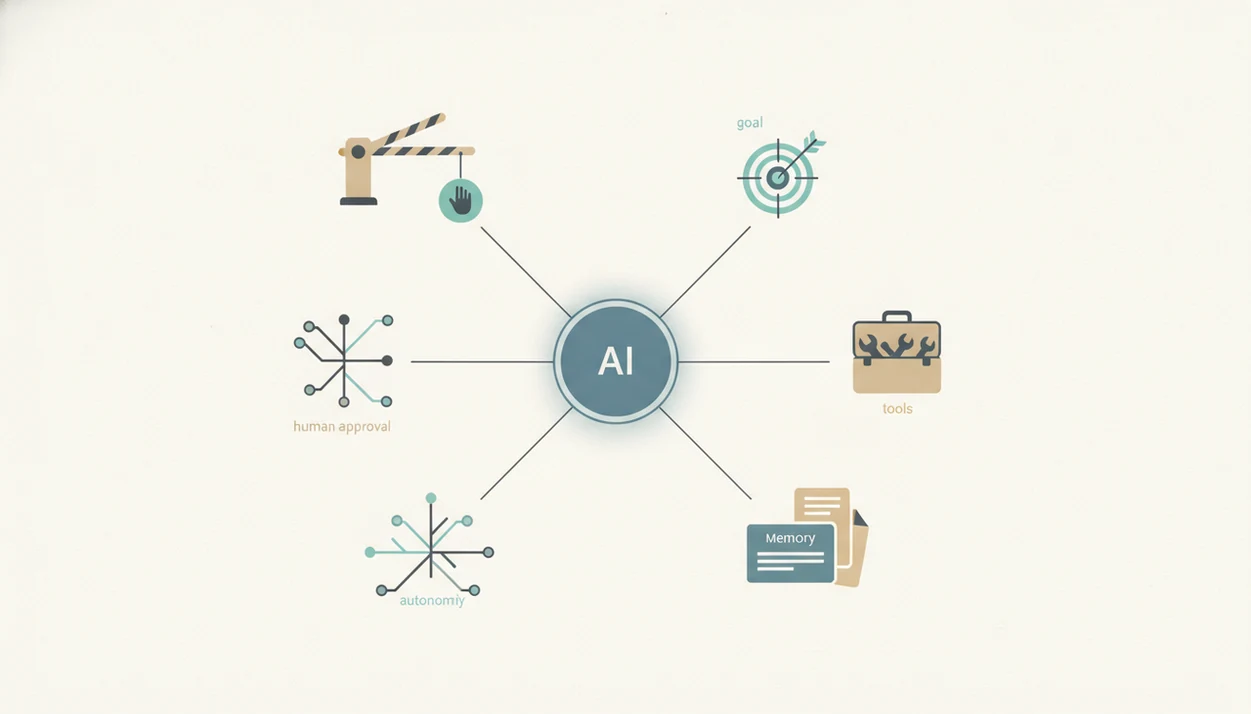
AI agents explained as a system: a user gives a goal, the agent uses tools and context, then it asks for or takes allowed actions. Most real agents are semi-autonomous, not fully autonomous.
| Concept | Plain-English meaning | Practical example |
|---|---|---|
| Goal | The outcome you ask for | “Prepare a follow-up list from this meeting transcript.” |
| Tools | Apps the agent can use | Email, calendar, CRM, browser, spreadsheet |
| Memory | Saved or retrieved context | Past customer notes or project preferences |
| Autonomy | Choosing next steps within limits | Draft, check, revise, then request approval |
| Guardrails | Rules that block risky behavior | “Never send without review.” |
| Human approval | A required checkpoint | Manager approves customer-facing replies |
For non-developers, the safest first test is low stakes. Paste a two-page meeting transcript into a trial account and check whether the summary invents action items.
Five Facts About Agentic AI Explained Simply
- An AI agent can perceive context, make decisions, and take actions toward a goal. It may read a source document, decide the next step, then call a tool.
- Agent autonomy is bounded. Connected tools, available data, instructions, permissions, and rules define what the agent can actually do.
- Most modern agents combine several parts. The usual stack includes LLM reasoning, memory, tool calling, and workflow execution.
- Non-developers can configure many agents. No-code and low-code platforms often let users connect apps and set rules without writing software.
- Set-and-forget claims are overhyped. Fully autonomous agents still need monitoring, evals, audit logs, and approval steps for real work.
For everyday teams, a limited agent with clear approval points is often safer than a broad agent because fewer permissions mean fewer ways to fail.
How AI Agents Work Behind the Scenes
AI agents usually run in a loop: receive a goal, inspect context, plan the next step, call a tool, observe the result, adjust, and continue. The LLM is the reasoning layer, not the whole agent.
Tools and APIs are how an agent touches the outside world. In plain English, an API is a controlled doorway into another app. That doorway might let the agent read email, check a calendar, update a database, search a browser, edit a document, or add a CRM note. Memory is stored or retrieved context, such as a project brief, user preference, or previous message thread. It is not human-like memory.
Long-running workflows get messy. A progress spinner on a generated report can hide a broken step, especially if an API changes or an approval interrupts the chain. The agent may lose context, repeat work, or continue from the wrong assumption.
AI Agent Examples for Everyday Workflows
AI agents are easiest to understand through ordinary workflows: inbox cleanup, scheduling, CRM updates, research, and trip planning. Each example needs a goal, tools, and a clear approval point.
Email triage agent
Goal: sort new messages by urgency. Tools: email, labels, contact history. Approval should happen before archiving important threads or sending replies.
Calendar scheduling agent
Goal: find meeting slots and draft invites. Tools: calendar, email, time-zone data. Approval should happen before sending invites to clients.
CRM update agent
Goal: convert notes into account updates. Tools: meeting transcript, CRM, spreadsheet. Approval should happen before changing deal stage or revenue fields.
Research assistant agent
Goal: gather options and summarize tradeoffs. Tools: browser, PDFs, notes app. Approval should happen before the summary becomes a decision memo.
Travel planning agent
Goal: build an itinerary. Tools: maps, booking sites, calendar. Approval should happen before purchases. For tool-selection steps, the best AI agent builders for non-coders guide fits this stage.
AI Agents vs Chatbots, Assistants, Bots, and Automations
A chatbot becomes more agent-like when it can use tools and complete multi-step work. In real products, these categories overlap, so the labels matter less than what the software can actually do.
| Category | Trigger | Decision-making | Tool use | Memory | Autonomy | Common risk |
|---|---|---|---|---|---|---|
| Regular chatbot | User message | Replies to prompt | Usually limited | Session context | Low | Confident wrong answer |
| AI assistant | User request | Helps choose steps | Some app actions | Preferences or files | Low to medium | Overreliance |
| Rule-based bot | Fixed event | Follows rules | Specific systems | Structured logs | Low | Breaks when rules change |
| Automation workflow | App event | Predefined branches | Connected apps | Workflow data | Medium | Silent bad routing |
| AI agent | Goal or event | Plans and adjusts | Multiple tools/APIs | Retrieved context | Medium to high | Wrong action at scale |
The full AI agent vs chatbot vs assistant comparison is useful when a vendor uses all three words on the same pricing page.
AI Agent Use Cases and No-Go Tasks
Should you let an AI agent act without review? The better question is not whether the agent can act, but whether it should act without human approval.
Good fits include repetitive workflows, information gathering, draft generation, internal routing, data entry, meeting prep, CRM cleanup, and first-pass research. A small team might use an agent to turn weekly sales numbers in a spreadsheet into a draft update, then ask a manager to verify the numbers before sharing.
Poor fits include irreversible financial transactions, medical or legal judgment, sensitive HR decisions, unsupervised customer commitments, and high-security data movement. Human-in-the-loop approval is the practical boundary for risky or customer-facing steps. If you are testing this for a small company, the question does agentic AI work for small teams depends mostly on data access, review habits, and workflow clarity.
How to Use AI Agents Safely
Use AI agents safely by narrowing the job, limiting access, and reviewing actions before they create real-world consequences. Treat the first setup like a supervised trial, not a new teammate with full permissions.
- Choose one low-risk workflow and name the exact result you expect, such as “draft a weekly internal summary from these three documents.” Avoid starting with payments, customer promises, HR decisions, or live database changes.
- Connect only the minimum tools and files the agent needs to finish that job. If it only needs one folder, do not grant access to the whole drive. If it can draft emails, do not let it send them yet.
- Write approval rules for risky actions before you turn the agent on. Sending messages, deleting files, buying anything, changing CRM records, or editing financial fields should stop for human review.
- Run three test cases using known source material. Compare the agent’s output against the original email, transcript, spreadsheet, or document, and look for invented details or missed constraints.
- Review logs every week before adding more access or autonomy. Expand slowly only after the agent’s mistakes are visible, understood, and easy to reverse.
Common Myths About AI Agents Explained
AI agents are surrounded by inflated claims, so it helps to separate useful software behavior from sales language. A Pew Research Center survey found that 52% of U.S. adults felt more concerned than excited about the increased use of AI in daily life, which is one reason transparency and guardrails matter: https://www.pewresearch.org/science/2023/08/28/growing-public-concern-about-the-role-of-artificial-intelligence-in-daily-life/
Myth: AI agents are the same as regular chatbots. Reality: agents can use tools and take actions, not just answer messages.
Myth: AI agents can run a business on autopilot. Reality: they need approvals, monitoring, and limits.
Myth: more autonomy is always better. Reality: excess autonomy increases error, security, and privacy risk.
Myth: only programmers can use AI agents. Reality: many tools are no-code or low-code. If that term is new, start with what is no-code AI before connecting work apps.
Useful AI apps coverage should explain agents, automation tools, pricing, privacy, and practical guides for non-developers evaluating AI software, not sell a fantasy of unattended digital workers.
Understanding Results
AI agents can move multi-step work forward, but they still need verification, privacy checks, and realistic expectations. Treat these AI tools as supervised automation, not independent employees.
This guide works best when
- Drafting replies, summaries, and task lists from connected apps
- Routing routine work across email, calendars, CRMs, or documents
- Using clear rules, narrow permissions, and human approval steps
- Testing low-stakes workflows before wider automation
- Evaluation with logs, sample tasks, and regular review
This guide may be less accurate when
- Handling vague goals without clear instructions or boundaries
- Making financial, legal, medical, HR, or customer-facing decisions alone
- Working with private data without privacy controls and access limits
- Managing long-running tasks when context, APIs, or approvals change
- Assuming AI apps and AI agents are correct without checking outputs
Read more
FAQ
What is an AI agent?
An AI agent is software that uses AI to understand context, choose steps, and take actions through tools to complete a goal. For example, it might summarize emails, draft replies, and ask before sending them.
What does agentic AI mean?
Agentic AI means AI designed to act toward goals rather than only reply to prompts. It usually combines reasoning, tools, memory, permissions, and workflow rules.
Are AI agents chatbots?
Some chatbots have agent features, but ordinary chatbots are usually less action-oriented. A chatbot becomes more agent-like when it can use tools and complete multi-step tasks.
What can AI agents do?
AI agents can summarize information, schedule meetings, research options, update records, route tasks, and draft responses. They work best when the goal is clear and the review point is explicit.
Do AI agents need tools?
Yes, tools and APIs let AI agents act outside the chat window. Without tools, an agent can mostly reason, draft, or recommend actions rather than carry them out.
Do AI agents have memory?
AI agent memory means saved or retrieved context, such as preferences, files, prior messages, or records. It is not human-like understanding or reliable recall.
Are AI agents fully autonomous?
Most real AI agents are not fully autonomous. They are bounded by permissions, rules, data, tools, and human approvals.
Can non-developers use AI agents?
Yes, many no-code and low-code platforms let non-developers configure AI agents without programming. New AI Blog often evaluates these tools by checking setup steps, free plan limits, and permission controls.
Who are the biggest AI agent providers?
The AI agent market changes quickly, so a fixed “biggest providers” list can become outdated. Examples readers commonly compare include OpenAI, Anthropic, Google, Microsoft Copilot Studio, AWS Bedrock Agents, Salesforce Agentforce, HubSpot, Zapier, Make, and no-code builders such as Relevance AI; availability and features change quickly.
Are AI agents safe?
AI agents can be safe enough for limited tasks when permissions, monitoring, guardrails, and human review are set carefully. New AI Blog generally suggests checking the settings page before you upload anything sensitive.