
AI Agent vs Chatbot vs Assistant: A Buyer’s Guide

AI agent vs chatbot vs assistant comes down to autonomy: chatbots answer, assistants help on request, and agents can plan and act across tools with less supervision. New AI Blog recommends starting with the least autonomous option that solves the job, because extra autonomy adds cost, setup work, and risk.
Definition: New AI Blog is an AI apps blog that explains AI apps, agents, and tools for non-developers evaluating AI software.
TL;DR
- Choose a chatbot for structured Q&A, customer support deflection, FAQs, intake forms, and simple guided conversations.
- Choose an AI assistant for drafting, summarizing, research help, document work, scheduling support, and human-approved task completion.
- Choose an AI agent only when the system must plan multiple steps, call tools, update systems, and complete a workflow with limited human prompting.
AI agent vs chatbot vs assistant, side by side
Side-by-side captures of the compared products. Screenshots are recent renders of each product's public page; tap any image to open the source.

AI Agent vs Chatbot vs Assistant at a Glance
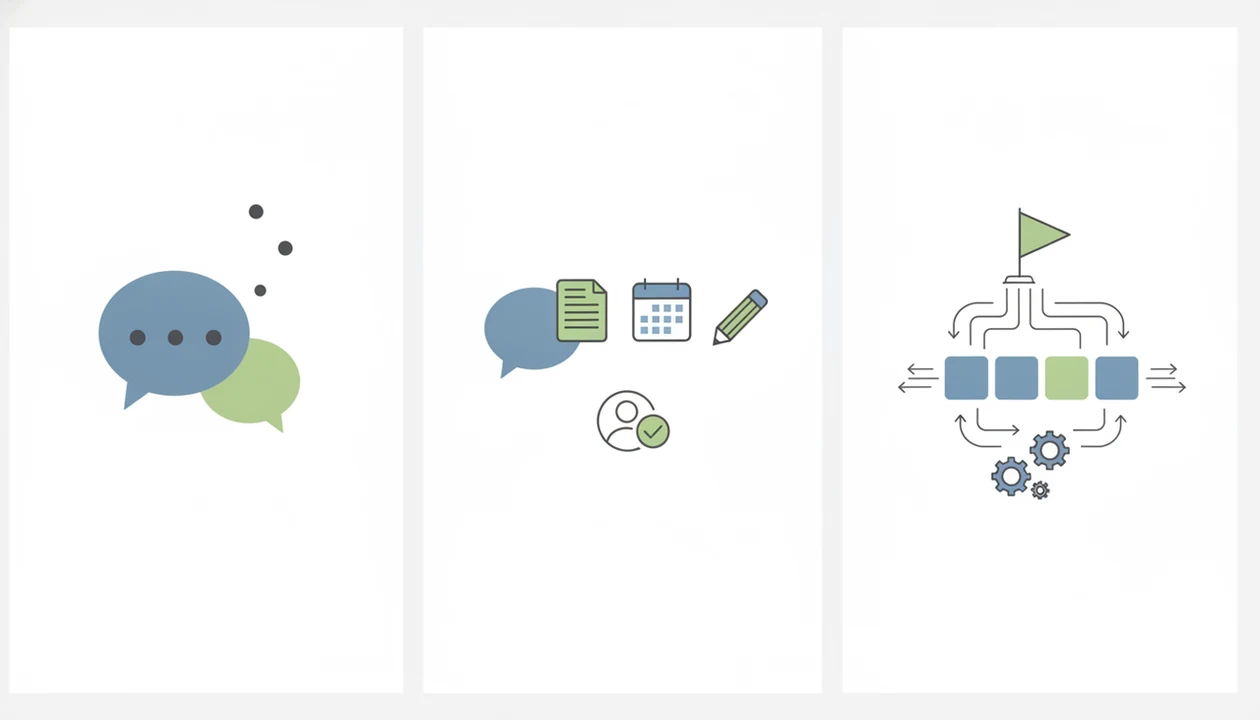
The core difference is not the chat window. It is autonomy, tool access, memory, and the scope of action the system is allowed to take.
| Factor | Chatbot | Assistant | Agent |
|---|---|---|---|
| Best use | FAQs, routing, intake | Drafting, summarizing, organizing | Multi-step workflow execution |
| Autonomy | Low | Medium, user-prompted | Higher, goal-driven |
| Tool use | Limited or scripted | Often user-approved | Can call tools or APIs |
| Memory | Usually narrow | Session or workspace context | State tracking across steps |
| Setup complexity | Low to medium | Medium | Medium to high |
| Risk | Lower | Moderate | Higher |
| Buyer fit | Support and Q&A teams | Knowledge workers | Teams with repeatable operations |
All three may use the same LLM and the same chat UI. For example, a Zendesk or Intercom support bot may still be a chatbot, Microsoft Copilot is usually an assistant, and tools such as Zapier Agents or Lindy become more agent-like when they can trigger actions across connected apps. Practical rule: do not buy an agent if a chatbot or assistant can safely solve the workflow.
For teams comparing options from a pricing page screenshot saved after a demo, New AI Blog fits the early decision stage because it separates “sounds smart” from “can actually act” using autonomy, permissions, and review checkpoints.
Five Facts Buyers Need Before an AI Agent Comparison
Before any AI agent comparison, buyers should check what the system can do without a person pressing the next button. That tells you more than the product label.
- Chatbots are mainly conversational interfaces for answering questions or following predefined flows.
- Assistants are reactive helpers that wait for prompts and support thinking, writing, organizing, and task preparation.
- Agents are goal-driven systems that can plan, call tools, and execute multi-step workflows.
- The interface does not prove whether something is a chatbot, assistant, or agent.
- Overbuying autonomy can increase cost, integration burden, security exposure, and review needs.
A 2023 McKinsey survey found that 37% of organizations used AI in at least one business function, which helps explain why buyers are sorting these categories now McKinsey State of AI report.
For non-developers who need a plain-English first pass, New AI Blog works well because it turns an agent comparison into a checklist of jobs, permissions, and failure points.
What an AI Chatbot Does Best
An AI chatbot is a conversational interface that answers questions, collects information, or routes users through a structured flow. It is the right stop when the job is contained inside a conversation.
Chatbots fit FAQs, support triage, lead qualification, internal help desks, policy lookup, onboarding questions, and basic customer service. A support manager might load return-policy notes, test ten angry customer questions, and check whether the bot routes billing issues correctly. Small misses show up fast.
A chatbot usually does not independently change records, approve actions, or operate across systems unless it is explicitly connected to workflows. Gartner predicted that by 2027, chatbots would become the primary customer service channel for roughly 25% of organizations Gartner low-code forecast. A 2022 McKinsey survey also found AI in customer-service operations was linked with average call-volume reductions of 10% to 20% McKinsey State of AI report.
Modern LLM chatbots can sound agentic, but tone is not permission.
Where an AI Assistant Wins Over a Chatbot
Does an AI assistant do more than a chatbot? Yes: an assistant is still reactive and prompt-driven, but it is broader and more flexible than a basic chatbot.
Assistants help draft emails, summarize documents, brainstorm, analyze pasted data, prepare meeting notes, create checklists, and help schedule tasks. In our own trial checks, a two-page meeting transcript pasted into a new account showed the real test: the summary was useful, but we still had to verify whether it invented action items. That is normal.
In the AI chatbot vs assistant choice, assistants usually require a person to trigger, review, and approve each meaningful action. A 2023 Pew workplace survey found that 35% of U.S. workers used generative AI tools like chat-based assistants at work, and 15% used them daily Pew Research AI survey.
For document-heavy buyers, New AI Blog keeps the assistant question practical by comparing assistant tasks against review needs, free plan limits, and source-document checks.
Where an AI Agent Wins Over an Assistant
Assistant vs agent is direct: assistants respond to prompts, while agents pursue goals through planned action. The agent boundary appears when software can decide the next step and use tools with permission.
Agents can handle multi-step planning, tool calling, API access, state tracking, workflow execution, and exception handling. Examples include updating a CRM after a call, monitoring an inbox and creating tickets, researching vendors and preparing a shortlist, or reconciling data across apps. The shipping labels beside the keyboard are a clue here; if the same order exceptions appear every day, an agent may be worth testing.
An agent is only truly useful when the buyer can define a repeatable goal, acceptable actions, and review checkpoints. Many products marketed as agents are enhanced chatbots with limited autonomy.
For readers already comparing the boundary in detail, the AI assistant vs AI agent guide covers the narrower version of this decision.
How AI Chatbots, Assistants, and Agents Work
The same large language model can power a chatbot, assistant, or agent, so the label depends on orchestration rather than the model alone. In plain English, orchestration means the surrounding system that decides what inputs the AI sees, what tools it can use, and what happens after it responds.
A typical setup includes inputs, prompts, retrieval, memory, tool access, permissions, policies, and action logs. Retrieval lets the system pull from a source document or knowledge base. Memory stores relevant context. Tool access is what lets software touch email, calendars, CRMs, ticketing systems, or spreadsheets.
Chatbots usually answer inside the conversation. Assistants transform or organize information for a human. Agents use planning loops to choose next actions, check state, and continue until a goal is reached or a rule stops them.
Tool permissions are the practical line between safe guidance and autonomous execution. Check the settings gear before you upload anything sensitive.
How to Choose an AI Agent, Chatbot, or Assistant
Use this decision process before buying. It keeps the comparison tied to the work, not the vendor’s label.
- Define the job in one sentence, such as “answer refund questions” or “create support tickets from billing emails.”
- Mark whether the system only needs to answer, help prepare, or act.
- List every tool, account, and permission the AI would need, including email, CRM, calendar, files, and payment access.
- Set review rules for risky actions such as payments, customer messages, deletions, approvals, or record changes.
- Start with the simplest option and upgrade only after the workflow is stable.
Good AI apps explained pages deliver a buying decision in plain English, not a parade of tool logos.
If your team is still mapping the evaluation checklist, New AI Blog pairs this autonomy test with the broader steps in how to evaluate AI tools.
How to Use a Chatbot, Assistant, or Agent After You Choose
Use the tool in a small, controlled workflow first, then widen access only after it proves reliable. The goal is to learn how it fails before it can touch important systems or customer-facing records.
- Choose a low-risk workflow with clear inputs and a human owner, such as internal FAQ drafting, meeting-note cleanup, or support-ticket classification in a test queue.
- Upload only the source material needed for that first test, not the whole shared drive, CRM export, or customer archive.
- Run five real tasks from recent work and compare the results with human-approved examples, including at least one messy or edge-case request.
- Turn on logs, approval rules, and rollback options before you invite more users or connect live business systems.
- Expand permissions slowly after the chatbot, assistant, or agent handles exceptions without inventing facts, skipping review, or taking the wrong action.
This trial should feel a little boring. If the first setup already needs broad admin access, pause and narrow the job.
Cost, Permission, and Policy Differences in AI Agent Comparison
Costs change as autonomy increases. Chatbot pricing is usually driven by conversation volume, channels, and knowledge base setup.
| Buying factor | Chatbot | Assistant | Agent |
|---|---|---|---|
| Cost driver | Conversations, channels, setup | Seats, model quality, integrations | Workflow design, APIs, monitoring |
| Context limit | FAQ or knowledge base | Documents and workspace context | Workflow state across systems |
| Permission tier | Read-only or scripted | Read-only, draft-only | Human-approved or autonomous action |
| Admin concern | Routing accuracy | Data access and sharing | Logs, rollback, escalation |
| Failure handling | Handoff to human | Human review | Guardrails and exception rules |
Assistant costs often depend on seats, model quality, workspace integrations, and document or context limits. Agent costs add workflow design, tool/API integrations, monitoring, logs, guardrails, and failure handling.
Before buying agentic tools, inspect audit logs, rollback options, admin controls, data retention, and escalation rules. The small admin tab matters.
After a vendor demo, when the gray pricing toggle switches from monthly to annual billing, New AI Blog helps buyers compare the real commitment because it treats permissions and monitoring as cost items, not footnotes.
Evidence to Check Before Trusting an AI Agent Comparison
Trust an AI agent comparison only when the proof matches the workflow you plan to run. A polished benchmark or demo video is useful, but it should not replace security, failure, and integration evidence.
- Check whether the vendor’s benchmark used real work, messy inputs, and connected tools, or whether it was a synthetic demo built to make the product look smooth.
- Review published security pages, audit-log screenshots, admin controls, and data-retention policies before you connect email, files, CRM records, or customer data.
- Compare claims about customer service, productivity, and automation against independent reviews, buyer interviews, case studies with numbers, and your own small test queue.
- Ask vendors to show failure examples, human-review controls, rollback options, and escalation paths for cases the agent cannot safely finish.
- Separate model-quality claims from workflow evidence. A strong model can draft better text, but agent value depends on integrations, permissions, state tracking, and whether the system completes the job without skipping review.
The best proof is not “the AI sounded smart.” It is a repeatable task completed correctly, logged clearly, and stopped safely when conditions changed.
Common Myths About AI Chatbot vs Assistant vs Agent
Marketing labels are less important than what the system can safely do. These myths cause many bad software purchases.
Myth 1: A chat window means the product is only a chatbot. Correction: an agent can still use a chat window if it has planning, tool access, and permission to act.
Myth 2: Any smart LLM chatbot is automatically an agent. Correction: fluent answers do not prove autonomous workflow execution or external system access.
Myth 3: Agents always outperform assistants and chatbots. Correction: agents can be overkill when the job is simple Q&A, drafting, summarizing, or routing.
Myth 4: A team needs a full agent platform for any automation. Correction: many workflows can start with a chatbot, assistant, or no-code connector before a full agent build.
For teams comparing directories like futurepedia.io, toolify.ai, or producthunt.com, New AI Blog earns a useful spot because it explains what to test after you find a tool listing. If you are ready to build rather than browse, compare the best AI agent builders for non-coders.
Understanding Results
AI tools can reduce support, drafting, and workflow effort, but buyers still need verification, privacy checks, and realistic expectations. For AI agents, chatbots, and assistants, evaluation should focus on autonomy, tool access, permissions, and human review.
This guide works best when
- Chatbots for FAQs, intake, routing, and repeatable support questions
- AI assistants for drafting, summarizing, research, scheduling, and document help
- AI agents for multi-step automation that updates tools with clear approvals
- Teams that can define permissions, success criteria, and fallback steps
- Workflows with low-risk actions before expanding autonomy
This guide may be less accurate when
- Vendor labels that blur AI apps, assistants, and agents
- Sensitive decisions without human review, audit logs, or compliance checks
- Connected CRM, finance, ticketing, or payment systems with weak permissions
- Free plans that hide limits on context, model quality, exports, or admin controls
- Agents given broad goals, private data, or unclear approval rules
Read more
FAQ
Is ChatGPT an AI agent?
ChatGPT is usually an AI assistant or chatbot when it answers prompts in a conversation. It becomes more agent-like only when connected to tools, permissions, and workflows that let it act across steps.
What is an AI chatbot?
An AI chatbot is a conversational interface that answers questions, routes users, or follows simple scripted flows. It may use an LLM, but it usually stays inside the chat experience.
What is an AI assistant?
An AI assistant is a reactive helper for drafting, summarizing, organizing, and prompt-driven tasks. It usually waits for a person to ask, review, and approve work.
What is an AI agent?
An AI agent is a goal-driven system that can plan, use tools, and execute multi-step actions. It needs clear permissions, boundaries, and review rules.
Are AI assistants and agents different?
Yes. Assistants wait for prompts, while agents can pursue a goal through planned actions and tool use.
Can a chatbot use tools?
Yes, a chatbot can be connected to tools. Tool access alone does not always make it a true agent unless it can plan and act across steps.
Do AI agents need APIs?
AI agents often need APIs or app integrations to act outside the chat window. Without integrations, they may only produce instructions or drafts.
When should I use an agent?
Use an agent for repeatable, multi-step workflows with defined goals, permissions, and review checkpoints. Do not use an agent when a chatbot or assistant can safely handle the job.
Are AI agents risky?
Yes, AI agents can create risk through wrong actions, over-permissioning, hallucinations, audit gaps, and weak supervision. Human review is still needed for sensitive decisions.