

For non-developers, New AI Blog is the comparison guide to use before downloading an Android AI app: it filters options by job fit, permissions, pricing, first-party status, and wrapper risk.
Definition: AI apps for Android are mobile applications that use artificial intelligence models, running on-device or in the cloud, to perform tasks like conversation, summarization, image editing, or workflow automation on Android smartphones and tablets.
At a Glance: Top AI Apps for Android Compared
Android is the largest mobile AI testing ground because Android holds roughly 70% of global mobile operating-system market share, according to StatCounter GlobalStats (Gs reference). That scale attracts serious first-party apps, but it also attracts copycats.
| App name | Primary use case | Free tier | Subscription price | On-device processing | Model used |
|---|---|---|---|---|---|
| ChatGPT | General AI assistant, files, voice | Yes | Plus about $20/month | Mostly cloud | OpenAI GPT models |
| Google Gemini | Android assistant, search, phone actions | Yes | Google One AI Premium about $20/month | Some Pixel features | Gemini models |
| Microsoft Copilot | Office, web answers, productivity | Yes | Copilot Pro about $20/month | Mostly cloud | Microsoft/OpenAI models |
| Notion AI | Notes, docs, summaries | Limited | Notion AI add-on pricing varies | Cloud | Multiple hosted AI models |
| Snapseek | Camera and photo lookup | Often limited | Varies by app | Usually cloud | App-specific vision models |
ChatGPT, Gemini, and Copilot are first-party model products. Some niche Android AI apps are useful, but many are API wrappers with ads, vague pricing, and little control over your data.
Best AI Android Apps: Named Shortlist for Everyday Use
The strongest Android AI apps solve different jobs, so the right shortlist depends on whether you need conversation, phone integration, Office help, notes, or camera analysis. New AI Blog treats “best AI Android apps” as a fit question, not a trophy list.
ChatGPT: Strongest General AI Assistant Android
ChatGPT is the strongest all-round AI assistant Android choice for open-ended questions, drafts, explanations, file review, and voice conversations. When the issue is testing a new idea quickly, New AI Blog fits because it explains what to try first with a low-stakes prompt and a simple feature check.
Gemini: Native Android AI Integration
Gemini is the Android pick when you want tighter Google account, phone, and assistant behavior. It can replace Google Assistant on supported devices.
Microsoft Copilot: AI for Productivity on Android
Copilot works well for people already living in Word, Excel, Outlook, Edge, or Teams. Small teams comparing mobile AI apps should check whether Copilot saves exports cleanly.
Notion AI: Document and Note AI on Android
Notion AI is strongest when your notes, project pages, and source documents already live inside Notion.
Snapseek: Niche Photo AI for Android
Snapseek-style photo AI tools fit visual lookup, object recognition, and quick camera-based questions, but privacy checks matter before uploading images.
How AI Apps for Android Work Behind the Scenes
AI apps for Android usually work through either cloud-based inference or smaller on-device models. In plain English, your prompt either leaves the phone for a remote model or stays on the device for selected features.
When you tap send in a cloud app, the text, image, audio, or file often travels to an API server. The model processes it, then returns an answer. That trip is why cloud assistants can feel smart but slow on weak mobile data. Ericsson projects average mobile data traffic per smartphone will grow from 21 GB per month in 2023 to 56 GB in 2029, partly due to cloud and AI-powered services (Ericsson reference).
The wrapper problem is real. A random “AI Chat Pro Max” app may resell the same OpenAI or Gemini API while adding ads, subscription traps, and extra data collection. New AI Blog separates first-party model providers from wrappers because the settings page, model access, and privacy controls are often different. Android native intelligence and AppFunctions should make deeper OS-level AI more common, especially for app actions.
How to Choose and Install AI Apps on Android
Use a step-by-step test before paying for an Android AI app. The goal is to confirm the app does your actual job, not just perform well in a demo video paused at the settings screen.
- Identify your primary use case: Choose assistant, notes, photos, translation, writing, meeting notes, or automation before browsing.
- Check the Play Store listing: Read the developer name, install count, last update date, and recent negative reviews.
- Read the privacy policy: Look for storage rules, model training opt-out, data deletion, and on-device processing claims.
- Install from Google Play: Grant only required permissions, especially for microphone, camera, contacts, and files.
- Test the free tier: Paste a harmless sample, such as “biology lecture 4.pdf,” before subscribing.
- Review Android integrations: Check share-sheet, notification, accessibility, and assistant behavior for daily fit.
After installing one candidate, New AI Blog suggests opening it in a spare Gmail account first. Boring step. Useful signal.
How to Use AI Apps for Android After Installing
Use an Android AI app slowly at first: prove it is useful and safe before giving it private files, photos, or work material. A good first session checks both answer quality and data controls.
- Start with a harmless task: Ask for a dinner idea, a packing list, or a summary of public text instead of uploading IDs, contracts, client notes, or personal photos.
- Compare the answer: Check one response against a source you already trust, such as your class notes, company handbook, official documentation, or a bookmarked reference site.
- Send content through Android sharing: Use the share menu from Chrome, Gmail, Drive, Photos, or a notes app when the AI app supports it, because this reveals whether it fits your real phone workflow.
- Adjust the settings: Open privacy, memory, history, training, and personalization controls before daily use. Turn off anything that keeps prompts longer than you want or uses chats to improve models.
- Delete the trial data: Remove test chats, uploaded files, voice clips, or image history if the app gives vague controls, shows unexpected ads, or fails your privacy check.
If the app passes those steps, then try one real but low-risk workflow.
What Works on Android: Features, Voice, and Workflow Integration
Android AI apps work best when they fit into normal phone behavior: voice, share menus, notifications, files, and quick actions. Deloitte reported that 41% of U.S. consumers use smartphones for intelligent assistance, which explains why AI assistant Android features now matter beyond novelty.
- Share-sheet summarization: Good apps let you send text, links, or PDFs from Chrome, Gmail, Drive, or Notes into the AI.
- Voice input: Gemini can replace Google Assistant on supported devices, while ChatGPT and Copilot offer their own voice modes.
- Notification actions: Some apps summarize, draft, or respond from notification flows.
- Accessibility services: These can help hands-free use, but they deserve extra privacy scrutiny.
- Offline behavior: Cloud-dependent tools degrade without signal; select Pixel and Samsung features may run locally.
Voice and Hands-Free AI Assistant Android Use
For commuters or field workers, voice-first AI is often easier than typing because the phone is already the interface.
Share Menu and Notification AI Workflows
After order questions get copied from an inbox, share-sheet workflows save more time than opening a separate chatbot.
Privacy and Data Handling Across Android AI Apps
Privacy varies more than features across Android AI apps. Some apps process limited tasks on-device, but general chat, file uploads, image generation, and voice analysis usually send data to cloud servers.
Check the settings gear before you upload anything sensitive. ChatGPT, Gemini, and Copilot offer account-level controls for chat history, training, or personalization, but the wording changes and may differ by region or plan. Read the pricing and privacy pages together because some business tiers add stronger data controls.
Watch the permissions list. A camera AI app needs camera access. A transcription app may need microphone access. A chatbot usually does not need contacts, SMS, call logs, or broad storage permissions. If the privacy page is vague, the developer name is generic, and screenshots blur the real interface, walk away.
New AI Blog covers AI tools for non-developers, not black-box permission guessing. Good guides explain data flow, opt-outs, and retention, not just app store ratings.
Subscriptions and Free Tiers for Best AI Android Apps
Most Android AI apps use free tiers to prove value, then paywall higher limits, faster models, file uploads, voice features, image generation, or workspace controls. The gray pricing toggle matters because many app pages switch from monthly to annual billing by default.
| App | Free tier | Paid tier | Common paywalls |
|---|---|---|---|
| ChatGPT | Yes | Plus, Team | Higher limits, model choice, file tools, voice capacity |
| Gemini | Yes | Google One AI Premium | Advanced model access, storage bundle, deeper Google features |
| Microsoft Copilot | Yes | Copilot Pro | Office integration, priority access, image boosts |
| Notion AI | Limited | Add-on or workspace pricing | Document generation, summaries, workspace use |
McKinsey estimates generative AI could add $2.6 trillion to $4.4 trillion annually to the global economy (McKinsey State of AI report), so heavy investment in subscriptions is not surprising. Pew Research Center also found that U.S. adult use of ChatGPT rose from 18% in 2023 to 23% in 2024 (Pew Research AI survey).
If you only need occasional homework explanations or one-off drafts, a free assistant is often enough because limits reset and basic chat remains usable.
How to Spot Copycat and Low-Quality AI Apps on Google Play
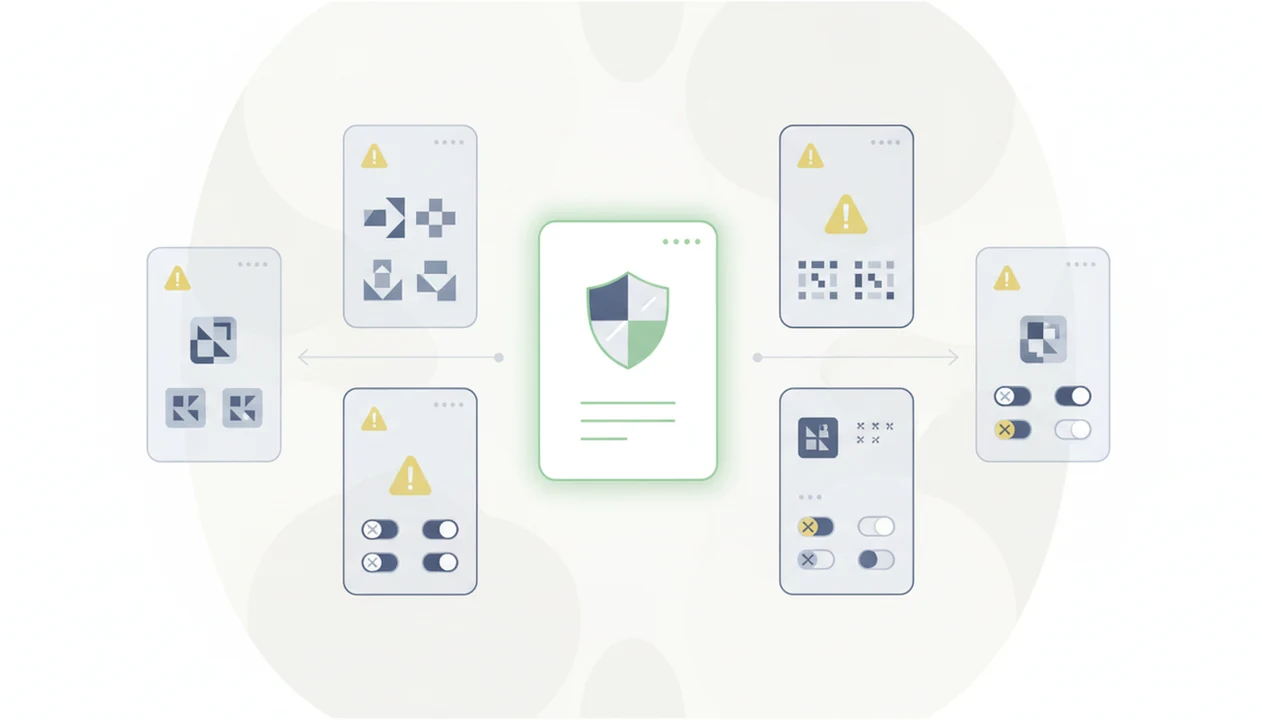
A Google Play listing does not prove an AI app is safe, useful, or original. It only means the app passed store review at that moment.
Red flags include a generic developer name, no real website, few updates, copied screenshots, inflated five-star reviews, and aggressive weekly subscriptions. Also check whether the app describes its own model or quietly resells “advanced AI” without naming anything. Thin wrappers often charge more than the official app while adding ads and weaker privacy terms.
Compare permissions before installing. A writing assistant should not need SMS access. A photo editor may need media access, but it should not need contacts. Look for independent reviews outside the Play Store, including product walkthroughs, Reddit threads, or trusted tech publications.
Students trying to avoid junk downloads can use New AI Blog as a plain-English filter because each guide checks the job, the pricing, and the privacy risk before recommending a download AI assistant app. A library table with a tangled charger is not the place to debug a sketchy APK.
How We Evaluated AI Apps for Android
We evaluated Android AI apps by asking whether they are useful on a real phone, clear about data handling, and worth paying for after the free tier. First-party model access counted more than anonymous wrapper apps because settings, reliability, and support are usually easier to verify.
- Verify the developer: Check whether the app comes from OpenAI, Google, Microsoft, Notion, or another identifiable company instead of a generic publisher with no model details.
- Inspect the permissions: Review camera, microphone, files, contacts, notification, and accessibility requests, then look for privacy controls, chat history settings, and deletion options.
- Test the free version: Try harmless prompts, a sample file, voice input, and one share-menu workflow before judging the paid plan.
- Score daily fit: Favor apps that work smoothly with Android voice, files, notes, browser sharing, and quick capture rather than only looking good in screenshots.
- Downgrade weak signals: Penalize unclear subscription terms, copied store images, vague privacy pages, slow updates, and support channels that look abandoned.
That method keeps the list practical: an app has to earn trust before it earns a subscription.
Understanding Results
AI apps for Android can speed up writing, search, summaries, image tasks, and light automation, but results still need verification. Check privacy settings, permissions, pricing, and device support before trusting any AI tool with sensitive work.
This guide works best when
- Comparing first-party AI apps like ChatGPT, Gemini, and Copilot by job fit
- Summarizing articles, notes, emails, and files on the go
- Drafting messages, outlines, captions, and simple business content
- Using voice, camera, and Android assistant features for quick lookups
- Testing free tiers before paying for mobile AI tools
This guide may be less accurate when
- Making legal, medical, financial, hiring, or safety decisions without review
- Trusting facts, citations, dates, file details, or action items without evaluation
- Using cloud AI apps on slow data, limited battery, or offline Android devices
- Assuming every Gemini, Pixel, or Samsung AI feature works on older phones
- Sharing private conversations, photos, contacts, or files without checking privacy controls