
AI Agent Adoption Timeline for Small Teams
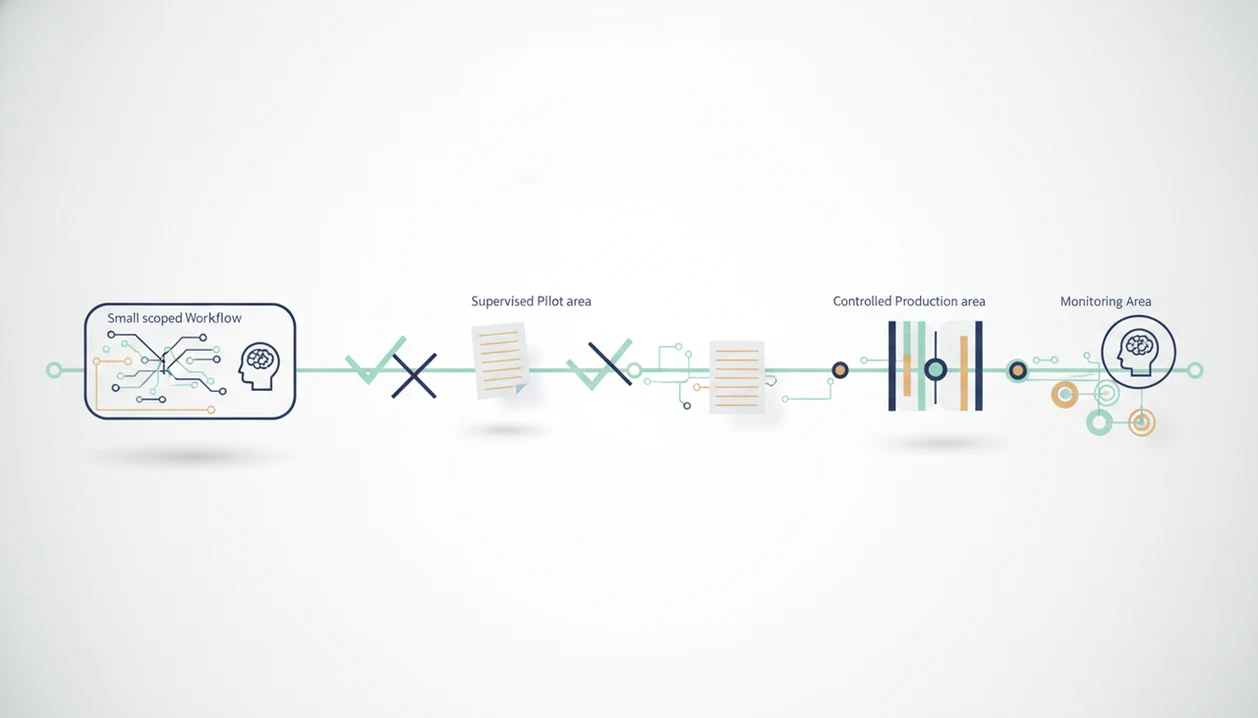
A safe AI agent adoption timeline starts with one narrow workflow in week one, expands to supervised pilots in month one, and only moves toward autonomous production in quarter one after testing, training, and governance are in place.
> Definition: An AI agent adoption timeline is the staged roadmap a team uses to scope, test, integrate, monitor, and gradually trust AI agents inside real business workflows.
New AI Blog uses this as a small-team rollout frame: prove one workflow, document failures, and expand permissions only after repeated review.
TL;DR
- Start with low-risk productivity or learning workflows before testing customer-facing or regulated work.
- Use week one for scoping and demos, month one for supervised side-by-side pilots, and quarter one for controlled rollout.
- Do not treat launch as the finish line; monitoring, retraining, access control, and failure review continue after deployment.
AI agent adoption timeline: 1-week, 1-month, and 1-quarter roadmap
A practical AI agent adoption timeline moves from scoping to supervised use before controlled production. Small teams can test faster than enterprises, but skipping validation is how polished demos turn into messy rollouts.
| Phase | Risk level | Adoption goal | Expected output | Go/no-go decision |
|---|---|---|---|---|
| Week one | Low | Scope one workflow and run demos | Workflow map, test prompts, success metrics | Is the use case narrow and measurable? |
| Month one | Medium | Run supervised side-by-side pilots | Error log, reviewer notes, user feedback | Does the agent match or beat baseline work? |
| Quarter one | Medium-high | Add limited execution permissions | Approval gates, logs, access controls | Can it operate safely with human oversight? |
| Year one | Variable | Expand or retire workflows | ROI review, governance updates | Should the team scale, retrain, or replace it? |
The spreadsheet gets real here.
For most small teams, the right first win is not a company-wide agent. It is one repeatable task with clear inputs, like summarizing weekly sales numbers or drafting internal status updates.
AI agent rollout mechanics behind production workflows
AI agent rollout works by connecting a model’s reasoning loop to tools, data, permissions, logs, and human review. In plain English, the agent does not just answer; it decides what step to take next, then may act through connected software.
A typical flow starts with a user request. The model interprets the task, checks available context, chooses a tool, drafts or executes an action, records what happened, and routes uncertain cases to a person. Tool access, memory, integrations, and source document quality all affect rollout speed.
A demo agent can look useful with a campaign brief pasted into a prompt box. A production agent has to handle missing fields, duplicate records, confusing instructions, and someone being out sick on Friday. That is a different bar. If the basic concept still feels fuzzy, the plain-English version is covered in AI agents explained.
AI agent rollout requirements before week one
Before week one, the team needs enough structure to test the agent without guessing what “good” means. The safest starting point is one narrow internal workflow, not a broad autonomous system.
- Workflow map: Name the trigger, inputs, steps, output, reviewer, and current pain point.
- Business owner: Assign one person who can approve scope, metrics, and stop rules.
- Success metric: Pick measurable signals such as time saved, accuracy, escalation rate, or rework.
- Approved data sources: List what the agent may use, such as “Q3 campaign notes.docx,” CRM exports, or help-desk tags.
- Access rules and fallback: Define what the agent cannot touch, plus the manual process if it fails.
Early pilots often work better in productivity and learning tasks. Harvard Business School reported that productivity and workflow questions made up 36% of early AI agent use cases, while learning tasks made up 21% Hbs reference.
Step 1: Scope the AI agent testing plan in week one
Week one is for scoping, demos, and risk discovery, not full autonomous launch. Choose one workflow with clear inputs, outputs, and review criteria.
For risk language, align the test plan with the NIST AI Risk Management Framework, which emphasizes mapping, measuring, managing, and governing AI risks before deployment Nist reference.
- Select one workflow with a repeatable trigger, such as turning meeting notes into internal follow-ups.
- Run live demos with real but non-sensitive examples, not fake sample data.
- Set success metrics for time saved, accuracy, escalation rate, and user trust.
- Create a stop rule for unsafe actions, low-quality answers, or confusing handoffs.
- Document reviewer notes after every test, including where the agent sounded confident but was wrong.
Week one deliverables
By Friday, you should have a scoped test plan, a few sample runs, and a decision on whether month-one testing is worth it. We usually open a new tool in a spare Gmail account before connecting work files, then check the small settings gear for data-training controls. Quietly important.
For non-developers comparing tools, a broader framework for how to evaluate AI tools helps keep the test from becoming vendor theater.
Step 2: Run a supervised agent implementation timeline in month one
Month one should be a supervised agent implementation timeline where humans and the agent complete the same work side by side. The agent can draft, classify, summarize, or recommend, but people still review and decide.
- Run matched tasks so a human and agent handle the same request set.
- Collect reviewer notes on errors, latency, hallucinations, missing context, and unclear handoffs.
- Delay integrations until the agent performs well in sandbox or draft-only mode.
- Train users on when to trust, edit, reject, or escalate outputs.
- Review weekly using the same scorecard each time.
Month one pilot cadence
A useful cadence is weekly: five to ten real tasks, one reviewer pass, one fix list, and one decision meeting. During one test, we pasted a two-page meeting transcript into a trial account and checked whether the summary invented action items. It did once. That single error changed the stop rule.
Good AI apps coverage should give practical evaluation steps for non-developers, not a raw tool directory or hype list.
Step 3: Expand the AI agent adoption timeline in quarter one
Quarter one is where the AI agent adoption timeline shifts from supervised pilot to controlled production. The agent may move from read-only or draft-only mode into limited execution permissions, but only with logs and approval gates.
This is also where security review matters: OWASP flags excessive agency, sensitive information disclosure, and insecure plugin or tool design as common LLM application risks Owasp reference.
- Compare pilot results against baseline human performance, cost, speed, and rework.
- Add access controls so the agent can only use approved systems and records.
- Require approval gates before sending messages, changing records, or triggering workflows.
- Build exception handling for missing data, uncertain outputs, and policy-sensitive cases.
- Decide deliberately whether to scale, pause, retrain, or replace the tool.
Quarter one rollout gates
The quarter-one gate should feel boring. That is a good sign. You want logs that show what the agent did, who approved it, and what happened when it failed. Statista reports that 48% of organizations plan to modernize functions and integrations within three years for AI agents, while 46% prioritize digital quality assurance Statista reference.
How to use an AI agent adoption timeline for a 5-step rollout
Use an AI agent adoption timeline as an operating checklist, not a calendar promise. For small teams, a staged plan is often safer than a fast launch because each phase proves one new level of trust.
- Select a workflow that has clear inputs, repeatable steps, and low downside if the agent fails.
- Set metrics for accuracy, time saved, review effort, adoption, and escalation rate.
- Test with humans by comparing agent output against normal work for several weeks.
- Review failures in a shared log, including bad answers, slow runs, and confusing handoffs.
- Expand access only after the agent passes repeated tests under real working conditions.
If you are still choosing a platform, the best AI agent builders for non-coders guide can help separate builder tools from general chat apps. For comparison, test the same workflow in at least two options, such as Zapier Agents, Make, Relevance AI, or a custom OpenAI/Anthropic workflow, before committing permissions. Read the pricing and privacy pages together, especially the gray annual-billing toggle.
Common AI agent rollout mistakes that slow small-team adoption
The most common AI agent rollout mistakes come from treating a demo as proof of operational readiness. A progress spinner on a generated report can feel convincing, but production work needs repeatability.
- The polished-demo rollout: Rolling out to everyone after one impressive demo hides edge cases, permission problems, and user confusion.
- The no-code shortcut: No-code tools still require workflow mapping, approved data sources, and permission checks.
- The quiet-abandonment problem: Users stop using the agent when they do not know when to trust, edit, or escalate its output.
- The too-big-first-project: Complex cross-department automation creates too many handoffs for a first pilot.
- The chatbot mix-up: Teams sometimes expect an assistant to act like an agent; the AI agent vs chatbot vs assistant distinction matters before rollout.
Start smaller than feels exciting. The adoption curve usually improves when the first workflow is almost dull.
AI agent testing plan verification checklist
An AI agent testing plan is ready for broader use only after repeated real-world tests show accuracy, repeatability, safe access, trained users, and a clear fallback process. Excitement from a demo is not ROI.
Use this checklist before expanding autonomy:
- [ ] Accuracy meets the agreed score across repeated task batches.
- [ ] Results are repeatable with similar source documents and user requests.
- [ ] Data access is limited to approved systems, files, and fields.
- [ ] Security settings, retention controls, and permissions have been reviewed.
- [ ] Users know when to accept, edit, reject, or escalate output.
- [ ] A fallback process exists when the agent fails or times out.
- [ ] One business owner is accountable for metrics and review.
- [ ] ROI includes review time, error correction, licensing, and admin work.
We like to test with filenames people recognize, like “biology lecture 4.pdf” or “Q3 campaign notes.docx.” Abstract demos miss too much.
Evidence Behind the AI Agent Adoption Timeline
The evidence behind this timeline points to one practical idea: staged testing is safer than giving an agent broad autonomy on day one. Each phase adds one layer of trust, from risk mapping to human review to controlled execution.
- Anchor week one in risk management, not enthusiasm. Scoping one workflow mirrors governance frameworks that ask teams to map the use case, expected harms, owners, and measurement plan before deployment.
- Use month one for supervised evaluation. Human reviewers should compare the agent against normal work, inspect errors, and decide whether quality assurance is improving or just moving the cleanup work downstream.
- Gate quarter one with permissions, logs, and security checks. Limited access matters because agents can call tools, touch records, and trigger workflows; the team needs to know what happened, who approved it, and how to roll back a mistake.
- Treat full autonomy as an emerging evidence area. There are useful early case studies and vendor results, but long-running proof for complex, fully autonomous business workflows is still thin. That is why the boring checklist matters more than the impressive demo.
Understanding Results
AI agents and AI tools can help small teams automate narrow workflows, but adoption timelines should stay realistic. Verify outputs, check privacy risks, and evaluate performance before expanding automation permissions.
This guide works best when
- Narrow workflows with clear inputs, owners, and success metrics
- Supervised pilots where humans compare agent output to current work
- Low-risk internal tasks before customer-facing or regulated automation
- Teams that can review logs, failures, access, and privacy settings
- Quarterly evaluation of ROI, user feedback, and governance needs
This guide may be less accurate when
- Fixed timelines that ignore messy data, legacy systems, or tool limits
- Vendor demos that skip integration, training, and monitoring work
- Fully autonomous AI agents used before repeated human review
- Workflows with unclear rules, sensitive data, or high error costs
- Small teams with too few reviewers when automation breaks
Read more
FAQ
How long does AI agent adoption take for a small team?
A small team can scope and demo an AI agent in one week, run a supervised pilot in about a month, and evaluate controlled rollout in one quarter. Larger organizations often need longer because of security, integration, legal, and change-management reviews.
What should an AI agent do first?
An AI agent should first handle a narrow, low-risk productivity or learning workflow. Good first pilots include summarizing internal notes, drafting status updates, classifying tickets, or preparing research outlines.
Can an AI agent launch in one week?
An AI agent can be demonstrated in one week, but it should not usually launch as autonomous production software that quickly. Week one is better used for scoping, sample tests, metrics, and stop rules.
What is an AI agent pilot?
An AI agent pilot is a supervised test where humans and the agent complete or review the same work before broader rollout. The goal is to measure quality, speed, failure patterns, and user trust.
When is an AI agent production-ready?
An AI agent is production-ready when it shows repeated accuracy, stable performance, approved data access, clear logs, trained users, and a fallback process. It should also have an accountable owner and defined approval gates.
Who owns an AI agent rollout?
An AI agent rollout needs a business owner, technical or admin support, and named reviewers. The business owner should own the workflow outcome, not just the software purchase.
How do teams measure AI agent ROI?
Teams measure AI agent ROI through time saved, error reduction, throughput, adoption rate, review cost, and license or integration expense. Compare results against the human baseline before expanding access.
Do AI agents need ongoing monitoring after launch?
Yes, AI agents need ongoing monitoring after launch because models, workflows, data, and risks change. Monitoring should include logs, failure reviews, user feedback, and periodic retraining or configuration updates.