
AI App Security Checklist For Teams And Everyday Users
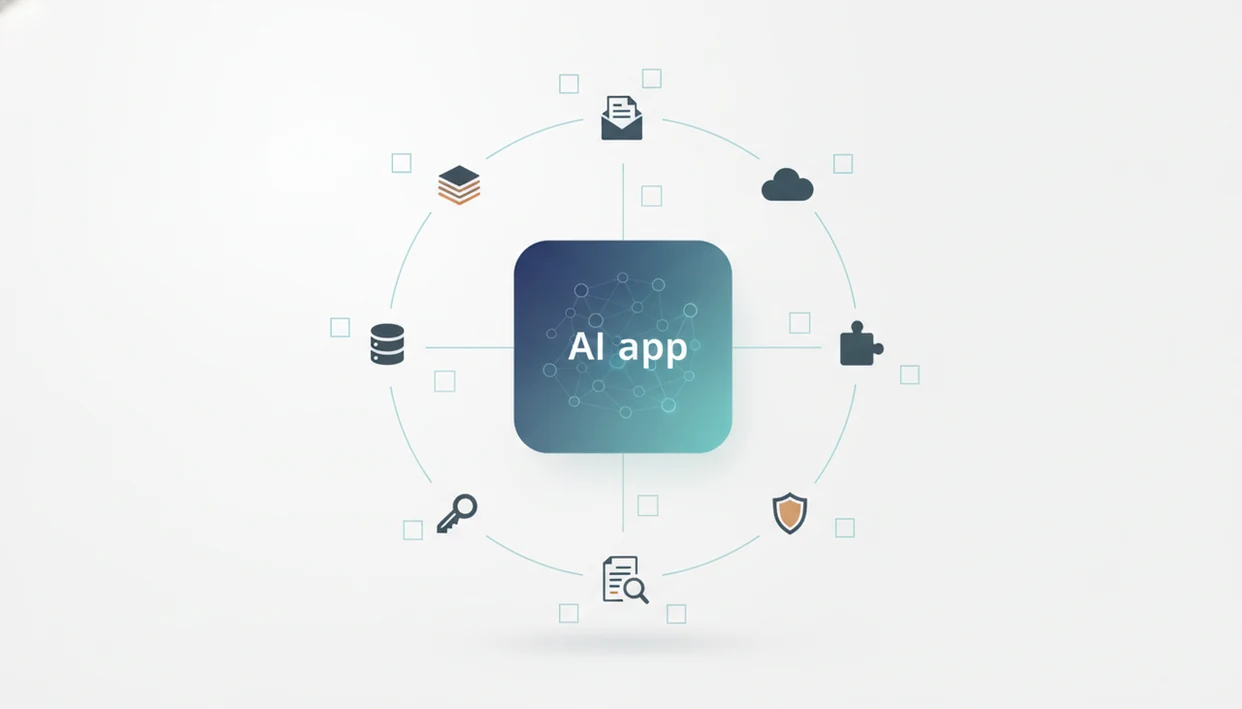
Use this AI app security checklist before connecting any AI tool to your files, email, CRM, browser, codebase, or internal workflow. The safest approach is to verify data access, permissions, connected apps, prompt-injection protections, logs, exports, vendor claims, and reassessment dates before the app touches sensitive information.
Definition: An AI app security checklist is a practical review framework for deciding whether an AI app, LLM tool, or AI integration is safe enough to connect to your data, accounts, and workflows.
TL;DR
- Start with data: know what the AI app can read, store, export, and reuse.
- Check AI-specific risks such as prompt injection, indirect prompt manipulation, data leakage, and unsafe tool use.
- Treat security review as ongoing because AI app features, integrations, models, and vendor policies change.
AI App Security Checklist At A Glance
Before you connect an AI app, check what it can access, what it can change, and what happens to your data after the task is done. The goal is risk reduction, not a guarantee that the app is safe.
Use this short checklist first:
- Data access: email, calendar, cloud drive, CRM, tickets, chats, recordings, browser pages, databases.
- Permissions: read-only versus send, publish, delete, share, invite, or admin rights.
- Integrations: OAuth apps, APIs, browser extensions, service accounts, plugins.
- LLM risks: prompt injection, hidden instructions, unsafe tool actions, output leakage.
- Logs and retention: prompts, files, outputs, metadata, exports, backups.
- Admin controls: role-based access, audit logs, SSO, offboarding, approval flows.
- Vendor evidence: security reports, subprocessors, privacy terms, training-data controls.
- Reassessment: review after updates, new integrations, staffing changes, or incidents.
This works for standalone AI apps, AI browser extensions, AI agents, and AI features inside SaaS tools you already use.
Try it with a low-stakes task first.
Five AI Security Checklist Facts Teams Should Know
- Data classification and access control come first. Decide whether the AI app will touch public, internal, confidential, regulated, or customer data before you test features.
- LLM-specific risks need their own checks. Prompt injection, indirect prompt manipulation, data leakage, and unsafe tool use are not covered by a normal SaaS feature review.
- Vendor security posture matters as much as product design. A slick summary tool can still have weak retention rules, vague staff access controls, or outdated incident-response language.
- Permissions and secrets require explicit review. APIs, cloud drives, inboxes, storage systems, browser sessions, OAuth grants, and API keys should not be treated as background setup.
- Reassessment is part of AI security. Models, prompts, workflows, integrations, and regulations change, so a one-time approval can go stale fast.
For small teams, the practical move is to open the tool in a spare Gmail account before connecting work files. That one step catches many risky permission requests.
How LLM App Security Works Behind The Scenes
LLM app security is the control of data flow between user prompts, retrieved documents, app permissions, model calls, tool actions, outputs, logs, and exports. In plain English, the risk is not only what you type, but what the app can fetch, remember, and do next.
A typical AI app may take your prompt, pull context from a source document, send a model request, call a connected tool, then save the output in chat history or an export. If an agent can send messages, move files, create records, call APIs, or trigger automations, the stakes rise because the system can affect real accounts.
Prompt injection means untrusted instructions try to override your intended task or the app’s security boundaries. Those instructions can hide in emails, webpages, PDFs, support tickets, or shared documents. I’ve seen a harmless-looking imported page include text that told the model to ignore previous directions.
Not just a chatbot problem.
AI App Permissions And Data Access Checks
AI app permissions should be reviewed by data category and action type, not just by whether the app “needs access.” Least privilege means giving the app only the folders, inbox labels, workspaces, projects, or test accounts required for the task.
Ask what the app can access: email, calendar, cloud drive, CRM, support tickets, chat messages, documents, recordings, browser history, or databases. Then separate read-only access from write, delete, share, send, publish, invite, and admin rights.
| Permission pattern | Safer version | Riskier version |
|---|---|---|
| Cloud files | One project folder | Entire drive access |
| One label or test inbox | Full inbox and send access | |
| Browser | Current tab on demand | Persistent browsing access |
| CRM | Read-only test records | Edit all customer records |
| Workspace admin | Limited role | Organization-wide admin |
A company laptop on public Wi-Fi is already a bad place to approve broad OAuth scopes. For document-heavy workflows, first ask whether it is safe to upload documents to AI apps before granting drive access.
AI App Security Controls For Prompt Injection And Agents
Does the AI app protect against prompt injection and unsafe agent actions? Check whether it separates system instructions, user instructions, retrieved content, and tool permissions before you let it act on live data.
Direct prompt injection comes from a user instruction that tries to override the app. Indirect prompt injection comes from malicious retrieved content, such as hidden text in a webpage, email, PDF, chat thread, or support ticket. Encryption helps protect stored or transmitted data, but it does not stop a model from following bad instructions inside trusted-looking content.
For a formal risk map, compare these checks with OWASP’s Top 10 for Large Language Model Applications, especially prompt injection, sensitive information disclosure, and excessive agency (Owasp reference).
Look for these controls: allowlists, deny rules, sandboxing, action previews, confirmation prompts, rollback options, and rate limits. High-impact actions should require human approval, especially sending emails, deleting data, paying invoices, updating customer records, or publishing content.
In a step-by-step test, paste a two-page meeting transcript into a trial account and check whether the summary invents action items. Then test whether the app asks before creating tasks or sending messages.
Vendor Claims To Verify In An AI Security Checklist
Vendor security claims need evidence, dates, and contract language before they become trustworthy. Non-technical users can still compare whether answers are specific, current, and backed by documents rather than marketing copy.
For higher-risk deployments, map vendor answers to a recognized framework such as the NIST AI Risk Management Framework (Nist reference). That keeps the review from depending only on a sales deck or security FAQ.
- Encryption and isolation. Ask about encryption in transit, encryption at rest, tenant isolation, key management, and whether customer data is separated by workspace.
- Access and logging. Check access logs, employee access controls, admin visibility, audit trails, and support-staff access to customer data.
- Retention and training. Ask whether prompts, uploaded files, outputs, and metadata are used for model training or product improvement by default.
- Governance evidence. Request SOC 2, ISO 27001, penetration test summaries, subprocessors, a data processing addendum, privacy policy, terms, and AI governance documentation when relevant.
The underlying LLM provider’s security is not the same as the third-party app’s security. The app may add its own database, logs, browser extension, analytics, and support workflows. Plain-English guides like New AI Blog should explain what an app does and where trust checks belong, not rank tools by hype.
Authoritative Sources Behind This AI Security Checklist
This checklist is grounded in recognized security guidance, not just AI product opinion. Use those sources as review rails, then verify the actual app, account settings, documents, and contract terms in front of you.
OWASP’s LLM guidance is useful for AI-specific failure modes such as prompt injection, sensitive data exposure, and excessive agency, which means an app can reveal data or take actions beyond what users expected. NIST’s AI Risk Management Framework gives a broader structure for governance, mapping where AI is used, measuring risk, and managing it over time. CISA-style security basics still matter too: strong identity, phishing resistance, least privilege access, logging, and incident-response planning are not replaced by model controls.
A practical source check looks like this:
- Match each vendor claim to a dated document, policy, report, admin screen, or contract clause.
- Compare AI-specific controls against OWASP categories and general governance against NIST-style risk management.
- Confirm identity, access, phishing, backup, and incident-response basics before approving broad permissions.
- Record the evidence, owner, limits, and next review date.
Frameworks guide the review. They do not guarantee that any specific AI app is safe.
Logs, Exports, Training Data, And Retention Risks
Sensitive data can persist long after the AI task feels finished. Review prompt logs, chat history, uploaded files, embeddings, vector databases, screenshots, transcripts, audit logs, exports, backups, analytics tools, and support tickets.
Ask how long prompts, files, outputs, and metadata are retained. Then ask whether users and admins can delete them. Some tools let workspace admins view user conversations, and some vendors reserve limited staff access for support or abuse review. That may be reasonable, but it should be stated clearly.
Exports create a second leakage path. A shared summary link, CSV download, or copied answer can travel outside the original app’s controls. I once found a redacted client name still present in a generated file name, not the document body. Easy to miss.
For deeper retention checks, use a privacy-policy pass like how to check AI app privacy policies, then confirm training opt-out, deletion workflows, retention controls, and auditability.
Access Reviews And Ongoing AI App Security Monitoring
AI app security needs scheduled review because permissions, models, integrations, and vendor policies change after adoption. Review connected apps, OAuth grants, API keys, browser extensions, shared workspaces, and service accounts on a set cadence.
Reassess immediately after major app updates, new integrations, new agent capabilities, policy changes, team changes, or security incidents. Useful monitoring signals include unusual exports, high-volume prompts, unexpected file access, failed login attempts, new admins, and new subprocessors.
The numbers support ongoing checks. IBM reported that 74% of organizations had at least one AI or machine-learning security incident in 2023 (IBM data breach cost report). Gartner reported that 51% of organizations using generative AI had already experienced data exposure or loss (Gartner low-code forecast). Verizon’s 2023 Data Breach Investigations Report tied 74% of breaches to the human element, including social engineering, errors, and misuse (Verizon reference).
Human review still matters.
For everyday teams, review AI tools like you review payroll, CRM, and cloud storage access. A workflow using AI automation tools for non-developers usually works best when approvals are built around high-impact actions.
When To Involve Security, Legal, Privacy, Or Compliance
Involve the right specialist before an AI tool reaches sensitive systems, not after it becomes part of daily work. Security, legal, privacy, and compliance teams help decide whether the risk is acceptable and what guardrails belong in writing.
Use a simple escalation path when the app will touch customer data, regulated records, production systems, or high-impact workflows:
- Ask security to review permissions, integrations, secrets, logging, and agent actions before connecting live data.
- Bring in legal or privacy when contracts, data processing terms, subprocessors, retention, training use, or deletion rights are unclear.
- Escalate workflows that can send messages, edit CRM or HR records, delete files, publish content, trigger payments, or call APIs.
- Require expert review after suspicious exports, incidents, vendor policy changes, new integrations, or a sudden expansion of product features.
- Document approval by recording who approved the tool, what data it touches, what limits apply, and the next reassessment date.
This does not need to be slow. A one-page approval note is better than a vague “everyone uses it” decision six months later.
Understanding Results
AI apps and AI agents can speed up work, but security review still depends on verification, privacy checks, and realistic expectations. Use this checklist to reduce risk before connecting AI tools to files, email, CRMs, browsers, code, or internal automation.
This guide works best when
- Screening AI tools before granting file, email, CRM, or browser access
- Comparing permissions, retention, logs, exports, and admin controls
- Flagging risky automation such as send, delete, publish, or share actions
- Planning privacy and security evaluation before rollout
- Setting reassessment dates when vendors, models, or integrations change
This guide may be less accurate when
- Proving that an AI app is fully secure or compliant
- Verifying vague vendor claims without documentation or expert review
- Detecting zero-day flaws, hidden data leaks, or advanced prompt injection
- Replacing identity management, user training, or AI governance
- Approving tools that handle regulated, HR, legal, customer, or security data without specialist review
Read more
FAQ
What is AI app security?
AI app security is the practice of checking how an AI app accesses data, uses permissions, stores prompts, handles outputs, and takes actions through connected tools. It includes normal app security plus LLM app security risks such as prompt injection and unsafe agent behavior.
Are AI app permissions dangerous?
AI app permissions are not automatically dangerous, but broad or poorly controlled permissions raise risk. Check whether access can be limited to specific folders, accounts, projects, or read-only actions.
What is prompt injection?
Prompt injection is a malicious or conflicting instruction that tries to manipulate an AI system into ignoring the user’s intent or security rules. It can appear in prompts, files, webpages, emails, tickets, or retrieved documents.
Can AI apps read my files?
AI apps can read your files only when permissions, integrations, workspace settings, or admin controls allow that access. Check the app settings, connected-account permissions, and workspace admin panel before uploading files.
Do AI apps store prompts?
Many AI apps may store prompts, outputs, metadata, uploaded files, or logs depending on their retention policy. Review the settings page and vendor documentation, especially if you are asking can AI apps use my data for training.
Are AI agents higher risk?
AI agents are higher risk when they can act through connected tools, such as sending emails, editing records, moving files, or calling APIs. Require previews, confirmations, permissions limits, and rollback options for high-impact actions.
How often should permissions be reviewed?
Review AI app permissions at least quarterly for team tools and immediately after major updates, new integrations, team changes, or incidents. Everyday users should also remove unused connected apps from account settings.
Is vendor encryption enough?
Vendor encryption is important, but it is not enough for AI-specific risks. It does not prevent prompt injection, overbroad permissions, unsafe agent actions, output leakage, or poor retention settings.