
AI Workflow Maintenance Checklist For Teams
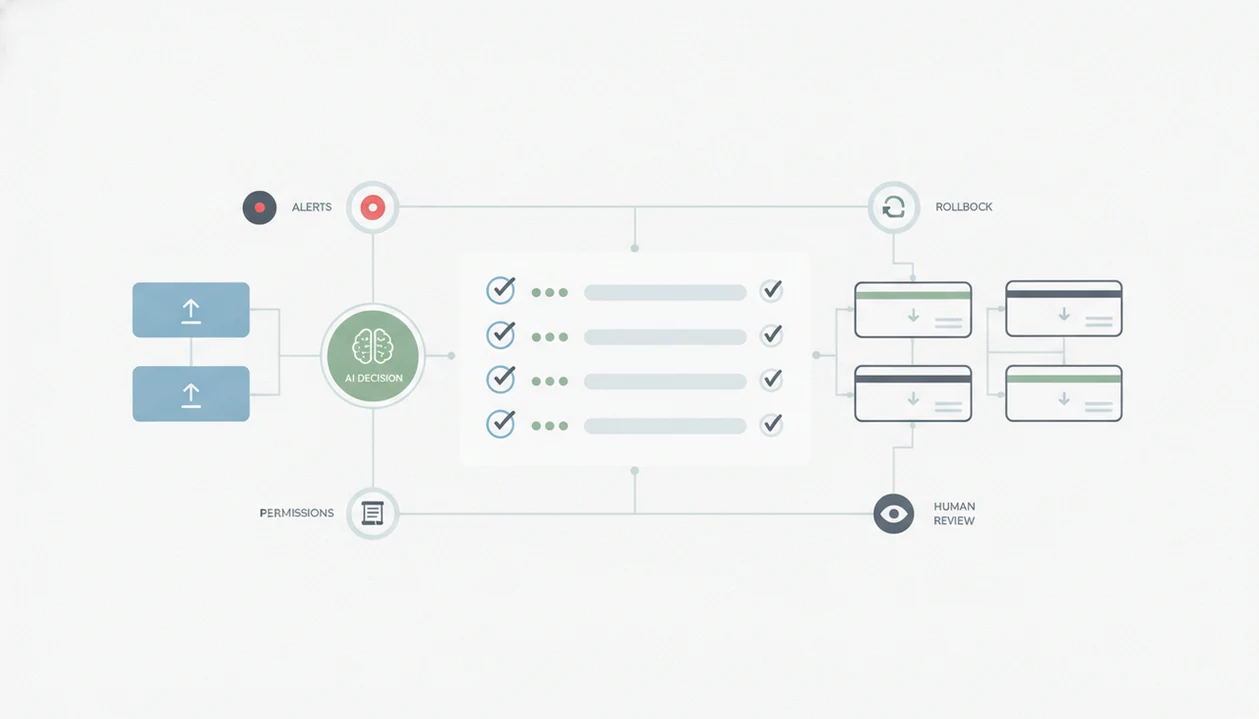
Use an AI workflow maintenance checklist to review live automations on a fixed cadence: monitor runs, inspect outputs, update prompts, verify permissions, and document incidents before users notice failures. The goal is to keep no-code AI workflows reliable after launch, not just prove they worked once.
> Definition: An AI workflow maintenance checklist is a recurring operational checklist that helps teams monitor, test, secure, and improve no-code AI automations after they go live.
TL;DR
- Check workflow runs daily, spot-test AI outputs weekly, review prompts and costs monthly, and audit access quarterly.
- Monitor both technical failures and silent failures such as hallucinations, off-brand language, policy violations, and degraded task quality.
- Every AI workflow needs logs, alerts, retries, fallbacks, human review paths, and a rollback plan for prompt or model changes.
AI workflow maintenance checklist definition for no-code teams
An AI workflow maintenance checklist is a recurring post-launch process for checking whether AI automations still run, still produce useful output, and still follow team rules.
No-code workflows can break quietly because the run may show “success” even when the answer is wrong. A Zapier-style builder might pass a support ticket into an AI step, receive a polished reply, and send it onward. Technically fine. Practically risky.
This checklist applies to agents, automation platforms, and shared business processes owned by marketing, operations, support, or sales. It is different from how to build an AI workflow without coding. Building proves the path works once. Maintenance proves it still works after prompts, models, APIs, permissions, and business rules change.
Five AI workflow maintenance facts teams should know
- Monitor both machine signals and business signals. Track success rate, failure rate, latency, cost, model outputs, and KPIs such as response time or manual rework.
- Check data going in and coming out. Missing fields, duplicate records, changed labels, and stale source documents can make a workflow fail without throwing an error.
- Use alerts and logs before people complain. AI automation monitoring should flag timeouts, API errors, unusual volume, and cost spikes in a shared place.
- Plan workflow error handling on purpose. Retries, fallback paths, static templates, and human review queues should be designed before a customer-facing failure.
- Treat prompts and models as versioned parts. Keep change logs, rollback notes, permission reviews, and provider update checks.
A test document dragged onto an upload box is not enough. The real test starts after the free trial countdown disappears from the header.
How AI workflow maintenance works after launch
AI workflow maintenance works as a loop: observe runs, review outputs, correct prompts or model settings, test rollback, document the change, and repeat. Logs show what happened. Alerts show what needs attention. Human review shows whether the output was actually useful.
Two technical terms matter here: data drift and concept drift. Data drift means the inputs change, such as new ticket categories or different product names. Concept drift means the meaning of a good answer changes, often because policies or customer expectations changed.
Production ML guidance treats data drift, concept drift, monitoring, and rollback readiness as production-readiness issues, not optional polish; Google’s ML Test Score paper frames these as core controls for reducing ML technical debt: https://research.google/pubs/the-ml-test-score-a-rubric-for-ml-production-readiness-and-technical-debt-reduction/. No-code teams feel the same problem in smaller ways. A provider changes a model, an API field is renamed, pricing moves, or a manager rewrites the refund policy. The workflow still runs, but the answer no longer fits.
AI workflow maintenance checklist cadence before you start
Use a cadence before assigning tasks, or maintenance will become “someone should check that” work. Shared ownership matters because AI workflows often cross tools, teams, and inboxes.
| Cadence | What to check | Why it matters |
|---|---|---|
| Daily | Failed runs, timeouts, alert inbox, unusual volume, cost spikes | Catches visible breakage before users escalate |
| Weekly | Real outputs, hallucinations, tone, policy issues, customer impact | Finds silent failures that green checkmarks miss |
| Monthly | Prompt updates, model settings, API or tool changes, cost review, fallback tests | Keeps workflow behavior aligned with current rules |
| Quarterly | Permissions, owners, documentation, compliance notes, retirement decisions | Removes stale access and abandoned automations |
For teams comparing builders, the Zapier vs Make vs n8n choice affects how easy this schedule feels. Some tools expose cleaner logs. Others require more manual notes in a shared spreadsheet.
How to use an AI workflow maintenance checklist
Use the checklist by assigning ownership, recording the workflow parts, monitoring live runs, reviewing real outputs, and testing recovery paths.
For higher-risk workflows, map these steps to a formal risk routine: the NIST AI Risk Management Framework recommends ongoing measurement, monitoring, documentation, and human oversight across deployed AI systems: https://www.nist.gov/itl/ai-risk-management-framework.
- Assign owners and review frequency. Name the business owner, backup reviewer, and maintenance cadence.
- Log every component. Record the trigger, AI step, prompt, model, connected app, API key owner, and business process.
- Monitor live behavior. Review runs, errors, latency, cost, token usage, and usage spikes.
- Review real outputs. Check hallucinations, policy violations, tone problems, and degraded completion quality.
- Test recovery paths. Run retries, fallbacks, human review queues, and rollback steps.
- Record every change. Include date, owner, reason, and before/after result.
1. Assign workflow owners
Give one person the job, not a vague channel. We usually test this with a low-stakes workflow first, such as routing newsletter replies.
2. Log workflow components
List file names, prompts, models, and connected apps. “Q3 campaign notes.docx” is more useful than “marketing file.”
3. Monitor errors and costs
Watch failures, retries, latency, and billing changes. The gray pricing toggle that switches monthly to annual billing deserves a look.
4. Review AI outputs
Read samples from real runs. A summary can invent action items from a two-page meeting transcript.
5. Test fallbacks and rollback
Break the workflow on purpose in a safe test. Confirm the fallback actually catches the failure.
AI automation monitoring metrics for live workflows
AI automation monitoring should track technical health, cost behavior, output quality, and business impact. One dashboard rarely shows all four, so many teams keep a small maintenance log beside platform analytics.
- Technical metrics: success rate, failure rate, retry count, timeout rate, latency, and API errors.
- Cost metrics: token usage, per-run cost, subscription limits, overage risk, and usage spikes.
- Quality metrics: accuracy, hallucination rate, tone fit, policy compliance, and completion quality.
- Business metrics: resolution time, lead response time, support deflection, and manual rework rate.
McKinsey’s 2023 State of AI survey reported that AI high performers were more likely to see meaningful cost decreases and revenue increases from AI, while many organizations still struggled to scale AI beyond isolated use cases: https://www.mckinsey.com/capabilities/quantumblack/our-insights/the-state-of-ai-in-2023-generative-ais-breakout-year. That gap is the maintenance problem in plain English. Practical guides from tools like New AI Blog, therundown.ai, and futurepedia.io should explain what a tool does in plain English, not turn every new release into hype.
Workflow error handling checklist for AI failures
What should happen when an AI workflow fails? It should retry temporary errors, use a fallback for known failure modes, alert an owner, and route risky output to human review.
Start with retries for timeouts, rate limits, and temporary API errors. Then add fallback paths: a static email template, a rule-based branch, or a non-AI workflow. For customer-facing, legal-adjacent, or sensitive content, use a review queue before anything is sent.
Escalation rules should cover repeated failures, sensitive data exposure, compliance concerns, and user complaints. Most no-code platforms execute the steps you build, but they do not design sensible fallback logic for you.
For small teams, explicit fallback rules are often easier than adding more AI steps because they reduce surprise when the model stalls.
Prompt, model, permission, and data quality reviews
Prompt, model, permission, and data quality reviews keep workflows reliable after the original builder moves on. Maintain AI workflows by treating these parts as living records, not setup details.
Keep prompt versions with dates, owners, and before/after examples. Record model changes, provider policy changes, pricing changes, and rollback options. Check the settings page before you upload anything sensitive, especially the small settings gear where data-training controls are often hidden.
Permissions need the same routine. Review shared accounts, app connections, API keys, and least-privilege access. Then inspect input quality: missing fields, changed schemas, duplicate records, and invalid outputs.
In a 2021 McKinsey survey, 53 percent of AI high performers reported data quality issues as a top AI challenge. Source: McKinsey, The State of AI in 2021, https://www.mckinsey.com/capabilities/quantumblack/our-insights/global-survey-the-state-of-ai-in-2021. Product photos waiting in a folder can break a workflow if the naming pattern quietly changes.
Common AI workflow maintenance mistakes
The most common mistake is set-and-forget thinking after a successful launch. A workflow that worked last month may fail today because the prompt is stale, the model changed, or the business rule moved.
Another mistake is trusting technical success too much. A green run does not prove the response is accurate, on-brand, or safe to send. Silent failures need human review and sample checks.
Teams also skip shared incident logs. That makes every future fix slower because nobody knows what changed, who changed it, or why. Platform defaults are another trap. Retries, fallbacks, escalation rules, and human review queues usually need explicit setup.
Non-developers can still maintain many workflows. Visual logs, checklists, and clear ownership make it practical, especially for teams already using AI automation tools for non-developers.
Understanding Results
AI tools and automation can keep team workflows moving, but live systems still need regular verification, privacy checks, and clear owners. Treat AI workflow maintenance as an ongoing evaluation process, not a one-time launch task.
This guide works best when
- Monitoring recurring AI apps, agents, and no-code automations
- Spot-checking outputs for quality, tone, policy fit, and rework
- Reviewing prompts, permissions, logs, costs, and model changes
- Setting clear fallback, escalation, and rollback steps for teams
This guide may be less accurate when
- Workflows that show technical success but produce poor answers
- High-risk decisions without legal, security, or compliance review
- Systems with weak logs, missing alerts, or unclear ownership
- Processes that handle sensitive data without privacy and retention rules
Read more
FAQ
What is AI workflow maintenance?
AI workflow maintenance is the ongoing monitoring, testing, updating, and documentation of live AI automations. It focuses on reliability after launch.
How often should workflows be checked?
Teams should check runs daily, review outputs weekly, review prompts and model settings monthly, and audit permissions quarterly. High-risk workflows may need more frequent checks.
Who owns AI workflow maintenance?
Operations, marketing, support, or process owners can own AI workflow maintenance when responsibilities are documented. Technical teams should be involved for security, integrations, and complex failures.
What should AI logs include?
AI logs should include run status, errors, inputs, outputs, prompt version, model version, cost, owner, and incident notes. They should also record changes with date and reason.
How do AI workflows fail silently?
AI workflows fail silently when they produce hallucinations, bad tone, missing context, policy violations, or lower-quality outputs despite a successful technical run. These failures require output review, not just error monitoring.
What is workflow error handling?
Workflow error handling is the use of retries, fallback paths, alerts, escalation rules, and human review queues for failed or risky workflow runs. It prevents one AI failure from stopping the whole process.
When should prompts be updated?
Prompts should be updated when output quality drops, business rules change, models change, or users report problems. Each prompt change should have a version note and rollback option.
Can non-developers maintain AI workflows?
Yes, non-developers can maintain many no-code AI workflows using visual logs, clear checklists, ownership, and escalation rules. New AI Blog covers these practical AI app workflows for non-developers evaluating tools.