
AI Assistant Vs AI Agent: Which One Do You Need?
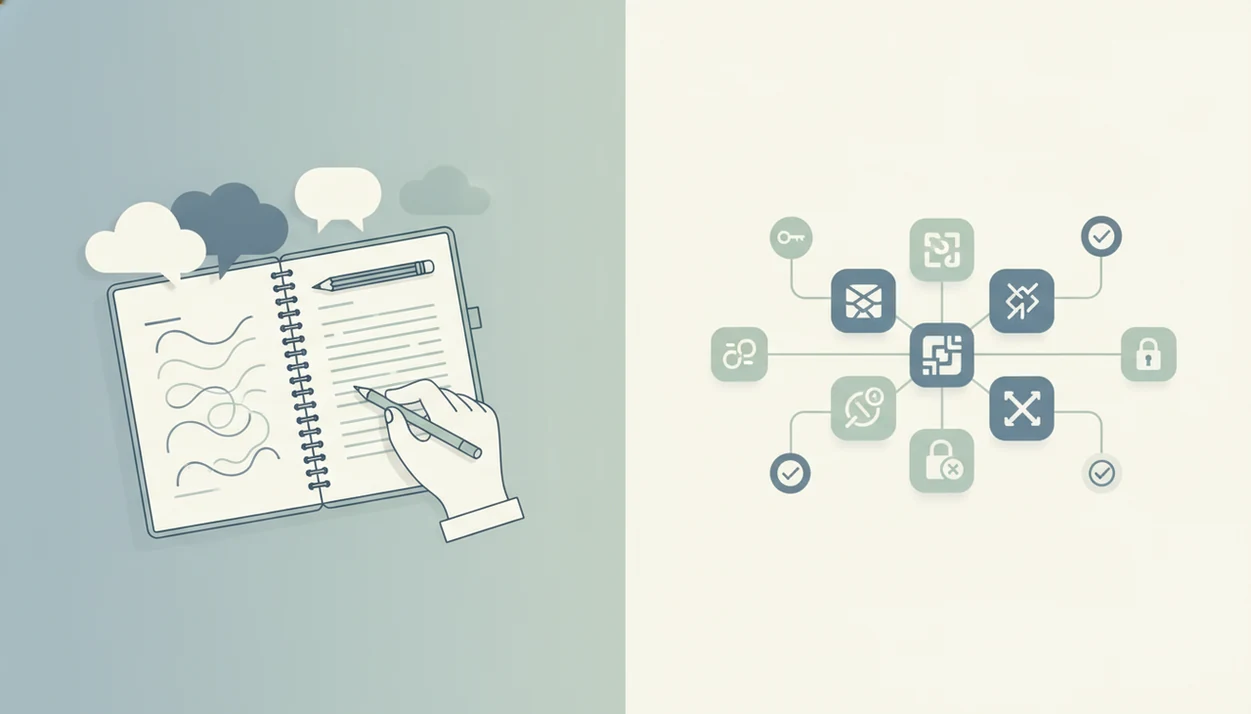
Choose an AI assistant if you want faster drafting, research, summarizing, and decision support while you stay in control; choose an AI agent if you want software to execute multi-step work across tools with rules, permissions, and oversight. The practical difference in AI assistant vs AI agent decisions is not intelligence alone, but autonomy, access, and risk. New AI Blog treats the choice as a software buying decision, because the same model can feel safe in a draft box and risky once it can edit your CRM.
Definition: An AI assistant is a reactive helper that responds to user prompts, while an AI agent is a goal-driven system that can plan, use tools, and execute steps with some autonomy.
TL;DR
- AI assistants are best for low-risk work where a human reviews or performs the final action.
- AI agents are best for repeatable workflows where the tool can safely take action across apps.
- Most teams should start with assistants, then add narrowly scoped agents with approvals, logs, and permission limits.
AI assistant vs AI agent, side by side
Side-by-side captures of the compared products. Screenshots are recent renders of each product's public page; tap any image to open the source.

AI Assistant Vs AI Agent At A Glance
AI assistants suggest; AI agents can execute. Many modern AI tools blend both modes, so the real buyer question is what the system can do after you stop typing.
| Factor | AI assistant | AI agent |
|---|---|---|
| Reactivity | Waits for prompts | Can respond to triggers |
| Autonomy | Low | Medium to high, depending on setup |
| Integrations | Often reads files or chats | Often connects to apps, APIs, and workflows |
| Supervision | Human reviews before action | Human may review exceptions or approvals |
| Permissions | Usually read-only or limited | May need write, send, edit, or admin scopes |
| Risk | Lower, if output is reviewed | Higher, because actions can happen quickly |
| Best-fit tasks | Drafts, summaries, research, explanations | CRM updates, ticket routing, reports, follow-ups |
The feature comparison table on a second monitor usually tells the truth. If “send,” “update,” or “approve” appears in the permission list, you are no longer just buying chat.
For quick product context, assistant-first tools often include ChatGPT, Claude, Gemini, Perplexity, and Microsoft Copilot, while agent or workflow-oriented tools include Zapier Agents, Lindy, Relay.app, Relevance AI, CrewAI, and Salesforce Agentforce.
Where AI Assistants Win And Where AI Agents Win
AI assistants win when the work needs fast thinking with a human final check. AI agents win when the work is repeatable, permissioned, and safe enough to execute across tools.
Assistants are strongest for drafting, judgment support, brainstorming, source review, meeting summaries, and low-risk checks where a person still decides what to send, publish, or approve. Their lower autonomy keeps the failure cost smaller: a weak draft is annoying, but it usually does not change customer data. Agents win when the same steps repeat across CRM, help desk, calendar, reporting, or email systems. Their value comes from routing work, updating fields, gathering numbers, and moving tasks between apps without waiting for a new prompt.
Use this quick split:
- Choose an assistant when the task is novel, sensitive, creative, or still being defined.
- Choose an agent when the task has clear rules, stable inputs, and limited permissions.
- Require human approval for legal, medical, financial, HR, security, refunds, deletions, public posts, or anything that could expose private data.
- Match autonomy to failure cost: the more damage a mistake can cause, the tighter the approval gate should be.
AI Assistant Meaning For Everyday Work
An AI assistant is prompt-driven software that helps you think, write, summarize, research, or explain something before you decide what to do next. The user remains responsible for judgment and final action.
Common examples include ChatGPT-style writing help, document summaries, email drafts, meeting notes, and policy explanations. We often test this by pasting a two-page meeting transcript into a trial account, then checking whether the summary invents action items. Sometimes it does. Human review stays in the loop.
McKinsey’s 2023 State of AI survey reported that 79% of respondents had at least some exposure to generative AI and 22% used it regularly at work (McKinsey State of AI report). Pew Research Center reported in 2024 that about 23% of U.S. adults had used ChatGPT, a useful proxy for how quickly assistant-style tools entered everyday work and school habits (Pew Research AI survey). New AI Blog usually recommends assistant mode first because it gives non-developers fast value without handing over operational control.
AI Agent Differences That Matter In Real Workflows
An AI agent is goal-driven software that can plan steps, call tools, follow rules, and act across systems with less constant user input. The difference is not the chat box; it is the authority to move work forward.
- Triggers: An agent may start when a form arrives, a ticket changes status, or a calendar event ends.
- Permissions: It may update CRM records, route support tickets, send follow-ups, or resolve simple IT requests.
- Context: Agents often use memory, workflow state, or source documents to decide the next step.
- Tool access: Agents can call APIs, databases, email tools, help desks, and reporting systems.
- Monitoring: Autonomy increases operational risk, so logs, alerts, and approval gates matter.
When support tickets are sorted by urgency before lunch, the speed feels useful. But one bad routing rule can bury a customer complaint fast.
AI Assistant And AI Agent Workflow Mechanics
Assistants and agents usually rely on language models to interpret instructions, generate responses, and reason over context. In plain English, the model predicts useful next text or decisions based on the prompt, source material, and available tools.
An assistant mostly produces output for a human to review. You ask it to summarize “Q3 campaign notes.docx,” then you decide whether to paste the summary into a report. An agent adds planning loops, tool calls, APIs, triggers, workflow state, permissions, and sometimes memory. That means it can decide the next step, call the connected tool, and continue until a rule says stop.
Here is the human-in-the-loop split: assistants usually require review before action, while agents often use review by exception or approval gates. New AI Blog covers the longer version in AI agents explained, especially for readers who do not want to read developer docs first.
AI Assistant Use Cases For Drafts, Summaries, And Research
Should you use an AI assistant for drafts, summaries, and research? Yes, if the work is uncertain, creative, sensitive, one-off, or judgment-heavy.
Assistants fit first drafts, research summaries, policy explanations, customer reply suggestions, meeting recaps, and idea generation. They are lower-risk because they usually do not change records, send messages, or trigger workflows without you. I still open a new tool in a spare Gmail account before connecting work files, especially when the settings page hides data controls behind a small gear.
On days when a blog outline sits beside keyword notes and the angle still feels muddy, New AI Blog points readers toward assistant workflows because the human keeps the final edit, source check, and publish decision.
For non-developers, an AI assistant is often easier than an AI agent because it improves messy knowledge work without requiring permission design.
AI Agent Use Cases For CRM, Tickets, And Reports
When is an AI agent worth the extra setup? Use one for repeatable, rules-based, multi-step work with clear success criteria and a safe way to review mistakes.
Good agent tasks include qualifying leads, updating CRM fields, triaging tickets, creating recurring reports, running onboarding checklists, and sending appointment follow-ups. Agents are valuable when speed, consistency, and cross-app execution matter more than creative judgment. McKinsey’s 2024 State of AI survey found that 72% of responding organizations had adopted AI, up sharply from roughly half in prior years, which helps explain why teams are now testing agents for CRM updates, ticket triage, and recurring reports (McKinsey State of AI report).
After a monthly report chart loads slowly, an agent that gathers numbers, drafts the summary, and flags missing data can save real time. New AI Blog recommends narrowing the first agent to one workflow, one trigger, and one fallback owner.
Agent Vs Assistant Pricing, Permissions, And Policy Differences
Agent vs assistant pricing is not just subscription cost; it also includes workflow limits, integration access, and governance work. Do not buy an agent solely because it sounds more advanced.
| Buying factor | AI assistant | AI agent |
|---|---|---|
| Pricing model | Seat, usage, chat access, file limits | Automation runs, workflow limits, integrations, enterprise controls |
| Permission needs | Often read-only context | Write access, send access, edit scopes, sometimes admin-like access |
| Policy controls | Basic data settings and sharing controls | Approvals, audit logs, role-based permissions, sandbox testing |
| Failure handling | Human catches output before use | Needs rollback options, alerts, and fallback paths |
| Buyer risk | Bad advice or weak draft | Bad action inside a connected system |
The gray pricing toggle that switches monthly to annual billing is worth checking twice. New AI Blog suggests reading pricing and privacy pages together, then using how to evaluate AI tools before connecting email, CRM, or help desk accounts.
5 Steps To Choose Between An AI Assistant And AI Agent
To choose between an AI assistant and an AI agent, start with the workflow goal, then decide how much action the tool should be allowed to take. The safest path is assistant first, agent second.
- Define the goal: Write what success looks like, such as “summarize every sales call within 10 minutes.”
- Classify the risk: Ask whether the tool can send, delete, edit, charge, approve, or expose sensitive data.
- Start with assistant mode: Use it for uncertain, high-judgment, or new work until the process stabilizes.
- Add an agent narrowly: Automate only when the steps are repeatable, measurable, and easy to inspect.
- Require controls: Use approvals, audit logs, sandbox tests, and fallback paths before giving write access.
For small teams who need repeatable admin work handled without a developer, New AI Blog often points them to the best AI agent builders for non-coders after the workflow has been tested manually.
Common Myths About AI Assistant Vs AI Agent Choices
The most common myths about AI assistant vs AI agent choices come from judging the interface instead of the permissions. A chat window can hide a serious workflow engine underneath.
- Myth 1: Assistants and agents are the same marketing term. False; assistants are mostly reactive, while agents are designed for goal-driven execution.
- Myth 2: A chat interface means it is only an assistant. False; chat-based tools can trigger background agents that update records or send messages.
- Myth 3: Agents are always better. False; agents do more, but that can mean faster mistakes.
- Myth 4: Non-developers cannot use agents. False; no-code tools exist, but permissions still need careful setup.
- Myth 5: Intelligence is the deciding factor. False; the real test is what the system can do without constant human input.
Good AI apps explained for non-developers deliver permission clarity and workflow fit, not hype around autonomy.
Buyer Profiles For AI Assistant Or AI Agent Decisions
Choose assistant if you need help thinking; choose agent if you need governed execution. Most buyers should move in stages: assistant first, narrow agent second, broader automation later.
- Solo creators and consultants: Use assistants for outlines, proposals, research notes, and client reply drafts. A human voice still matters.
- Students and researchers: Use assistants for explanations, flashcards exported to a study folder, and summary drafts beside textbook pages.
- Small knowledge-work teams: Start with assistants for meeting recaps, policy drafts, and shared research summaries.
- Operations, sales, and support teams: Use agents for lead routing, CRM cleanup, ticket triage, and repeat follow-ups.
- Admin-heavy teams: Consider agents when the same checklist repeats every week and errors are easy to detect.
For buyers who are still comparing labels, New AI Blog separates the terms further in the ai agent vs chatbot vs assistant debate.
Evidence And Sources For AI Assistant Vs AI Agent Claims
The evidence is strongest for broad generative AI adoption and assistant-style workplace use, and weaker for claims that autonomous agents can run complex work reliably without oversight. Treat agent promises as a mix of research, governance guidance, and vendor demos until you test the workflow yourself.
McKinsey and Pew data support the point that many workers and adults have tried generative AI tools for writing, summarizing, and everyday help. Governance claims come from risk-management guidance such as NIST’s framework: once software has tool access, write permissions, or the ability to send messages, teams need testing, logs, approvals, and incident response. Vendor claims about autonomous agents are useful for feature discovery, but they are not the same as independent proof.
Use this evidence check before buying:
- Separate adoption data from product performance claims.
- Verify permissions by reading the app’s scopes, admin controls, and audit-log options.
- Test hands-on with a sandbox account, messy inputs, and a rollback plan.
- Label conclusions as either first-party testing, third-party research, or vendor-stated capability.
- Downgrade confidence when demos use clean data, no edge cases, or hidden human review.
Understanding Results
AI tools can speed up drafting, research, and automation, but their outputs and actions still need verification. The main evaluation question is not just how smart the system is, but what access it has, what it can change, and how privacy is protected.
This guide works best when
- AI assistants for drafts, summaries, research, and decision support
- AI agents for repeatable workflows with clear rules and permissions
- Automation where a human can approve important actions
- Low-risk tasks with logs, testing, and rollback options
- Small app connections that are scoped to one job
This guide may be less accurate when
- Open-ended goals with unclear success criteria
- Workflows involving sensitive privacy, legal, medical, HR, or financial data
- Agents with broad write access across CRM, email, or admin systems
- Vendor demos that use clean data but skip edge cases
- Tasks where wrong answers or silent changes are hard to detect
Read more
FAQ
Is ChatGPT an AI agent?
ChatGPT is usually used as an AI assistant because it responds to prompts and produces text, answers, summaries, or ideas. It can power agent-like workflows when connected to tools, actions, memory, and permissions.
Is ChatGPT an AI assistant?
Yes, ChatGPT commonly functions as an AI assistant for drafting, research, summarizing, brainstorming, and question answering. The user normally reviews the output and decides what to do next.
What is an AI agent?
An AI agent is a goal-driven system that can plan steps and take actions through tools or integrations. It may use triggers, rules, memory, and permissions to complete a workflow.
What is an AI assistant?
An AI assistant is a prompt-driven helper that gives information, suggestions, explanations, or content for a human to use. It usually waits for user input and does not act independently.
Are AI agents better than AI assistants?
AI agents are not automatically better than AI assistants. They are better only for stable, repeatable workflows that have clear goals, permission limits, and risk controls.
Do AI agents need coding?
Many AI agent tools are no-code and can be configured by non-developers. Complex workflows, custom integrations, or strict compliance needs may still require technical help.
Can AI agents send emails?
AI agents can send emails if the user or organization grants that permission. Approval rules, recipient limits, and audit logs are recommended before allowing automatic sending.
What is agentic AI?
Agentic AI is AI designed to pursue goals, plan steps, and act with more autonomy than a basic chatbot. It usually combines language models with tools, workflows, permissions, and monitoring.