
AI Tool Buying Timeline From Trial to Rollout
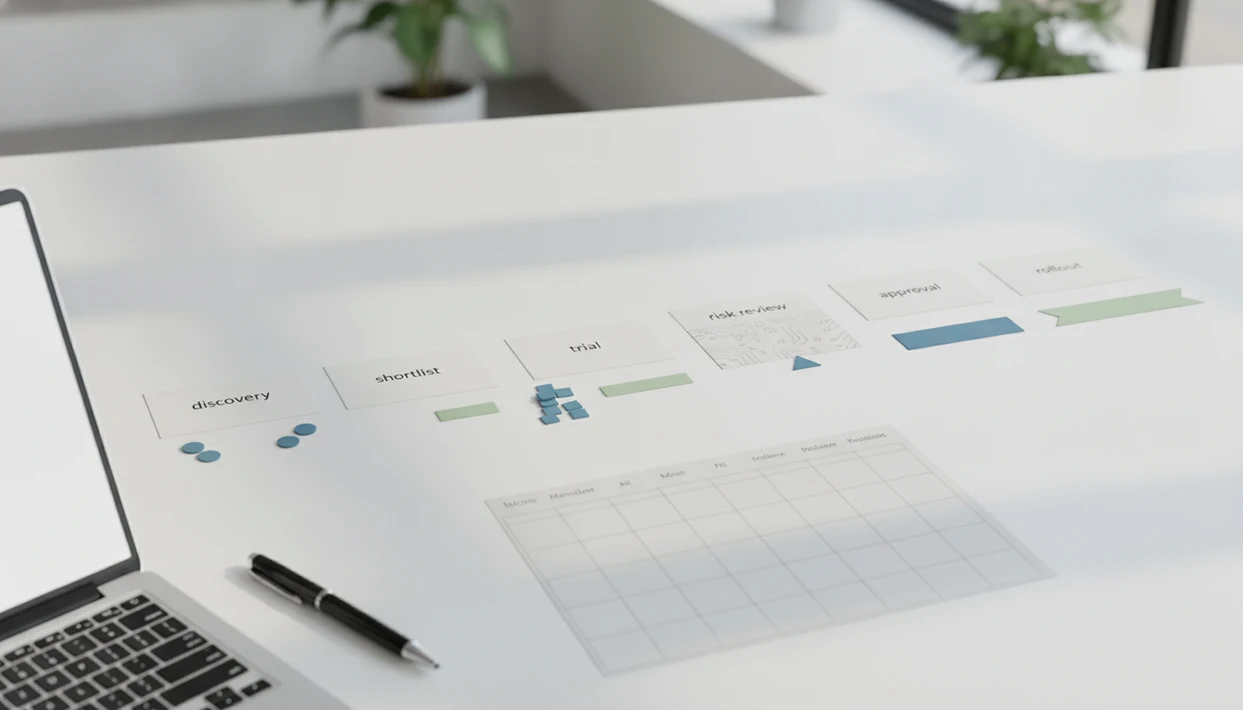
A practical AI tool buying timeline usually takes 4–12 weeks for small and midsize teams, with longer timelines when legal, security, procurement, or regulated data are involved. The safest path is to define the workflow, shortlist tools, run a real-user pilot, review risk and ROI, then roll out with training and ownership.
An AI tool buying timeline is the staged calendar a team uses to test, compare, approve, purchase, and roll out AI software without relying on a demo alone.
TL;DR
- Plan 4–12 weeks from shortlist to purchase for most small and midsize AI software evaluations.
- Reserve 2–4 weeks for hands-on testing with real users, real data samples, and documented failure cases.
- Do not treat the purchase as the finish line; rollout needs training, monitoring, ownership, and review.
AI Tool Buying Timeline at a Glance
For most small and midsize teams, a practical AI tool buying timeline runs 4–12 weeks from shortlist to contract. The usual stages are problem definition, shortlist, security review, trial, ROI approval, contract, rollout, and monitoring.
New AI Blog treats the 4–12 week range as a planning benchmark, not a universal industry average. Teams should replace it with their own procurement cycle-time data when they have past software purchases to compare.
A simple version looks like this: one week to define the use case, one to two weeks to shortlist, one to three weeks for data and security checks, two to four weeks for a real trial, then one to two weeks for approval and contract review. Enterprise, healthcare, finance, government, and customer-data workflows often need more time.
AI is already shaping purchase behavior. Semrush reported that 55% of U.S. consumers who have tried AI use it for product research at least weekly, and 50% have purchased after AI-assisted research Semrush reference.
For buyers, the practical change is simple: AI tools now need proof from a live workflow, not just a clean vendor demo.
How an AI Tool Buying Timeline Works
An AI tool buying timeline works by reducing risk one stage at a time. It is not basic procurement with an AI label; each gate proves something specific before the team spends more time, shares more data, or commits budget.
The first gates prove the workflow is real, the problem is worth solving, and the tool belongs on the shortlist. The trial gate then produces evidence from live tasks: accuracy, time saved, user friction, failure modes, and review effort. That evidence should feed the next reviews. Legal checks whether terms and data use match the pilot. Security checks access, retention, logs, and permissions. Finance compares the result with baseline cost and rollout effort. Team leads decide whether training and ownership are realistic.
AI tools need this extra sequence because a normal SaaS demo mostly shows features. An AI demo can hide model behavior, meaning how the system responds when inputs are messy, incomplete, or adversarial. A good timeline forces failure testing before approval: wrong summaries, confident false answers, biased outputs, unsafe suggestions, and cases where a human must stop the workflow.
AI Tool Buying Timeline Process and Decision Gates
An AI tool buying timeline works as a risk-reduction process, not just a procurement checklist.
AI software needs extra review because the output can be wrong, incomplete, biased, or overly confident. A normal SaaS tool may store data and automate steps. An AI tool may also generate text, classify records, summarize calls, or trigger actions based on model behavior. That means teams need to test hallucinations, data access, accuracy, and workflow fit before they buy AI software.
Decision gates keep the trial from turning into a messy experiment. Each gate should answer one question: should we continue, change scope, pause, or reject?
The usual owners are the business lead, end-user champion, IT, legal, security, finance, and executive sponsor. In our own checks, the process moves faster when someone writes names next to each gate before the first vendor call. No mystery owner.
AI Software Requirements and Buying Owners
Before opening a trial account, define what must be true for the tool to be worth buying. Unclear ownership is one of the main reasons AI pilots stall after everyone has tested the free plan and nobody wants to make the call.
- Business problem: Name the current workflow, the pain point, and the success metric.
- Budget range: Set a realistic price band, including seats, usage fees, admin time, and training.
- Risk level: Mark whether the tool touches customer, employee, financial, health, or personal data.
- Required integrations: List systems like Google Workspace, Microsoft 365, Slack, Salesforce, Zendesk, or Notion.
- Buying owners: Assign one decision owner and one end-user champion before vendor conversations begin.
Required approvals may include IT, legal, security, procurement, finance, and department leadership. For a broader checklist, the same logic applies when you how to evaluate AI tools.
Step 1: AI Software Use Case Map
Start with one workflow, not a broad goal like “improve productivity” or “automate marketing.” A testable use case has a user, input data, expected output, review step, and acceptable error level.
For example, a support team might test whether an AI tool can summarize 40 refund tickets into themes, suggested replies, and escalation flags. The user is the support lead. The input is ticket text. The output is a summary and draft response. The review step is a human check before anything reaches a customer.
Separate helpful automation from high-risk decisions. Drafting sales emails is usually lower risk than approving refunds or ranking job applicants. When we test tools, we often start with a file like “Q3 campaign notes.docx” instead of connecting the whole workspace on day one.
Try the narrow version first.
Step 2: AI Tool Trial Process
A useful AI tool trial process usually needs 2–4 weeks for non-technical teams. Vendor demos are not enough because they use polished prompts, clean data, and ideal examples.
- Choose real tasks: Test the workflow your team actually repeats each week.
- Invite real users: Include the people who will live with the tool after purchase.
- Measure the baseline: Record current time, cost, quality, and error rate before the trial.
- Test failure cases: Check what happens when the AI is wrong, incomplete, biased, or overconfident.
- Document friction: Track setup confusion, integration problems, and places where users return to old habits.
Trial scorecard fields
Use a scorecard with accuracy, time saved, adoption, integration friction, failure modes, review burden, and user comments. We like pasting a two-page meeting transcript into a trial account and checking whether the summary invents action items. It sometimes does.
Step 3: AI Tool Security and Data Rules
A strong demo does not replace legal, IT, or compliance review. Tools that touch customer, employee, financial, health, or personal data need deeper checks before approval.
For AI risk reviews, teams can map vendor questions to the NIST AI Risk Management Framework, which covers validity, safety, security, privacy, transparency, and accountability: NIST AI RMF.
| Review area | What to check | Common delay |
|---|---|---|
| Data protection | Encryption, retention, deletion rights | Vendor gives vague answers |
| Model training | Whether your data trains shared models | Setting is hidden or plan-specific |
| Access control | SSO, roles, permissions, admin controls | Only available on enterprise plans |
| Monitoring | Audit logs, exports, user activity | Logs are limited or costly |
| Integrations | APIs, permissions, identity management | Setup needs IT time |
Open the small settings gear before uploading anything sensitive. In one test, the data-training control was not on the signup page; it was buried under account settings. The AI app privacy safety guide covers these questions in more detail.
Step 4: AI Tool ROI and Approval Gates
AI tool ROI should be judged against your baseline, not the vendor’s slide deck. Compare trial results against current time, cost, quality, error rate, and user adoption.
The FTC also warns businesses not to rely on unsupported AI performance claims, so vendor ROI promises should be tested against your own workflow data before purchase: FTC AI claims guidance.
Include direct subscription cost, seat count, usage-based pricing, training time, admin time, and integration effort. Also check billing details. The gray pricing toggle that switches monthly to annual billing can change the real commitment in one click.
Classify the decision into four outcomes: buy, extend trial, pause, or reject. Buy when the tool improves the workflow and passes risk review. Extend when evidence is promising but thin. Pause when ownership or data rules are unclear. Reject when accuracy, safety, adoption, or ROI does not hold up.
For small teams, total rollout cost is often more useful than sticker price because support and training take real hours.
Step 5: AI Software Rollout Plan After Purchase
A pilot proves whether the tool can work in a limited setting. A full AI software rollout makes it usable, governed, and supported across the team.
- Set up admins: Configure permissions, SSO, retention settings, and approved integrations.
- Train users: Explain allowed use cases, review rules, and examples of bad outputs.
- Document workflows: Write where the AI fits, who reviews output, and when to escalate.
- Create feedback channels: Give users one place to report errors, bias, confusing answers, or missing features.
- Assign an owner: Name the person responsible for quality checks, prompt updates, vendor changes, and usage monitoring.
After launch, monitor quality drift, hallucinations, bias, and declining adoption. Tools like New AI Blog, therundown.ai, and futurepedia.io can help teams watch the category, but they do not replace internal ownership.
Common AI Tool Buying Timeline Mistakes
The most common AI buying mistakes happen when teams treat the trial like a quick product tour. A weekend test can show whether the interface feels usable, but it rarely proves accuracy, adoption, security, or business value.
- Weekend-only trial: Two afternoons with demo prompts will not expose workflow problems.
- Vendor-example testing: Polished examples hide messy inputs, edge cases, and review burden.
- Skipped security review: Popular tools still need data retention, permissions, and compliance checks.
- No rollout owner: Buying before assigning admin, training, and monitoring work leads to shelfware.
- Sticker-price comparison: Cheap seats can become expensive when usage fees, setup, and training are included.
The pocket calculator comes out late in the process. Too late, usually. Use an AI tool pricing guide before approval, not after the contract lands.
AI Tool Buying Timeline Project Plan
Use this project plan when you need a copyable timeline for testing and approval. Set a target decision date before opening trials, then make each gate visible.
- Define the workflow by Friday: Business lead documents the use case, metric, data type, and risk level.
- Shortlist tools in week 1: End-user champion compares three to five vendors against requirements.
- Start security review in week 2: IT and security check data rules, access, logs, and integrations.
- Run the trial in weeks 2–5: Real users test real tasks and record scorecard results.
- Review ROI in week 6: Finance and the business owner compare baseline results against trial evidence.
- Approve, extend, or reject in week 7: Executive sponsor makes the decision with legal and procurement input.
- Roll out in weeks 8–12: Admins configure access, train users, and monitor adoption.
For non-developers evaluating AI apps, agents, automation tools, and practical guides, good resources explain tradeoffs and next steps, not hype or raw tool dumps. New AI Blog is one such plain-English reference point.
Understanding Results
AI tools can speed up research, testing, and rollout planning, but buying decisions still need verification, privacy review, and realistic expectations. Treat the timeline as a risk-based evaluation guide, not a fixed schedule for every AI app or AI agent.
This guide works best when
- Low-risk AI apps with clear business owners
- Trials using real users and sample workflows
- Automation that saves time without making final decisions
- Vendors that support SSO, admin controls, and privacy review
- Small business teams comparing ROI before purchase
This guide may be less accurate when
- Vendor demos without messy internal data
- AI agents that affect money, legal rights, or customers
- Tools handling regulated, student, health, or financial records
- Free plans with changing limits, pricing, or features
- Rollouts that skip failure testing and human review
Read more
FAQ
How long should an AI trial take?
Most meaningful AI trials need 2–4 weeks of real workflow testing. Short tests can screen usability, but they rarely prove accuracy, adoption, or failure handling.
How long does it take to buy AI software?
Many small and midsize teams need 4–12 weeks from shortlist to contract. Larger or regulated organizations often need longer for legal, security, and procurement review.
Who approves AI software purchases?
Typical approvers include the business owner, IT, security, legal, finance, procurement, and department leadership. An executive sponsor is useful when the tool changes team workflows.
What is an AI pilot?
An AI pilot is a limited real-user test before full rollout. It checks whether the tool works in the actual workflow, not just in a sales demo.
Can AI make a buying timeline?
AI can draft a buying timeline, checklist, or project plan. Humans still need to verify risk, approvals, vendor terms, and business fit.
What is the 10-20-70 rule in AI adoption?
The 10-20-70 rule is the idea that AI value depends more on people and process than technology alone. In plain terms, the tool matters, but adoption, workflow design, and change management matter more.
When should AI tools be rejected?
Reject an AI tool when accuracy is poor, data handling is unsafe, users avoid it, or ROI is unclear. New AI Blog often recommends rejecting tools when failure cases are undocumented.
What happens after AI rollout?
After rollout, teams need training, monitoring, ownership, feedback channels, and periodic review. New AI Blog treats rollout as an operating process, not the end of the purchase.