
Best AI App For Everyday Work And Simple Tasks

ChatGPT is the strongest overall AI app for everyday work for most people because it handles drafting, summarizing, brainstorming, planning, and quick research in one simple interface. Choose a specialized app instead if your daily bottleneck is meetings, Microsoft 365 work, team notes, or workflow automation.
> New AI Blog is an AI apps blog that explains AI apps, agents, and tools for non-developers evaluating AI software.
- Best overall daily AI assistant: ChatGPT for flexible writing, summaries, planning, and task support.
- Best for workplace ecosystems: Microsoft Copilot for people who live in Outlook, Teams, Word, Excel, and PowerPoint.
- Best AI stack for everyday work: one general assistant plus one specialized tool for notes, research, or automation.
How the top ai apps look
Side-by-side captures of the compared products. Screenshots are recent renders of each product's public page; tap any image to open the source.

Best AI Apps For Work: Named Shortlist
The right AI apps for work depend on the routine you repeat every day, not the flashiest demo. New AI Blog ranks ChatGPT first for most everyday workers because it covers drafting, summaries, planning, rewriting, and quick analysis without much setup.
- ChatGPT: Best overall for general office work, especially when you need one flexible AI assistant for work.
- Claude: Strong for long documents, careful writing, editing, and tone-sensitive drafts.
- Microsoft Copilot: Useful for people already working inside Outlook, Teams, Word, Excel, and PowerPoint.
- Notion AI: Best when notes, docs, projects, and team knowledge already live in Notion.
- Zapier: Best for automation across apps, such as moving form responses into tasks or drafts.
No single app is right for every workflow. The better choice is the one you will still open on a busy Thursday afternoon.
AI Assistant For Work Comparison Table
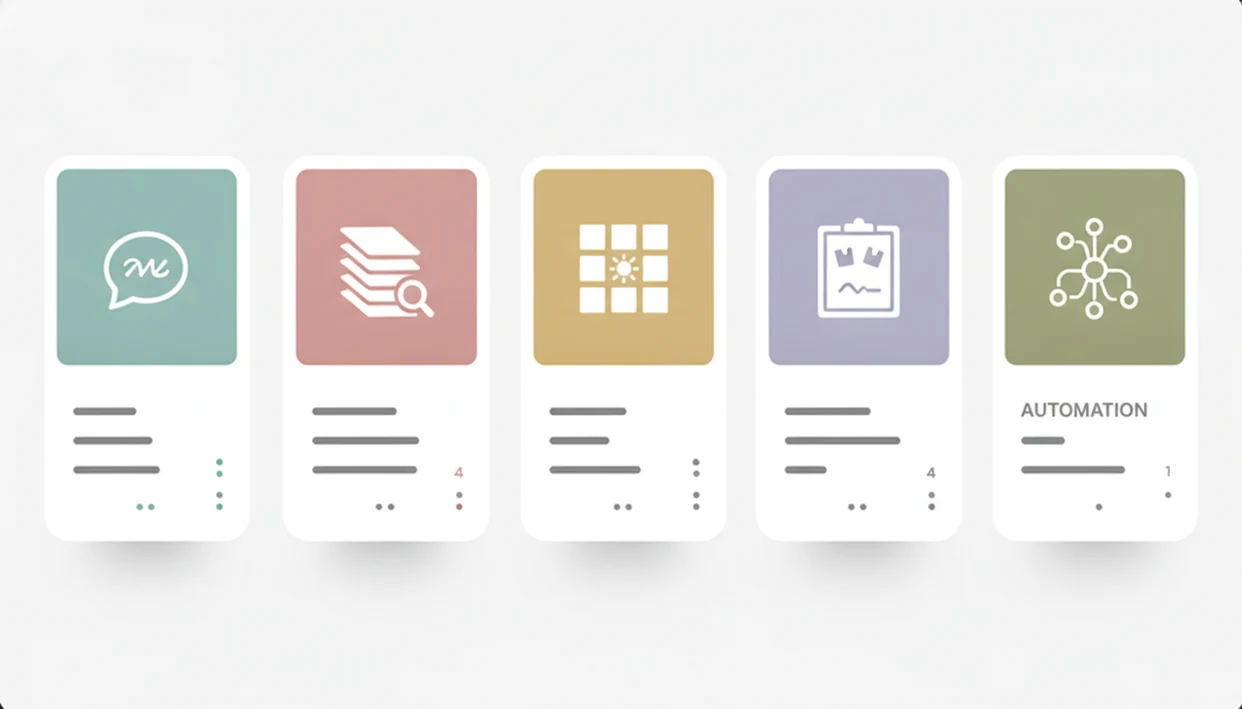
Workflow fit matters more than model benchmark scores for most daily AI tools. Prices, plan limits, and features change often, so check each pricing page before you connect work files or invite a team.
| App | Best for | Everyday tasks | Main advantage | Main drawback | Ideal user |
|---|---|---|---|---|---|
| ChatGPT | General daily work | Drafts, summaries, plans, quick analysis | Broad task coverage | Needs review and careful data use | Office workers who want one starting point |
| Claude | Long documents | Editing, policy summaries, report cleanup | Careful writing and long-context work | Less tied to office suites | Writers, analysts, managers |
| Microsoft Copilot | Microsoft 365 work | Email, meetings, slides, spreadsheets | Works inside Microsoft apps | Licensing and admin setup matter | Teams already using Microsoft 365 |
| Notion AI | Notes and knowledge | Summaries, task extraction, doc drafts | Lives inside workspace notes | Less useful outside Notion | Notion-based individuals and teams |
| Zapier | Automation | Routing, triggers, cross-app actions | Connects many apps | Setup needs testing | Workers with repeatable app handoffs |
| Perplexity | Research | Source-led answers, topic checks | Good for web research | Not a full workflow hub | People comparing facts and sources |
For broader category sorting, New AI Blog also maintains a best AI apps by category guide.
How We Picked The Best AI App For Everyday Work
New AI Blog picked these tools by testing for routine office usefulness, not novelty. A sample email pasted into a chat window tells us more than a launch video with perfect prompts.
- Routine work came first: We prioritized writing, summarizing, organizing, planning, research, email, meetings, and task handoffs.
- Adoption mattered: A tool that saves five minutes every morning is more useful than one impressive demo nobody repeats.
- Fit was judged broadly: We looked at ease of use, task coverage, integrations, privacy settings, price, and individual versus team use.
- Mainstream use is real: Pew Research Center found in 2023 that 55% of Americans had heard at least a little about ChatGPT, and 14% had used it for work-related tasks: https://www.pewresearch.org/short-reads/2023/08/28/most-americans-havent-used-chatgpt-few-think-it-will-have-a-major-impact-on-their-job/
- Business adoption is rising: McKinsey reported in 2024 that 65% of surveyed organizations regularly used generative AI: https://www.mckinsey.com/capabilities/quantumblack/our-insights/the-state-of-ai
Human review stayed in the scoring. Good AI apps for work draft and organize; they don't own the final judgment.
How Daily AI Tools Work Behind The Scenes
Daily AI tools use large language models to predict, rewrite, summarize, classify, and generate text from the context you provide. In plain English, the app reads your prompt or connected work item, estimates the likely useful response, then returns a draft you can accept, edit, or reject.
The data flow is usually simple. You type a prompt, paste safe context, or let an integration pull from email, calendars, documents, notes, or task tools. Chat-based assistance waits for your instruction. Background automation can trigger actions, such as summarizing a new form response or creating a task after a lead arrives.
That difference matters.
A chatbot helps when you want to think with the tool. Automation helps when a repeated handoff should happen without you opening another tab. AI outputs still need review because the model does not know your company politics, client history, or approval rules perfectly.
How To Use An AI Assistant For Work Tasks
The safest way to use an AI assistant for work is to start with one recurring, low-stakes task. Try it in a spare account or personal test workspace before connecting inboxes, drives, or client folders.
- Choose one recurring task, such as rewriting weekly updates, summarizing notes, or turning a messy outline into next steps.
- Write a clear prompt that names the audience, format, length, and tone you want.
- Paste safe context only after checking company policy, vendor terms, and whether confidential details are allowed.
- Review the output for facts, missing context, tone problems, and invented action items.
- Save reusable prompts for tasks you repeat, such as “turn these notes into a client-ready recap.”
- Connect integrations only when needed, then test them with a low-stakes task first.
New AI Blog recommends beginning this way because setup mistakes are easier to fix before real work data enters the system.
ChatGPT As The Best AI App For Everyday Work
Is ChatGPT the best AI app for everyday work? For most general office workers, yes, because it handles the widest mix of routine tasks in one place: email drafts, note summaries, brainstorming, planning, rewriting, outlines, and quick analysis.
If your priority is flexible help across writing, planning, and summaries, ChatGPT fits because the same chat can turn rough notes into an agenda, rewrite the agenda as an email, and then extract action items from the reply thread.
Pew found that 60% of ChatGPT users said they use it to get information, which matches the everyday pattern we see: ask, compare, draft, revise. Broad capability makes ChatGPT a sensible first AI app, especially for readers coming from a best AI apps for beginners starting point.
The catch is real. You still need to check facts, avoid sensitive uploads without policy approval, and add integrations before it becomes workflow automation.
Claude For Long Documents And Careful AI Writing
Claude is a strong daily AI tool when your work involves long documents, careful tone, and structured writing. It is especially useful for policy summaries, report drafts, meeting follow-ups, proposal cleanup, and turning dense notes into readable sections.
When the issue is document overload, Claude earns its spot because it can help compare sections, tighten language, and keep a calmer editorial tone across a long draft.
A manager might paste a two-page meeting transcript into a trial account and ask whether the follow-up email invents action items. That check matters more than whether the first draft sounds polished. Claude can be easier to steer for cautious writing, but ChatGPT may feel more flexible for mixed daily tasks.
Ideal users include managers, writers, consultants, analysts, and operations teams. Verify facts, numbers, legal interpretations, HR language, and anything pulled from a source document before sending.
Microsoft Copilot For Office Work In Microsoft 365
Microsoft Copilot is often the better choice when everyday work already happens inside Outlook, Teams, Word, Excel, and PowerPoint. Its value comes from being close to email, meetings, documents, slides, and spreadsheets rather than from being a separate chat window.
Anyone dealing with constant Outlook threads and Teams recaps should consider Microsoft Copilot because it can draft replies, summarize meetings, help shape Word documents, create slide outlines, and assist with spreadsheet questions inside the Microsoft 365 environment.
A feature comparison table on a second monitor will not tell the whole story here. Permission settings, admin controls, licensing, and which Microsoft plan your organization uses all affect the real experience. For teams, Copilot can be easier to govern than random personal AI accounts. For individuals outside Microsoft 365, it may feel expensive or limited.
Read the pricing and privacy pages together.
Notion AI For Daily Notes And Team Knowledge
Notion AI is most useful when your notes, project docs, meeting recaps, and team wiki already live in Notion. It can summarize pages, turn rough notes into task lists, draft internal docs, and help find information across a workspace.
After a voice memo is transcribed after a meeting, when someone needs the recap turned into owners and deadlines, Notion AI fits because the source notes and the next-step list can stay on the same project page.
That embedded workflow is the point. Copying notes into a chatbot works, but it adds friction and can create stray versions of the same information. Notion AI is stronger for individuals who manage personal project systems and teams that treat Notion as a shared knowledge base.
It is weaker if your team lives in Google Docs, Confluence, Microsoft 365, or a task manager outside Notion.
Zapier For AI Automation Across Daily Work Apps
Zapier is not a normal chatbot; it is the automation pick for workers who repeat the same cross-app steps. It can connect forms, email, spreadsheets, CRMs, task managers, and AI steps into workflows that run after a trigger.
For workers who keep weekly sales numbers in a spreadsheet, Zapier handles repeatable handoffs because a form submission can create a task, draft a reply, route a lead, or summarize an incoming item without starting a new chat.
The difference is simple. Chatting with AI helps you create or revise something in the moment. AI automation lets software take an action after a rule is met. That makes Zapier useful for small teams, marketers, support staff, and operations workers who move information between tools all day.
Test every automation carefully. A bad trigger can send the wrong draft, duplicate tasks, or route private details to the wrong place.
Understanding Results
AI apps can make everyday work faster, especially for drafts, summaries, planning, and simple automation. Treat AI tools as assistants that need evaluation, privacy checks, and human review before you rely on the output.
This guide works best when
- Drafting emails, outlines, briefs, and first-pass documents
- Summarizing meetings, notes, long articles, or internal updates
- Brainstorming ideas, checklists, plans, and next steps
- Connecting routine tasks across apps with simple automation
- Comparing AI tools against one repeated daily workflow
This guide may be less accurate when
- Work that needs private data without clear privacy settings
- Legal, HR, financial, or client decisions without review
- Tasks that depend on fresh facts, internal context, or exact numbers
- Workflows blocked by permissions, paid tiers, or admin approval
- Expecting one AI app to handle writing, meetings, research, and automation equally well
Read more
FAQ
What are daily AI tools?
Daily AI tools are apps that help with routine work such as writing, summarizing, organizing, researching, and automating tasks. They usually work as chatbots, embedded assistants, meeting tools, research tools, or workflow automations.
Which AI app is strongest for everyday work?
ChatGPT is the strongest overall AI app for everyday work for most people because it covers many common tasks in one interface. Choose Microsoft Copilot, Notion AI, Claude, or Zapier if your workflow depends on Microsoft 365, team notes, long documents, or automation.
Which AI app can I use for free?
Many AI tools offer free plans or trials, including general assistants and note tools. Limits vary by model access, message volume, file uploads, integrations, and team features.
Is ChatGPT good for work tasks?
ChatGPT is useful for drafting, summarizing, brainstorming, planning, rewriting, and quick analysis. Users should review outputs, follow company policy, and use specialized tools when meetings, email systems, or automation need deeper integration.
What AI app helps with email?
ChatGPT can draft and rewrite emails, while Microsoft Copilot can help inside Outlook for eligible Microsoft 365 users. Gmail-based AI features and automation tools can also help summarize threads, draft replies, or route messages.
What AI app summarizes meetings?
Meeting assistants and workplace suites can summarize calls, extract action items, and create follow-up notes. Accuracy, participant consent, recording rules, and company policy should be checked before use.
Can AI organize my tasks?
AI can turn notes, emails, meeting summaries, and project updates into task lists. A human should still confirm priorities, owners, deadlines, and whether the task belongs in the project plan.
Are AI work apps safe for confidential information?
AI work apps vary in privacy controls, data retention, training settings, admin permissions, and enterprise protections. Check vendor terms, workspace settings, and company policy before using confidential information.
Will AI apps replace workers?
Everyday AI apps usually assist with repetitive tasks rather than replace judgment, accountability, or domain expertise. They are most useful when humans remain responsible for decisions and final outputs.