
App To Help Me Choose AI Tools Without Guesswork
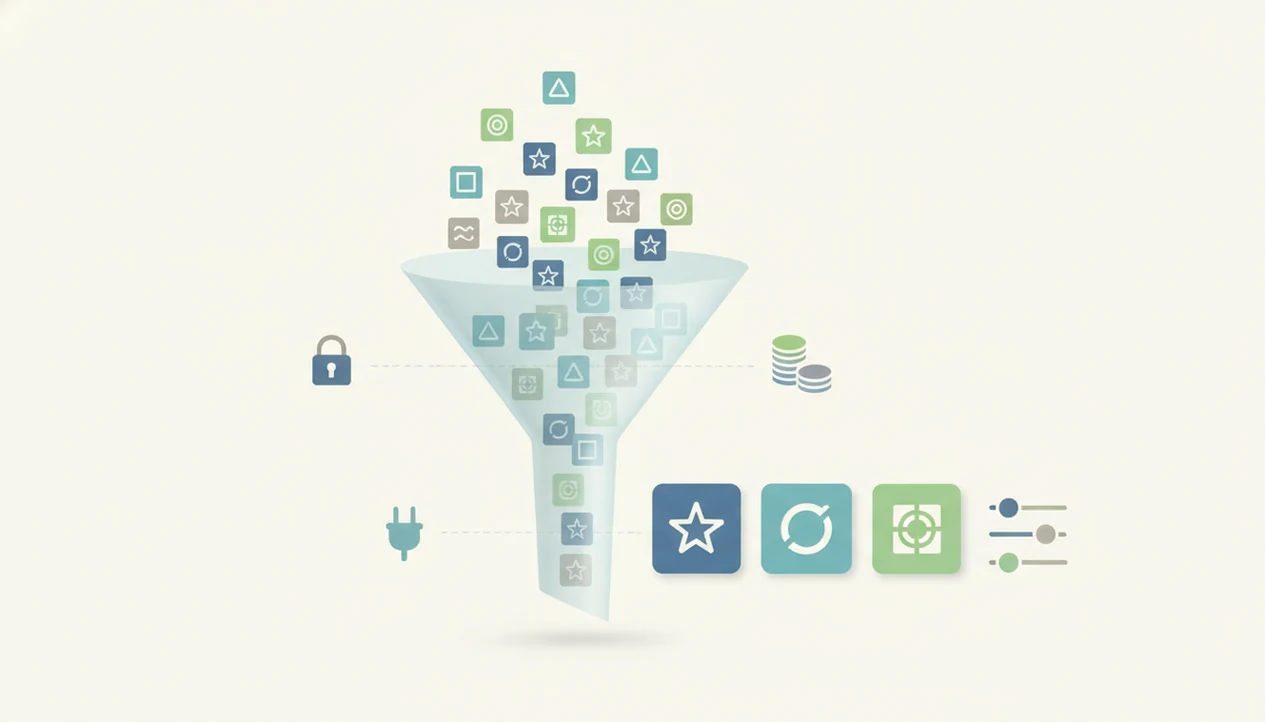
An app to help me choose AI tools should act like a guided selector: it asks what you need to do, checks your budget, privacy requirements, integrations, and skill level, then gives you a short list of AI apps worth testing. Strong selectors explain why each tool fits instead of dumping another generic AI-tools list.
> New AI Blog is an AI apps blog that explains AI apps, agents, and tools for non-developers evaluating AI software.
- Use an AI tool finder when you know the task but do not know which AI software category or product fits it.
- A useful AI app selector ranks tools by task fit, privacy, price, integrations, learning curve, and update freshness.
- Never buy from a recommendation alone; shortlist 1–3 tools and run a small pilot before committing.
<h2 id="what-ai-tool-selector-does">What an AI tool finder app does</h2>
An AI tool finder, also called an AI app selector, is a guided app or website that recommends AI software based on your task, constraints, and comfort level. It is closer to a decision assistant than a static directory.
A useful selector asks plain questions first. What are you trying to make, fix, automate, summarize, or analyze? Then it narrows the field by budget, integrations, privacy needs, and skill level. That beats scrolling through a huge “top AI tools” list when you only need one tool for customer replies or meeting notes.
The difference is fit. A directory shows what exists. A selector tries to map your situation to a short list.
If you are searching for “AI tool finder,” “AI app selector,” or “choose AI software,” look for tools that explain the match, not just the ranking.
<h2 id="why-ai-tool-finder-matters">Why AI software overload needs a guided tool finder</h2>
AI software overload is real because adoption and spending are rising faster than most people can compare tools manually. IDC projected worldwide spending on AI-centric systems would pass $500 billion by 2027 (IDC AI spending forecast), and McKinsey reported in 2024 that 65% of organizations regularly used generative AI in at least one business function (McKinsey State of AI report).
That growth creates overlap. One product summarizes calls, another drafts follow-up emails, another searches internal files, and a fourth claims to do all three. A small business owner can lose an afternoon just comparing pricing tiers in a spreadsheet.
The gray annual-billing toggle matters too.
A selector helps reduce wasted trials and duplicate subscriptions. It does not remove judgment. It simply turns a messy market into a smaller set of candidates you can test with the same task.
Good AI app guidance gives task fit, tradeoffs, and next steps, not hype about replacing your whole workflow overnight.
<h2 id="how-ai-app-selector-works">How an AI app selector scores recommendations</h2>
An AI app selector works by turning your answers into filters and scores across known tool attributes. The better ones ask about your task, data type, budget, team size, skill level, and current software stack before suggesting anything.
Under the hood, the app may score tools against use case fit, privacy posture, cost, reliability, integrations, learning curve, and support quality. A simple version uses rule-based filtering. A more advanced version may use semantic matching, which means it compares the meaning of your need against product descriptions and review notes.
Still, the database matters. AI products change pricing, remove features, add model options, and alter data controls often. I have saved a pricing change screenshot during tool testing because yesterday’s “free” plan became a limited trial by Monday.
Recommendations are probabilistic matches, not universal rankings. For a support team, Zendesk integration may outweigh writing style. For a student, file upload limits may matter more.
<h2 id="ai-software-requirements-checklist">AI software requirements checklist before you choose</h2>
A selector gives better recommendations when you bring clear requirements instead of a vague wish for “AI help.” Write these details before you use an AI tool finder.
- Job to be done: Name the exact output, such as “summarize sales calls into CRM notes,” not “productivity.”
- User type: Identify whether you are a solo creator, student, marketer, support team, operations team, or founder.
- Data sensitivity: List personal data, customer records, financial files, health details, student work, or confidential business documents.
- Budget and volume: Set a monthly budget and estimate usage, such as 20 documents, 300 chats, or 10 teammates.
- Required software: Name the stack you already use, including Google Workspace, Microsoft 365, Slack, CRM, helpdesk, spreadsheets, or accounting tools.
For non-developers, a written checklist is often easier than testing random tools because it keeps the comparison tied to the work you actually need done.
<h2 id="step-1-map-your-task">Step 1: Map your AI task before using a tool finder</h2>
“What do I need the AI tool to produce?” Start there before opening any selector.
Use literal output words: draft, summarize, analyze, automate, transcribe, design, code, search, or support. Those verbs tell the selector which category to consider. Drafting emails is not the same job as analyzing survey responses. Automating invoices is different from summarizing calls.
Separate one-off tasks from recurring workflows. A one-time logo mockup can tolerate more manual cleanup. A weekly invoice process needs reliability, permissions, and handoff checks, especially when the printer is already slow during invoice cleanup.
Searching for the right AI app without a task creates weak recommendations. You will get popular chatbots, broad writing tools, and sponsored lists. If your real need is “turn 40 customer comments into themes,” the selector should point you toward analysis or research tools, not a general assistant.
<h2 id="step-2-filter-by-privacy-risk">Step 2: Filter AI selector results by privacy risk</h2>
Privacy risk should filter AI recommendations before price or convenience. Check whether each tool stores prompts, uploaded files, customer data, business records, transcripts, or exported results.
Ask a direct question: is user data used to train models? Then look for the answer in the privacy page, terms page, help center, or settings screen. In hands-on checks, data-training controls are often hidden behind a small settings gear, not shown during signup.
Pew Research Center found that 52% of Americans feel more concerned than excited about increased AI use (Pew Research AI survey). That concern is practical, not abstract. A tool that is fine for brainstorming ad headlines may be wrong for customer complaints, HR notes, or unreleased financials.
A recommendation does not guarantee compliance with company policy. Try this with a low-stakes task first, and check the settings page before you upload anything sensitive.
<h2 id="step-3-compare-ai-tool-scores">Step 3: Compare AI tool scores in a decision table</h2>
A transparent decision table is better than a vague top pick because it shows why each tool made the shortlist. Weight the columns differently by use case.
| Tool | Task fit | Output quality | Privacy | Integrations | Ease of use | Pricing | Support | Update history |
|---|---|---|---|---|---|---|---|---|
| Tool A | High | Medium | Medium | High | High | $ | Email help | Updated recently |
| Tool B | Medium | High | High | Low | Medium | $$ | Chat support | Sparse changelog |
| Tool C | High | High | Low | Medium | Medium | $$$ | Dedicated support | Frequent releases |
Add vendor reputation and reliability beside the table if the selector does not include them. Also compare total cost of ownership, not only the monthly subscription price. Setup time, admin work, extra seats, export limits, and human review all count.
For a broader category view, the best AI apps by category can help you sanity-check whether the selector is pointing you to the right kind of software.
<h2 id="step-4-test-ai-software-pilot">Step 4: Test three AI software choices with a pilot</h2>
Shortlist 1–3 AI tools and run the same pilot through each one. Testing ten tools at once usually creates more notes than decisions.
Use the same task, prompt, dataset, file, or workflow. Paste the same two-page meeting transcript into each trial account and check whether the summary invents action items. If you are comparing support tools, use the same five customer tickets. If you are comparing analysis tools, use the same survey export.
Measure output quality, time saved, error rate, user comfort, and handoff friction. McKinsey reported in 2022 that 53% of AI-adopting companies used AI in at least two business functions, which helps explain why one tool rarely fits every job.
Different tasks may need different tools. A writing assistant can be useful for email drafts, but weak for spreadsheet cleanup or searchable internal knowledge.
<h2 id="how-to-use-ai-tool-selector">How to use an app to help me choose AI tools</h2>
Use an AI app selector as a structured starting point, not a final purchasing decision. The goal is to reach a small, testable shortlist.
- Define the task in one sentence, using verbs like draft, summarize, analyze, automate, transcribe, design, code, search, or support.
- Enter constraints such as budget, team size, data sensitivity, skill level, and required integrations.
- Review scoring for task fit, privacy, output quality, ease of use, support, and update history.
- Check privacy by reading the tool’s data-use terms before uploading real files.
- Test shortlisted tools with the same low-stakes task, file, or workflow.
- Revisit the choice after major pricing changes, product updates, or workflow changes.
For beginners, the most useful process is usually a small pilot plus written notes, not a long comparison spreadsheet.
<h2 id="common-ai-tool-finder-mistakes">AI tool finder mistakes that lead to bad picks</h2>
Bad AI tool picks usually come from overtrusting the recommendation and underdefining the task. Watch for these common mistakes.
- Assuming one best AI app exists for everyone: The right tool depends on task, data sensitivity, budget, integrations, and skill level.
- Trusting outdated or affiliate-heavy lists: A recommendation can be stale if pricing, model access, or privacy settings changed last month.
- Ignoring permissions and compliance: A tool can look useful but still be wrong for customer data or internal records.
- Choosing only the popular chatbot: Some tasks need automation, search, transcription, data analysis, or workflow software instead.
- Never revisiting the choice: AI tools change fast, and a product that fit in January may be weaker by June.
One more thing. Popularity is not proof of fit.
If you are still learning the basic categories, start with what is an AI app before comparing named products.
<h2 id="best-ai-app-selector-signals">AI app selector signals for non-developers</h2>
A good AI app selector for non-developers uses plain-language questions, visible update dates, and transparent scoring. Gartner said about 71% of global organizations were piloting or implementing generative AI in 2023 (Gartner low-code forecast), so the selector itself needs to help people sort a crowded field without jargon.
Look for examples tied to real tasks: “draft customer replies,” “summarize biology lecture 4.pdf,” “analyze survey comments,” or “sync notes to a CRM.” Filters should cover integrations, budget, skill level, privacy, and team size.
Check whether the selector explains affiliate relationships or sponsorships. If every recommendation has the same glowing language, slow down. A useful app says where the tool helps and where it gets awkward.
Tools like New AI Blog, futurepedia.io, toolify.ai, Product Hunt, and therundown.ai can be useful starting points, but read the pricing and privacy pages together before trusting any recommendation.
How these apps look
Side-by-side captures of the compared products. Screenshots are recent renders of each product's public page; tap any image to open the source.

Understanding Results
AI tool finder apps can reduce guesswork by turning your task, budget, privacy needs, and skill level into a shortlist of AI apps to test. Treat recommendations as a starting point, then verify claims with pilots, privacy review, and basic evaluation before buying.
This guide works best when
- Shortlisting AI tools for a clear task, such as meeting notes, customer replies, or research
- Comparing price, integrations, learning curve, and privacy basics in one place
- Helping non-technical teams understand which AI apps or automation workflows to test first
- Explaining why a tool fits instead of showing a generic popularity list
- Creating a simple evaluation plan before a small pilot
This guide may be less accurate when
- Choosing a final vendor without hands-on testing or stakeholder feedback
- Judging compliance, data retention, or privacy fit for regulated work
- Keeping up with fast changes in pricing, model limits, features, and vendor policies
- Finding niche, regional, open-source, or non-English AI tools that are missing from the database
- Measuring long-term reliability, export quality, downtime, or automation edge cases
Read more
FAQ
How do I choose AI tools?
Define the exact task, list your budget and privacy constraints, shortlist 1–3 tools, then test each with the same real task. Compare output quality, integrations, ease of use, and total cost before buying.
What is an AI tool finder?
An AI tool finder is a guided app or website that recommends AI software based on user inputs such as task, budget, skill level, privacy needs, and integrations. It is more tailored than a static tools directory.
Are AI app selectors accurate?
AI app selectors are only as accurate as their database quality, update frequency, scoring criteria, and your inputs. Specific task descriptions usually produce better recommendations than broad requests.
Can I trust AI tool recommendations?
You can use recommendations as a starting point, but you should check update dates, scoring criteria, sponsorship disclosures, privacy terms, and trial results. New AI Blog treats recommendations as editorial guidance, not automatic approval.
Which AI app should I use?
The right AI app depends on your task, data sensitivity, budget, integrations, and skill level. A student summarizing PDFs, a founder handling customer support, and a marketer drafting campaigns may need different tools.
Are free AI tools enough?
Free AI tools are often enough for low-stakes experiments, simple drafting, or learning the category. Paid plans may be needed for higher usage, collaboration, stronger privacy controls, integrations, or admin features.
How many AI tools should I test?
Test 1–3 shortlisted tools with the same real task before buying. Testing more than that often adds comparison work without improving the decision.
When should I switch AI tools?
Switch when output quality drops, costs rise, privacy fit weakens, integrations are missing, or another tool handles your core task better. Recheck your choice after major product updates or pricing changes.