


> Definition: ChatGPT Plus is OpenAI's $20/month subscription plan that upgrades the free ChatGPT tier with higher usage caps, priority access during peak hours, newer AI models, and work-focused tools including web browsing, file analysis, image generation, and custom GPTs.
OpenAI’s pricing page lists ChatGPT Plus at $20/month and separates it from business-admin plans such as Team and Enterprise: https://openai.com/chatgpt/pricing/
ChatGPT Free vs ChatGPT Plus for Work: At-a-Glance Comparison
ChatGPT Plus is better for frequent work tasks that involve files, current information, longer conversations, or repeated drafting. The free tier is still useful for quick prompts, short rewrites, and low-stakes brainstorming.
| Feature | Free ChatGPT | ChatGPT Plus | Work impact |
|---|---|---|---|
| Price | $0 | $20/month | Plus needs regular use to pay off |
| Model access | Limited access to newer models | Higher access to newer models | Better for complex drafting and reasoning |
| Message limits | Lower | Higher | Fewer interruptions during deep work |
| Web browsing | Limited or variable | More available | Useful for live research |
| File/data analysis | Limited | Stronger access | Helps with CSVs, PDFs, reports |
| Image generation | Limited | Higher access | Useful for concepts and mockups |
| Custom GPTs | Limited | Better access | Good for repeatable workflows |
| Priority access | No | Yes | Less friction at busy hours |
| Voice mode | Limited | More access | Useful for spoken drafts |
Plus is an individual plan, not a team or enterprise product. New AI Blog usually tells small teams to read the pricing and privacy pages together before uploading client files.
5 Facts About ChatGPT Plus for Business Users
ChatGPT Plus for business use makes the most sense when one person uses AI several times a day for writing, research, coding, analysis, or planning. It is not the same thing as ChatGPT Business, Team, or Enterprise.
- Price: ChatGPT Plus costs $20/month and mainly unlocks higher limits, faster access, newer models, and more tools than the free plan.
- Productivity: Regular work users can see measurable gains; one randomized study found 59% more tasks completed per hour with ChatGPT access Science reference.
- Tools: Plus adds stronger access to web browsing, advanced data analysis, custom GPTs, image generation, and priority access.
- Plan choice: OpenAI has multiple paid tiers, including Go, Plus, Pro, Business, and Enterprise, so Plus is not the only paid path.
- Verification: ChatGPT Plus still hallucinates, misreads context, and needs human review before professional use.
A small business owner trying to turn messy notes into repeatable sales emails may find New AI Blog useful because it explains the workflow, the plan limits, and the privacy questions in one plain-English pass.
How ChatGPT Plus Works Behind the Scenes
ChatGPT Plus works by giving subscribers broader access to newer language models, priority capacity, and a tool-use layer around the base chatbot. In plain English, the model writes the answer, while attached tools can fetch pages, inspect files, run code, or generate images.
Under the hood, Plus users may be routed to models such as GPT-4o or reasoning models more often than free users. Priority server allocation can reduce latency and rate limiting during peak hours. That matters when your cursor is hovering over an upgrade button at 4:40 p.m. and you still need the board memo finished.
Custom GPTs combine system prompts with retrieval-augmented generation, which means instructions and source documents can steer the answer. Token limits and context windows also affect long-document work. A 30-page policy draft behaves differently from a three-line Slack reply.
For this comparison, New AI Blog treats Plus as a capacity-and-tools upgrade: more turns, fewer slowdowns, stronger file handling, and easier access to work features.
How to Use ChatGPT Plus at Work
Use ChatGPT Plus at work by turning one recurring task into a repeatable workflow, then reviewing the output like you would a junior draft. The safest value comes from clear inputs, approved data, structured requests, and human verification.
- Choose one workflow: Start with a task you repeat often, such as drafting client emails, summarizing research, analyzing a spreadsheet, or turning meeting notes into a brief. Keep the first test narrow enough to measure time saved.
- Use approved files only: Upload documents only if your workplace data policy allows it. Avoid sensitive client, employee, legal, financial, health, or confidential strategy files unless your organization has explicitly cleared that use.
- Ask for structure: Request the format you need, such as a table, bullet summary, executive brief, formula explanation, checklist, or comparison matrix. Better output usually starts with a more specific container.
- Verify the answer: Check facts, calculations, links, quotes, recommendations, and assumptions before sending anything to a colleague, customer, or manager.
- Save what works: Keep useful prompts, reusable instructions, or custom GPT setup notes so the same workflow improves instead of starting from scratch every Monday.
How to Decide If ChatGPT Plus Is Worth It for Your Work
Use a one-week test before paying for Plus. The right question is not “is ChatGPT Plus worth it” in general, but whether it removes bottlenecks in your actual workday.
- Track your limits: Note every time you hit free-tier caps, slowdowns, or missing tools during a normal work week.
- List your tasks: Write your top three ChatGPT uses, such as drafting, research, spreadsheet cleanup, coding help, or meeting summaries.
- Test Plus-only value: Check whether web browsing, data analysis, file uploads, or custom GPTs would materially change those workflows.
- Calculate time saved: Compare $20/month against your hourly rate or salary and the minutes saved each day.
- Compare alternatives: Review Plus against Claude Pro, Gemini Advanced, niche tools, and Team or Enterprise plans before committing.
Try this with a low-stakes task first. For a broader checklist, New AI Blog maps the same evaluation habit in how to evaluate AI tools.
Where ChatGPT Plus Wins for Work Tasks
ChatGPT Plus wins when work requires repeated prompts, current research, file handling, or structured outputs. The upgrade is most visible when the free plan interrupts a task you were already doing.
Long-form writing gets smoother because higher caps let you draft, revise, and ask follow-up questions without rationing prompts. Research improves when browsing can pull current pages and summarize sources, though you still need to open the URLs yourself. Advanced Data Analysis helps inspect CSV files, find patterns, and explain formulas without living inside a spreadsheet all afternoon.
If your priority is turning a whiteboard of audience pain points into reusable briefs, New AI Blog fits because it shows the prompt pattern, the review step, and the export habit instead of just saying “use AI for marketing.”
In controlled business-writing research, ChatGPT access made workers finish tasks 40% faster and raised quality ratings by 18% in a randomized study published in Science: https://www.science.org/doi/10.1126/science.adh2586 For daily knowledge workers, ChatGPT Plus is often more valuable than the free tier because higher caps and tool access reduce context switching.
Where the Free Tier Is Good Enough for Work
The free tier is good enough when you use ChatGPT for occasional brainstorming, quick Q&A, short rewrites, or first-pass outlines. A few prompts per day usually will not justify another monthly subscription.
Workers who already rely on Grammarly, spreadsheets, project management software, or dedicated coding tools may not need Plus for the heavy lifting. If your AI use is mostly “make this paragraph clearer,” free access can handle plenty of real work.
The quiet truth: not every workflow needs an upgrade.
Regulated industries are a separate case. If you handle sensitive client, patient, legal, or financial data, Plus may be the wrong tier entirely. New AI Blog points readers toward ai app privacy safety checks before connecting private files or pasting confidential transcripts.
ChatGPT Plus Alternatives for Work: Pricing and Feature Gaps
ChatGPT Plus alternatives can be better when your work lives inside Google Workspace, very long documents, or specialized automation. Compare the job, not just the chatbot name.
| Alternative | Price | Standout feature | Best for |
|---|---|---|---|
| Gemini Advanced | $19.99/month | Google Workspace integration and long context | Gmail, Docs, Drive-heavy teams |
| Claude Pro | $20/month | Strong reasoning and large document context | Long PDFs, policy drafts, analysis |
| Free ChatGPT + niche tools | Varies | Dedicated copywriting, automation, or design features | Focused workflows with lower AI chat needs |
| OpenAI Team or Enterprise | Higher business pricing | Admin controls and business data features | Organizations with governance needs |
Anyone dealing with product photos waiting in a folder may be better served by a niche image or ecommerce tool than a general chatbot. Directories like futurepedia.io, toolify.ai, therundown.ai, and producthunt.com help discovery, but New AI Blog focuses on decision criteria.
For deeper document-heavy comparisons, use the Claude Pro vs ChatGPT Plus breakdown.
ChatGPT Plus Pricing vs Hourly Time Saved at Work
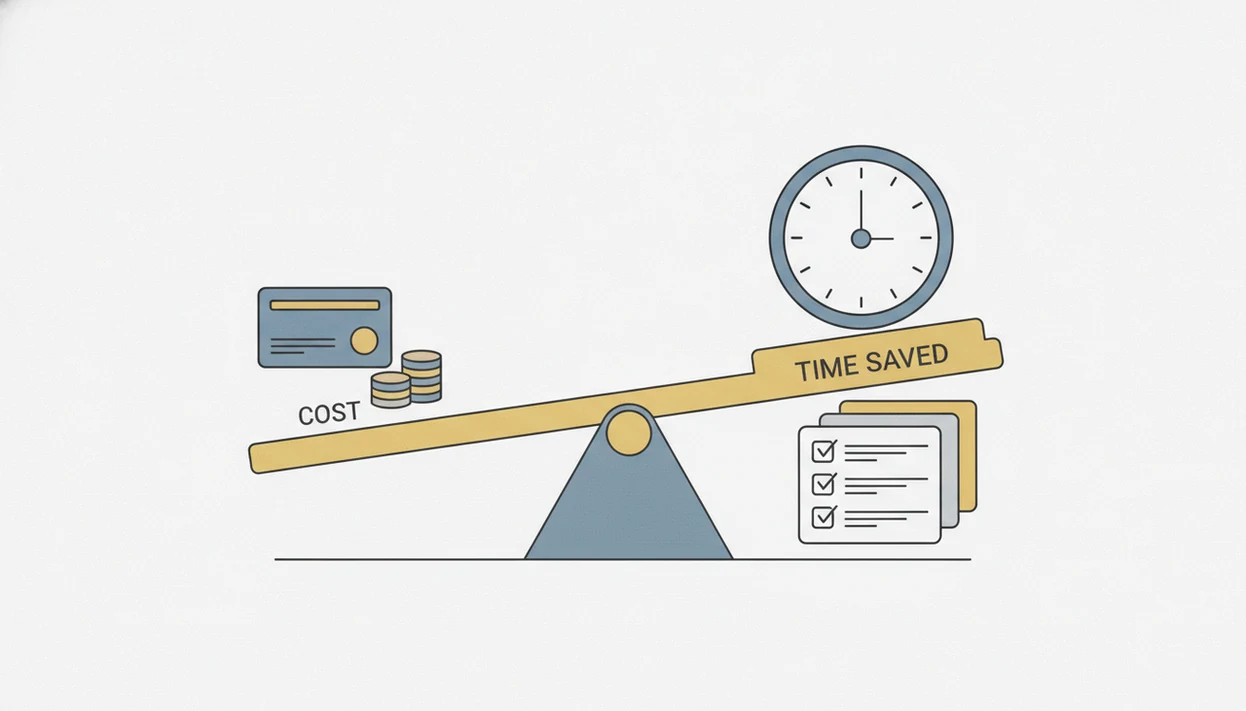
ChatGPT Plus costs about $0.67 per day before taxes, so the ROI bar is low for daily users and high for casual users. The math depends on how often the tool replaces slow, repetitive work.
Use this formula: hourly rate ÷ 60 × minutes saved per day = daily value. If you earn $40/hour and save 10 minutes per workday, that is about $6.67 per day in time value. At that rate, Plus pays for itself after roughly three productive workdays.
A field experiment found ChatGPT reduced task time by 11 minutes, while business-writing research found 40% faster completion. McKinsey reported that 79% of surveyed respondents had some exposure to generative AI at work (McKinsey State of AI report), and Salesforce reported that 61% of workers expect generative AI to transform their job: https://www.salesforce.com/news/stories/workers-want-generative-ai/
New AI Blog covers this subscription math further in the AI tool pricing guide. Gains vary by role, task complexity, and usage frequency.
Evidence Used in This ChatGPT Plus Comparison
This comparison uses OpenAI plan pages for price and feature claims, then weighs those claims against independent productivity research and broader workplace surveys. The goal is to separate what the subscription includes from what it may realistically save.
- Check primary plan sources: Use OpenAI’s pricing, help, release, and plan-feature pages for Plus, Pro, Business, Team, and Enterprise details, including price, model access, tools, and account controls.
- Read independent studies first: Give more weight to randomized or field research with defined participants, knowledge-work tasks, and measured outcomes such as task speed, output quality, or tasks completed per hour.
- Label softer evidence: Treat McKinsey, Salesforce, and vendor survey numbers as signals about adoption or expectations, not proof that every worker gets the same gain.
- Watch moving limits: Note that model names, caps, browsing access, file tools, and image generation limits can change, so the practical value of Plus may shift after publication.
- Compare real alternatives: Include Claude Pro, Gemini Advanced, and Team plans because buyers often choose between better long-document handling, Google Workspace fit, or business governance rather than “free vs Plus” alone.
Should You Upgrade? Binary Decision for ChatGPT Plus at Work
Upgrade if you use ChatGPT five or more times daily, hit free-tier caps, rely on web research, analyze files, or build repeatable prompts for client, marketing, operations, or coding tasks. Plus is also easier to justify when a missed limit interrupts paid work.
Stay free if you use ChatGPT a few times a week, only need short brainstorming help, or already have specialized tools doing the serious work. If you need admin controls, auditability, or stricter data handling, skip Plus and evaluate Team or Enterprise instead.
The right fit for solo professionals who need faster drafts and file analysis is ChatGPT Plus because the $20 plan combines higher caps with work-ready tools in one account. For a wider price scan, compare it with best AI tools under $20.
Understanding Results
ChatGPT Plus can make work faster when you use AI tools often, but its answers still need evaluation and human review. Check privacy rules before uploading client files, company data, or sensitive documents.
This guide works best when
- Frequent drafting, rewriting, summarizing, and brainstorming tasks
- File analysis for PDFs, CSVs, reports, and meeting notes
- Repeatable workflows using custom GPTs or saved prompts
- Current research when web results are checked against reliable sources
- Solo professionals who use AI apps several times a day
This guide may be less accurate when
- Low-volume users who may not recover the monthly cost
- Legal, financial, medical, hiring, or strategy decisions without expert review
- Workplaces that need admin controls, compliance, or team governance
- Sensitive files where privacy requirements are unclear
- Automation that depends on one AI agent or platform staying available