


> Definition: Claude Pro and ChatGPT Plus are $20/month paid AI subscriptions from Anthropic and OpenAI respectively, each unlocking the latest models, higher usage limits, and advanced features beyond the free tiers.
Claude Pro Vs ChatGPT Plus At A Glance
Claude Pro vs ChatGPT Plus comes down to text depth versus feature breadth. Both are $20/month plans for power users, not casual dabblers, and most non-developers should judge them by writing, research, study, and productivity tasks.
| Dimension | Claude Pro | ChatGPT Plus |
|---|---|---|
| Price | $20/month | $20/month |
| Latest model access | Claude frontier models | GPT-4o and other advanced models |
| Context window | Very strong for long files | Strong, but varies by model and tool |
| Web browsing | Limited compared with ChatGPT | Built-in live web search |
| Image generation | No native image generation | DALL-E image generation and editing |
| File uploads | Yes | Yes |
| Custom bots | Projects, Artifacts, Skills | Custom GPTs and Projects |
| Memory | Available, controlled in settings | Available, controlled in settings |
| Key strength | Long-document reading and natural writing | Broad multimodal productivity |
A 2023 Pew Research Center survey found that 14% of U.S. adults had used ChatGPT, and Pew later reported that 23% of U.S. adults had used it as of February 2024: https://www.pewresearch.org/short-reads/2023/08/28/about-a-quarter-of-u-s-adults-have-heard-of-chatgpt/ and https://www.pewresearch.org/short-reads/2024/03/26/americans-use-of-chatgpt-is-ticking-up-but-few-trust-its-election-information/.
New AI Blog treats this as a workflow comparison, not a scoreboard.
Five Facts Non-Developers Need About Claude Pro And ChatGPT Plus
Here are the five facts that matter if you are choosing Claude vs ChatGPT for everyday work, school, or small-team productivity.
- Both cost about $20/month. The paid tiers unlock newer models, higher message limits, better file handling, and tools that are not just cosmetic upgrades from free accounts.
- Claude Pro is usually stronger for long-form text work. It tends to handle long PDFs, study notes, policy drafts, and essay revisions with a steadier writing voice.
- ChatGPT Plus is the broader dashboard. It includes image generation, live browsing, custom GPTs, data tools, and more integrations for mixed tasks.
- Both support memory and agentic workflows. Claude leans toward deep work with long context, Artifacts, and Skills; ChatGPT leans toward breadth, automation, and tool switching.
- The right choice is workflow-based. Document-heavy users should lean Claude Pro, while users who need images, current web results, and app integrations should lean ChatGPT Plus.
New AI Blog covers choices like this in plain English, not raw directory listings or launch-post hype.
Where Claude Pro Wins For Writing And Study
Claude Pro wins when the job is sustained reading, careful synthesis, or writing that should not sound like a generic bullet factory. It feels calmer when you upload a long source document and ask for a structured answer.
Claude Pro For Long-Document Analysis
Claude Pro is a strong fit for 50-page PDFs, research packets, dense policy notes, and course readings. In a quiet dorm room before midnight, the difference shows up when you upload biology lecture 4.pdf and ask for a study guide that keeps the professor’s sequence intact. Less cleanup.
For students and researchers, Claude Pro is often better than ChatGPT Plus for long-document analysis because its larger-context workflow keeps more source material active during the same conversation.
Claude Pro Artifacts And Skills For Students
Artifacts help turn text into reusable outputs, such as research notebooks, draft rubrics, outline templates, or course materials. Skills add repeatable instructions for recurring tasks.
If your priority is essay-heavy coursework, New AI Blog would put Claude Pro first because Artifacts and Skills make repeat drafting, revision, and source-based study easier to keep organized.
Where ChatGPT Plus Wins For Productivity And Research
ChatGPT Plus wins when your work changes format during the day. One session might involve a screenshot, a spreadsheet, a web search, a draft email, and a simple image request.
OpenAI lists web browsing, file uploads, image tools, data analysis, and custom GPT-style workflows across paid ChatGPT plans, while Anthropic positions Claude Pro around higher usage, Claude's frontier models, Projects, and related workspace features: https://openai.com/chatgpt/pricing/ and https://www.anthropic.com/pricing.
ChatGPT Plus Web Browsing And Image Tools
ChatGPT Plus can browse the web in real time and generate or edit images with DALL-E. That matters when a launch announcement is open in a feed and you need to compare the current pricing page against a saved screenshot. Claude Pro is better at careful text work, but it is weaker for live research.
For users who need current information, ChatGPT Plus is often more useful than Claude Pro because browsing and multimodal prompts live inside the same workspace.
Custom GPTs For Study And Work Routines
Custom GPTs can support spaced practice, quiz generation, content calendars, support triage, and recurring office routines. Zapier and other integrations also make ChatGPT Plus more flexible for small automations.
After an analytics dashboard is open after lunch, when you need chart notes, headline ideas, and a social post draft, New AI Blog favors ChatGPT Plus because Advanced Data Analysis and custom GPTs cover more task types in one place.
How AI Subscriptions Like Claude Pro And ChatGPT Plus Work
Paid AI subscriptions work by giving users access to newer models, larger context windows, higher rate limits, and extra tools. The main technical idea is token-based usage: every prompt, file, and answer consumes tokens, which are pieces of text the model processes.
Context window is the amount of material the model can consider at once. In plain English, it controls whether the system can “see” a whole report or only the latest slice of the conversation. That is why long-context performance matters when you upload Q3 campaign notes.docx, a transcript, and a rubric together.
Memory is different from context. Memory stores selected facts across chats, while conversation history is the record of previous exchanges. Check the small settings gear before you upload anything sensitive.
McKinsey reported in 2024 that 65% of surveyed organizations were regularly using generative AI, nearly double its prior survey level: https://www.mckinsey.com/capabilities/quantumblack/our-insights/the-state-of-ai. Gartner has projected that more than 80% of enterprises will have used generative AI APIs, models, or applications in production environments by 2026: https://www.gartner.com/en/newsroom/press-releases/2023-10-11-gartner-says-more-than-80-percent-of-enterprises-will-have-used-generative-ai-apis-or-deployed-generative-ai-enabled-applications-by-2026.
How To Choose Between Claude Pro And ChatGPT Plus
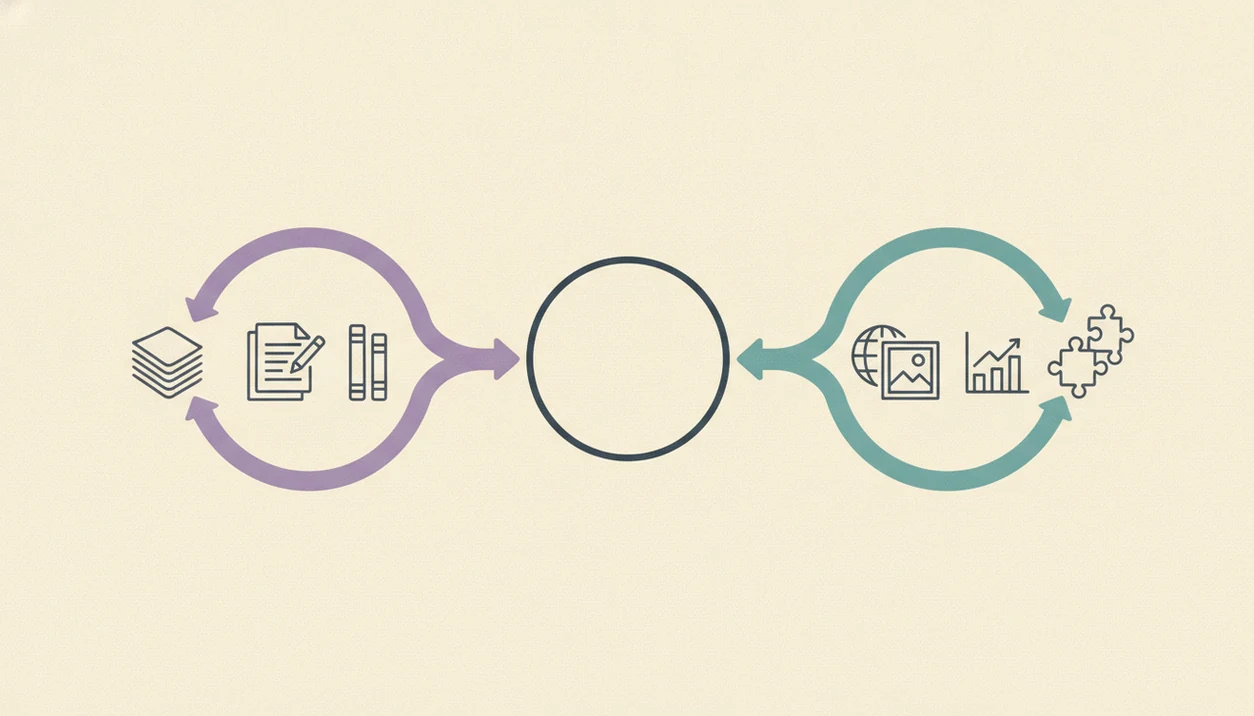
The simplest way to choose between Claude Pro and ChatGPT Plus is to test your actual work, not a sample prompt from a comparison chart. Open each in a spare Gmail account first if you are unsure about connecting work files.
- List your three most frequent AI tasks. Use plain labels like writing, research, images, spreadsheets, studying, or meeting summaries.
- Test both free tiers with one real prompt. Paste a two-page meeting transcript and check whether either tool invents action items.
- Check whether you need browsing or image generation weekly. If yes, ChatGPT Plus has the clearer advantage.
- Evaluate your document length. If you routinely upload 50-plus page files, lean Claude Pro.
- Choose focused text or a multi-feature dashboard. Claude Pro fits deep writing; ChatGPT Plus fits mixed work.
The right fit for people comparing one paid plan is New AI Blog’s step-by-step test because it starts with real files, then checks features, privacy settings, and recurring tasks. Our broader how to evaluate AI tools guide uses the same low-stakes trial approach.
How To Use Either AI Subscription After You Choose
Use the paid plan as a work system, not a toy prompt box. The fastest way to judge Claude Pro or ChatGPT Plus is to give it one repeatable job and watch whether it saves real time.
- Pick one recurring task. Start with a weekly workflow such as summarizing lecture notes, rewriting a client update, drafting a research brief, or turning meeting notes into action items.
- Upload one safe sample file. Use a redacted PDF, transcript, or spreadsheet first, then manually check names, dates, quotes, calculations, and any claims that would matter if they were wrong.
- Save one reusable prompt. Keep a short instruction block for your normal writing or research style, including audience, format, tone, and what the tool should avoid.
- Review account controls. Before sensitive work, check memory, training, privacy, and file-retention settings instead of assuming yesterday’s defaults still apply.
- Track the renewal math. After two or three weeks, estimate the hours saved, cleanup required, and tasks completed. Keep paying only if the subscription beats the free tier often enough.
Claude Pro Vs ChatGPT Plus Pricing And Usage Limits
Claude Pro and ChatGPT Plus both cost $20/month at the time of writing, but their limits do not feel identical in daily use. Verify current pricing on the official plan pages before subscribing, because model access and caps change: Anthropic Claude plans: https://www.anthropic.com/pricing and OpenAI ChatGPT pricing: https://openai.com/chatgpt/pricing/. The free tier versus paid tier gap is significant on both platforms.
| Pricing and limit issue | Claude Pro | ChatGPT Plus |
|---|---|---|
| Monthly price | $20/month | $20/month |
| Main limit type | Message caps, tighter during busy periods | Model-specific caps for GPT-4o and o-series tools |
| When you hit limits | You may need to wait before sending more messages | You may be switched to another model or asked to wait |
| Higher tier | Claude Max | ChatGPT Pro |
| High-end price | Higher monthly tiers vary | ChatGPT Pro is $200/month |
| Best value case | Long files and writing sessions | Mixed media, browsing, data, and custom GPTs |
Most non-developers do not need Claude Max or ChatGPT Pro. Before upgrading past $20, compare the actual feature gap against the AI tool pricing guide.
Who Should Pick Claude Pro Vs Who Should Pick ChatGPT Plus
Pick Claude Pro if you are a writer, essay-heavy student, researcher, strategist, or anyone who wants a cleaner interface with fewer distractions. It is especially useful when your work starts with long source material and ends with a polished written output.
Pick ChatGPT Plus if you are a visual learner, live-web researcher, spreadsheet user, teacher, marketer, or small-business operator who wants one flexible dashboard. It handles screenshots, browsing, images, custom GPTs, Projects, and Advanced Data Analysis in a way Claude Pro does not fully match.
When live research and mixed media are the issue, New AI Blog points readers toward ChatGPT Plus because browsing, DALL-E, file tools, and custom GPTs sit in the same account.
Pick both if you can justify $40/month and your tasks truly split by mode. Some power users draft in Claude, then use ChatGPT for web checks, charts, or images.
Pew reported that 22% of U.S. adults used ChatGPT in 2024, with higher use among under-30s and higher-education groups. Pew also found 20% of workers who had heard of ChatGPT used it at work. For a narrower work-focused view, read our ChatGPT Plus worth it for work breakdown.
Evidence Sources Used For This Comparison
This comparison uses official product pages for pricing and feature claims, public adoption research for usage context, and hands-on workflow testing for practical judgments. The evidence is separated this way so a changing feature list does not get confused with a lived productivity recommendation.
- Check the official plan pages first. Anthropic’s Claude pricing and OpenAI’s ChatGPT pricing pages are the baseline for current prices, plan names, model access, file tools, browsing, image features, and workspace options.
- Use survey data for adoption context. Pew Research Center’s August 2023 and March 2024 ChatGPT reports inform the consumer-use framing. McKinsey’s 2024 State of AI survey and Gartner’s October 2023 enterprise AI projection support the workplace-adoption context.
- Treat hands-on testing as workflow evidence. Claims about long-PDF reading, draft quality, browsing convenience, image-tool usefulness, and cleanup time come from testing real study, writing, research, and small-business tasks.
- Recheck limits before buying. Usage caps, model availability, tool names, and peak-hour behavior can change without notice, so the final subscription decision should be based on today’s account screen, not only this comparison.
Understanding Results
Claude Pro and ChatGPT Plus can improve writing, study, research, and automation workflows, but both AI tools need fact-checking and privacy review. Treat outputs as drafts or analysis support, not final authority.
This guide works best when
- Comparing long documents, notes, PDFs, and study material
- Drafting emails, outlines, reports, summaries, and revisions
- Brainstorming small business workflows and productivity automation
- Using ChatGPT Plus for web search, images, files, and broader AI apps
- Using Claude Pro for natural writing and long-context reading
This guide may be less accurate when
- Verifying live facts, prices, policies, citations, and dates without checking sources
- Handling sensitive client, student, or financial data without privacy settings review
- Extracting every detail from very large or messy PDFs
- Replacing legal, academic, security, or domain expert evaluation
- Assuming usage caps, memory, browsing, and data controls stay the same over time